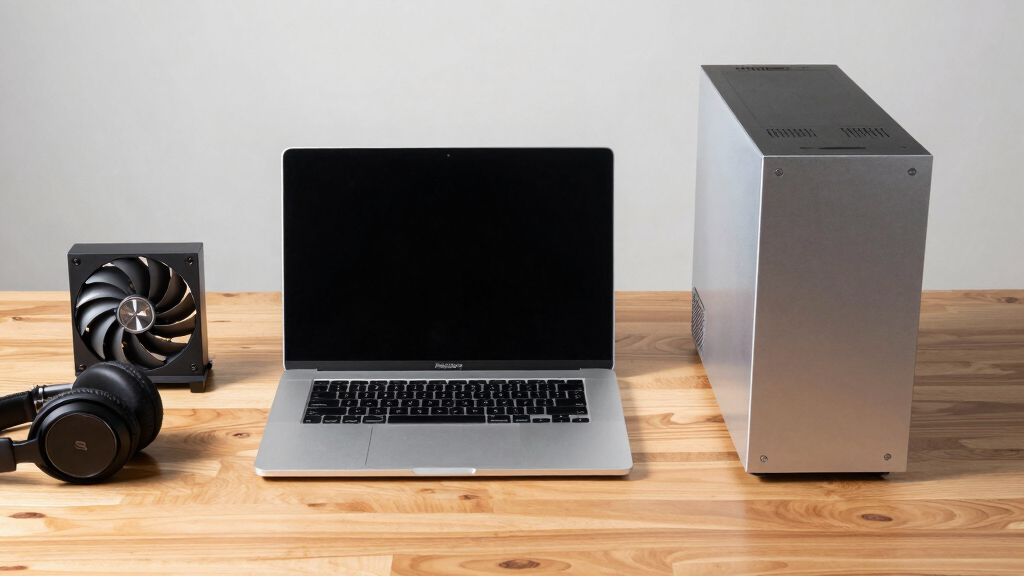

📊 Full opportunity report: Mac vs GPU Tower for Local LLMs: The Heat-and-Noise Tradeoff on ThorstenMeyerAI.com — validation score, market gap, and execution plan.
TL;DR
This article compares Mac Studio with Apple Silicon and GPU towers for running local large language models. The key differences are in heat, noise, memory capacity, and performance, influencing choice based on workload size and operational preferences.
Apple Silicon-based Mac Studio offers a near-silent, low-power alternative to GPU towers for local large language model inference, which are traditionally high-heat, noisy setups.
Recent comparisons highlight fundamental differences between Mac Studio with M3 Ultra and traditional GPU towers equipped with NVIDIA RTX 5090 cards. The core distinction lies in their architectural focus: GPUs optimize memory bandwidth, enabling higher throughput for models fitting in VRAM, while Apple Silicon emphasizes large unified memory capacity, allowing it to run larger models that exceed GPU VRAM limits.
The GPU tower, especially with high-end cards like the RTX 5090, consumes 575W to over 800W, generating significant heat that requires complex thermal management, including fans, cooling systems, and ongoing adjustments. Conversely, the Mac Studio consumes a fraction of that power, producing minimal heat and operating near-silently, making it ideal for continuous, unobtrusive use.
Performance differences are notable: GPU towers can deliver 3–4 times faster token generation on models that fit in VRAM, thanks to their superior bandwidth. However, for models larger than 32GB, the Mac can load and run these models effectively due to its large, shared memory pool, despite slower read speeds. The choice hinges on whether your workload involves models that fit within GPU VRAM or larger models that require capacity over raw speed.
Mac vs GPU tower
for local LLMs.
What if you sidestep the heat entirely with a different kind of machine? A tower is a high-bandwidth furnace you spend five levers quieting. Apple Silicon is near-silent by design — but asks for different tradeoffs. Match your priority in Part 2.
Put the loud, hot machine where its noise doesn’t matter, and the quiet one where you do. SSH into the tower when you need raw power; let the Mac handle everything else, silently.
Impact of Heat and Noise on Local AI Hardware Choices
The decision between a Mac Studio and a GPU tower extends beyond raw performance to operational considerations such as heat output, noise levels, and power consumption. For users seeking a quiet, low-maintenance setup, the Mac offers a compelling solution, especially for models exceeding GPU VRAM limits. Conversely, those prioritizing maximum throughput and fine-tuning capabilities will favor GPU towers, despite their thermal and noise challenges. This comparison influences hardware selection for AI practitioners, developers, and hobbyists based on workload size, operational environment, and maintenance willingness.

Apple Mac Studio, M3 Ultra 32-Core CPU / 80-Core GPU, 256GB Unified Memory, 8TB SSD
- Performance: Up to 32-core CPU and 80-core GPU
- Display Support: Supports up to 8 displays at 8K
- Memory Capacity: Up to 512GB RAM
As an affiliate, we earn on qualifying purchases.
As an affiliate, we earn on qualifying purchases.
Architectural Tradeoffs in AI Hardware Design
The core difference stems from architectural priorities: GPU towers focus on maximizing memory bandwidth for high-speed inference on models that fit in VRAM, leveraging CUDA and multi-GPU scaling for performance. Apple Silicon, with its unified memory architecture, prioritizes large capacity, enabling it to handle bigger models directly, albeit with slower read speeds. These design philosophies reflect divergent approaches to balancing performance, heat, noise, and upgradeability, shaping the landscape of local AI hardware options.
"The heat-and-noise dimension is one of the sharpest differences between GPU towers and Apple Silicon machines for local AI."
— Thorsten Meyer
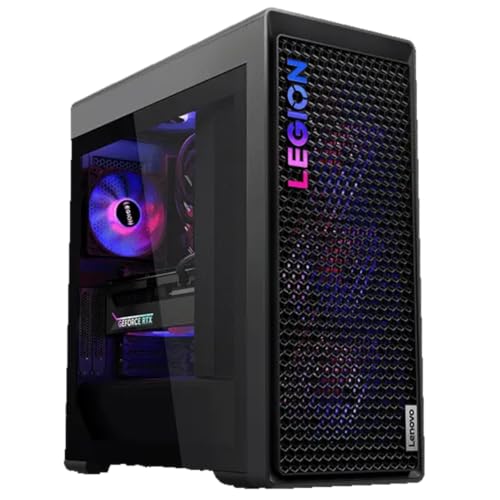
Lenovo Legion Tower 7i Gen 10 Gaming Desktop PC (2026 Model) - Intel Ultra 9 285K 24-Core, NVIDIA RTX 5090 32GB, 64GB RAM, 2TB NVMe SSD, 1200W PSU, Liquid Cooling, Windows 11 Pro
- Processor: Intel Core Ultra 9 285K, up to 5.50 GHz
- Operating System: Windows 11 Pro 64-bit
- Graphics Card: NVIDIA RTX 5090 32GB GDDR7
As an affiliate, we earn on qualifying purchases.
As an affiliate, we earn on qualifying purchases.
Unresolved Questions in Hardware Performance and Scalability
It remains unclear how upcoming GPU architectures or Apple Silicon updates will shift these tradeoffs, particularly regarding improvements in memory bandwidth, unified memory performance, and thermal management. Long-term upgradeability and ecosystem support also continue to evolve, affecting hardware suitability for different workloads.

Andromeda Insights - AI Workstation Gaming PC | AMD Radeon Pro R9700 32GB | Ryzen 5 9600X (5.4 GHz Turbo) | 32GB DDR5 | 1TB Gen4 SSD | W11 | Wi-Fi | Bluetooth - Black
- AI-Optimized Workstation: Designed for demanding AI workloads
- Powerful CPU: AMD Ryzen 5 9600X with 5.4GHz Turbo
- High-Performance GPU: AMD Radeon Pro R9700 with 32GB VRAM
As an affiliate, we earn on qualifying purchases.
As an affiliate, we earn on qualifying purchases.
Future Developments in Local AI Hardware Options
Expect ongoing improvements in GPU memory bandwidth and thermal management, potentially narrowing performance gaps. Meanwhile, Apple Silicon may see enhancements in memory capacity and inference speed. Hardware manufacturers are likely to refine cooling solutions and expand upgrade paths, influencing user choices in the near future.

ASUS Ascent GX10 AI Supercomputer, DGX Spark, NVIDIA GB10 Superchip, 128GB LPDDR5x, 2TB PCIe Gen4 NVMe SSD, Wi-Fi 7 & BT5.4, Agentic AI Ready, Supports OpenClaw, NemoClaw, Stackable Chassis
- AI Performance: Powered by NVIDIA GB10 Superchip with 1 petaFLOP
- High Memory Capacity: 128GB LPDDR5x memory for large models
- Fast Storage: 2TB PCIe Gen4 NVMe SSD
As an affiliate, we earn on qualifying purchases.
As an affiliate, we earn on qualifying purchases.
Key Questions
Can a Mac Studio run all large language models effectively?
It can run models larger than GPU VRAM limits, such as 70B+ models, thanks to its large unified memory, but at slower speeds. Performance depends on workload size and latency requirements.
Is heat and noise the main reason to choose a Mac over a GPU tower?
Heat and noise are significant factors, especially for continuous operation in quiet environments. Mac Studio offers near-silent operation, whereas GPU towers require thermal management efforts.
Will future GPU cards improve in thermal efficiency?
Potentially, yes. Advances in cooling, power efficiency, and architecture may reduce heat output, but current high-end GPUs remain power-hungry and hot compared to Apple Silicon.
How does upgradeability differ between Mac and GPU towers?
GPU towers allow adding or replacing cards and expanding capacity, while Mac Studios are fixed at purchase with no upgrade options for memory or GPU.
Source: ThorstenMeyerAI.com