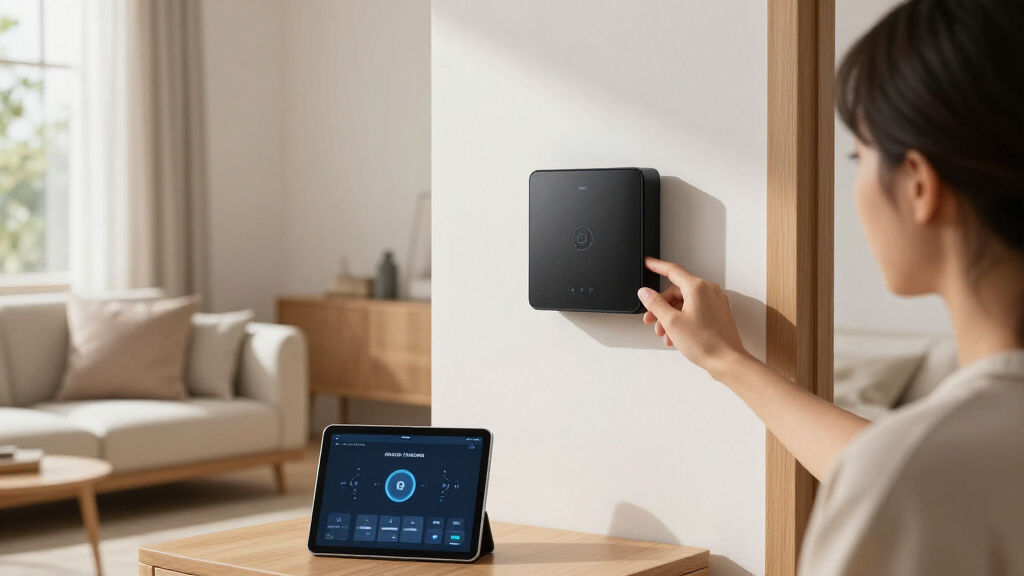

Smart home automation hubs are the control centers that tie your lights, locks, sensors, and thermostats into one system — and picking the wrong one can lock you into an ecosystem for years. The Aqara Hub M3 earns my best overall pick thanks to its rare combination of Matter, Thread, Zigbee, and infrared support in a single box, along with Power over Ethernet for rock-solid reliability. Power users should shortlist the Hubitat Elevation C-8 Pro for its local automation engine, while the Amazon Echo Hub remains the easiest entry point for Alexa households. The core tradeoff in this category is convenience versus control: cloud-dependent hubs are simpler but slower and vulnerable to outages, while local-first hubs are faster and more private but demand more setup effort. Read on for the full breakdown of what separates these seven hubs and which one fits your home.

Get the latest gadgets delivered free with Prime
- Fast, free delivery on millions of items
- Prime Video, Amazon Music and more included
- Member-only deals all year
Complete the kit



Key Takeaways
- Protocol support is the biggest differentiator: only the amazon.com/dp/B0CWLHSKYC?tag=nanomachines-20&ascsubtag=dc-1020304″ target=”_blank” rel=”nofollow sponsored noopener”>Aqara M3 and Hubitat C-8 Pro cover Zigbee, Thread, and either Z-Wave or IR, making them the most future-proof picks as Matter adoption grows.
- Local processing emerged as the dividing line between reliability tiers — Hubitat and Home Assistant Green keep automations running during internet outages, while the Echo Hub and SmartThings hubs depend more heavily on cloud services.
- The SMLIGHT SMHUB Essential and Aeotec Hub 2 prove that niche positioning matters: one targets DIY Zigbee/Thread networks, the other serves as a SmartThings replacement, and both undercut the flagship hubs on price.
- Beginners pay a convenience tax: the Echo Hub is the simplest to set up but offers the least protocol flexibility, making it a gateway product rather than a long-term foundation.
- Home Assistant Green is the only hub here with genuinely advanced automation logic, but it demands technical comfort that most casual buyers should honestly assess before choosing it.
| Aqara Smart Home Hub M3 with Matter Support, Zigbee, Thread, IR, Wi-Fi, PoE |  | Best Overall | Protocols Supported: Zigbee, Thread, Wi-Fi, IR | Connectivity: Wired (PoE, USB-C) and wireless (Wi-Fi 2.4/5 GHz) | Device Capacity: 127 Zigbee devices, 127 Thread devices | VIEW LATEST PRICE | See Our Full Breakdown |
| Hubitat Elevation C-8 Pro Smart Home Hub – Z-Wave, Zigbee, Matter |  | Best for Power Users | Protocols Supported: Matter 1.5, Z-Wave 800 Series with Long Range, Zigbee 3.0, Bluetooth | Dimensions: 3.23 x 2.95 x 0.67 inches | Weight: 0.16 lbs | VIEW LATEST PRICE | See Our Full Breakdown |
| SmartThings Hub 3rd Generation |  | Best for Ecosystem Simplicity | Compatibility: Alexa, Google Home | Protocols: Zigbee, Z-Wave, Cloud-to-Cloud | Color: White | VIEW LATEST PRICE | See Our Full Breakdown |
| Home Assistant Green Smart Home Hub with Advanced Automation |  | Best for Customization | Processor: Quad-core | Storage: 32GB | RAM: 4GB | VIEW LATEST PRICE | See Our Full Breakdown |
| Aeotec Smart Home Hub 2 – V4, Zigbee & Matter Gateway, Works with SmartThings, Alexa, Google Assistant, WiFi (No Z-Wave) |  | Best SmartThings Upgrade | Compatibility: SmartThings, Alexa, Google Assistant | Standards Supported: Matter, Zigbee | Connectivity: Wi-Fi, Ethernet | VIEW LATEST PRICE | See Our Full Breakdown |
| SMLIGHT SMHUB Essential – Professional Smart Home Control Hub with Zigbee, Thread, Wi-Fi & Bluetooth |  | Best for Tinkerers and Power Users | Operating System: Linux-based | Supported Protocols: Zigbee, Thread, Wi-Fi, Bluetooth | Optional Modules: Z-Wave, 4G/LTE (sold separately) | VIEW LATEST PRICE | See Our Full Breakdown |
| Amazon Echo Hub (Newest Model), 8″ Smart Home Control Panel with Alexa+ |  | Best Wall-Mounted Control Panel | Display Size: 8 inches | Compatibility: Alexa+, Ring subscription (sold separately), Zigbee, Matter, Sidewalk, Thread | Connectivity: WiFi, Bluetooth | VIEW LATEST PRICE | See Our Full Breakdown |
| smart home automation hub | Connectivity | Compatibility |
|---|---|---|
| Aqara Smart Home Hub M3 with M | Wired (PoE, USB-C) and wireless (Wi-Fi 2.4/5 GHz) | Apple HomeKit, Alexa, SmartThings, Home Assistant |
| Hubitat Elevation C-8 Pro Smar | — | — |
| SmartThings Hub 3rd Generation | — | Alexa, Google Home |
| Home Assistant Green Smart Hom | Ethernet (required for setup); USB expandability | — |
| Aeotec Smart Home Hub 2 | Wi-Fi, Ethernet | SmartThings, Alexa, Google Assistant |
| SMLIGHT SMHUB Essential | — | — |
| Amazon Echo Hub | WiFi, Bluetooth | Alexa+, Ring subscription (sold separately), Zigbee, Matter, Sidewalk, Thread |
More Details on Our Top Picks
Aqara Smart Home Hub M3 with Matter Support, Zigbee, Thread, IR, Wi-Fi, PoE
The Aqara Hub M3 stands out as the most complete hub in this lineup, supporting Zigbee, Thread, Wi-Fi, and infrared — a protocol spread no other pick here matches. That IR blaster matters more than it sounds: it can control older air conditioners and TVs that no other hub in this roundup can touch. With room for 127 Zigbee and 127 Thread devices plus 8GB of encrypted local storage, it scales well beyond the SmartThings Hub or the Aeotec Hub 2 for larger installs. Compared with the Hubitat C-8 Pro, the M3 trades raw rule-building depth for friendlier setup and Matter-first integration across HomeKit, Alexa, SmartThings, and Home Assistant.
The tradeoffs are real, though. Placement between 6 and 19 feet from the router limits where it can live, and the missing power adapter is an annoying extra purchase unless you’re already running PoE.
Pros:- Supports Zigbee, Thread, Wi-Fi, and IR for unmatched protocol coverage
- 8GB encrypted local storage keeps automations running without the cloud
- 360° learning IR blaster controls legacy ACs and TVs
- Works with HomeKit, Alexa, SmartThings, and Home Assistant
Cons:- Placement constrained to 6–19 feet from the router for reliable connectivity
- Power adapter not included unless you use PoE
- Some features depend on third-party app support that varies by ecosystem
Best for: Smart home enthusiasts with large, mixed-protocol setups who want Matter support and local automation in one box
Not ideal for: Buyers who want everything in the box — the adapter isn’t included, and IR-dependent setups need careful placement
- Protocols Supported:Zigbee, Thread, Wi-Fi, IR
- Connectivity:Wired (PoE, USB-C) and wireless (Wi-Fi 2.4/5 GHz)
- Device Capacity:127 Zigbee devices, 127 Thread devices
- Storage:8GB encrypted local storage
- Compatibility:Apple HomeKit, Alexa, SmartThings, Home Assistant
- IR Blaster:360° with feedback and learning
- Power:PoE, USB-C (adapter not included)
Our verdict“If you want one hub that covers nearly every protocol today and is ready for Matter’s future, this is the pick — just budget for a power adapter.”
Hubitat Elevation C-8 Pro Smart Home Hub – Z-Wave, Zigbee, Matter
Where the Aqara M3 favors breadth, the Hubitat Elevation C-8 Pro favors depth. Its fully local rule engine executes complex automations on-device, so triggers fire instantly and keep working when your internet drops — a reliability argument the cloud-dependent SmartThings Hub can’t make. The C-8 Pro adds Z-Wave 800 Series with Long Range and external antennas, giving it noticeably better reach than the Aeotec Hub 2, which dropped Z-Wave entirely. Matter 1.5 support keeps it current, and unlike most platforms, every feature is unlocked without a subscription.
The catch: this is a tinkerer’s tool. Setup and rule building demand patience that beginners may not have, and there’s no built-in voice assistant — you’ll lean on Alexa, Google Home, or HomeKit bridges for voice control. Compared with the Home Assistant Green, Hubitat is simpler to run but less endlessly customizable.
Pros:- Local processing delivers instant response and works during internet outages
- Z-Wave 800 Long Range plus external antennas for extended coverage
- Full feature set with no subscription required
- Compatible with Alexa, Google Home, and Apple HomeKit
Cons:- Setup and rule creation are complex for beginners
- No built-in voice assistant — voice control requires external ecosystems
- Requires compatible devices to take advantage of automation features
Best for: DIY automation builders who want fast, cloud-free local control and complex rule logic without monthly fees
Not ideal for: Casual users or first-timers — the interface and setup curve assume you already know what a rule engine is
- Protocols Supported:Matter 1.5, Z-Wave 800 Series with Long Range, Zigbee 3.0, Bluetooth
- Dimensions:3.23 x 2.95 x 0.67 inches
- Weight:0.16 lbs
- External Antennas:2 (Z-Wave and Zigbee)
- Processing:Local, cloud-independent
- Voice Control:Via Alexa, Google Home, Apple HomeKit
Our verdict“The most powerful hub here for people who enjoy building automations themselves, provided you’re willing to climb its learning curve.”
SmartThings Hub 3rd Generation
The SmartThings Hub 3rd Generation earns its spot by being the easiest on-ramp to a multi-protocol setup. Pairing Zigbee, Z-Wave, and cloud-to-cloud integrations with the polished SmartThings app, it makes presence-based and sensor-triggered automations approachable in a way the Hubitat C-8 Pro deliberately doesn’t. For households that just want lights to respond when a door opens — without learning a rule engine — this model makes the most sense.
But it’s an aging design, and it shows. Compared with the Aeotec Hub 2 (its spiritual successor), it lacks Matter support and local automation, meaning more of your smart home leans on Samsung’s cloud and an internet connection. If Matter matters to you, the Aeotec or Aqara M3 are better long-term bets; if simplicity and Z-Wave device support at a lower entry point matter more, this still holds up.
Pros:- Combines Zigbee, Z-Wave, and cloud-to-cloud integrations in one hub
- Approachable app with presence and sensor-based automations
- Works with Alexa and Google Home voice control
Cons:- No Matter or Thread support compared with newer hubs
- Cloud reliance means automations can suffer during outages
- Setup can still confuse complete beginners
Best for: Households wanting straightforward app-based automation with Zigbee and Z-Wave support and minimal configuration
Not ideal for: Future-proofing buyers — no Matter support and heavier cloud dependence than newer rivals
- Compatibility:Alexa, Google Home
- Protocols:Zigbee, Z-Wave, Cloud-to-Cloud
- Color:White
- Automation:Presence, sensor, and schedule-based triggers
- App:Samsung SmartThings
Our verdict“A sensible pick if you value app simplicity and Z-Wave support today, but newer hubs have passed it on standards and local control.”
Home Assistant Green Smart Home Hub with Advanced Automation
Home Assistant Green is the platform-first choice in this roundup — you’re buying into the most flexible automation software available, with Home Assistant pre-installed on fanless, sipping-only-a-few-watts hardware. Its quad-core processor, 4GB RAM, and 32GB storage outmuscle anything else here, which matters if you plan to run dozens of integrations, dashboards, and scripts at once. Unlike the Hubitat C-8 Pro, which simplifies its rule engine for manageability, Green gives you near-limitless customization through the full Home Assistant ecosystem.
Out of the box, though, it’s nearly protocol-blind: Zigbee, Z-Wave, and Thread all require USB dongles, so real cost and setup grow beyond the sticker price. Initial configuration also demands a wired Ethernet connection. Compared with the Aqara M3’s everything-included approach, Green is a foundation you build on rather than a finished product.
Pros:- Full Home Assistant platform pre-installed for deep customization
- Powerful quad-core CPU with 4GB RAM and 32GB storage
- Fanless, energy-efficient design runs silently
- USB expansion supports Zigbee, Z-Wave, and Thread radios
Cons:- Essentially no wireless protocol support without buying USB dongles
- Requires Ethernet for initial setup
- Steeper learning curve than app-driven hubs
Best for: Tinkerers who want maximum automation flexibility and don’t mind adding USB radios to get there
Not ideal for: Plug-and-play buyers — without USB expansion it controls very little, and setup assumes some technical comfort
- Processor:Quad-core
- Storage:32GB
- RAM:4GB
- Power Consumption:A few watts
- Connectivity:Ethernet (required for setup); USB expandability
- Protocol Expansion:Z-Wave, Zigbee, and Thread via USB dongles
- Design:Fanless
Our verdict“The right foundation for a fully custom, privacy-first smart home — as long as you accept that the hardware is just the starting point.”
Aeotec Smart Home Hub 2 – V4, Zigbee & Matter Gateway, Works with SmartThings, Alexa, Google Assistant, WiFi (No Z-Wave)
Think of the Aeotec Smart Home Hub 2 (V4) as the modernized SmartThings Hub for the Matter era. It keeps the same friendly SmartThings app experience as the 3rd Gen hub but swaps aging radios for Matter and Zigbee support, and adds local automations that survive internet outages — a genuine reliability upgrade over its predecessor. Setup over Wi-Fi or Ethernet is refreshingly simple compared with the Hubitat C-8 Pro’s multi-step configuration.
The defining limitation is spelled out on the box: no Z-Wave. If you’ve invested in Z-Wave locks, sensors, or switches, the Hubitat or even the older SmartThings hub will serve you better. Ecosystem reach is also narrower than the Aqara M3’s — there’s no HomeKit support here, and IR control is off the table. Within its lane, though, it’s a clean, affordable, future-leaning choice.
Pros:- Matter and Zigbee support for current and future device compatibility
- Local automations keep the home running during internet outages
- Easy setup over Wi-Fi or Ethernet
- Familiar, polished SmartThings app experience
Cons:- No Z-Wave support excludes a large installed device base
- Limited ecosystem support — SmartThings, Alexa, and Google Assistant only
- Depends on compatible devices for full functionality
Best for: SmartThings users upgrading older setups who want Matter support and local automations without complexity
Not ideal for: Z-Wave device owners or Apple HomeKit households — neither protocol or platform is supported
- Compatibility:SmartThings, Alexa, Google Assistant
- Standards Supported:Matter, Zigbee
- Connectivity:Wi-Fi, Ethernet
- Z-Wave Support:No
- Local Automation:Yes
- App:Samsung SmartThings
Our verdict“The natural upgrade path for SmartThings loyalists who want Matter readiness — skip it if Z-Wave is part of your home.”
SMLIGHT SMHUB Essential – Professional Smart Home Control Hub with Zigbee, Thread, Wi-Fi & Bluetooth
The SMLIGHT SMHUB Essential is built for people who want to run their smart home on their own terms. Unlike the Hubitat Elevation C-8 Pro, which hides its complexity behind a polished web interface, this hub assumes you already know what Zigbee2MQTT and Matterbridge are — and rewards you with genuinely local, cloud-free control across Zigbee, Thread, Wi-Fi, and Bluetooth radios.
What makes this option stand out is its modularity: Z-Wave and 4G/LTE can be added later, so the hub grows with your setup rather than locking you into one radio set on day one. Compared with the Home Assistant Green, the tradeoff is steep — the Green offers friendlier first-time setup, while the SMHUB demands real configuration work and pushes your total cost up once expansion modules enter the cart. Sparse user reviews also mean less community troubleshooting history to lean on.
Pros:- Local hosting of Zigbee2MQTT, MQTT, and Matterbridge keeps automations running without cloud dependency
- Four built-in radios (Zigbee, Thread, Wi-Fi, Bluetooth) cover nearly every protocol without extra dongles
- Expandable with optional Z-Wave and 4G/LTE modules for future-proofing
- Works with Google Home and Apple Home natively, avoiding a second bridge
Cons:- Setup and configuration demand real technical knowledge — this is not a beginner device
- Expansion modules are sold separately, so the true cost of a full setup is higher than the sticker price
- Very limited detailed user reviews available, making pre-purchase research harder
Best for: Hobbyists and self-hosters who already run (or want to run) Zigbee2MQTT, MQTT, and Matterbridge and want a Linux base they fully control
Not ideal for: Beginners or anyone who wants plug-and-play setup out of the box — the learning curve here is real, and hidden module costs add up fast
- Operating System:Linux-based
- Supported Protocols:Zigbee, Thread, Wi-Fi, Bluetooth
- Optional Modules:Z-Wave, 4G/LTE (sold separately)
- Included Antennas:2x 5dB gain
- Expansion Modules:PoE, Z-Wave, 4G LTE (sold separately)
- Locally Hosted Apps:Zigbee2MQTT, MQTT, Matterbridge
- Peripherals:IR, buzzer, LEDs, audio output
- Ecosystem Compatibility:Google Home, Apple Home (no additional hubs)
Our verdict“Buy this if you treat your smart home as a project and want maximum protocol flexibility in a self-hosted Linux hub — skip it if you just want something that works after ten minutes.”
Amazon Echo Hub (Newest Model), 8″ Smart Home Control Panel with Alexa+
The Amazon Echo Hub solves a problem most hubs in this roundup ignore: visibility. Where the SmartThings Hub 3rd Generation and Aeotec Smart Home Hub 2 are blind boxes tucked in a closet, the Echo Hub puts an 8-inch touchscreen dashboard on your wall, making it the pick that makes most sense for households where family members actually need to see and tap controls rather than open an app.
Protocol support is broad — Zigbee, Matter, Thread, and Sidewalk — though the Amazon ecosystem is the sun everything orbits around. Compared with the Aqara Hub M3, you gain a far friendlier interface but lose independence from a big-tech platform. The costs beyond the panel add up too: stands and Ethernet adapters are separate, and getting full value from the security features effectively means a Ring subscription. Privacy controls like the mic-off button help, but committed privacy-first buyers will prefer a local option like Hubitat.
Pros:- 8-inch customizable touchscreen dashboard that’s genuinely usable by the whole household
- Broad compatibility across Zigbee, Matter, Thread, Sidewalk, and thousands of Alexa-certified devices
- Built-in camera viewing, routines, and home security management in one panel
- Strong privacy layers including a physical mic-off button
Cons:- Useful accessories like stands and Ethernet adapters are sold separately
- Full security features effectively require a paid Ring subscription
- Ecosystem lock-in to Amazon and compatible third-party devices limits flexibility
Best for: Alexa households, especially Ring camera owners, who want a central wall-mounted touchscreen the whole family can use
Not ideal for: Privacy-focused users or anyone building a cloud-independent setup — this panel is designed around Amazon services and subscriptions
- Display Size:8 inches
- Compatibility:Alexa+, Ring subscription (sold separately), Zigbee, Matter, Sidewalk, Thread
- Connectivity:WiFi, Bluetooth
- Voice Assistant:Alexa+
- Privacy Features:Mic off button, multiple privacy controls
- Materials:27% recycled materials
- Packaging:97% recycled or responsibly sourced materials
Our verdict“This pick makes the most sense for Alexa-centric homes that want a touchscreen command center on the wall — anyone avoiding Amazon’s ecosystem should look at Hubitat or the Aqara M3 instead.”
How We Picked
My ranking starts with protocol compatibility, because a hub’s radio support determines which devices it can actually control. Hubs covering Zigbee, Thread, Z-Wave, and Matter scored higher than Wi-Fi-only or single-protocol options, since mixed-protocol homes are now the norm rather than the exception. Next came local versus cloud processing: hubs that execute automations on-device earned reliability and privacy advantages over hubs that route every command through external servers.
From there, I weighed setup complexity against long-term flexibility, because the easiest hub to install is rarely the most capable one. Build quality, ongoing software support, ecosystem compatibility with Alexa and Google Assistant, and price-to-feature value rounded out the evaluation. The final order reflects a simple philosophy: hubs that grow with your home beat hubs that are easiest on day one, provided the tradeoffs are honest and clearly explained.
| smart home automation hub | Connectivity | Compatibility |
|---|---|---|
| Aqara Smart Home Hub M3 with M | Wired (PoE, USB-C) and wireless (Wi-Fi 2.4/5 GHz) | Apple HomeKit, Alexa, SmartThings, Home Assistant |
| Hubitat Elevation C-8 Pro Smar | — | — |
| SmartThings Hub 3rd Generation | — | Alexa, Google Home |
| Home Assistant Green Smart Hom | Ethernet (required for setup); USB expandability | — |
| Aeotec Smart Home Hub 2 | Wi-Fi, Ethernet | SmartThings, Alexa, Google Assistant |
| SMLIGHT SMHUB Essential | — | — |
| Amazon Echo Hub | WiFi, Bluetooth | Alexa+, Ring subscription (sold separately), Zigbee, Matter, Sidewalk, Thread |
Factors to Consider When Choosing Smart Home Automation Hubs
Choosing a smart home automation hub is less about finding the best product and more about finding the right architecture for your home. Before spending money on any of the seven hubs above, work through these broader factors.Match the Hub to Your Existing Devices First
The most common and expensive mistake in this category is buying a hub before inventorying what you already own. A household full of Z-Wave locks and sensors will be poorly served by hubs like the Aeotec Hub 2 or SMLIGHT SMHUB, which skip Z-Wave entirely — you would face rebuying hardware or adding a secondary radio. Conversely, if your devices are mostly Zigbee and you plan to adopt Matter going forward, paying extra for triple-protocol hubs like the Hubitat C-8 Pro buys headroom you may never use. Write down every device you own, note its protocol, and let that list drive the decision. Buyers who skip this step often end up running two hubs side by side, which defeats the entire purpose of a unified automation system.
Decide How Much Cloud Dependency You Can Tolerate
Every hub on this list sits somewhere on the spectrum between fully local and fully cloud-dependent, and the difference shows up at the worst possible moments. Cloud-dependent hubs can slow down, lose features, or stop working entirely during internet outages or server-side shutdowns — a real risk given how often smart home platforms have been discontinued. Local-first options like Hubitat and Home Assistant Green execute automations on the hardware itself, which means faster response times, better privacy, and immunity to outages. The tradeoff is that local systems typically require more configuration and offer less polished mobile apps. If your automations are simple schedules and voice commands, cloud dependency is a minor annoyance; if your hub controls locks, alarms, or heating, local processing becomes a reliability feature worth paying for.
Understand Matter and Thread Before Future-Proofing
Matter and Thread are the industry’s answer to ecosystem fragmentation, but many buyers misunderstand what they actually solve. Matter is a compatibility standard that lets certified devices work across Alexa, Google Home, and Apple Home simultaneously, while Thread is a low-power mesh network that improves range and responsiveness. A hub with a Thread border router — like the Aqara M3 or SMLIGHT SMHUB — is positioned to handle the next generation of devices without bridges or dongles. However, Matter adoption is still maturing, and many popular devices remain Zigbee or Z-Wave only. The practical takeaway: treat Matter support as insurance rather than a requirement, and prioritize broad current-protocol support alongside it.
Budget for the Total System, Not Just the Hub
Hub pricing is misleading when viewed in isolation, because the hub is often the cheapest component of an automation system. An inexpensive hub that only supports Wi-Fi devices may push you toward pricier smart bulbs and plugs, while a Zigbee or Z-Wave hub unlocks cheaper sensors, buttons, and switches that often cost half their Wi-Fi equivalents. Subscription costs are another hidden variable: some platforms gate advanced features behind monthly fees, while local hubs like Hubitat and Home Assistant Green charge nothing beyond the hardware. Add up two years of expected device purchases and any subscription fees before comparing sticker prices. A $150 hub that saves you $300 on sensors is the better value, even if it looks expensive on the shelf.
Be Honest About Your Technical Comfort Level
This factor eliminates more buyer regret than any spec sheet. Hubs like the Amazon Echo Hub and Aqara M3 are designed for people who want automations working within an hour of unboxing, using guided apps and prebuilt routines. Home Assistant Green sits at the opposite end: it rewards tinkering with rule-building, custom dashboards, and community add-ons, but assumes you enjoy troubleshooting. The mistake I see most often is beginners buying power-user hubs because review scores favor capability, then abandoning automation entirely after a frustrating setup weekend. Choose the hub that matches the effort you will realistically invest, not the effort you aspire to.
Consider Placement, Power, and Network Reliability
Physical installation constraints get overlooked until a hub underperforms. Zigbee and Z-Wave are mesh networks, so hub placement affects how well distant devices connect — a hub buried in a media cabinet behind metal shelving will choke your mesh regardless of its quality. The Aqara M3’s Power over Ethernet option is a genuine advantage here, delivering both power and a wired network link that eliminates Wi-Fi interference entirely. Wi-Fi-only hubs compete with every other device on your router, which matters in crowded smart homes with dozens of connected gadgets. Before buying, identify where the hub will live, how far it sits from your router, and whether your network can absorb the additional traffic.
Frequently Asked Questions
Do I need a hub if my devices already work with Alexa or Google Home?
It depends on your protocols and expectations, not just your voice assistant. Wi-Fi devices can connect directly to Alexa and Google without any hub, which is why the Echo Hub works well for simple setups. However, Zigbee, Z-Wave, and Thread devices need a radio to communicate, and that radio lives in a hub like the Aqara M3 or Hubitat C-8 Pro. Even with compatible devices, a dedicated hub adds faster local automations, more complex rule logic, and continued operation when the internet drops. If you only control a few lights by voice, skip the hub; if you want sensors triggering scenes and devices reacting to each other, a hub becomes necessary.
Is Matter support enough reason to choose a hub like the Aqara M3 over cheaper options?
Matter support is valuable, but it should not be the only factor in your decision. Matter is steadily reducing ecosystem lock-in, and hubs with built-in Thread border routers like the Aqara M3 and SMLIGHT SMHUB will handle new devices cleanly for years. That said, a huge portion of the best-value smart home hardware — particularly sensors, buttons, and budget switches — still runs on Zigbee or Z-Wave today. A hub that supports Matter but drops Z-Wave, like the Aeotec Hub 2, could strand existing devices. The strongest position is a hub that covers both legacy protocols and Matter, which is exactly why the M3 ranks at the top of this comparison.
What’s the real difference between Hubitat Elevation and Home Assistant Green?
Both are local-first platforms aimed at enthusiasts, but they differ in philosophy and setup burden. Hubitat is an appliance: unpack it, pair your Zigbee and Z-Wave devices, and build automations through a web interface with built-in Z-Wave radios included. Home Assistant Green runs open-source software with far deeper customization, community integrations for nearly every device ever made, and advanced dashboards — but it demands more configuration, and adding Z-Wave requires extra hardware. Hubitat suits buyers who want local reliability with minimal fuss; Home Assistant suits tinkerers who want total control and do not mind maintaining the system. Neither is better universally; the right choice depends on how much of your free time you want to spend on the hub itself.
Why is the older SmartThings hub still recommended when newer hubs exist?
The SmartThings platform’s strength has always been its balance of broad compatibility, a polished app, and a mature ecosystem of integrations — and the third-generation hub still delivers that package at an attractive price. Newer hubs like the Aqara M3 beat it on paper with Thread and Matter support, but SmartThings compensates with one of the largest communities in smart home, meaning almost any device problem you encounter has a documented solution. The tradeoff is that Samsung has restructured its platform over the years, and some legacy features were retired, which frustrated long-time users. For buyers entering a mixed-protocol home who want guided setup and wide device support without power-user complexity, it remains a sensible middle-ground choice.
Can the Amazon Echo Hub act as my main automation hub, or is it just a control panel?
The Echo Hub blurs the line between a wall-mounted controller and a true hub, and for many households it can genuinely serve as the center of a smart home. It includes a Thread border router and can act as a Matter controller, so it can directly manage compatible devices plus every Wi-Fi gadget that works with Alexa. Where it falls short is legacy protocol support: no Zigbee device pairing in the way dedicated hubs offer, and no Z-Wave at all, so older sensors and locks will need bridges or replacement. Automations are also tied to Alexa’s cloud-based routines rather than local processing. If your devices are new and Matter-compliant, it works as a primary hub; for mixed or older setups, pair it with something like the Aqara M3 behind the scenes.
Conclusion
After comparing all seven hubs, the right choice comes down to what kind of smart home you are building. For best overall, the Aqara Hub M3 stands out with its unmatched protocol coverage — Matter, Thread, Zigbee, and infrared — plus PoE reliability that few competitors match. The SMLIGHT SMHUB Essential takes best value for buyers who mainly need Zigbee and Thread coverage without flagship pricing, while the Hubitat Elevation C-8 Pro earns best premium for serious automators who want Z-Wave, Zigbee, and Matter with fully local execution. Best for beginners goes to the Amazon Echo Hub, which turns Alexa routines into a touchscreen dashboard with almost no learning curve. For specific needs: the Aeotec Hub 2 is the pick for SmartThings loyalists replacing older hardware, the SmartThings 3rd Gen suits mixed-protocol homes wanting a guided middle path, and Home Assistant Green remains the only choice for tinkerers who want unlimited automation logic. Match the hub to your devices, your network, and your patience for setup — that single decision will matter more than any spec on the box.