The best mechanical keyboard for most gamers in this roundup is the Razer BlackWidow V4 X, which puts gaming-focused controls and Yellow switches ahead of decorative extras. For a more adaptable layout, the AULA F75 Pro pairs a compact 75% design with wireless connectivity, while the Redragon K671 offers hot-swappable switches for players who want room to customize. Choosing among these mechanical keyboards for gamers means weighing compactness against dedicated keys, wired reliability against wireless freedom, and gaming features against typing comfort. Switch feel and desk space can matter as much as lighting or displays. Read on for how the ten options compare and which one suits your setup.

Get the latest gadgets delivered free with Prime
- Fast, free delivery on millions of items
- Prime Video, Amazon Music and more included
- Member-only deals all year
Complete the kit



Key Takeaways
- The Razer BlackWidow V4 X is the gaming-first pick: its Yellow switches and dedicated gaming controls give it a clearer competitive focus than the keyboards built around displays or a retro look.
- The AULA F75 Pro offers a useful middle ground: its 75% layout saves space without cutting as many familiar keys as the 60% MageGee.
- Customization sets the Redragon K671 apart: hot-swappable switches make it a stronger starting point for experimentation than fixed-switch options.
- Several picks trade gaming practicality for presentation: the Womier SK80’s color display and the SteelSeries Apex 5’s OLED screen add visual features, but buyers should prioritize controls and layout first.
- Full-size and compact boards solve different desk problems: the RisoPhy, AULA F2088, and Redragon K580 VATA retain more keys, while the MageGee prioritizes a smaller footprint.




| mechanical keyboards for gamer | Layout | Connectivity | Backlighting | Switches |
|---|---|---|---|---|
| AULA F75 Pro 75% Wireless Mech | 75%, 81 keys, QWERTZ | Bluetooth 5.0, 2.4 GHz wireless, USB-C wired | RGB with 16 preset effects | Linear LEOBOG Reaper; hot-swappable 3-pin and 5-pin sockets |
| RK Royal Kludge R98 Pro Wired | 98-key QWERTY | Wired USB-C | RGB with 20+ modes | Pre-lubed linear cream; hot-swappable 3-pin and 5-pin sockets |
| RisoPhy Full-Size Mechanical G | Full-size QWERTY, 104 keys | USB-A wired | RGB with 9 lighting modes | Clicky Blue |
| Redragon K580 VATA Wired RGB M | QWERTY, 104 keys | Wired USB-C | RGB | Outemu Blue, hot-swappable |
| AULA F2088 Wired Mechanical Ke | QWERTY, 104 keys | USB wired | Rainbow LED with 19 effects and 3 customizable profiles | Clicky Blue |
| SteelSeries Apex 5 Hybrid Mech | AZERTY | USB | Per-key RGB | — |
| Womier SK80 75% Gasket-Mounted | 75% QWERTY | Wired USB-C | RGB; 19 effects and 9 colors | — |
| MageGee Portable 60% Mechanica | 60% compact QWERTY | Wired USB | Blue LED with about 16 effects | — |
| Razer BlackWidow V4 X Mechanic | QWERTY | Wired | — | — |
| Redragon K671 Wired Mechanical | QWERTY | Wired | 11 modes; adjustable brightness and speed; color not changeable | — |
More Details on Our Top Picks
AULA F75 Pro 75% Wireless Mechanical Keyboard with Knob
The AULA F75 Pro is the most flexible choice here for gamers who want a smaller desk footprint without giving up arrow keys. Its 75% layout leaves more room for mouse movement than the full-size RisoPhy F2088, while tri-mode connections make it easier to switch between a gaming PC and other devices. The hot-swappable sockets accept 3-pin and 5-pin switches, so its linear switches are not a permanent commitment. PBT keycaps and sound-dampening construction add practical appeal for frequent play. The tradeoff is its QWERTZ layout, which may disrupt muscle memory for QWERTY users, and some lighting effects require the driver. Choose it for layout flexibility and wireless use, not for a conventional full-size setup.
Pros:- Bluetooth, 2.4 GHz, and USB-C connections support varied gaming and everyday setups.
- 75% layout keeps arrow keys while freeing more mouse space than a full-size keyboard.
- Hot-swappable sockets accept both 3-pin and 5-pin switches.
- PBT keycaps and sound-dampening construction suit regular use.
Cons:- QWERTZ layout may feel unfamiliar to QWERTY users.
- Music-rhythm RGB effects require the driver.
- Compact layout omits a dedicated number pad.
Best for: PC gamers with limited desk space who want arrow keys, wireless connections, and the option to change switches.
Not ideal for: QWERTY-only typists or players who want a full-size number pad and a plug-and-play layout.
- Layout:75%, 81 keys, QWERTZ
- Connectivity:Bluetooth 5.0, 2.4 GHz wireless, USB-C wired
- Device support:Up to five devices
- Switches:Linear LEOBOG Reaper; hot-swappable 3-pin and 5-pin sockets
- Keycaps:Side-printed PBT, double-injection and heat-sublimated
- Backlighting:RGB with 16 preset effects
- Battery:4000 mAh rechargeable
- Additional features:Multifunction knob, programmable keys, N-key rollover, Windows key lock
Our verdict“Choose the AULA F75 Pro if you want a compact gaming keyboard with wireless flexibility and switch customization, and are comfortable with QWERTZ.”
RK Royal Kludge R98 Pro Wired Mechanical Keyboard
The RK Royal Kludge R98 Pro suits gamers who need a number pad but do not want the full footprint of a standard 104-key board. Its 98-key layout keeps the numpad and arrow keys close together, while the gasket mount and five foam layers are aimed at a more muted typing sound than the clicky RisoPhy Full-Size Mechanical Gaming Keyboard. Pre-lubed linear cream switches make it a better fit for players who prefer quieter, smooth key presses over audible clicks. Hot-swap support also leaves room to change switches later. The main compromise is wired-only USB-C, so it cannot match the AULA F75 Pro’s wireless flexibility. Its customization driver is specified for Windows and Mac, which may limit some setup options on other systems.
Pros:- 98-key layout retains a number pad and arrow keys in a more compact arrangement than a full-size board.
- Gasket mount and five sound-absorbing foam layers target a more muted typing sound.
- Pre-lubed linear cream switches and hot-swap support offer a smooth starting point with room to customize.
- Double-shot PBT keycaps and detachable aluminum volume knob add durable, practical touches.
Cons:- USB-C wired connection does not offer wireless play or device switching.
- Online driver customization is specified for Windows and Mac.
- The 98-key layout is still wider than compact 75% options such as the AULA F75 Pro.
Best for: Gamers who use a number pad for keybinds or work and prefer linear switches in a space-conscious layout.
Not ideal for: Players who need wireless connectivity or rely on driver-based customization outside Windows and Mac.
- Layout:98-key QWERTY
- Connectivity:Wired USB-C
- Switches:Pre-lubed linear cream; hot-swappable 3-pin and 5-pin sockets
- Keycaps:Double-shot PBT, MDA profile
- Mount and dampening:Gasket mount with five layers of sound-absorbing foam
- Backlighting:RGB with 20+ modes
- Volume control:Detachable aluminum CNC knob
- Dimensions:15.3 × 5.5 × 1.6 in
Our verdict“Pick the R98 Pro if you want a compact gaming layout that keeps the number pad and favors quieter linear switches over wireless convenience.”
RisoPhy Full-Size Mechanical Gaming Keyboard with Blue Switches
The RisoPhy Full-Size Mechanical Gaming Keyboard is a straightforward choice for players who want a full-size layout and a pronounced click from every press. Its Blue switches provide audible feedback, unlike the linear switches in the RK Royal Kludge R98 Pro, so it better suits gamers who enjoy a distinct keystroke and do not share their space with noise-sensitive people. Anti-ghosting supports simultaneous inputs, while media shortcuts and a Windows key lock add useful controls during play. Drainage holes give it a practical advantage over the AULA F2088, which is not water resistant, though spill resistance is not the same as immunity to liquid damage. This model keeps customization simpler than the macro-focused Redragon K580 VATA, but it lacks hot-swap switches and uses USB-A wiring.
Pros:- Full-size QWERTY layout includes a dedicated number pad.
- Clicky Blue switches provide tactile and audible feedback.
- Anti-ghosting supports simultaneous key presses.
- Drainage holes, removable keycaps, and a keycap puller aid spill management and cleaning.
Cons:- Blue switches are audible and may bother nearby people.
- USB-A wired connection offers no cable-free setup.
- Switches are not listed as hot-swappable.
Best for: Gamers who want a conventional full-size keyboard with audible clicky feedback, media shortcuts, and basic spill management.
Not ideal for: Players who need quiet keystrokes, wireless connectivity, or hot-swappable switches for customization.
- Layout:Full-size QWERTY, 104 keys
- Connectivity:USB-A wired
- Switches:Clicky Blue
- Keycaps:Double-injection ABS
- Backlighting:RGB with 9 lighting modes
- Gaming features:Anti-ghosting and Windows key lock
- Additional controls:12 multimedia shortcuts and adjustable kickstands
- Spill handling:Spill-resistant design with drainage holes
Our verdict“Choose the RisoPhy if you want a full-size, clicky gaming keyboard with basic spill-management features and do not need wireless or switch swapping.”
Redragon K580 VATA Wired RGB Mechanical Gaming Keyboard
The Redragon K580 VATA is the clearest fit for gamers who want dedicated macro controls without relying on software for recording them. Its five onboard macro keys can capture shortcuts directly, giving it a more specialized gaming role than the simpler RisoPhy full-size board. Dedicated media controls and a volume roller also keep common adjustments within reach. The K580 adds hot-swappable Blue switches, an aluminum plate, and full anti-ghosting, so it offers more room to tailor the keyboard than the AULA F2088. The tradeoffs are the audible clicky switches and the fact that advanced RGB effects and macro profiles still require companion software. It is wired, too, making it a better match for a fixed desktop setup than players seeking portability.
Pros:- Five onboard macro keys can record shortcuts without software.
- Hot-swappable Blue switches allow switch changes without soldering.
- Full anti-ghosting supports simultaneous key presses.
- Dedicated media controls, volume roller, and aluminum plate suit a fixed gaming setup.
Cons:- Stock Blue switches are clicky and audible.
- Advanced RGB effects and macro profiles require companion software.
- Wired connection limits flexibility around a desk.
Best for: Desktop gamers who use repeatable shortcuts and want onboard macro recording, dedicated media controls, and switch-swapping options.
Not ideal for: Players who need quiet keys, a wireless setup, or advanced macro and lighting customization without companion software.
- Layout:QWERTY, 104 keys
- Connectivity:Wired USB-C
- Switches:Outemu Blue, hot-swappable
- Macro controls:Five onboard macro keys
- Media controls:Dedicated controls and volume roller
- Backlighting:RGB
- Key rollover:Full anti-ghosting
- Construction:Double-shot keycaps; aluminum plate; ABS and aluminum enclosure
Our verdict“Choose the K580 VATA if onboard macro recording and dedicated media controls matter more than quiet switches or wireless use.”
AULA F2088 Wired Mechanical Keyboard with Blue Switches
The AULA F2088 makes sense for gamers who want a full-size keyboard with a more distinctive look and a wrist rest included. Its retro round keycaps, aluminum alloy panel, and removable rest give it a different appeal from the more gaming-focused macro controls on the Redragon K580 VATA. Three customizable backlight profiles and media controls let players save lighting preferences and adjust playback without leaving the keyboard. Like the RisoPhy Full-Size Mechanical Gaming Keyboard, it uses clicky Blue switches, but the AULA adds a wrist rest and more lighting effects. That comes with two clear compromises: the switches are loud, and the board is not water resistant. It is a wired, conventional full-size option rather than a compact or quiet choice.
Pros:- Removable wrist rest offers support for longer gaming sessions.
- Aluminum alloy panel adds a sturdy feel to the full-size build.
- Rainbow lighting includes 19 effects and three customizable profiles.
- Anti-ghosting and media controls add practical gaming and playback functions.
Cons:- Clicky Blue switches produce audible keystrokes.
- Not water resistant, unlike the spill-resistant RisoPhy Full-Size Mechanical Gaming Keyboard.
- Full-size wired layout takes more desk space than the AULA F75 Pro.
Best for: Gamers who want a full-size board with clicky feedback, a removable wrist rest, and customizable rainbow lighting.
Not ideal for: Players in spill-prone setups, shared quiet rooms, or small desks where a full-size wired keyboard is inconvenient.
- Layout:QWERTY, 104 keys
- Connectivity:USB wired
- Switches:Clicky Blue
- Backlighting:Rainbow LED with 19 effects and 3 customizable profiles
- Panel:Aluminum alloy
- Additional controls:Media controls, volume knob, and lighting controls
- Wrist support:Removable wrist rest
- Compatibility:Windows, macOS, Linux, and ChromeOS
Our verdict“Pick the AULA F2088 if you want a full-size clicky keyboard with a wrist rest and lighting profiles, and can keep it away from spills.”
SteelSeries Apex 5 Hybrid Mechanical Gaming Keyboard with OLED Display and RGB Lighting
The SteelSeries Apex 5 is the pick for gamers who want a full-size keyboard with useful information and controls built into the board. Its OLED smart display can show game information or messages, while per-key RGB lets you tailor lighting by key. Compared with the Razer BlackWidow V4 X, it has a display and magnetic wrist rest rather than six dedicated macro keys and quiet linear switches. Its hybrid blue switches are tactile and clicky, which gives key presses distinct feedback but can be distracting in a shared room or voice chat. The aluminum frame and IP32 protection add some reassurance against minor spills, though this is not waterproof. Check the AZERTY layout before buying: it may not match the QWERTY arrangement many gamers expect.
Pros:- OLED display supports game information and messages without requiring a separate screen.
- Tactile, clicky hybrid switches provide clear feedback.
- Per-key RGB lighting allows customized effects.
- Aluminum frame and magnetic wrist rest add structure and support.
Cons:- AZERTY layout may not suit gamers accustomed to QWERTY.
- Clicky switches can be loud for shared spaces and voice chat.
- IP32 protection does not make the keyboard waterproof.
Best for: Gamers who want a full-size board, clicky tactile feedback, and a small display for game information or messages.
Not ideal for: QWERTY users, quiet-room players, or anyone who needs a waterproof keyboard or dedicated macro keys.
- Switch type:Hybrid Blue, tactile and clicky
- Key count:104
- Layout:AZERTY
- Connectivity:USB
- Backlighting:Per-key RGB
- Display:OLED smart display
- Water resistance:IP32
- Frame material:Aluminum alloy
Our verdict“Choose the Apex 5 if you want clicky full-size gaming with an OLED display and are comfortable with its AZERTY layout.”
Womier SK80 75% Gasket-Mounted Mechanical Keyboard with Color Display
The Womier SK80 makes sense for gamers who want to reclaim desk space without giving up arrow keys. Its 75% layout keeps those keys in an 82-key footprint, unlike the 104-key SteelSeries Apex 5 and Razer BlackWidow V4 X, which provide a full-size layout. The gasket mount, EVA padding, and pre-lubed linear switches are intended to soften the typing feel; the hot-swappable PCB also lets owners change compatible 3-pin or 5-pin switches as preferences evolve. A customizable display and RGB add visual options, though they are less directly game-focused than the Apex 5 OLED’s stated support for game information. This is a wired board, and its lack of water resistance calls for care around drinks. Choose it for compactness and switch flexibility, not spill protection or wireless placement.
Pros:- 75% layout retains arrow keys while using fewer keys than a full-size board.
- Hot-swappable PCB supports 3-pin and 5-pin switches.
- Gasket mount and EVA padding are designed for a softer, responsive feel.
- Customizable display and RGB lighting provide visual personalization.
Cons:- Wired USB-C connection limits placement flexibility.
- Not water resistant.
- Compact layout omits the full-size key arrangement of the Apex 5 and BlackWidow V4 X.
Best for: PC gamers with limited desk space who want arrow keys, linear switches, and the option to swap compatible switches later.
Not ideal for: Players who need a wireless setup, a full-size number pad, or protection from liquid spills.
- Layout:75% QWERTY
- Key count:82
- Switch type:Linear
- Switch compatibility:3-pin and 5-pin
- Mount and padding:Gasket-mounted with EVA padding
- Connectivity:Wired USB-C
- Backlighting:RGB; 19 effects and 9 colors
- Display:Customizable multimedia display
Our verdict“Pick the SK80 if desk space and switch customization matter more to you than wireless use or a full-size layout.”
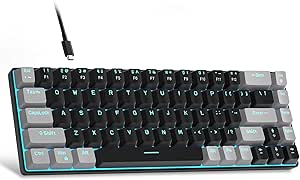
MageGee Portable 60% Mechanical Gaming Keyboard, MK-Box LED Blue Backlit Compact 68 Keys Mini Wired Office Keyboard with Red Switch for Windows Laptop PC Mac – Black/Grey
The MageGee MK-Box is the smallest-footprint choice here, aimed at gamers who want a compact board that still keeps separate arrow keys. Its 68-key layout saves more space than the Womier SK80 75%, but requires Fn-layer shortcuts for some functions, so it takes more adjustment than a full-size board like the Redragon K671. The linear red switches are described as smooth with minimal resistance, a fit for quick repeated presses without a tactile bump. Full-key anti-ghosting supports simultaneous inputs, while the detachable USB cable helps with packing and setup. Its backlight is blue rather than customizable per-key RGB, and the board is wired, so it is better for a portable desktop or laptop setup than a cable-free gaming station.
Pros:- Compact 68-key layout saves desk and bag space while retaining separate arrow keys.
- Linear red switches are designed for smooth presses with minimal resistance.
- Full-key anti-ghosting supports simultaneous key presses.
- Detachable USB cable and adjustable kickstands support portable setup and positioning.
Cons:- Fn shortcuts are needed for some functions, adding a learning curve compared with full-size boards.
- Single-color blue backlighting offers less lighting customization than RGB options such as the Womier SK80.
- Wired USB connection limits placement flexibility.
Best for: Laptop and compact-desk gamers who want a portable 68-key board with separate arrow keys and linear switches.
Not ideal for: Players who rely on a number pad, frequent dedicated function-row access, per-key RGB, or wireless placement.
- Layout:60% compact QWERTY
- Key count:68
- Switch type:Linear red
- Connectivity:Wired USB
- Backlighting:Blue LED with about 16 effects
- Anti-ghosting:Full-key
- Dimensions:12.13 × 3.98 × 1.54 in
- Compatible operating systems:Windows, Linux, and macOS
Our verdict“Choose the MK-Box if portability and a small footprint matter more than a number pad, dedicated function row, or RGB customization.”
Razer BlackWidow V4 X Mechanical Gaming Keyboard with Yellow Switches
The Razer BlackWidow V4 X suits gamers who want quick linear presses and dedicated controls without giving up a full-size layout. Its six programmable macro keys make frequently used commands easier to reach than on the Redragon K671, which offers software macro editing but no dedicated macro-key bank in the listed specs. The Yellow switches have a 1.2 mm actuation distance and 45 g force, and are described as linear and quiet; that makes this a better fit for shared rooms than the clicky SteelSeries Apex 5. Per-key Chroma RGB and media controls round out the gaming setup. The tradeoffs are a wired-only connection and no water resistance. Its ABS enclosure also contrasts with the Apex 5’s aluminum frame.
Pros:- Six programmable macro keys keep commands within easy reach.
- Yellow linear switches have a 1.2 mm actuation distance and 45 g force.
- Per-key Chroma RGB supports customized lighting.
- Media roller, secondary media keys, and sound-dampening features support gaming and everyday use.
Cons:- Wired connection limits placement flexibility.
- Not water resistant.
- Full-size layout takes more desk space than the MageGee MK-Box or Womier SK80.
Best for: Gamers who want quiet linear switches, quick access to macros, and a full-size QWERTY layout.
Not ideal for: Players who need wireless placement, water resistance, a more compact board, or an aluminum enclosure.
- Layout:QWERTY
- Key count:104
- Switch type:Yellow linear and silent
- Actuation:1.2 mm; 45 g
- Macro keys:6 programmable
- Connectivity:Wired
- Lighting:Per-key RGB Chroma
- Media controls:Multi-function roller and secondary media keys
Our verdict“Choose the BlackWidow V4 X if you want a full-size gaming board with quiet linear switches and dedicated macro keys.”
Redragon K671 Wired Mechanical Gaming Keyboard with Hot-Swappable Red Switches
The Redragon K671 is a practical full-size choice for gamers who want to change switches without replacing the whole keyboard. Its hot-swappable red switches and four included spare switches make experimentation more accessible than on the SteelSeries Apex 5 or Razer BlackWidow V4 X, whose listed features do not include hot-swap support. Full-key anti-ghosting helps register multiple simultaneous presses, while software macro editing, key remapping, and 12 multimedia shortcuts add control options. Compared with the BlackWidow V4 X, though, the K671’s lighting is more limited: its backlight color cannot be changed, and it lacks the Razer’s six dedicated macro keys and media roller. Wired connectivity and an ABS enclosure keep the feature set straightforward, but this is not the pick for wireless setups or RGB color customization.
Pros:- Hot-swappable red switches allow switch changes without replacing the keyboard.
- Full-key anti-ghosting supports simultaneous key presses.
- Software supports macro editing and key remapping.
- Twelve multimedia shortcuts and adjustable backlight settings add useful controls.
Cons:- Backlight color cannot be changed.
- Wired connection limits placement flexibility.
- ABS enclosure provides a more basic material choice than the SteelSeries Apex 5’s aluminum frame.
Best for: Gamers who want a full-size QWERTY board with hot-swappable linear switches, remapping, and multimedia shortcuts.
Not ideal for: Players who want wireless use, customizable RGB colors, or dedicated macro keys like those on the Razer BlackWidow V4 X.
- Layout:QWERTY
- Key count:104
- Switch type:Linear red
- Hot-swappable:Yes
- Connectivity:Wired
- Anti-ghosting:Full-key
- Backlighting:11 modes; adjustable brightness and speed; color not changeable
- Programmable features:Macro editing and key remapping via software
Our verdict“Pick the K671 if you want a full-size board with switch-swapping flexibility and remapping, and can live with single-color backlighting.”
How We Picked
I ranked these keyboards by how well their features serve gaming setups, not by lighting alone. I compared their layouts, wired or wireless connections, switch characteristics, gaming controls, customization options, and the practical value of extras such as knobs and displays. I also weighed how each design fits different desks and play styles: a compact board can free mouse space, while a full-size layout keeps number keys and navigation controls close at hand.
The order gives priority to gaming usefulness, ease of choosing the right fit, and meaningful flexibility. That puts a gaming-focused model ahead of options whose main appeal is visual presentation, while giving the F75 Pro credit for balancing space and familiar keys and the K671 credit for switch customization. No single layout or switch type suits every player, so the lower-ranked choices can still make more sense for buyers who specifically want a full-size board, a compact wired setup, or display features.
| mechanical keyboards for gamer | Switches | Switch type |
|---|---|---|
| AULA F75 Pro 75% Wireless Mech | Linear LEOBOG Reaper; hot-swappable 3-pin and 5-pin sockets | — |
| RK Royal Kludge R98 Pro Wired | Pre-lubed linear cream; hot-swappable 3-pin and 5-pin sockets | — |
| RisoPhy Full-Size Mechanical G | Clicky Blue | — |
| Redragon K580 VATA Wired RGB M | Outemu Blue, hot-swappable | — |
| AULA F2088 Wired Mechanical Ke | Clicky Blue | — |
| SteelSeries Apex 5 Hybrid Mech | — | Hybrid Blue, tactile and clicky |
| Womier SK80 75% Gasket-Mounted | — | Linear |
| MageGee Portable 60% Mechanica | — | Linear red |
| Razer BlackWidow V4 X Mechanic | — | Yellow linear and silent |
| Redragon K671 Wired Mechanical | — | Linear red |
Factors to Consider When Choosing Mechanical Keyboards For Gamers
Gaming keyboards can look similar on a feature list while making very different demands on your desk and habits. I’d start with the decisions that affect play and daily use, then treat lighting and screens as secondary features.
Choose a Layout That Fits Your Games and Mouse Space
A full-size keyboard preserves the number pad and a broad set of dedicated keys, which can be handy for shortcuts, strategy games, and work beyond gaming. A 75% layout usually keeps function and arrow keys while trimming less-used space, making it a practical compromise for a gaming desk. Smaller 60% boards free more room for wide mouse movements, but they ask you to use key combinations for functions that may be dedicated on larger boards. Before buying compact, check whether your games or workflow depend on the function row, arrows, or number pad. Measure the space your mouse needs rather than choosing a layout just because it looks tidy. The common mistake is counting keys instead of checking which keys you actually reach for.
Match Switch Feel to Your Play Environment
Switch labels are a starting point, not a guarantee of how a keyboard will sound or feel in your room. Blue switches are commonly chosen for a pronounced click, but that sound may distract teammates or people nearby. Linear-style switches can feel smoother through a press and suit players who prefer less audible feedback, though they may not provide the same tactile cue. If you share a room or use an open microphone, sound should be part of the decision, not an afterthought. Also check whether the board’s switch type is fixed or replaceable before assuming you can change its feel later. When possible, compare switch samples or check return terms rather than relying on color names alone.
Decide Whether Wired or Wireless Fits Your Setup
A wired connection avoids charging and keeps the keyboard connected without relying on a battery, making it a straightforward choice for a permanent desktop setup. Wireless can reduce cable clutter and make it easier to move the board between devices, but buyers should check what connection modes are included and how the keyboard is powered. Do not assume that every wireless board supports the same devices or offers the same connection behavior. For competitive play, consider whether you prefer a cable’s predictability or value a cleaner desk more. A detachable cable can also make packing or replacing a cable easier, but it does not make a wired keyboard wireless. Choose based on the setup you actually use rather than an abstract preference for one connection type.
Look Past RGB and Judge Gaming Controls
Per-key or zone lighting can help with visibility and setup personalization, but bright effects do not automatically improve gameplay. Dedicated media controls, programmable keys, or a convenient knob may have more everyday value if you adjust volume or trigger commands often. Displays can show information or add character, yet they take space and may matter less than reliable access to essential keys. Check which functions work through hardware controls and which depend on companion software. If you play across multiple computers, find out whether settings are stored on the keyboard or need to be configured again. Give extra features credit only when they solve a task you regularly perform.
Treat Customization as a Long-Term Choice
Hot-swappable switches can let you change the typing feel without replacing the whole keyboard, which is useful if your preferences shift or a switch needs attention. The feature does not mean every switch is compatible, so verify socket and switch support before buying replacements. Keycap compatibility also depends on layout and key sizes; compact boards can use less common arrangements that limit easy substitutions. A fixed-switch keyboard may be the simpler choice if you already like its feel and have no interest in modifying it. Think about maintenance, too: a removable keycap set can make cleaning easier, while a complicated design may take more effort to keep tidy. Avoid paying for customization you do not expect to use.
Pay for Features That Change Your Daily Use
A premium gaming board makes sense when its controls, software support, build, or switch feel solve a real need for your setup. A screen or extensive lighting can be enjoyable, but neither should outweigh a layout that frustrates you or switches that are too loud for your room. For a first mechanical keyboard, a simpler board with a familiar layout can be easier to live with than a feature-heavy model. If you are choosing a value option, focus on connection, included keys, and whether customization is possible rather than judging by the number of lighting modes. Consider the keyboard as part of the whole setup: a compact board may be more useful than an elaborate full-size one if mouse space is scarce. Spend more when you can name the specific convenience or capability you will gain.
Frequently Asked Questions
Is a 60% keyboard too small for gaming?
Not necessarily, but it suits players who are comfortable using key combinations for functions and navigation. A smaller board can leave more space for mouse movement, which may help on a crowded desk or in games that call for broad mouse motions. The tradeoff is that arrows, function keys, and other commands may be less direct to access. If you use those keys often or switch between gaming and general work, a 75% layout may feel easier to live with. Check the exact layout before buying, since compact keyboards do not all arrange secondary functions alike.
Should I choose a blue switch keyboard if I play with a headset?
A headset can make the keyboard’s sound less noticeable to you, but it does not silence the board for people nearby or necessarily stop a microphone from picking up clicks. Blue switches are known for audible feedback, so they can be a poor fit for shared rooms, voice chat, or late-night sessions. If you want a quieter setup, look for a less clicky switch and check sound comments or demonstrations where available. The feel of a switch is personal, so avoid choosing by color alone. Room acoustics and how hard you press also affect the sound.
Is wireless a sensible choice for competitive gaming?
Wireless can suit competitive gaming when the keyboard’s connection meets your needs and you are comfortable managing its power. It also reduces desk cables, which may appeal if you move your setup or share the keyboard between devices. A wired model avoids battery upkeep and offers a simple, consistent connection for a stationary PC. Rather than assuming one option is always faster or better, check the specific keyboard’s connection details and supported modes. Choose the arrangement you can keep reliable during your regular sessions.
Is hot-swappable worth prioritizing on a first mechanical keyboard?
It can be useful if you are undecided about switch feel or expect to customize the keyboard later. Hot-swapping lets you replace supported switches without buying a new board, but it does not make every switch compatible or remove the need to check socket type. If you already know what feel you want and prefer a straightforward setup, fixed switches may be enough. For a first board, layout and sound are often more immediate concerns than modification options. Treat hot-swapping as future flexibility, not a promise that every upgrade will fit.
Do OLED or color displays make a gaming keyboard more useful?
A display can provide a convenient visual feature, but its value depends on what information or controls it offers and whether you will use them during play. It should not be a substitute for a layout that fits your games or controls that are easy to reach. Displays can also appeal mainly as a visual detail, which is a valid preference if the rest of the keyboard suits your needs. Compare screen-equipped models with simpler alternatives by asking what daily task the screen handles. If you cannot name one, prioritize switch feel, desk fit, and connection instead.
Conclusion
For the best overall gaming focus, choose the Razer BlackWidow V4 X; it puts gaming controls and Yellow switches ahead of display-driven extras. For value and customization, consider the Redragon K671, especially if hot-swappable switches appeal to you. The AULA F75 Pro is the better fit for players who want a compact but familiar layout with wireless flexibility, while the SteelSeries Apex 5 is the premium-leaning pick for buyers drawn to an OLED display and RGB features. For beginners, I’d favor a keyboard whose layout and switch feel match the room and games they use, rather than paying for extras before those basics are settled. Choose the MageGee when minimizing desk footprint is the priority, or a full-size option such as the RisoPhy, AULA F2088, or Redragon K580 VATA when retaining more keys matters most.
Evergreen bestsellers Picks

Ninja Foodi Smart 6-in-1 Indoor Grill and Air Fryer, 4 Qt, FG551

Breville Barista Pro Espresso Machine with Grinder, Brushed Stainless Steel

Samsung 85-Inch M80H Series 4K Mini LED Smart TV (2026)
As an affiliate, we earn on qualifying purchases.