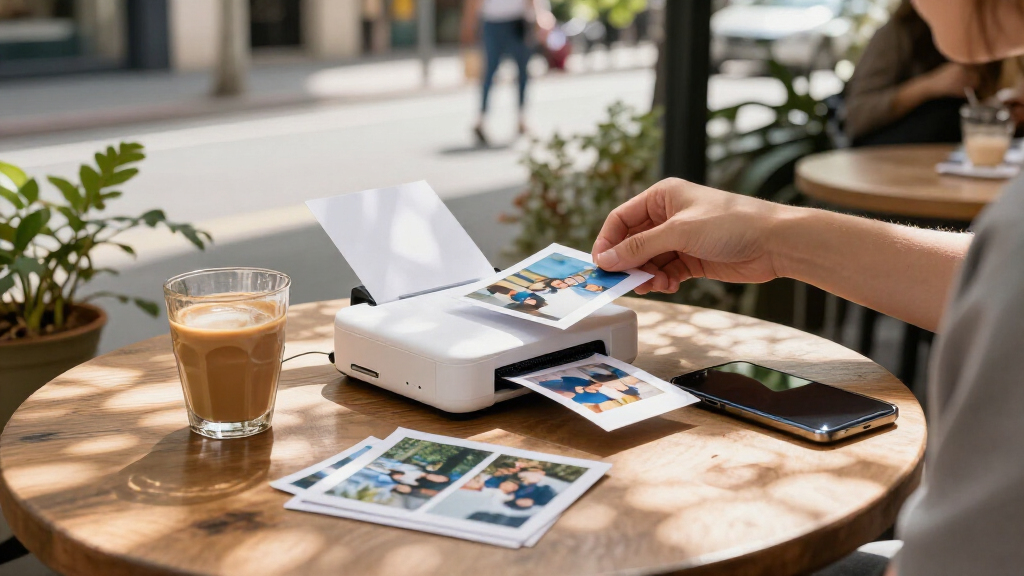
Portable photo printers trade larger prints and faster workflows for easy printing from a phone, at home or on the go. My best overall pick is the Liene M200, which pairs portable use with larger 4×6-inch prints; the Canon Selphy CP1500 is a stronger fit for buyers who value a more capable compact setup, while the Canon IVY 2 keeps things small with pocket-size prints. The main choice is between 2×3-inch sticky-back prints that are easy to share and larger 4×6-inch photos that feel more like traditional prints. Print technology, battery needs, and paper or cartridge costs also shape everyday convenience. Read on for the full comparison and guidance on which format suits your routine.

Get the latest gadgets delivered free with Prime
- Fast, free delivery on millions of items
- Prime Video, Amazon Music and more included
- Member-only deals all year
Complete the kit



Key Takeaways
- Print size creates the clearest split: the Liene M200 and Kodak Dock Plus print 4×6-inch photos, while the Canon IVY 2, HP Sprocket, Kodak Step, and Nelko PP01 models focus on smaller 2×3-inch prints.
- Portable does not always mean pocketable: mini printers are easier to carry for events, while larger-format models such as the M100, M200, and Selphy CP1500 call for more room.
- Print technology changes the result and routine: dye-sublimation models use dedicated media and a print process suited to photo keepsakes; ZINK models avoid ink cartridges but use special paper.
- Several listings are color or bundle variations: the two Canon IVY 2 entries, three Nelko PP01 entries, and two Liene Pearl N200 Pro entries appear to share a core product concept, so compare included supplies and finish rather than assuming a major performance difference.
- The strongest choice depends on the job: the Liene M200 suits portable 4×6 printing, the Canon IVY 2 suits compact sticky-back prints, and the Selphy CP1500 suits buyers willing to carry a larger unit for a home-and-trip photo workflow.
| Kodak Mini 2 Retro Portable Photo Printer |  | Best Overall for Pocket-Sized Prints | Printing technology: Dye sublimation (4PASS) | Maximum media size: 2.1 × 3.4 inches | Resolution: 291 × 300 dpi | VIEW LATEST PRICE | See Our Full Breakdown |
| Liene Pearl N200 Pro Portable Dye-Sublimation Photo Printer, Gold |  | Best for Creative Sticker Prints | Printing technology: Dye sublimation | Print output: Color and monochrome | Maximum media size: 2 × 3 inches | VIEW LATEST PRICE | See Our Full Breakdown |
| Liene M100 Portable 4×6-Inch Dye-Sublimation Photo Printer |  | Best for Larger Prints and Shared Use | Printing technology: Dye sublimation | Maximum media size: 4 × 6 inches | Resolution: 300 × 300 dpi | VIEW LATEST PRICE | See Our Full Breakdown |
| Nelko PP01 Portable 2×3-Inch Photo Printer |  | Best for App-Based Personalization | Printing technology: Inkjet | Print resolution: 600 × 600 dpi | Photo size: 2 × 3 inches | VIEW LATEST PRICE | See Our Full Breakdown |
| Liene M200 Wireless Photo Printer, 4×6″ Dye Sublimation, Battery Edition, Portable for iPhone & Android |  | Best for Cordless 4×6-Inch Printing | Printing technology: Dye sublimation | Maximum print size: 4 × 6 inches | Resolution: 300 × 300 dpi | VIEW LATEST PRICE | See Our Full Breakdown |
| KODAK Dock Plus 4×6 Smartphone Photo Printer |  | Best for Larger Prints | Printer type: 4PASS dye sublimation | Maximum print size: 4 x 6 inches | Printing: Borderless color | VIEW LATEST PRICE | See Our Full Breakdown |
| Nelko PP01 Photo Printer – 2×3 Portable Mini Printer in Pink |  | Best for App-Based Customization | Printer type: Inkjet | Resolution: 600 DPI | Paper size: 52 x 90 mm (2 x 3 inches) | VIEW LATEST PRICE | See Our Full Breakdown |
| Liene Pearl N200 Pro Portable Photo Printer – Mini 2×3 Sticker Printer with 50 Sheets and 5 Cartridges, Purple |  | Best for Instant Sticker Printing | Printer type: Dye sublimation | Print size: 2 x 3 inches | Print resolution: 300 x 300 dpi | VIEW LATEST PRICE | See Our Full Breakdown |
| HP Sprocket Portable Photo Printer (2nd Edition) – Luna Pearl |  | Best for Shared Printing | Printer type: ZINK technology | Maximum print size: 2 x 3 inches | Resolution: 313 x 400 DPI | VIEW LATEST PRICE | See Our Full Breakdown |
| Canon IVY 2 Mini Photo Printer, Pure White |  | Best for Lightweight Portability | Printer technology: ZINK (Zero Ink) | Print size: 2 x 3 inches | Print resolution: 313 x 512 dpi | VIEW LATEST PRICE | See Our Full Breakdown |
| Nelko PP01 2×3 Portable Photo Printer – Purple |  | Best for High-Detail Sticker Prints | Printer type: Inkjet | Print resolution: 600 DPI, color and black-and-white | Paper size: 52 × 90 mm (2 × 3 in) | VIEW LATEST PRICE | See Our Full Breakdown |
| KODAK Step Portable ZINK Photo Printer, 2 × 3-Inch Sticky-Back Prints, Bluetooth and NFC, White |  | Best for Simple Ink-Free Printing | Printer technology: ZINK zero-ink | Print size: 2 × 3 in | Connectivity: Bluetooth and NFC | VIEW LATEST PRICE | See Our Full Breakdown |
| Canon Ivy 2 Mini Photo Printer – Blush Pink | 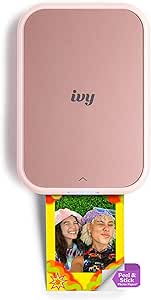 | Best for Pocketable, No-Cartridge Printing | Printer type: ZINK | Paper size: 2 × 3 in | Resolution: 600 × 600 dpi; 512 dpi maximum listed | VIEW LATEST PRICE | See Our Full Breakdown |
| Canon Selphy CP1500 Wireless Compact Photo Printer (Black) |  | Best for Larger Prints and Flexible Media | Weight: 1.58 kg | Dimensions: 5.24 × 7.17 × 2.27 in | Resolution: 300 × 300 dpi | VIEW LATEST PRICE | See Our Full Breakdown |
| HP Sprocket 2×3 Portable Instant Photo Printer, Purple |  | Best for Shared Phone Printing | Printer type: ZINK photo printer | Print size: 2 × 3 in | Print resolution: 313 × 400 DPI | VIEW LATEST PRICE | See Our Full Breakdown |
| portable photo printer | Weight | Connectivity | Dimensions | Resolution |
|---|---|---|---|---|
| Kodak Mini 2 Retro Portable Ph | 255 g | Bluetooth, USB Type-C | 3 × 5 × 1 inches | 291 × 300 dpi |
| Liene Pearl N200 Pro Portable | 340 g | Bluetooth | 5.69 × 3.44 × 1.16 inches | 300 × 300 dpi |
| Liene M100 Portable 4×6-Inch D | 200 g | Wi-Fi, USB Type-C | 7.48 × 9.84 × 7.48 inches | 300 × 300 dpi |
| Nelko PP01 Portable 2×3-Inch P | 308 g | Bluetooth | 4.2 × 1.69 × 5.04 inches | — |
| Liene M200 Wireless Photo Prin | 2.5 lb | Wi-Fi hotspot | — | 300 × 300 dpi |
| KODAK Dock Plus 4×6 Smartphone | — | Bluetooth, docking, USB Type-C | 4.5 x 8.5 x 2 inches (D x W x H) | — |
| Nelko PP01 Photo Printer | 308 g | Bluetooth, USB Type-C | 4.2 x 1.69 x 5.04 inches (D x W x H) | 600 DPI |
| Liene Pearl N200 Pro Portable | 340 g | Bluetooth | — | — |
| HP Sprocket Portable Photo Pri | 6.1 ounces | Bluetooth 5.0 | — | 313 x 400 DPI |
| Canon IVY 2 Mini Photo Printer | 145 g | Bluetooth 5.0 | — | — |
| Nelko PP01 2×3 Portable Photo | 308 g | — | 4.2 × 1.69 × 5.04 in | — |
| KODAK Step Portable ZINK Photo | 0.07 kg | Bluetooth and NFC | — | — |
| Canon Ivy 2 Mini Photo Printer | 8.8 oz | Bluetooth 5.0 and USB | 4.69 × 0.79 × 3.29 in | 600 × 600 dpi; 512 dpi maximum listed |
| Canon Selphy CP1500 Wireless C | 1.58 kg | USB and Wi-Fi | 5.24 × 7.17 × 2.27 in | 300 × 300 dpi |
| HP Sprocket 2×3 Portable Insta | 7.1 oz | Bluetooth wireless | 3.15 × 4.63 × 0.98 in | — |
More Details on Our Top Picks
Kodak Mini 2 Retro Portable Photo Printer
I’d put the Kodak Mini 2 Retro first for buyers who want a self-contained printer for casual trips, parties, or scrapbooks. Its 2 × 3-inch dye-sublimation prints are laminated against smudges and water, giving them a more durable finish than a simple paper print. Bluetooth and the editing app make phone printing straightforward, while the included paper and cartridges let you start without sourcing supplies separately. Compared with the Liene M100, it is much easier to carry, but gives up the larger 4 × 6-inch format. The tradeoffs are a roughly 55-second print time, small output, and reliance on Kodak-specific paper and cartridges. I’d choose it for compact keepsakes, not for printing photos at frame size.
Pros:- Compact 255 g body is easy to pack for outings.
- Dye-sublimation prints are smudge-proof and water-resistant.
- Bluetooth app supports editing and printing from iOS and Android.
- Includes four cartridges and 38 sheets of glossy paper.
Cons:- Prints are limited to credit-card-sized media.
- A print takes about 55 seconds, which slows larger batches.
- Requires proprietary Kodak paper and cartridges.
Best for: Travelers and scrapbookers who want durable, phone-printed keepsakes in a hand-sized device.
Not ideal for: Buyers who want 4 × 6-inch photos, fast batches, or freedom to use generic paper and ink.
- Printing technology:Dye sublimation (4PASS)
- Maximum media size:2.1 × 3.4 inches
- Resolution:291 × 300 dpi
- Print time:About 55 seconds per photo
- Weight:255 g
- Dimensions:3 × 5 × 1 inches
- Connectivity:Bluetooth, USB Type-C
- Included supplies:Four cartridges and 38 glossy photo sheets
Our verdict“Choose the Kodak Mini 2 Retro for durable pocket-sized prints; pick the Liene M100 instead if you need larger 4 × 6-inch photos.”
Liene Pearl N200 Pro Portable Dye-Sublimation Photo Printer, Gold
The Liene Pearl N200 Pro is the most focused pick here for buyers who want small prints that can go straight onto a journal, planner, or keepsake. It produces 2 × 3-inch adhesive photos in color or monochrome, and its app adds frames, stickers, editing, and AI features. A full charge is specified for up to 27 prints, making it more self-sufficient away from an outlet than a basic phone-connected printer. Compared with the Kodak Mini 2 Retro, this model emphasizes sticker use and creative app tools, while Kodak includes more paper and cartridges in the described package. The Pearl’s 10-sheet capacity is modest, though, and its small print size rules out larger display photos. I’d choose it for personalizing small items, not for printing a stack of full-size snapshots.
Pros:- Prints 2 × 3-inch adhesive photos in color or monochrome.
- App includes editing, frames, stickers, and AI features.
- One-touch camera mode adds a direct shoot-and-print option.
- Up to 27 prints per full charge supports short outings.
Cons:- Maximum media size is only 2 × 3 inches.
- Paper capacity is limited to 10 sheets.
- Requires Bluetooth and the Liene app for its phone-centered workflow.
Best for: Journal and planner makers who want adhesive-backed color or monochrome photos with app-based decoration.
Not ideal for: People who need 4 × 6-inch prints, larger paper capacity, or a printer for high-volume photo sessions.
- Printing technology:Dye sublimation
- Print output:Color and monochrome
- Maximum media size:2 × 3 inches
- Resolution:300 × 300 dpi
- Weight:340 g
- Dimensions:5.69 × 3.44 × 1.16 inches
- Connectivity:Bluetooth
- Battery capacity:Up to 27 stickers per full charge
- Paper capacity:10 sheets
Our verdict“Pick the Pearl N200 Pro for app-decorated sticker photos, while the Kodak Mini 2 Retro is the better fit if you value its larger included supply bundle.”
Liene M100 Portable 4×6-Inch Dye-Sublimation Photo Printer
For buyers who care more about a standard photo size than a pocket-sized body, the Liene M100 is the strongest fit in this group. Its 4 × 6-inch laminated dye-sublimation prints are more suitable for albums and frames than the 2 × 3-inch output from the Kodak Mini 2 Retro or Liene Pearl N200 Pro. A built-in Wi-Fi hotspot lets phones and computers connect without a home network, and it supports up to five devices at once—useful when friends or family are choosing pictures together. The package lists 100 sheets of paper and three cartridges, so it is better set up for a batch than the smaller printers. Its dimensions make it less convenient to carry, and proprietary supplies remain a recurring dependency. I’d pick it for portable printing around a home or group gathering, rather than pocket travel.
Pros:- Prints larger 4 × 6-inch photos than the mini printers in this roundup.
- Built-in Wi-Fi hotspot works without another network.
- Supports up to five connected devices.
- Includes 100 sheets of photo paper and three cartridges.
Cons:- Its listed dimensions are far larger than pocket-sized 2 × 3-inch models.
- Uses proprietary Liene cartridges and paper.
- Print head may need cleaning if smudges appear.
Best for: Families and groups who want to print 4 × 6-inch photos from multiple phones or computers without relying on a shared network.
Not ideal for: Travelers seeking a pocketable printer, or anyone who only needs small sticker-size keepsakes.
- Printing technology:Dye sublimation
- Maximum media size:4 × 6 inches
- Resolution:300 × 300 dpi
- Connectivity:Wi-Fi, USB Type-C
- Device support:Laptops, PCs, and smartphones
- Simultaneous connections:Up to five devices
- Weight:200 g
- Dimensions:7.48 × 9.84 × 7.48 inches
- Included supplies:100 sheets of photo paper and three cartridges
Our verdict“Choose the M100 for shared 4 × 6-inch printing and a substantial included paper supply; choose the Kodak Mini 2 Retro if portability matters more.”
Nelko PP01 Portable 2×3-Inch Photo Printer
The Nelko PP01 suits buyers who want to turn small phone photos into adhesive-backed, decorated prints. Its app offers more ways to personalize an image than the basic editing approach described for the Kodak Mini 2 Retro, including collages, text, stickers, frames, and AI editing. The listed 600 × 600 dpi resolution and sticky-backed glossy media make it a practical choice for labels, journals, and small keepsakes. It also holds up to 30 sheets, more than the Liene Pearl N200 Pro’s 10-sheet capacity. The tradeoffs are its app-dependent phone workflow and a stated speed of one page per minute; it is not a quick way to print a large batch. A power adapter is not included, so buyers need to provide their own. I’d choose it for creative mini prints, not for larger photo output.
Pros:- App provides filters, frames, collages, stickers, text, and AI editing.
- 600 × 600 dpi listed resolution for 2 × 3-inch photos.
- 30-sheet capacity exceeds the Liene Pearl N200 Pro’s listed capacity.
- Sticky-backed glossy prints are described as water-resistant, smudge-proof, and tear-resistant.
Cons:- Smartphone printing requires the Nelko app.
- Print speed is listed as one page per minute.
- Power adapter is not included.
Best for: Crafters and phone photographers who want adhesive-backed mini prints with extensive collage and decoration tools.
Not ideal for: Buyers who want to print without a dedicated app, need 4 × 6-inch photos, or expect rapid batch output.
- Printing technology:Inkjet
- Print resolution:600 × 600 dpi
- Photo size:2 × 3 inches
- Media size:52 × 90 mm
- Print speed:One page per minute
- Connectivity:Bluetooth
- Weight:308 g
- Dimensions:4.2 × 1.69 × 5.04 inches
- Maximum sheet capacity:30 sheets
Our verdict“Choose the Nelko PP01 for highly customizable adhesive mini prints, but favor the Liene M100 if you need larger photos rather than app-driven personalization.”
Liene M200 Wireless Photo Printer, 4×6″ Dye Sublimation, Battery Edition, Portable for iPhone & Android
The Liene M200 Battery Edition is the better choice when you want full-size 4 × 6-inch photos away from a power outlet. Its built-in rechargeable battery is specified for up to 40 prints per charge, and its Wi-Fi hotspot allows phone or PC printing without depending on a venue’s network. That makes it more suited to travel or event use than the Liene M100, which also prints 4 × 6-inch photos but is not described here with a battery. The M200’s dye-sublimation output is described as water-resistant and fade-proof, though the listed print speed is only one page per minute, with a 59-second initial print time. It is also substantially heavier than the pocket-sized Kodak Mini 2 Retro, and the package includes just 20 sheets. I’d pick it when cordless full-size output matters more than carrying light.
Pros:- Built-in battery supports up to 40 prints per charge.
- Wi-Fi hotspot supports printing without a home or venue network.
- Produces 4 × 6-inch dye-sublimation photos described as water-resistant and fade-proof.
- Works with iOS, Android, and Windows devices.
Cons:- At 2.5 lb, it is much heavier than mini printers such as the Kodak Mini 2 Retro.
- Print speed is listed at one page per minute, with a 59-second initial print time.
- Includes only 20 photo papers and requires proprietary supplies.
Best for: Traveling families and event hosts who want durable 4 × 6-inch prints without needing an outlet or local Wi-Fi.
Not ideal for: Buyers prioritizing a pocketable printer, fast batches, or a large included paper supply.
- Printing technology:Dye sublimation
- Maximum print size:4 × 6 inches
- Resolution:300 × 300 dpi
- Battery life:Up to 40 prints per charge
- Connectivity:Wi-Fi hotspot
- Compatible devices:iOS, Android, and Windows
- Print speed:One page per minute
- Initial page print time:59 seconds
- Weight:2.5 lb
Our verdict“Choose the M200 for cordless 4 × 6-inch printing; choose the Liene M100 for a larger included paper supply or the Kodak Mini 2 Retro for a more portable body.”
KODAK Dock Plus 4×6 Smartphone Photo Printer
The KODAK Dock Plus is the choice here when wallet-size keepsakes are too small: it prints borderless 4 x 6-inch photos, while the Nelko PP01 and Canon IVY 2 are limited to 2 x 3-inch prints. Its 4PASS dye-sublimation process adds a protective laminate designed to resist water, fingerprints, and fading, making its larger prints better suited to albums and display. The integrated dock also holds a phone and charges it during printing, though the printer itself still needs a power outlet. App editing and customization add flexibility, but this is less convenient for spur-of-the-moment printing away from home than the rechargeable HP Sprocket. Choose it for substantial, durable prints rather than pocket portability; its 4 x 6-inch maximum is also its only print size.
Pros:- Prints borderless 4 x 6-inch color photos, larger than the 2 x 3-inch prints from the HP Sprocket.
- 4PASS prints receive a protective laminate designed to resist water, fingerprints, and fading.
- Integrated phone dock provides a stable place to connect and charge a phone during printing.
- KODAK Photo Printer app supports editing, cropping, and customization.
Cons:- Requires a power outlet, so it is less convenient for portable use away from home.
- Prints only one size, 4 x 6 inches.
- Its larger format is less pocketable than mini printers such as the Canon IVY 2.
Best for: Phone photographers who want durable, borderless 4 x 6-inch prints for albums, framing, or sharing at home.
Not ideal for: Travelers and event hosts who need a battery-powered printer they can use away from a power outlet.
- Printer type:4PASS dye sublimation
- Maximum print size:4 x 6 inches
- Printing:Borderless color
- Print time:Approximately 55 seconds
- Connectivity:Bluetooth, docking, USB Type-C
- Compatible operating systems:iOS and Android
- Dimensions:4.5 x 8.5 x 2 inches (D x W x H)
- Included sheets:50
Our verdict“Choose the KODAK Dock Plus if you want full-size, laminated 4 x 6 prints and can print near an outlet.”
Nelko PP01 Photo Printer – 2×3 Portable Mini Printer in Pink
The Nelko PP01 makes the most sense for buyers who want to decorate small prints before they come out: its app offers filters and AI enhancements, and its inkjet system produces 600 DPI, sticky-backed 2 x 3-inch photos. At 308 g, it is easy to carry, and the stated print time of under 90 seconds suits casual journaling or sharing better than urgent batch printing. Its small format is a clear compromise beside the KODAK Dock Plus, which can print 4 x 6-inch photos, while the HP Sprocket offers a similar pocket-print format using inkless ZINK paper instead. The PP01’s output capacity is just 10 sheets, so a group may need frequent reloads. It also ships without a power adapter, meaning buyers must bring a suitable USB power source.
Pros:- Compact 308 g body is easy to carry for trips, journaling, and events.
- 600 DPI inkjet output produces full-color sticky-backed photos.
- Nelko app provides editing, filters, and AI enhancements for customizing prints.
- Prints are described as water- and smudge-resistant.
Cons:- Limited to 2 x 3-inch sticky-backed paper, unlike the 4 x 6-inch KODAK Dock Plus.
- The 10-sheet output capacity calls for frequent reloading during group use.
- Power adapter is not included, so buyers need a separate USB power source.
Best for: Journalers and craft-minded phone photographers who want portable adhesive prints with app-based filters and AI editing.
Not ideal for: Buyers who need prints larger than 2 x 3 inches, a high-capacity paper tray, or a printer supplied with its own power adapter.
- Printer type:Inkjet
- Resolution:600 DPI
- Paper size:52 x 90 mm (2 x 3 inches)
- Connectivity:Bluetooth, USB Type-C
- Compatible operating systems:iOS and Android
- Weight:308 g
- Dimensions:4.2 x 1.69 x 5.04 inches (D x W x H)
- Output sheet capacity:10 sheets
Our verdict“Pick the Nelko PP01 for lightweight, customizable sticker photos, but skip it if you need larger prints or want an all-in-one power setup.”
Liene Pearl N200 Pro Portable Photo Printer – Mini 2×3 Sticker Printer with 50 Sheets and 5 Cartridges, Purple
The Liene Pearl N200 Pro is aimed at people who want a sticker printer that can join the action at a party, not just print selected phone photos later. Its one-touch instant print mode and built-in camera offer a phone-free way to start, while Bluetooth, AI styling, filters, and group-print features add options when a phone is handy. The rechargeable battery is rated for up to 27 stickers, giving it an advantage over the outlet-dependent KODAK Dock Plus for roaming around an event. But it cannot match the Kodak’s 4 x 6-inch prints: the Pearl is limited to proprietary 2 x 3-inch adhesive paper. At about one page per minute, it also favors leisurely keepsakes over rapid batches. The battery’s stated capacity may mean recharging during longer gatherings.
Pros:- Built-in camera and one-touch mode can print without selecting an image on a phone.
- Rechargeable battery is rated for up to 27 stickers per charge.
- AI styling, background removal, frames, and filters give users several ways to customize prints.
- Bluetooth group-print capability suits shared use at gatherings.
Cons:- Uses proprietary 2 x 3-inch adhesive paper and cannot print the larger format offered by the KODAK Dock Plus.
- Print speed is about one page per minute, which slows larger batches.
- Battery capacity is rated for up to 27 stickers, so longer events may require recharging.
Best for: Party hosts and creative hobbyists who want small adhesive prints, built-in camera capture, and app-based styling away from an outlet.
Not ideal for: Anyone needing 4 x 6-inch prints, fast batches, or a printer that can run through a long event without a recharge.
- Printer type:Dye sublimation
- Print size:2 x 3 inches
- Print resolution:300 x 300 dpi
- Print speed:1 page per minute
- Connectivity:Bluetooth
- Compatible devices:iOS and Android smartphones
- Weight:340 g
- Battery capacity:Up to 27 stickers per charge
- Warranty:12 months
Our verdict“Choose the Pearl N200 Pro for interactive, phone-optional sticker printing at gatherings, not for large or rapid photo batches.”
HP Sprocket Portable Photo Printer (2nd Edition) – Luna Pearl
The HP Sprocket 2nd Edition stands out for small-group use: Bluetooth 5.0 supports multiple phones, so friends can send pictures to one printer rather than passing a single phone around. Its rechargeable battery and pocket-friendly body make it easier to take along than the outlet-powered KODAK Dock Plus, while inkless ZINK paper avoids separate ink cartridges. The tradeoff is the familiar mini-printer limit: output is only 2 x 3 inches, with a 10-sheet capacity that can interrupt a busy gathering. The Canon IVY 2 also prints 2 x 3-inch ZINK photos and lists a higher resolution, so the HP’s clearest distinction is shared access and its AR app features, not print size. Choose it for casual group keepsakes, not larger prints or long print runs.
Pros:- Bluetooth 5.0 supports multiple devices, making shared printing easier than a single-phone workflow.
- Rechargeable battery and compact body suit printing away from an outlet.
- Inkless ZINK paper produces peel-and-stick prints without ink cartridges.
- Companion app includes AR features and photo customization.
Cons:- Prints are limited to 2 x 3 inches, unlike the larger-format KODAK Dock Plus.
- The 10-sheet capacity requires frequent reloading during group sessions.
- One-page-per-minute maximum speed is modest for printing a large set of photos.
Best for: Friends and families who want several phones to send small peel-and-stick photos to one portable printer.
Not ideal for: Buyers who need 4 x 6-inch photos, large print batches, or a more spacious paper supply between reloads.
- Printer type:ZINK technology
- Maximum print size:2 x 3 inches
- Resolution:313 x 400 DPI
- Connectivity:Bluetooth 5.0
- Compatible devices:Smartphones
- Media:Glossy ZINK photo paper
- Sheet capacity:10 sheets
- Weight:6.1 ounces
- Warranty:1 year limited
Our verdict“Pick the HP Sprocket for shared, portable ZINK printing, but choose the KODAK Dock Plus if larger photos matter more than mobility.”
Canon IVY 2 Mini Photo Printer, Pure White
At 145 g, the Canon IVY 2 is the lightest clear grab-and-go option in this group, making it a practical fit for a school bag, purse, or travel kit. It prints 2 x 3-inch peel-and-stick ZINK photos from iOS or Android through the Canon Mini Print app, with no ink cartridges to carry. Its listed 313 x 512 dpi resolution is higher than the HP Sprocket’s 313 x 400 dpi, though both share the same small format and 10-sheet capacity. Compared with the feature-rich Liene Pearl N200 Pro, the IVY 2 keeps to straightforward phone printing rather than adding a built-in camera and extensive creative tools. That simplicity suits casual keepsakes, but buyers need a compatible mobile device and must accept prints too small for framing as standard photos.
Pros:- At 145 g, it is lighter than the HP Sprocket and easy to carry daily.
- Ink-free ZINK printing avoids carrying ink cartridges.
- Peel-and-stick backing makes prints easy to place in journals or on personal items.
- 313 x 512 dpi resolution is higher than the listed resolution of the HP Sprocket.
Cons:- Prints only 2 x 3-inch photos, smaller than the 4 x 6-inch output from the KODAK Dock Plus.
- The 10-sheet paper capacity limits uninterrupted printing.
- Requires an iOS or Android device and the Canon Mini Print app.
Best for: Travelers, students, and everyday phone photographers who prioritize low carry weight and simple adhesive prints.
Not ideal for: Buyers who want 4 x 6-inch photos, phone-free printing, or a printer with a larger paper capacity.
- Printer technology:ZINK (Zero Ink)
- Print size:2 x 3 inches
- Print resolution:313 x 512 dpi
- Connectivity:Bluetooth 5.0
- Compatible devices:Compatible iOS and Android smartphones and tablets
- Paper capacity:10 sheets
- Weight:145 g
- Control method:Canon Mini Print app
- Warranty:1 year
Our verdict“Choose the Canon IVY 2 for lightweight, simple ZINK sticker printing, and skip it if you need larger photos or phone-free use.”
Nelko PP01 2×3 Portable Photo Printer – Purple
The Nelko PP01 is a good fit for travelers and scrapbookers who want small, detailed sticky-back prints and room to edit them before printing. Its 600 DPI inkjet resolution is higher on paper than the KODAK Step’s 300 × 300 dpi, while the Nelko app adds filters, frames, and AI editing tools. At 308 g, it remains easy to pack, though the KODAK Step is substantially lighter according to its listed weight. The tradeoff is the printing system: this model uses a four-color cartridge, with a stated yield of up to 80 photos, rather than the ink-free ZINK media used by the Step and HP Sprocket. Prints take under 90 seconds, but output is still about one photo per minute, and buyers must supply a charger.
Pros:- 600 DPI resolution is a strong fit for detailed small-format images.
- Compact 308 g body is easy to carry on trips.
- App supports AI editing, filters, and frames on iOS and Android.
- Sticky-back prints are described as water- and smudge-proof.
Cons:- Uses color cartridges rather than ink-free ZINK paper.
- Limited to 2 × 3-inch sticky-back media.
- A power adapter is not included, and printing is about one photo per minute.
Best for: Travelers and scrapbookers who want higher-resolution 2 × 3-inch sticky prints and app-based editing.
Not ideal for: Buyers who want ink-free printing, larger photo formats, or a printer ready to charge without sourcing their own adapter.
- Printer type:Inkjet
- Print resolution:600 DPI, color and black-and-white
- Paper size:52 × 90 mm (2 × 3 in)
- Maximum media size:45 × 60 mm
- Weight:308 g
- Dimensions:4.2 × 1.69 × 5.04 in
- Ink colors:Cyan, magenta, yellow, and black
- Cartridge yield:Up to 80 photos per cartridge
Our verdict“Choose the Nelko PP01 if print detail and creative app tools matter more to you than ink-free operation or larger formats.”
KODAK Step Portable ZINK Photo Printer, 2 × 3-Inch Sticky-Back Prints, Bluetooth and NFC, White
The KODAK Step makes the most sense for buyers who want straightforward, ink-free pocket printing without managing cartridges. Its ZINK paper handles the color output, and the companion app offers filters, borders, stickers, text, and collage tools. Bluetooth and NFC give it two wireless connection options, while the rechargeable battery is rated for up to 25 prints per charge. Against the HP Sprocket, the Step lists NFC as an additional connection method, but its stated charge capacity is lower than the HP’s 35 prints. Both produce 2 × 3-inch sticky-back photos, so neither suits people who want standard larger prints. The 300 × 300 dpi resolution and one-print-per-minute pace point to casual keepsakes rather than high-volume or fine-detail printing.
Pros:- ZINK paper requires no ink cartridges, toner, or ribbons.
- Bluetooth and NFC offer convenient wireless pairing options.
- Rechargeable battery supports up to 25 prints per charge.
- App includes filters, borders, stickers, text, and collage tools.
Cons:- Prints are limited to the 2 × 3-inch format.
- Battery capacity is lower than the HP Sprocket’s stated 35 prints per charge.
- 300 × 300 dpi resolution and one-page-per-minute speed suit casual use better than detailed or frequent printing.
Best for: Phone users who want a simple, rechargeable ZINK printer for occasional sticker photos and app-made collages.
Not ideal for: People who need more than 25 prints between charges, larger formats, or the highest listed resolution in this group.
- Printer technology:ZINK zero-ink
- Print size:2 × 3 in
- Connectivity:Bluetooth and NFC
- Compatible devices:iOS and Android smartphones
- Battery:Rechargeable lithium-ion
- Prints per charge:Up to 25
- Print resolution:300 × 300 dpi
- Weight:0.07 kg
- Included:Micro USB charging cable, starter pack of ZINK photo paper, quick start guide
Our verdict“Pick the KODAK Step for accessible ink-free phone printing, but choose the HP Sprocket if you need more prints per charge.”
Canon Ivy 2 Mini Photo Printer – Blush Pink
The Canon Ivy 2 is a compact choice for phone owners who want peel-and-stick prints without ink cartridges. ZINK media keeps the printer simple to carry and use, while Bluetooth 5.0 connects it to iOS or Android through the Canon Mini Print app. Its listed 600 × 600 dpi resolution is higher than the KODAK Step’s 300 × 300 dpi, although Canon also gives a 512 dpi maximum figure, so the published resolution details are not perfectly aligned. Compared with the Canon SELPHY CP1500, the Ivy 2 is far more pocket-friendly but gives up the SELPHY’s 4 × 6-inch output and broader media choices. Its 2 × 3-inch format is convenient for labels, journals, and small keepsakes, not conventional photo prints; proprietary ZINK paper also limits media choice.
Pros:- ZINK printing avoids ink cartridges.
- Pocket-sized design is easy to carry.
- Peel-and-stick prints are ready to place without extra supplies.
- Bluetooth 5.0 supports wireless printing through the Canon Mini Print app.
Cons:- Print output is limited to 2 × 3 inches.
- Proprietary ZINK paper narrows media choices and may cost more than standard paper.
- Listed resolution figures include both 600 × 600 dpi and a 512 dpi maximum.
Best for: iOS and Android users who want a pocket-sized printer for journaling, scrapbooks, and small adhesive photos.
Not ideal for: People who want 4 × 6-inch prints, broad paper compatibility, or a low-cost standard-media workflow.
- Printer type:ZINK
- Paper size:2 × 3 in
- Resolution:600 × 600 dpi; 512 dpi maximum listed
- Connectivity:Bluetooth 5.0 and USB
- Compatible devices:iOS and Android
- Output sheet capacity:20 sheets
- Weight:8.8 oz
- Dimensions:4.69 × 0.79 × 3.29 in
- Color:Blush Pink
Our verdict“Choose the Ivy 2 for compact adhesive prints from a phone, not for larger or standard-format photo output.”
Canon Selphy CP1500 Wireless Compact Photo Printer (Black)
The Canon SELPHY CP1500 is the lineup’s choice for people who value larger prints and connection flexibility more than pocket-size portability. It supports 4 × 6-inch photos alongside card, square, and mini-label formats, while Wi-Fi and USB give it more connection options than the Bluetooth-only HP Sprocket. A built-in 3.5-inch LCD lets users edit and arrange images without relying entirely on a phone. That versatility comes with a clear portability cost: at 1.58 kg, it is much heavier than the small 2 × 3-inch printers, and battery use requires an optional pack. Its 10-sheet capacity and listed print pace also make it a better fit for occasional batches than rapid event printing. Choose it when full-size keepsakes matter more than a pocketable setup.
Pros:- Prints up to 4 × 6 inches, unlike the 2 × 3-inch pocket printers.
- Supports postcard, card, square, and mini-label media sizes.
- Wi-Fi and USB provide broader connectivity than Bluetooth-only models.
- Built-in 3.5-inch LCD supports on-device editing and layout choices.
Cons:- At 1.58 kg, it is much heavier than pocket-sized options such as the Canon Ivy 2.
- Portable battery operation requires an optional battery pack.
- The 10-sheet capacity means frequent reloading during batches.
Best for: Families and travelers who want 4 × 6-inch keepsakes, multiple media sizes, and the option to print from different devices.
Not ideal for: Backpackers seeking a lightweight, self-contained printer or users who need large print batches without reloading.
- Weight:1.58 kg
- Dimensions:5.24 × 7.17 × 2.27 in
- Resolution:300 × 300 dpi
- Maximum media size:4 × 6 in
- Supported paper sizes:4 × 6 in, 2.1 × 3.4 in, 2.1 × 2.1 in, mini label stickers
- Connectivity:USB and Wi-Fi
- Display:3.5-inch LCD
- Sheet capacity:10 sheets
- Battery support:Optional battery pack
Our verdict“Choose the SELPHY CP1500 if you want larger, more varied photo formats and can accept a heavier printer with an optional battery.”
HP Sprocket 2×3 Portable Instant Photo Printer, Purple
The HP Sprocket suits groups who want to send phone photos to a shared, pocket-sized printer. It connects to iOS and Android through Bluetooth, and the app provides editing tools and multi-device sharing. Its ZINK sticky-back paper needs no ink cartridge, making it simpler to pack than the cartridge-based Nelko PP01. The HP also lists up to 35 prints per charge, compared with the KODAK Step’s 25, which can mean fewer charging interruptions during a gathering. The format remains limited to 2 × 3 inches, and output is about one page per minute, so it is not a fast way to produce larger photo sets. Buyers also need a compatible phone and the HP Sprocket app; it does not offer the SELPHY CP1500’s broader connectivity or media sizes.
Pros:- Multi-device sharing makes it practical for group photo sessions.
- ZINK paper avoids ink cartridges and ribbons.
- Rechargeable battery is rated for up to 35 prints per charge.
- Compact body and sticky-back media suit portable keepsakes.
Cons:- Prints are limited to 2 × 3 inches.
- Requires a compatible iOS or Android device and the HP Sprocket app.
- Print speed is about one page per minute.
Best for: Friends and families who want to share one small Bluetooth printer across several compatible phones.
Not ideal for: Users who need larger prints, printing without a smartphone app, or quick output for sizeable photo batches.
- Printer type:ZINK photo printer
- Print size:2 × 3 in
- Print resolution:313 × 400 DPI
- Connectivity:Bluetooth wireless
- Compatible devices:iOS and Android smartphones
- Prints per charge:Up to 35
- Weight:7.1 oz
- Dimensions:3.15 × 4.63 × 0.98 in
- Print media:Glossy sticky-back photo paper, resistant to water, smudges, and tears
Our verdict“Pick the HP Sprocket for shared, ink-free phone printing and its stated 35-print battery capacity, but skip it if you need larger formats.”
How We Picked
I compared these portable photo printers by the practical choices that shape ownership: print size, portability, print technology, phone connectivity, and the media each model needs. A small 2×3 printer can be easier to carry and share, but it cannot replace a 4×6 printer when buyers want a conventional photo size. Dye-sublimation, ZINK, and other print systems also differ in media handling and what buyers need to keep on hand, so I treated supplies as part of usability rather than an afterthought.
The ranking favors useful balance for the stated portable-photo job, not a single spec. Models with 4×6 output earn a place for buyers who want fuller-size keepsakes, while compact 2×3 models rank well when portability and sticker-style sharing matter more. I also account for overlap among color and bundle variants: when listings appear to share the same core printer, their role depends more on the stated supplies and finish than on an assumed performance advantage. Because the lineup spans different formats and use cases, each pick is framed for the buyer it serves best, with tradeoffs called out rather than hidden.
Factors to Consider When Choosing Portable Photo Printers
Before choosing a model, I would decide what a successful print looks like in your routine: a pocket-size favor, a full photo for an album, or a convenient way to print a handful of family pictures at home. Those goals lead to different printers, media, and carrying needs. The following factors help make that choice without mistaking a compact body for a complete printing setup.
Choose the print size before comparing printers
Print size changes how a printer fits into everyday life more than its color or finish does. A 2×3-inch print is easy to hand out, tuck into a journal, or stick onto a surface, but faces and scenery have less room to breathe. A 4×6-inch print works better for albums and frames, though the printer and supplies usually take more space. A common mistake is buying a mini printer for a household that mainly wants conventional photo prints. I would look at a few recent phone photos and ask where the prints will go before choosing a format. If the answer includes both scrapbooks and frames, decide which use deserves priority rather than expecting one portable device to excel at both.
Compare the whole print system, not just the printer
Portable printers rely on specific media, and that requirement affects storage, replenishment, and the number of prints available during an outing. Dye-sublimation systems and ZINK printers do not use the same supplies, so a paper pack for one technology may not work with another. Bundles can also differ: a listing with extra sheets or cartridges may be more useful at the start, but included media does not tell you how convenient ongoing resupply will be. Before buying, check the exact compatible paper or cartridge name and whether the bundle includes enough for your first project. This step matters especially when comparing near-identical color listings, where the finish may differ but the included supplies can change the value of the package.
Be realistic about portability and battery needs
“Portable” can mean a printer that moves easily between rooms or one that fits in a small bag for an event. Mini 2×3 models are the natural choice for compact carry, while a 4×6 unit needs more space for the printer and larger media. Battery-powered operation can make printing away from an outlet simpler, but buyers should check whether a battery is built in, sold as a separate edition, or absent from the model they are viewing. A printer that is portable only when paired with a nearby outlet may not suit parties, travel, or outdoor use. Think about the full kit—printer, charging cable, phone, and media—rather than judging portability by the printer’s dimensions alone.
Pick connectivity for the way you actually print
Phone printing is convenient when the app and wireless connection fit your usual workflow, but setup can add friction if several people will share the printer. Bluetooth, Wi-Fi, NFC, and app-based controls are not interchangeable: some are designed for quick pairing, while others support a different connection pattern. Check which phones and operating systems the manufacturer supports, and whether editing or layout tools require an app. For occasional prints from one phone, a simple wireless setup may be all you need; a family or event setting benefits from clear sharing steps. I would also verify whether the printer can keep working when the available network is unreliable, since portable use often takes place away from home Wi-Fi.
Decide whether stickers are useful or limiting
Sticky-back media is handy for journals, labels, party favors, and casual displays, but adhesive prints are not automatically the best choice for every photo. Buyers may prefer regular photo paper for albums, frames, or keepsakes they want to handle without a backing layer. Some small-print models make sticker use a central part of their appeal, while other printers focus on larger conventional prints. Think about whether you will actually use the adhesive feature often enough to accept the smaller format and dedicated media. If most prints are going into frames, choosing a sticker printer for its novelty can leave you with the wrong output for your main purpose.
Pay more for a capability you will use repeatedly
A more capable printer makes sense when its larger print size, battery option, or broader home-and-trip role solves a regular problem. It makes less sense to pay for a format you rarely print or a larger unit you will leave behind because it is inconvenient to carry. For a gift, straightforward phone setup and readily understood supplies may matter more than advanced flexibility. For frequent family printing, the ability to make 4×6 photos can justify a bulkier footprint; for occasional event favors, a mini printer may be the better match. I would put the recurring job first, then compare the printer’s size and media demands against how often you expect to use it.
Frequently Asked Questions
Should I choose a 2×3-inch printer or a 4×6-inch printer?
Choose 2×3-inch output if you mainly want compact prints for journals, quick sharing, or sticker-style uses. Pick 4×6-inch output if your photos are headed for frames, albums, or display and you want more room for the image. The smaller format is easier to carry, but it can make group shots and detailed scenes feel cramped. The larger format takes up more space and calls for a printer designed around that media. If you are unsure, use the destination of most of your prints—not the printer’s size—as the deciding factor.
Are ZINK and dye-sublimation photo printers interchangeable?
No. They use different print technologies and compatible media, so paper or supplies made for one system should not be assumed to work in the other. ZINK models can appeal to buyers who want a cartridge-free printing setup, while dye-sublimation models use dedicated media for their own print process. The choice also affects what you need to store and bring along when printing away from home. Check the manufacturer’s exact media requirements before ordering refills, especially if two printers look similar in a product listing.
Can a portable photo printer replace a regular home photo printer?
It can handle casual phone-photo printing, but the answer depends on the sizes and volume you need. A 2×3 printer is a poor substitute if you regularly want larger prints, while a compact 4×6 model is closer to a dedicated photo workflow. Portable printers also depend on their own media systems, which may differ from a home printer’s paper choices and operating habits. For occasional keepsakes, a portable model can be convenient; for frequent batches or a broader range of print tasks, a separate home printer may fit better. Match the device to your typical workload rather than expecting portability alone to cover every use.
What should I check before buying a printer as a gift?
Check that the recipient’s phone is supported and that the setup process relies on a connection they can use comfortably. Then confirm the printer’s format: 2×3-inch prints suit small keepsakes and sticker projects, while 4×6-inch output is more familiar for albums and frames. Look for the exact compatible media and note whether the package includes starter supplies. Color variants can share a printer design while differing in appearance or bundle contents, so read the listing details rather than choosing by product name alone. A gift is easiest to use when the recipient can print right away and knows which supplies to reorder.
Is a built-in battery necessary for travel or events?
A battery is useful when you expect to print where outlets are unavailable, such as at a gathering or while traveling. It is less important if the printer will stay near a desk or be used where charging is easy. Check the exact model and edition, since a battery may be included only in a specific version rather than across an entire product family. Also account for charging needs and the media you must carry; a battery alone does not make a full-size printer pocketable. For event use, the best fit is the model whose power setup, size, and supplies are all manageable together.
Conclusion
For the broadest mix of portable use and 4×6-inch output, I recommend the Liene M200 as the best overall pick. Buyers who want a compact, familiar approach to larger photos should compare the KODAK Dock Plus, while the Canon Selphy CP1500 is my best premium choice for someone willing to carry a less pocket-friendly printer for a more home-oriented photo workflow. For beginners focused on small, easy-to-share prints, the Canon IVY 2 is the clearest starting point; the KODAK Step and HP Sprocket are alternatives for buyers drawn to small-format sticky-back printing. My value pick is the Nelko PP01 when a basic 2×3 format meets the need, but I would compare the exact color listing and included supplies before choosing. In short: choose by the print you want to keep, then make sure the printer’s size, connection, and media fit how you plan to use it.