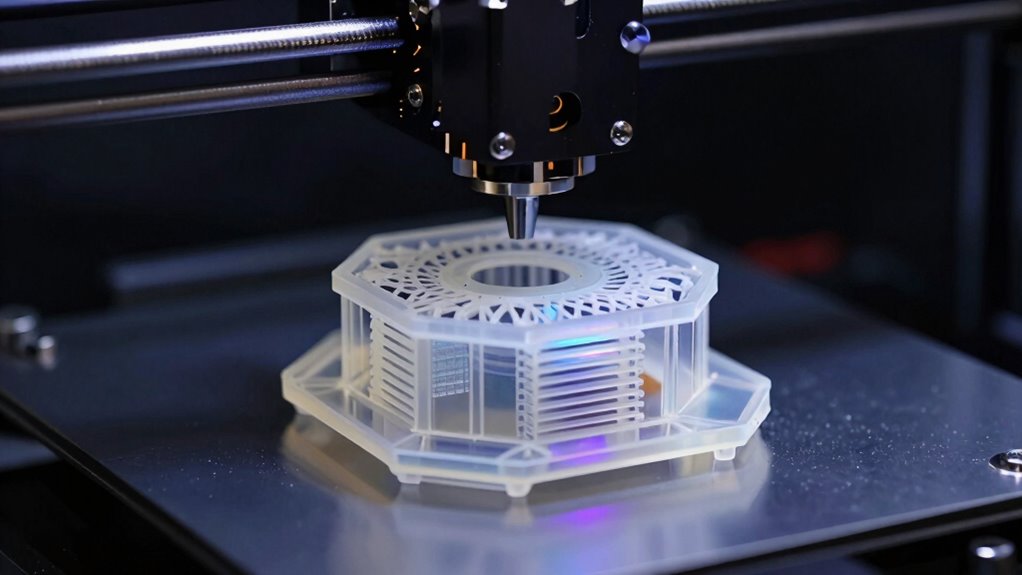

High resolution resin printers have become the default choice for miniatures, jewelry, dental work, and any project where surface detail matters more than build speed. After comparing the leading 2026 models, the ELEGOO Saturn 4 Ultra 16K stands out as my best overall pick — it pairs a 16K mono LCD with a generous build volume and tilting resin flow mechanics that keep prints sharp even on tall parts. Two alternatives deserve attention: the Phrozen Sonic Mega 8K S for anyone who needs large-format 8K output, and the Anycubic Photon Mono 4 as the smart budget entry point with a genuine 10K screen. The main tradeoff in this category is XY resolution versus build volume — the sharpest screens usually come on smaller machines — along with the ongoing costs of resin, ventilation, and post-processing. Keep reading for the full breakdown of all ten printers and which one fits your workflow.

Get the latest gadgets delivered free — and shop member deals
- Fast, free delivery on millions of items
- Access to Prime Big Deal Days deals on October 6–7
- Prime Video, Amazon Music and more included
Complete the kit


Key Takeaways
- Screen resolution alone doesn’t determine detail — pixel size is calculated from resolution divided by screen area, so the ELEGOO Mars 5’s smaller panel can out-resolve larger 8K machines on tiny parts.
- The Saturn 4 Ultra 16K won best overall because it’s the only pick in this lineup that combines near-flagship resolution with a mid-size build volume and automated features like self-checks and firmware-based failure detection.
- Printers under the ~$300 mark (Photon Mono 4, Mars 5) all require manual bed leveling, which is the single biggest frustration for newcomers and a hidden cost of the entry tier.
- Large-format machines like the Sonic Mega 8K S cost far more upfront and consume resin in bulk — they only make sense if you regularly batch-produce or print oversized single pieces.
- Auto-leveling (Photon P1, Saturn 4 Ultra) has shifted from premium perk to mid-tier expectation in 2026, making manually leveled printers at similar prices harder to justify.
| Phrozen Sonic Mega 8K S LCD/MSLA Resin 3D Printer | 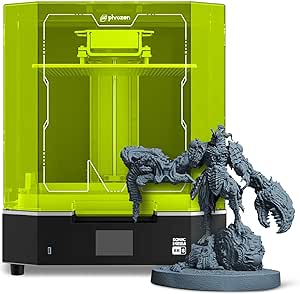 | Best for High-Volume Production | Resolution: 43 µm XY (8K Mono LCD) | Screen Size: 15 inch | Build Volume: 33 x 18.5 x 30 cm | VIEW ON AMAZON | See Our Full Breakdown |
| ANYCUBIC Photon Mono 4 Resin 3D Printer with 7″ 10K Mono LCD Screen |  | Best Value for Detail | Screen: 7-inch 10K Mono LCD | Resolution: 9024 x 5120 (17 x 17 µm pixels) | Build Volume: 6.04 x 3.42 x 6.49 in (153.4 x 87 x 165 mm) | VIEW ON AMAZON | See Our Full Breakdown |
| ELEGOO Saturn 3 12K MSLA Resin 3D Printer |  | Best Mid-Size Workhorse | Technology: MSLA resin 3D printing | LCD: 10-inch 12K monochrome | Resolution: 11520 x 5120 (19 x 24 µm XY) | VIEW ON AMAZON | See Our Full Breakdown |
| ELEGOO Saturn 4 Ultra 16K Resin 3D Printer |  | Best Overall | Resolution: 16K | Max Print Speed: 150 mm/h (tilt release) | Tank Heating: Maintains 30°C | VIEW ON AMAZON | See Our Full Breakdown |
| Anycubic Photon Mono 4 10K Resin 3D Printer with 7-Inch HD Mono LCD |  | Best for Beginners | Screen: 7-inch 10K monochrome LCD | Resolution: 9024 x 5120 pixels | Pixel Precision: 17 x 17 µm | VIEW ON AMAZON | See Our Full Breakdown |
| ELEGOO Saturn 4 Ultra 16K Resin 3D Printer |  | Best Overall | Resolution: 16K (15120x6230px) | XY Resolution: 14×19μm | Print Speed: Up to 150mm/h | VIEW ON AMAZON | See Our Full Breakdown |
| ELEGOO Mars 5 Resin 3D Printer |  | Best for Beginners | Display: 4K monochrome LCD | Light Source: COB | Automatic Leveling: One-click | VIEW ON AMAZON | See Our Full Breakdown |
| ANYCUBIC Photon P1 14K Resin 3D Printer with Auto-Leveling |  | Best for Demanding Materials | Resolution: 14K (13,312 x 5,120 pixels) | Screen Size: 10.1 inches | XY Pixel Size: 16.8 x 24.8 micrometers | VIEW ON AMAZON | See Our Full Breakdown |
| Creality HALOT-X1 Combo Resin 3D Printer |  | Best Workflow and Speed | Display: 10.1-inch 16K monochrome LCD | Pixel Size: 14 x 19 μm | Maximum Print Speed: 170 mm/h | VIEW ON AMAZON | See Our Full Breakdown |
| Phrozen Sonic Mini 8K S LCD Resin 3D Printer |  | Best Compact Detail Machine | LCD: 7.1-inch monochrome 8K | XY Resolution: 22 μm | Build Volume: 6.5 x 2.8 x 6.7 inches | VIEW ON AMAZON | See Our Full Breakdown |
| high resolution resin printer | Resolution | Build Volume | Weight |
|---|---|---|---|
| Phrozen Sonic Mega 8K S LCD/MS | 43 µm XY (8K Mono LCD) | 33 x 18.5 x 30 cm | — |
| ANYCUBIC Photon Mono 4 Resin 3 | 9024 x 5120 (17 x 17 µm pixels) | 6.04 x 3.42 x 6.49 in (153.4 x 87 x 165 mm) | 7.7 pounds |
| ELEGOO Saturn 3 12K MSLA Resin | 11520 x 5120 (19 x 24 µm XY) | 218.88 x 122.88 x 250 mm | 33 pounds |
| ELEGOO Saturn 4 Ultra 16K Resi | 16K | — | — |
| Anycubic Photon Mono 4 10K Res | 9024 x 5120 pixels | — | — |
| ELEGOO Saturn 4 Ultra 16K Resi | 16K (15120x6230px) | 8.33" x 4.66" x 8.66" | 40.7 pounds |
| ELEGOO Mars 5 Resin 3D Printer | — | — | — |
| ANYCUBIC Photon P1 14K Resin 3 | 14K (13,312 x 5,120 pixels) | — | 29.7 pounds |
| Creality HALOT-X1 Combo Resin | — | 211.68 x 118.37 x 200 mm | 38 pounds |
| Phrozen Sonic Mini 8K S LCD Re | — | 6.5 x 2.8 x 6.7 inches | 22 lbs |
More Details on Our Top Picks
Phrozen Sonic Mega 8K S LCD/MSLA Resin 3D Printer
When a single build plate can hold 80 miniatures and finish them in under 90 minutes, the Mega 8K S stops being a hobby machine and becomes a production tool. Its 43µm XY resolution on a 15-inch 8K panel is coarser than the 17µm pixels on the ANYCUBIC Photon Mono 4, but that comparison misses the point: this printer trades per-pixel fineness for a build volume — 33 x 18.5 x 30 cm — that dwarfs nearly everything in this lineup. The ACF film paired with TR300 High-Speed Resin is where the speed claims come from, so buyers tied to standard resins won’t see the same throughput. Compared with the ELEGOO Saturn 3, it costs and weighs considerably more while demanding dedicated bench space. For a painting studio or small business shipping miniatures weekly, none of the smaller printers here can match its per-cycle output.
Pros:- Huge 33 x 18.5 x 30 cm build volume for batch production
- Up to 10x faster prints with ACF film and TR300 resin
- Built-in metal drip hanger cuts resin waste between batches
- 43µm 8K detail holds up well at tabletop-miniature scale
Cons:- Maximum speed requires TR300 High-Speed Resin, limiting material choice
- Very large footprint despite the lift-up lid design
- High resin consumption per failed print raises the cost of mistakes
Best for: Small studios and commission painters who batch-produce dozens of miniatures per print cycle
Not ideal for: Hobbyists with limited desk space — the footprint is massive and the space-saving lid only partially offsets it
- Resolution:43 µm XY (8K Mono LCD)
- Screen Size:15 inch
- Build Volume:33 x 18.5 x 30 cm
- Print Speed:Up to 10x faster with ACF film and TR300 resin
- Batch Capacity:80 models in under 90 minutes
- Technology:LCD/MSLA resin printing
- Special Features:ACF film, lift-up lid, metal drip hanger
Our verdict“Buy this if your priority is printing whole armies per cycle rather than squeezing out the finest possible pixel detail.”
ANYCUBIC Photon Mono 4 Resin 3D Printer with 7″ 10K Mono LCD Screen
The Photon Mono 4 is the entry point where 17µm pixel precision stops being a premium feature. Its 7-inch 10K screen technically delivers finer XY detail than the larger, pricier ELEGOO Saturn 3, because the same pixel count is packed into a smaller panel — a useful reminder that resolution figures alone don’t tell the whole story. The LighTurbo matrix light source keeps exposure uniform across that dense screen, which shows up as smoother surfaces and fainter layer lines on figures. Four-point, one-time leveling plus power-resume printing make it forgiving for newcomers who would otherwise scrap failed builds full of resin. The tradeoff is straightforward: a 6.04 x 3.42 x 6.49-inch build volume means large statues or multipart terrain need to be split and glued, and the Anycubic app isn’t supported on this model, so workflow is slicer-and-USB only.
Pros:- 10K screen with 17µm pixels delivers exceptional fine detail for the price
- LighTurbo light source reduces layer lines and uneven exposure
- Power-resume function saves long prints after outages
- One-time 4-point leveling keeps setup simple
Cons:- Small build volume compared with mid-size printers like the Saturn 3
- No Anycubic app support, so remote monitoring isn’t available
- Post-processing and resin handling still dominate the workflow
Best for: Detail-focused hobbyists printing miniatures and jewelry on a tight budget
Not ideal for: Makers who want large single-piece models — the build volume forces splitting anything tall or wide
- Screen:7-inch 10K Mono LCD
- Resolution:9024 x 5120 (17 x 17 µm pixels)
- Build Volume:6.04 x 3.42 x 6.49 in (153.4 x 87 x 165 mm)
- Print Speed:Up to 70 mm/h
- Leveling:4-point, one-time
- Dimensions:10 x 10 x 15 inches
- Weight:7.7 pounds
Our verdict“This is the smart pick when your goal is maximum detail per dollar on small models rather than print size.”
ELEGOO Saturn 3 12K MSLA Resin 3D Printer
The Saturn 3 occupies the sweet spot between the tiny ANYCUBIC Photon Mono 4 and the production-scale Phrozen Mega 8K S: a 218.88 x 122.88 x 250 mm build volume paired with a 10-inch 12K panel at 19 x 24µm. That combination means you can print a large bust or a full regiment in one piece without giving up much fine detail — the pixel size sits comfortably between the Mono 4’s 17µm and the Mega’s 43µm. Its Fresnel collimating light source keeps exposure even across the big screen, which matters more as panel size grows, and open slicer support (CHITUBOX, Lychee, Voxeldance Tango) avoids lock-in. It lacks the automation of the Saturn 4 Ultra — no auto-leveling, no AI camera, no heated tank — so success depends more on the operator’s process. At 33 pounds, it’s also a two-person move, not a desk accessory.
Pros:- 12K monochrome LCD with 19 x 24µm resolution on a large panel
- Generous desktop-class build volume of nearly 219 x 123 x 250 mm
- Fresnel-collimated light source keeps exposure uniform edge to edge
- Works with CHITUBOX, Lychee, and Voxeldance Tango slicers
Cons:- No auto-leveling or smart monitoring, unlike the Saturn 4 Ultra
- Weighs 33 pounds, making it awkward to relocate or store
- Requires confident resin handling and manual process tuning
Best for: Intermediate printers who want large, detailed single-piece models without paying for smart automation
Not ideal for: Beginners who want plug-and-play setup — manual leveling and no failure detection raise the learning curve
- Technology:MSLA resin 3D printing
- LCD:10-inch 12K monochrome
- Resolution:11520 x 5120 (19 x 24 µm XY)
- Print Speed:Up to 70 mm/h
- Build Volume:218.88 x 122.88 x 250 mm
- Light Source:405 nm Fresnel collimating
- Weight:33 pounds
- Slicers:Voxeldance Tango, CHITUBOX, Lychee Slicer
Our verdict“The Saturn 3 makes the most sense for experienced users who prioritize build size and detail over hands-off convenience.”
ELEGOO Saturn 4 Ultra 16K Resin 3D Printer
The Saturn 4 Ultra earns the top spot because it resolves the friction points that hold back every other printer here. Its 16K resolution out-details even the Photon Mono 4’s impressive 10K panel, but the bigger story is automation: automatic leveling removes the calibration step the Photon Mono 4 demands, while tank heating that holds resin at 30°C keeps viscous resins flowing in cold rooms — a failure mode the unheated Saturn 3 leaves entirely to the user. Tilt release technology pushes speeds to 150 mm/h, more than double the Saturn 3’s rating. The AI camera with chamber light lets you monitor long prints remotely, though its detection accuracy varies with resin type and model geometry, so it’s a safety net rather than a guarantee. Compared with the Phrozen Mega 8K S, the build volume is far smaller, which is the one honest reason to look elsewhere.
Pros:- 16K resolution delivers the finest detail in this lineup
- Automatic leveling and factory-ready setup suit first-time resin users
- 150 mm/h tilt-release speed more than doubles typical desktop rates
- Heated tank, residue sensor, and AI camera reduce failed prints and waste
Cons:- AI detection reliability varies with resin, lighting, and model shape
- Smart features add cost over simpler high-resolution options like the Saturn 3
- Resin handling and post-processing remain fully manual
Best for: Buyers who want flagship detail plus hands-off automation for unattended, high-success-rate printing
Not ideal for: Volume producers — its build plate can’t approach the Mega 8K S’s batch capacity
- Resolution:16K
- Max Print Speed:150 mm/h (tilt release)
- Tank Heating:Maintains 30°C
- Leveling:Automatic
- AI Camera:Yes, with chamber light and time-lapse
- Residue Detection:Mechanical sensor
- Brand:ELEGOO
Our verdict“If budget allows and batch size isn’t the priority, this is the most complete high-resolution resin printer of the group.”
Anycubic Photon Mono 4 10K Resin 3D Printer with 7-Inch HD Mono LCD
This earlier Photon Mono 4 variant is the gentlest on-ramp into resin printing in the roundup. It shares the same 7-inch 10K screen and 17 x 17µm pixel precision as its newer sibling, so the actual print detail is identical — what differs is the surrounding experience. It arrives assembled and factory-calibrated, with only a quick four-point leveling check before the first print, and the LighTurbo source’s 1.5-second exposure times mean failed first attempts don’t burn an entire evening. Power-failure recovery adds a safety margin for beginners printing in less-than-ideal conditions. Compared with the ELEGOO Saturn 4 Ultra, it skips auto-leveling, heating, and camera monitoring, so it demands more attention per print — but that hands-on process is arguably how newcomers learn. Like the newer Mono 4, its small build plate limits large projects.
Pros:- 17 x 17µm pixel detail matches printers costing far more
- Ships assembled and factory-calibrated for a fast first print
- 1.5-second layer exposures keep print times short
- Power-failure recovery protects prints during outages
Cons:- Manual four-point leveling check required before each print session
- Small build volume restricts larger sculpts to multi-part prints
- No smart features like heating, cameras, or residue detection
Best for: First-time resin printers who want factory-calibrated simplicity while learning the craft
Not ideal for: Impatient makers who want automation — every print requires manual checks and attention
- Screen:7-inch 10K monochrome LCD
- Resolution:9024 x 5120 pixels
- Pixel Precision:17 x 17 µm
- Light Source:LighTurbo matrix
- Exposure Time:1.5 seconds
- Build Plate:Laser Engraving Platform 2.0
- Power Failure Recovery:Supported
- Setup:Assembled, tested, factory-calibrated
Our verdict“A dependable, detail-capable starter machine that trades automation for a lower barrier to entry.”
ELEGOO Saturn 4 Ultra 16K Resin 3D Printer
This model sets the pace for the whole roundup because it refuses to compromise on either side of the resolution-versus-speed tradeoff. The 16K panel with 14×19μm XY resolution puts it in the same detail class as the Creality HALOT-X1, but the tilt-release mechanism pushes print speeds to 150mm/h while also reducing peel forces on fine features. Compared with the ELEGOO Mars 5, the step up in both build volume and screen sharpness is dramatic — the Mars 5 is a starter machine, while this one handles production-scale batches of miniatures or dental models.
The automatic resin heating at a constant 25°C is a genuine quality-of-life upgrade that budget picks like the Phrozen Sonic Mini 8K S simply don’t offer, keeping winter prints consistent. The AI camera adds failure detection that saves wasted resin.
The tradeoffs are real, though: it weighs 40.7 pounds, demands serious bench space, and resin workflow still means gloves, washing, and curing.
Pros:- 16K resolution with 14×19μm pixels delivers flagship-level surface detail
- Tilt-release technology enables print speeds up to 150mm/h without sacrificing fine features
- Built-in resin heating holds a constant 25°C for consistent results year-round
- AI camera catches failed prints early to save resin and time
Cons:- At 40.7 pounds and over two feet wide, it needs a dedicated workspace
- Full resin workflow still requires handling liquid resin and post-processing
Best for: Serious hobbyists and small studios who want flagship-class detail and speed for batch printing miniatures, jewelry, or dental models
Not ideal for: Casual first-timers or anyone with limited workspace — it’s heavy, large, and more machine than occasional printing justifies
- Resolution:16K (15120x6230px)
- XY Resolution:14×19μm
- Print Speed:Up to 150mm/h
- Build Volume:8.33″ x 4.66″ x 8.66″
- Screen Protection:9H tempered glass
- Resin Heating:Automatic, constant 25°C
- Light Uniformity:92% COB
- Weight:40.7 pounds
Our verdict“If you want one machine that does detail, speed, and volume well enough to grow into, this is the pick that justifies its premium.”
ELEGOO Mars 5 Resin 3D Printer
Not everyone needs 16K panels and 150mm/h speeds, and this model is built around that insight. Its real value is hand-holding: one-click automatic leveling and a self-check function that verifies components before every print eliminate the two mistakes that ruin most first resin prints. Where the ELEGOO Saturn 4 Ultra 16K automates everything with sensors and cameras, this machine keeps things simple and affordable while covering the basics well.
The 4K monochrome LCD with a COB light source won’t match the micron-level crispness of the Phrozen Sonic Mini 8K S, but for tabletop miniatures and learning the resin workflow, the difference is far less important than price and simplicity. Safety features like residue detection, resin-level alerts, and overheat protection at 80°C give newcomers a safety net the cheaper machines skip.
The honest tradeoff: you’ll outgrow its detail ceiling if you get serious, and alerts can interrupt prints if resin runs low mid-job.
Pros:- One-click automatic leveling removes the trickiest setup step for newcomers
- Self-check function catches component issues before wasting resin
- Residue detection and overheat protection reduce costly beginner mistakes
- Simple, forgiving workflow at an accessible entry point
Cons:- 4K resolution trails 8K-16K rivals noticeably on ultra-fine details
- Resin shortages or leveling faults can still interrupt longer prints
Best for: First-time resin printers who want guided setup, built-in safeguards, and an easy entry into miniatures without a steep learning curve
Not ideal for: Detail-obsessed miniature painters or anyone printing professionally — the 4K panel can’t match 8K-16K rivals on fine surface finish
- Display:4K monochrome LCD
- Light Source:COB
- Automatic Leveling:One-click
- Self-Check:Automatic component verification before printing
- Safety Features:Residue detection and resin/leveling alerts
- Overheat Protection:Threshold at 80°C
Our verdict“The smartest first resin printer here — it trades resolution headroom for guardrails that keep early prints from failing.”
ANYCUBIC Photon P1 14K Resin 3D Printer with Auto-Leveling
This option stands out for something no other machine in this roundup offers: compatibility with ultra-high viscosity resins up to 8,000 cps with pre-configured settings. That matters because tough, flexible, and castable specialty resins — the kind jewelers and engineers actually use — are exactly the resins that choke ordinary printers. The 14K panel at 16.8 x 24.8 microns sits a small step behind the ELEGOO Saturn 4 Ultra 16K in raw pixel density, but the Wave Release Technology cutting release force by 60% means those thick resins pull away cleanly instead of tearing detail off the plate.
Smart Leveling 3.0 arrives factory-calibrated, and AI monitoring watches plate installation and resin levels — the same hands-off philosophy as the Saturn line, but aimed at material versatility rather than pure speed. Compared with the Mars 5, it’s a clear step up in resolution and capability.
The cost: it’s a heavy 29.7-pound unit, and the resin workflow remains as messy as ever.
Pros:- Handles ultra-high viscosity resins up to 8,000 cps that stall most consumer printers
- 14K LCD delivers crisp 16.8 x 24.8 micron detail
- Factory-calibrated Smart Leveling 3.0 eliminates manual setup entirely
- AI monitoring catches plate and resin-level problems early
Cons:- Heavier than many consumer resin printers at 29.7 pounds
- Full resin post-processing workflow is still required
Best for: Jewelry makers, engineers, and small-batch producers who need specialty high-viscosity resins and professional-grade detail
Not ideal for: Beginners printing standard miniatures — its material-handling strengths are wasted money if you only run basic model resin
- Resolution:14K (13,312 x 5,120 pixels)
- Screen Size:10.1 inches
- XY Pixel Size:16.8 x 24.8 micrometers
- Max Resin Viscosity:8,000 cps
- Leveling:Smart Leveling 3.0, factory calibrated
- Release Technology:Wave Release, 60% force reduction
- Weight:29.7 pounds
Our verdict“The material specialist of this lineup — buy it if your resins are exotic, skip it if they’re ordinary.”
Creality HALOT-X1 Combo Resin 3D Printer
If the Saturn 4 Ultra 16K is the all-rounder, this is the throughput machine. At up to 170mm/h, it’s the fastest printer in this roundup, and its resin management system is the most complete here: heating from 30–45°C in three minutes, RFID parameter recognition that auto-configures settings when you drop in a compatible resin bottle, and weight-based leftover tracking that stops you overfilling or running dry. Nobody else in this batch manages resin this thoroughly.
The 16K panel matches the Saturn 4 Ultra 16K pixel-for-pixel at 14 x 19μm, so detail is not the differentiator — workflow is. The fixed build plate with twist-release design removes leveling from the equation entirely, and the dual-rail Z-axis with 0.01mm precision keeps tall prints steady. Its 92 independently controllable light zones also edge out rivals on exposure tuning for tricky resins.
The catch is bulk: 38 pounds and a resin system that rewards buying into Creality’s ecosystem to unlock its full convenience.
Pros:- Fastest print speed in the lineup at up to 170mm/h
- 16K display matching 14 x 19μm pixel detail of the flagships
- Complete resin management with heating, RFID recognition, and leftover monitoring
- Fixed build plate and dual-rail Z-axis remove leveling and reduce artifacts
Cons:- 38-pound footprint demands serious dedicated bench space
- RFID resin features push you toward Creality’s proprietary resin ecosystem
Best for: High-volume makers and small businesses running print farms who need maximum throughput and automated resin handling
Not ideal for: Occasional hobbyists — its speed and resin-management features are expensive overkill for a few miniatures a month
- Display:10.1-inch 16K monochrome LCD
- Pixel Size:14 x 19 μm
- Maximum Print Speed:170 mm/h
- Build Volume:211.68 x 118.37 x 200 mm
- Resin Heating:30–45°C in 3 minutes
- Light Zones:92
- Z-Axis Precision:0.01 mm
- Weight:38 pounds
Our verdict“For production-minded printers, the speed and resin automation justify the bulk; hobbyists should stick with cheaper picks.”
Phrozen Sonic Mini 8K S LCD Resin 3D Printer
This pick makes the most sense for one specific buyer: the miniature painter chasing maximum detail on a small budget and a small desk. Its 7.1-inch 8K panel delivers 22-micron XY resolution — crisper than the 4K ELEGOO Mars 5 by a wide margin and detailed enough that painted figures show clean feather and chainmail textures straight off the plate. The modest screen is precisely why the pixels are so fine at this price.
Openness is its quiet advantage: native support for Lychee, Chitubox, and Tango slicers means no locked ecosystem, unlike the RFID-driven workflow of the Creality HALOT-X1. Compared with the Saturn 4 Ultra 16K, you obviously give up build volume and automation — but not as much detail as you’d expect.
The tradeoffs are the flip side of compact: the 6.5 x 2.8 x 6.7-inch build volume rules out larger busts and batch printing, and it’s a dense 22 pounds for its size. There’s no heating or AI monitoring either — this is honest, old-school resin printing done sharply.
Pros:- Fine 22μm XY resolution captures ultra-detailed miniature surfaces
- Works natively with open-source slicers including Lychee, Chitubox, and Tango
- Compact footprint fits a small desk or shelf
- Strong detail-per-dollar positioning among entry resin printers
Cons:- Small 6.5 x 2.8 x 6.7-inch build volume limits part size and batching
- No resin heating or automated monitoring found on larger rivals
- Dense at 22 pounds relative to its compact dimensions
Best for: Miniature and figurine hobbyists with limited desk space who prioritize per-print detail over volume or automation
Not ideal for: Anyone printing large pieces or batches — the small build volume makes multi-part projects tedious and resin handling frequent
- LCD:7.1-inch monochrome 8K
- XY Resolution:22 μm
- Build Volume:6.5 x 2.8 x 6.7 inches
- Slicer Compatibility:Lychee, Chitubox, Tango
- Product Dimensions:11.4 x 11.4 x 16.9 inches
- Weight:22 lbs
Our verdict“The sharpest small-format option here — choose it when desk space and detail matter more than volume or hands-off automation.”
How We Picked
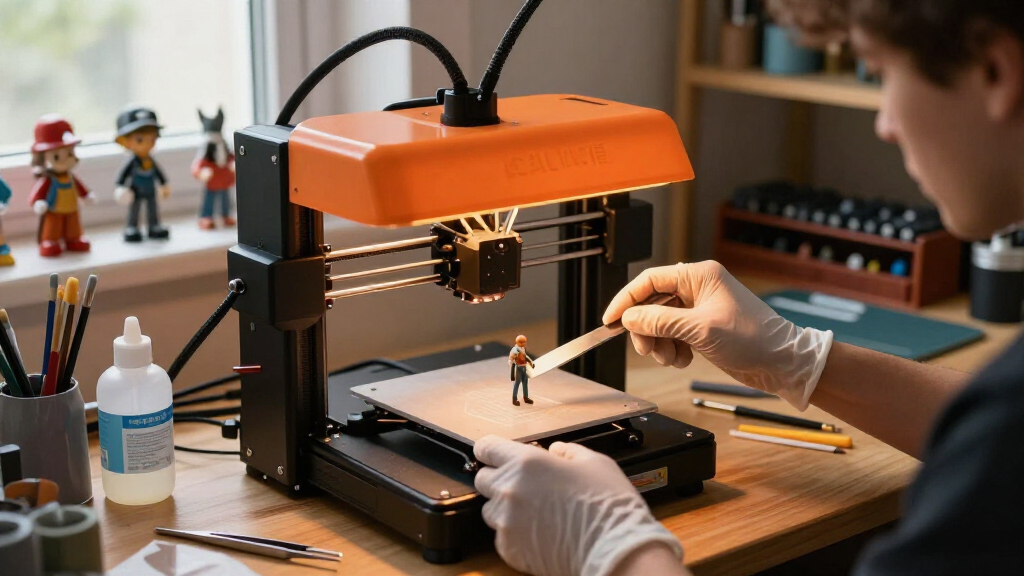
I ranked these printers on five buyer-facing criteria rather than spec sheets alone. Effective XY resolution came first, because it’s the real measure of how fine a high resolution printer renders edges and organic curves — not the marketing number on the LCD. Build volume came second, since resolution without capacity limits batch production. From there I weighed usability features (auto-leveling, self-diagnostics, air filtration, firmware maturity), resin handling and maintenance (tilting plates, film type, vat design), and finally value positioning — whether the price gap between models translates into results a buyer will actually notice.
The ranking logic favors balance over extremes. A printer like the Saturn 4 Ultra 16K ranks above higher-resolution-but-tiny machines because most buyers need detail and usable capacity, while dedicated micro-detail tools like the Sonic Mini 8K S slot lower for most readers but earn a clear niche callout. Where two printers tie on output quality, the one with fewer manual setup steps and better long-term reliability wins the higher slot.
Factors to Consider When Choosing High Resolution Resin Printers
Resolution specs tell you what a printer can do, not whether it fits your desk, budget, or workflow. These are the factors that actually separate a satisfying purchase from an expensive disappointment.Pixel Pitch Matters More Than the K Number
Manufacturers market screens as 8K, 12K, or 16K, but a 10K screen on a small panel can produce finer detail than an 8K screen stretched across a large one. What determines edge sharpness is pixel pitch — the physical size of each pixel, typically measured in microns. A 22-micron pixel on a compact printer will render crisper miniature faces than a 43-micron pixel on a big-format machine, regardless of the resolution badge on the box. Before buying, divide the screen’s horizontal pixel count by its width and compare that figure across models. The common mistake here is chasing the highest K number and ending up with a huge printer that’s actually less sharp than a cheaper desktop unit. Match pixel pitch to your subject: 20–30 microns suits miniatures and jewelry, while 40+ microns is fine for scenery, prototyping, and functional parts.
Build Volume and Resin Consumption Are Linked Costs
A larger build plate doesn’t just cost more upfront — it changes your resin budget permanently. Big vats hold more resin, resin degrades in the vat over weeks, and a failed large print wastes far more material than a failed small one. Many buyers overestimate how much volume they need: a 10-inch Z axis handles the vast majority of miniature and jewelry work, and batch printing small parts side by side on a mid-size plate is usually more efficient than one giant machine. Large-format printers make sense only for oversized single pieces or true production runs of dozens of identical parts. For everyone else, a mid-size printer with sharp pixel pitch delivers better economics and the same finished quality.
Leveling and Automation: The Hidden Usability Gap
Manual bed leveling remains the most common source of failed first prints, and it’s where budget and mid-tier machines still cut corners. Auto-leveling, self-check routines, and firmware-based failure detection — features found on printers like the Saturn 4 Ultra and Photon P1 — remove the single step most likely to ruin a print before it starts. If you’re new to resin, I’d treat auto-leveling as close to mandatory; the frustration it prevents is worth more than a marginal resolution bump. Experienced users who don’t mind a wrench and a piece of paper can save money on manually leveled machines and lose nothing. The mistake to avoid is buying an entry printer for a gift or a classroom and discovering that calibration is a barrier on day one.
Ventilation, Fumes, and Where the Printer Will Live
Resin printers must live somewhere with real airflow — a garage, workshop, or well-vented room — because standard resins emit fumes that cause headaches and skin sensitivity with repeated exposure. Some models include built-in activated carbon filters, which reduce odor but are not a substitute for ventilation, and filter media needs periodic replacement. Water-washable resins reduce the IPA handling but still require the same air precautions. Before choosing a printer, decide on its permanent location first, then pick a machine whose footprint, door access, and filtration match that space. Buyers who skip this step often end up printing less, because setup friction kills the hobby faster than any technical limitation.
Total Cost of Ownership Beyond the Printer
The purchase price is roughly half of your first-year spend. Budget for resin (which varies widely by type — standard, tough, flexible, dental, and castable all cost different amounts), isopropyl alcohol or a wash station, a curing station, nitrile gloves, filters, spare FEP or PFA film, and replacement LCD screens, which wear out after a few hundred hours of exposure. Machines with proprietary vats or films lock you into pricier consumables, while ELEGOO and Anycubic ecosystems have cheap, widely available parts. A $250 printer can easily become a $600 first-year investment, and that math matters when deciding whether to buy up to a more capable machine now or upgrade later. My advice: buy the printer that matches your output quality needs, then buy accessories immediately, because a wash-and-cure station improves finished results as much as a resolution bump does.
Speed Features: What Actually Saves Time
Tilting build plates, faster exposure resins, and high-refresh mono LCDs all claim speed gains, but the biggest time saver for most users is batch printing — filling the plate with parts rather than printing one at a time. A printer with a modest per-layer speed but a large plate will out-produce a fast small printer every week. Tilting mechanisms genuinely help on tall, suction-prone parts, reducing peel forces and failures, but they add mechanical complexity that can need maintenance. Don’t pay a large premium for speed features if your typical print is a single small miniature; do prioritize them if you print full plates of commercial work. Speed claims on product pages usually reflect ideal conditions, so treat them as comparisons between models rather than absolute expectations.
Frequently Asked Questions
Is a 16K resin printer noticeably better than an 8K one?
It depends entirely on screen size. A 16K screen concentrated on a compact panel produces visibly finer edges and smoother curves, especially on faces, textures, and fine lettering. But if the 16K screen is stretched across a large build area, its pixel pitch can end up similar to a smaller 8K machine, and the difference becomes hard to see without a magnifier. If you print miniatures or jewelry at 32mm scale or smaller, the jump is worth it. If you print scenery, cosplay props, or functional parts, an 8K machine at a lower price will satisfy you, and spending the difference on quality resin and a curing station will improve your results more than extra resolution would.
Can a beginner use a high resolution resin printer, or is it too complicated?
Modern resin printers are far more beginner-friendly than they were a few years ago, and models with auto-leveling and guided setup remove the hardest calibration steps. The printer itself is genuinely easy — the learning curve lives in resin handling, exposure tuning, and post-processing. A beginner who follows the wash-and-cure workflow carefully will get good prints within the first week on machines like the Mars 5 or Photon Mono 4. What trips up newcomers is skipping ventilation and gloves, or ignoring resin temperature in a cold garage, both of which cause failed prints rather than the printer being at fault. If you’re willing to treat resin like a mild chemical hazard and follow the process, there’s no reason to start on a lesser machine.
Should I buy a large-format resin printer now or start small and upgrade?
Start small unless you have a specific oversized project waiting. Large machines cost more, consume resin faster, take longer to level and heat, and their vats are expensive to refill after a failed print. Most hobbyist work — miniatures, jewelry, terrain pieces, small production batches — fits comfortably on a mid-size plate, and batch printing covers volume needs efficiently. Upgrading later also means you keep the small printer as a dedicated detail machine or a second unit for running different resins simultaneously, which many experienced makers prefer over one big printer. The exception is if you already sell prints commercially or need single-piece large models that can’t be split; in that case, buying large once avoids a wasted intermediate purchase.
Do I need auto-leveling, or can I level the bed myself?
Manual leveling is a learnable skill that takes ten minutes and holds for weeks, so experienced users lose little by skipping auto-leveling and saving money. For beginners, though, improper leveling is the leading cause of failed first layers, and diagnosing it as a newcomer is frustrating enough to sour the whole hobby. Auto-leveling also helps if you plan to transport the printer or move it between rooms, since vibration can shift a manually set bed. If two similarly priced printers differ mainly on this feature, take the auto-leveling one — it costs the manufacturer little but saves you recurring annoyance. If your preferred machine lacks it, a $20 feeler gauge and one careful session will get you printing fine.
How long do the LCD screens last, and what does replacement involve?
Mono LCD screens — the standard on all ten printers in this roundup — typically last 2,000 to 4,000 exposure hours, which translates to one to three years of regular hobby use. Heavy daily production wears them faster, as does printing with resins that demand long exposure times. When the screen fades, prints fail to cure properly and detail softens, and replacement involves removing the vat, unscrewing the screen assembly, and swapping in a new panel, which most users complete in under an hour with basic tools. Screens for ELEGOO and Anycubic machines are inexpensive and widely stocked, while parts availability for less common brands can be spottier — a real factor if you plan to print for years. Budget one replacement screen per year of heavy use, and treat anything beyond that lifespan as a bonus.
Conclusion
For most buyers, the ELEGOO Saturn 4 Ultra 16K is the best overall choice — it balances flagship-tier resolution, a practical build volume, and automation that keeps failures rare. If value is the priority, the Anycubic Photon Mono 4 delivers genuine 10K sharpness at an entry price, with the caveat of manual leveling and a smaller plate. The Phrozen Sonic Mega 8K S is the premium pick for production-scale output, provided you have the budget, the bench space, and the resin volume to justify it.
Beginners should look at the ELEGOO Mars 5, which wraps a forgiving workflow and solid detail into a compact, affordable first machine. For specific needs: choose the Phrozen Sonic Mini 8K S if your work is jewelry-scale and maximum micro-detail is the goal, the Photon P1 14K if you want mid-tier resolution with auto-leveling on a tight budget, and the Creality HALOT-X1 Combo if an all-in-one package with integrated workflow appeals to you. Whatever you pick, budget for ventilation, wash-and-cure gear, and consumables from day one — that complete setup, not the printer alone, is what produces the crisp results this category promises.
Fall Picks
fall essentials
As an affiliate, we earn on qualifying purchases.