
Disclosure: Gewerkton is built by our publisher — we build it ourselves and write down what we learn.

Get the latest gadgets delivered free — and shop member deals
- Fast, free delivery on millions of items
- Access to Prime Big Deal Days deals on October 6–7
- Prime Video, Amazon Music and more included
Construction sites are poor places for mobile data. Basements, shafts and thick concrete walls cut the connection, and those are often exactly the places where the photos and notes that matter later are taken. Gewerkton’s site app is built to save on the device first and sync later. Version 0.5.0 for iPhone and Android is in its test phase, on the iPhone through Apple’s TestFlight. Here is what the app does, and what a first round of device tests on 3 October 2026 confirmed.
Four paths on the home screen
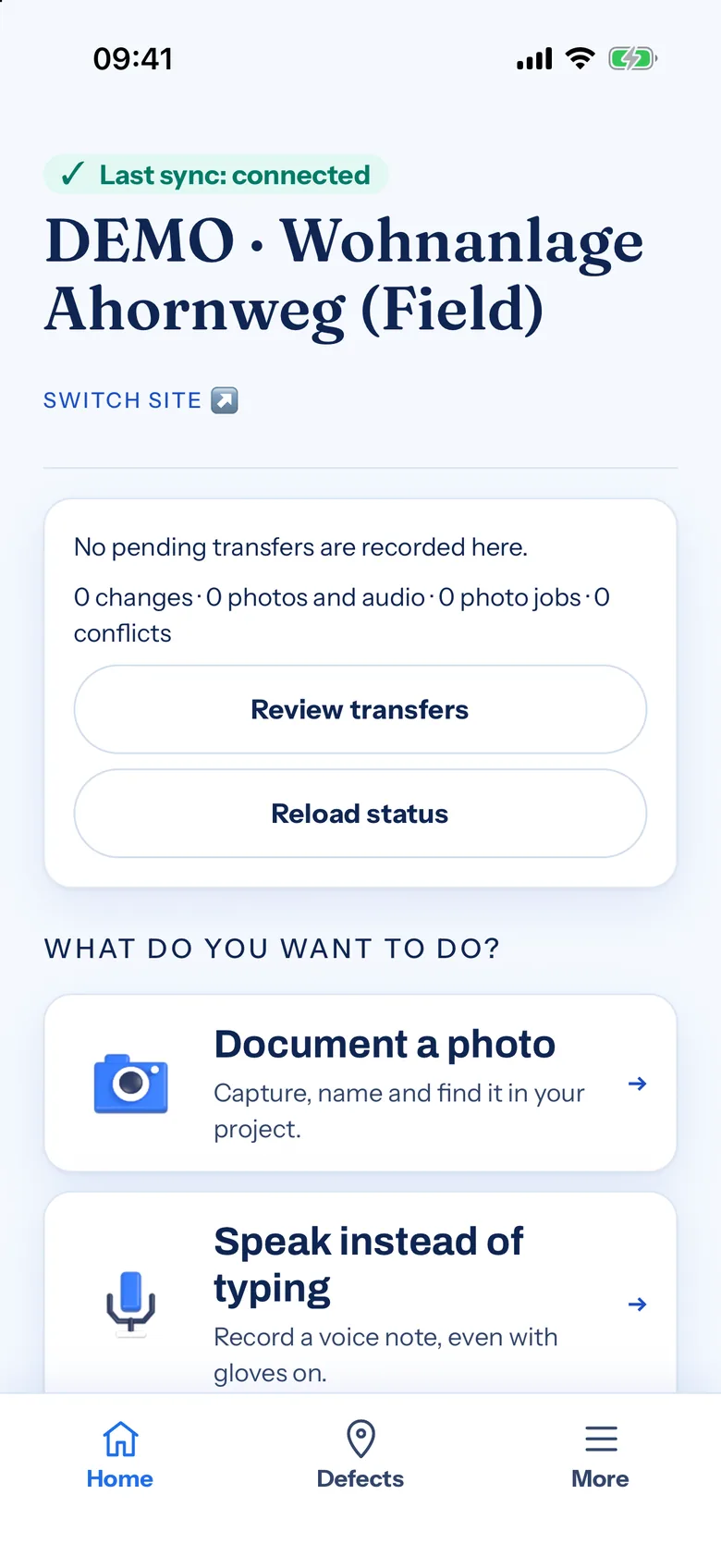
The home screen keeps it short, with four paths: “Document a photo” to capture, name and find it again in the project; “Speak instead of typing” for a voice note, even with gloves on, according to the app; “Write down a defect”, step by step with room and photo; and “View defects” to read the list, tick items off and report work as done. A short guide sums up the idea in three steps: take a photo or speak, review the suggestion for defects and voice capture, then save the draft and check the transfer later.
Behind “More” sit 33 tools, grouped into capture and report, read and check, team and shift, specialist sites, and help and settings. The app runs in portrait only. On its website, Gewerkton lists operation with gloves on, maximum contrast in bright sun and a wet mode as built.
Save first, sync later
The common thread is that work on site should not depend on reception. A defect is saved the moment it is written down, even without a connection. With a defect from photo, up to five pictures stay on the device until there is a connection again; then a proposal follows that a person reviews. Project photos can be named and filed offline and are uploaded to the project later. This section describes what the app offers; what was actually checked in the device tests follows further down.
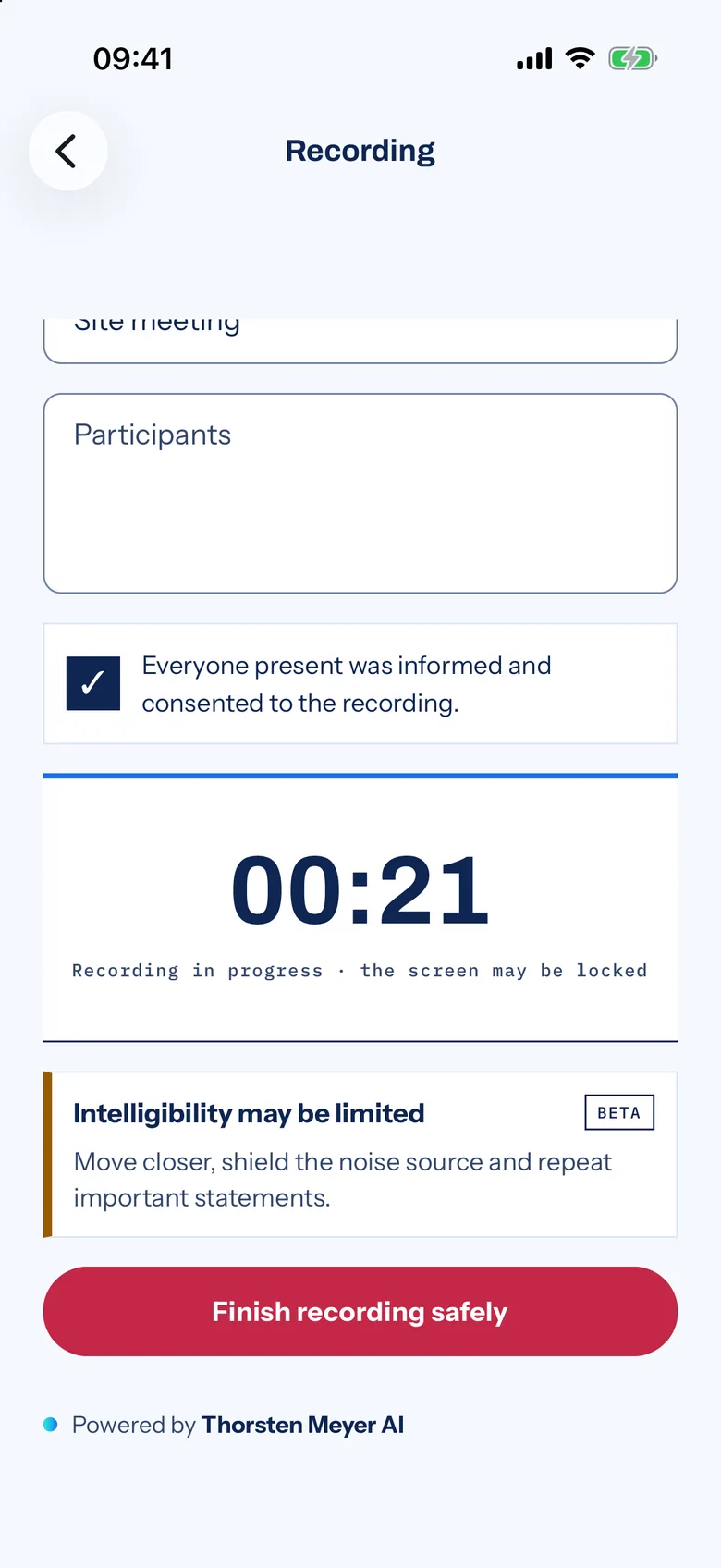
Audio works the same way. The recording screen is titled “Original audio, even offline.” Audio is stored in five-minute chunks, each hashed locally and deleted from the phone only after the server confirms it. Before recording, a checkbox confirms that everyone present has been informed and has agreed. While the recording runs, the screen may be locked. Under offline voice commands, the recording stays encrypted on the device and, once a connection is back, runs exactly once through Gewerkton’s speech recognition. The app is explicit about it: no cloud fallback.
Teams that know there will be no signal further down can preload plan revisions and pinned defects with “Plans offline” and read the room book, with floors, rooms and open items, offline as well. For site islands with no network at all, a receipt courier hands records over to a collection device.
So that nobody has to guess what has arrived, the home screen shows the state: “Last sync: connected” or “Last sync: offline”. In the defect list, a “Not synced” filter picks out entries still waiting on the device. A sync recovery screen keeps local changes until the server acknowledges them and retries pending transfers. If two versions of the same entry exist, a person decides which one stands.
Built for the daily routine on site
Several tools target familiar situations on a job. When a crew shares one phone, “Shared site phone” switches local accounts on the device with a PIN. “Shift handover” structures a dictation into shifts, items and free text on the device. “Photo quality” gives hints on sharpness and brightness without blocking the upload. “Open a room via QR” scans a room code and matches it to the right project, and “Measure a room” captures a room with LiDAR on iPhones and iPads that have the sensor, and with a manual estimate on Android. For site meetings, the “Site meeting” tool records the discussion, assigns the items and puts the minutes up for approval.
The settings cover language, large display and field hardening. Under “First steps” there are four short videos, which only stream once someone taps them.

What the Android device test confirmed
On 3 October 2026, Android build 0.5.0 ran on a Pixel 10a with Android 17 against the live server. Cold starts took between 0.72 and 0.80 seconds. Signing out and back in passed, as did creating a defect online and offline, taking a before-photo after granting camera access, and a voice recording of 1:20 minutes after granting microphone access, which was then uploaded and confirmed.
Most relevant to this story: a defect and a project photo created without a connection stayed saved on the device and were uploaded after reconnecting. For defects and project photos, working offline is therefore confirmed in the device test. After a forced stop, the app came back signed in, in the last project opened, without a new login. The “Gewerkton Aufgaben” (tasks) home-screen widget showed the project, open tasks and the next deadline, and tapping it opened the defects. There was no crash and no “app not responding” event during the entire run.
iPhone: TestFlight and a first device test
On the iPhone, build 0.5.0 (24) has been in TestFlight since 3 October 2026, in internal testing. It has been submitted to Apple for beta review, and test groups for internal testers and for a field test are set up. On the same day, a locally built release version ran on an iPhone 12 Pro Max. Sign-in took 2.7 seconds and choosing the site 1.6 seconds. The home screen, the three tabs and all 33 tools opened without a crash or an error page.
Where things stand
Gewerkton is in beta: 2026 is the beta year, and general availability is planned for 2027 but not promised. The app belongs to Field, Gewerkton’s line for capture on site, which is in beta ahead of the public beta. The app itself is in a test phase, and what the tests turn up goes into the next version.
The Field page on gewerkton.com describes capture from meetings, dictation, photos and contracts as “robust even with no signal”. Anyone who wants to test the app on their own site can request access at gewerkton.com and join the waitlist. The beta page shows where each product line stands.
Fall Picks
fall essentials
As an affiliate, we earn on qualifying purchases.