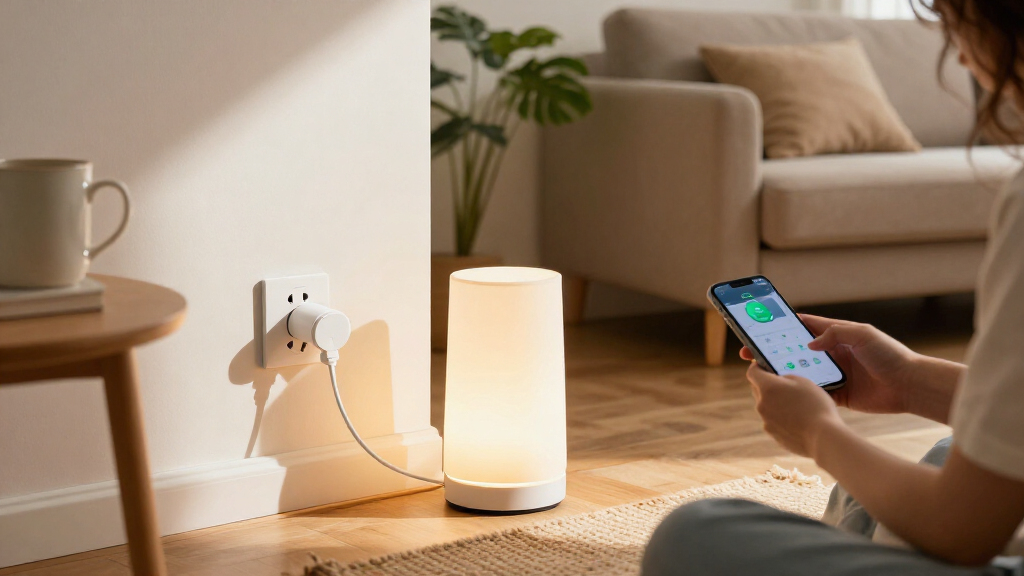

Smart plugs with energy monitoring let you track an appliance’s electricity use and control it remotely, but connectivity and app features vary as much as pack size. I name the Kasa Matter Smart Plug with Energy Monitoring, 15A/1800W, 2-Pack my best overall for its Matter support and clear fit for buyers who want broad smart-home compatibility. The Tapo P115 is a compelling alternative for straightforward Wi-Fi monitoring, while the THIRDREALITY Gen3 stands out for Zigbee setups and its power-meter focus. The main tradeoffs are Wi-Fi versus a hub-based connection, single-outlet size, and how much detail you need from energy reports. Read on for the full breakdown and help matching a plug to your devices and smart-home system.

Get the latest gadgets delivered free with Prime
- Fast, free delivery on millions of items
- Prime Video, Amazon Music and more included
- Member-only deals all year
Complete the kit



Key Takeaways
- Matter support separates several Kasa and Tapo picks: it can make cross-brand smart-home setup easier, but confirm that the controller and the specific energy-monitoring features you need work together.
- The THIRDREALITY Gen3 serves a different kind of buyer: its Zigbee connection and repeater role suit hub-based homes, while the Wi-Fi models avoid adding a Zigbee hub.
- Pack size is a meaningful distinction: the four-packs from AiSeek, Govee, Tapo, THIRDREALITY, Kasa, and Emporia suit multi-appliance setups; the two-packs can be a simpler way to start or test compatibility.
- Energy monitoring is not one uniform feature: app reports, live readings, and long-term tracking can differ, so choose based on whether you want to spot current draw or compare usage over time.
- All listed models are rated for 15A, but that rating does not make every plug suitable for every appliance; check the device label, plug dimensions, and manufacturer guidance before connecting high-draw equipment.


| smart plugs with energy monitoring | Pack size | Connectivity | Operating voltage | Model |
|---|---|---|---|---|
| AiSeek Smart Plugs with Energy | 4 plugs | 2.4 GHz Wi-Fi, Bluetooth | 120 V | — |
| Kasa Matter Smart Plug with En | 2 plugs | Matter, Wi-Fi, SmartThings | 120 V | KP125MP2 |
| Govee Smart Plug with Energy M | 4 plugs | Wi-Fi, Bluetooth | 120 V | H5086 |
| Tapo Smart Plug Wi-Fi Energy M | 4 plugs | 2.4 GHz Wi-Fi | 110 V AC | P115 |
| Kasa Smart Plug Mini with Ener | 1 plug | 2.4 GHz Wi-Fi | 120 V AC | KP115 |
| Tapo P115 Smart Wi-Fi Plug wit | 2 plugs | 2.4 GHz Wi-Fi | 125 V | — |
| Tapo P110M Matter Smart Plugs | 4 plugs | Matter over 2.4 GHz Wi-Fi | — | P110M |
| THIRDREALITY Smart Plug Gen3 4 | 4 plugs | Zigbee 3.0 | 110 V | — |
| Kasa Matter Smart Plug with En | 4 plugs | Matter over 2.4 GHz Wi-Fi | 120 V | KP125MP4 |
| Emporia Energy Monitoring Smar | 4 plugs | 2.4 GHz Wi-Fi | 120 V | — |
More Details on Our Top Picks
AiSeek Smart Plugs with Energy Monitoring, 15A, 4-Pack
The AiSeek four-pack is a practical fit for buyers who want to track several appliances without building around a particular smart-home platform. Its real-time energy monitoring, schedules, timers, and group control are handled through SmartLife, with Alexa and Google Assistant available after app setup. Like the Govee four-pack, it offers Wi-Fi and Bluetooth connectivity and a 15A, 1800W rating; AiSeek’s listed dimensions are more compact, though the products’ feature sets differ. Overload and short-circuit protection add reassurance for everyday appliance control. The tradeoff is a more app-dependent setup: you need 2.4 GHz Wi-Fi and must configure the plugs in SmartLife before linking a voice assistant. Buyers seeking broad platform support or local control during an internet outage should look instead at the Kasa Matter plug.
Pros:- Four plugs support monitoring across multiple appliances.
- Tracks real-time power and energy use, with schedules, timers, and group control.
- Works with Alexa and Google Assistant after SmartLife setup.
- Rated for 15A and 1800W, with short-circuit and overload protection.
Cons:- Requires a 2.4 GHz Wi-Fi network.
- Voice assistants must be linked after setup in the SmartLife app.
- Does not list Matter or Apple Home compatibility.
Best for: Households that want energy monitoring and scheduled control across several rooms using SmartLife, Alexa, or Google Assistant.
Not ideal for: Buyers who want Apple Home or Matter integration, or who prefer setup without a required SmartLife app step.
- Pack size:4 plugs
- Maximum power:1800 W
- Maximum current:15 A
- Operating voltage:120 V
- Connectivity:2.4 GHz Wi-Fi, Bluetooth
- App compatibility:SmartLife, Tuya
- Voice assistants:Amazon Alexa, Google Assistant
- Dimensions:1.4 x 2.8 x 2 inches
- Warranty:2 years
Our verdict“Choose AiSeek if you want a four-plug SmartLife set for monitoring and automating several appliances, but skip it if Matter-based integration is a priority.”
Kasa Matter Smart Plug with Energy Monitoring, 15A/1800W, 2-Pack
This Kasa two-pack is the strongest fit here for buyers who want energy monitoring to sit inside an established, multi-platform smart home. Matter compatibility brings support for Apple Home, Alexa, Google Home, and SmartThings, while local network control can keep device operation available when internet access drops. That gives it a clear advantage over the AiSeek and Govee four-packs, which list Alexa and Google Assistant support but not Matter or Apple Home. The Kasa app and compatible voice assistants provide ways to monitor and control connected devices, and its 15A, 1800W rating suits many household appliances. The main compromise is quantity: two plugs cover fewer outlets than the four-packs from Tapo or AiSeek. It also requires 2.4 GHz Wi-Fi, so its platform breadth does not remove the network requirement.
Pros:- Matter support spans Apple Home, Alexa, Google Home, and SmartThings.
- Local network control can continue when the internet is offline.
- Energy monitoring is available through the Kasa app or compatible voice assistants.
- Compact, UL-certified flame-retardant construction.
Cons:- Two plugs provide less coverage than the AiSeek, Govee, and Tapo four-packs.
- Requires a 2.4 GHz Wi-Fi network.
- Matter and energy monitoring features may require compatible platform setup.
Best for: Smart-home owners using Apple Home, Google Home, Alexa, or SmartThings who value Matter support and local control.
Not ideal for: Buyers who need to monitor many appliances in one purchase or whose Wi-Fi setup lacks a 2.4 GHz network.
- Model:KP125MP2
- Pack size:2 plugs
- Maximum current:15 A
- Maximum power:1800 W
- Operating voltage:120 V
- Connectivity:Matter, Wi-Fi, SmartThings
- Wi-Fi band:2.4 GHz
- Compatible platforms:Apple Home, Amazon Alexa, Google Home, Samsung SmartThings
- Warranty:2-year limited
Our verdict“Pick this Kasa set for Matter-based flexibility and local control, but choose a four-pack if covering more appliances matters more than platform choice.”
Govee Smart Plug with Energy Monitoring, WiFi Bluetooth Outlet, 4 Pack
Govee is a good match for buyers who want a four-plug set centered on real-time energy tracking in one app. The Govee Home app combines monitoring with scheduling and group control, while Wi-Fi and Bluetooth are listed as connection options. Its 15A, 1800W rating and fire-resistant materials make the set suitable for many everyday appliances, and ETL and FCC certifications are listed. Compared with the AiSeek four-pack, Govee also lists IFTTT support, but its stated voice-assistant options remain Alexa and Google Assistant rather than the broader Matter platform coverage of the Kasa Matter plug. That distinction matters if you want devices to fit into Apple Home or another ecosystem not listed here. Setup and control rely on the Govee Home app, and the plugs use 2.4 GHz Wi-Fi rather than 5 GHz.
Pros:- Four plugs support monitoring across multiple appliances.
- Real-time energy monitoring, scheduling, and group control through Govee Home.
- Wi-Fi and Bluetooth connectivity are listed.
- 15A/1800W rating, fire-resistant materials, and ETL and FCC certifications.
Cons:- Requires the Govee Home app for setup and control.
- Supports 2.4 GHz Wi-Fi, not 5 GHz.
- Listed voice-assistant compatibility is limited to Alexa and Google Assistant.
Best for: People who want app-based energy tracking and schedules for several appliances and use Alexa or Google Assistant.
Not ideal for: Apple Home or Matter users, and buyers who need plugs that connect to a 5 GHz-only Wi-Fi network.
- Model:H5086
- Pack size:4 plugs
- Operating voltage:120 V
- Maximum wattage:1800 W
- Connectivity:Wi-Fi, Bluetooth
- Voice assistants:Amazon Alexa, Google Assistant
- Other listed controller:IFTTT
- Dimensions:2.68 x 2.4 x 1.5 inches
- Certifications:ETL, FCC
Our verdict“Choose Govee for app-centered monitoring across four appliances, but look to the Kasa Matter model if wider smart-home platform support is your priority.”
Tapo Smart Plug Wi-Fi Energy Monitoring P115 (4-Pack) 15A
The Tapo P115 stands out for buyers who want more than a live power reading: its energy charts and cost estimates can help turn usage data into a clearer household picture. The four-pack offers room to track several devices, and Tapo also lists auto shutoff and smart charging features for controlling connected equipment. It supports Alexa, Google Assistant, and SmartThings, giving it broader listed voice and platform options than the Govee four-pack, though it does not offer the Matter and local-control details provided by the Kasa Matter model. Its compact design is intended to avoid blocking adjacent sockets, a useful advantage when outlets are close together. The tradeoffs are the 2.4 GHz Wi-Fi requirement and reliance on the Tapo app for full functionality; buyers seeking a different app ecosystem may prefer another pick.
Pros:- Energy monitoring includes detailed statistics and cost estimates.
- Four-pack makes it possible to track several appliances.
- Supports Alexa, Google Assistant, and SmartThings.
- Compact design is described as avoiding blockage of adjacent sockets.
Cons:- Requires a 2.4 GHz Wi-Fi network.
- Full functionality depends on the Tapo app.
- The supplied details do not list Matter support or offline local control.
Best for: Households that want to compare appliance energy use with charts and cost estimates across several outlets.
Not ideal for: Buyers who need Matter compatibility, local control during an internet outage, or a plug that avoids a separate brand app.
- Model:P115
- Pack size:4 plugs
- Maximum wattage:1800 W
- Operating voltage:110 V AC
- Connectivity:2.4 GHz Wi-Fi
- Voice and platform compatibility:Amazon Alexa, Google Assistant, SmartThings
- Control features:Scheduling, auto shutoff, smart charging
- Control method:App
- Color:White
Our verdict“Choose the Tapo P115 if energy charts and cost estimates are more useful to you than Matter integration or app independence.”
Kasa Smart Plug Mini with Energy Monitoring, KP115
The Kasa KP115 is the straightforward choice when you need to monitor one appliance and want a compact plug with basic remote control. Its energy monitoring, scheduling, and Kasa app control cover the central jobs without requiring a hub, and Alexa and Google Assistant provide voice control. The listed safety features include overheating protection, a fire-resistant shell, and a sliding child safety cover. Compared with the Kasa Matter two-pack, this model does not list Matter or Apple Home support, and it is a single plug rather than a multi-outlet set. That narrower scope may suit a focused setup, but it is a less convenient way to monitor several appliances. Like the AiSeek and Tapo options, it also requires 2.4 GHz Wi-Fi, so check your network before choosing it.
Pros:- Monitors energy use and supports scheduling through the Kasa app.
- Works with Amazon Alexa and Google Assistant.
- No hub required.
- Includes overheating protection, a fire-resistant shell, and a sliding child safety cover.
Cons:- Single-plug format offers less coverage than the four-packs in this roundup.
- Requires 2.4 GHz Wi-Fi.
- Matter and Apple Home compatibility are not listed.
Best for: Buyers who want to monitor and schedule one appliance through Kasa, Alexa, or Google Assistant.
Not ideal for: People outfitting several rooms, or smart-home owners who specifically need Matter or Apple Home compatibility.
- Model:KP115
- Pack size:1 plug
- Connectivity:2.4 GHz Wi-Fi
- Voice assistants:Amazon Alexa, Google Assistant
- Operating voltage:120 V AC
- Maximum wattage:1800 W
- Dimensions:2.62 x 1.57 x 1.5 inches
- Safety certification:UL
- Safety features:Overheating protection, fire-resistant shell, sliding child safety cover
Our verdict“Pick the KP115 for a compact, safety-featured way to monitor one appliance, but choose a multi-pack for broader coverage or the Kasa Matter model for platform flexibility.”
Tapo P115 Smart Wi-Fi Plug with Energy Monitoring, 2-Pack, 15A
The Tapo P115 two-pack is a practical fit when energy tracking matters in a couple of spots, rather than across an entire home. Its app shows consumption statistics and estimated electricity costs, giving you more context than a basic on/off plug, while schedules and charging limits can help manage recurring use. The compact body is useful when neighboring outlets need to stay clear. Compared with the four-plug Tapo P110M, this pack offers fewer outlets and lacks Matter compatibility, but it keeps setup within Tapo’s app and supports Alexa and Google Assistant. The tradeoff is a 2.4 GHz Wi-Fi requirement, so it is not the right choice for a Wi-Fi-only 5 GHz network. Its 1800-watt rating suits many household devices, but check an appliance’s load before connecting it.
Pros:- App provides consumption statistics and estimated electricity costs.
- Scheduling, charging limits, and overload shutoff add useful control options.
- Compact design helps keep the adjacent outlet accessible.
- Supports remote and voice control through the app, Alexa, and Google Assistant.
Cons:- Requires a 2.4 GHz Wi-Fi network.
- Two plugs cover fewer devices than the four-packs in this lineup.
- Does not list Matter compatibility for broader smart-home platform integration.
Best for: Shoppers who want energy-use statistics for two household devices and already use Alexa or Google Assistant.
Not ideal for: Buyers who want Matter-based Apple Home or SmartThings integration, need more than two plugs, or have only a 5 GHz Wi-Fi network.
- Pack size:2 plugs
- Maximum load:15 A; 1800 W
- Operating voltage:125 V
- Connectivity:2.4 GHz Wi-Fi
- Energy features:Consumption statistics and estimated electricity costs
- Control:Tapo app, remote, and voice
- Voice assistants:Amazon Alexa and Google Assistant
- Certifications:ETL, FCC, RoHS
Our verdict“Choose the Tapo P115 if you want clear energy tracking and compact control for two devices without needing Matter.”
Tapo P110M Matter Smart Plugs with Energy Monitoring, 4-Pack, 15A
For buyers building around more than one smart-home platform, the Tapo P110M four-pack brings energy tracking to a wider set of devices without tying control to a single assistant. Matter compatibility covers Apple Home, Alexa, Google Home, and SmartThings, while the Tapo app can track consumption and estimate costs. That combination makes this a more flexible multi-room pick than the Wi-Fi-only Tapo P115 two-pack, especially if you want to monitor several appliances. Customizable power thresholds also give you a way to manage charging behavior, and the compact plugs leave adjacent outlets usable. The main limitation is shared with many Wi-Fi smart plugs here: it uses 2.4 GHz Wi-Fi only. Matter support also depends on having a compatible controller or hub configured for your chosen ecosystem, so it is not necessarily a no-setup shortcut.
Pros:- Matter support spans Apple Home, Alexa, Google Home, and SmartThings.
- Four plugs make it easier to monitor several appliances around the home.
- Tracks energy consumption and can estimate electricity costs.
- Compact form leaves neighboring outlets accessible.
Cons:- Uses 2.4 GHz Wi-Fi only.
- Full Matter functionality may depend on compatible controllers or hub configuration.
- Requires Wi-Fi, unlike the Zigbee-based THIRDREALITY Gen3.
Best for: Households with a Matter-compatible controller that want to track energy use across several devices in Apple Home, Alexa, Google Home, or SmartThings.
Not ideal for: Buyers with a 5 GHz-only network, or shoppers who want Zigbee-based monitoring and already have a Zigbee hub.
- Model:P110M
- Pack size:4 plugs
- Maximum load:1800 W
- Connectivity:Matter over 2.4 GHz Wi-Fi
- Compatible platforms:Amazon Alexa, Apple Home, Google Home, Samsung SmartThings
- Energy features:Energy tracking and estimated electricity costs
- Control:App, voice, and scheduling
- Certification:UL
Our verdict“Pick the Tapo P110M if you want four energy-monitoring plugs that can join a Matter-based smart home.”
THIRDREALITY Smart Plug Gen3 4-Pack, Precise Real-time Power Meter, 15A Outlet, Enhanced Zigbee Repeater, ETL Certified, Works with Home Assistant, Echo Devices and SmartThings
The THIRDREALITY Gen3 is the standout for buyers who want energy monitoring inside a Zigbee-based setup, not another Wi-Fi device. Its stated ±1% real-time power measurement is the most explicit accuracy claim in this group, which may help when comparing changing loads rather than just checking broad consumption trends. Each plug also acts as a Zigbee repeater, adding mesh coverage as well as an outlet. That gives it a different role from the Matter Wi-Fi Kasa KP125MP4, which is easier to place in a broad Wi-Fi smart home but does not require a Zigbee hub. Here, a compatible hub is mandatory; without one, the plugs cannot operate as standalone Wi-Fi outlets. The 110-volt specification also narrows its fit in regions using other voltage standards.
Pros:- Specified ±1% accuracy for real-time power monitoring.
- Zigbee repeater function can extend an existing mesh network.
- Works with a range of compatible hubs and Echo devices.
- OTA firmware updates support remote software maintenance.
Cons:- Requires an external compatible Zigbee hub.
- No built-in Wi-Fi for direct standalone control.
- 110-volt operating specification limits suitability in other voltage regions.
Best for: Home Assistant, SmartThings, or compatible Echo users who already have a Zigbee hub and want live power readings plus mesh extension.
Not ideal for: People seeking a standalone Wi-Fi plug, buyers without a compatible Zigbee hub, or users outside 110-volt regions.
- Pack size:4 plugs
- Connectivity:Zigbee 3.0
- Operating voltage:110 V
- Power monitoring:Real-time readings; stated accuracy ±1%
- Network feature:Zigbee repeater
- Compatible systems:Home Assistant, SmartThings, compatible Echo devices, and listed Zigbee hubs
- Firmware:OTA updates
- Warranty:1 year
Our verdict“Choose the THIRDREALITY Gen3 when you already run Zigbee and value precise live readings and added mesh coverage.”
Kasa Matter Smart Plug with Energy Monitoring (4-Pack, KP125MP4)
The Kasa KP125MP4 earns its place for pairing Matter-based platform coverage with local LAN control. That local option can keep control available when the internet connection is down, a useful distinction from the Emporia four-pack, whose listed control relies on its app, voice assistants, or scheduling over Wi-Fi. Energy monitoring helps identify which connected devices draw power, while Matter support reaches Apple Home, Alexa, Google Home, and SmartThings. A four-pack makes it practical to apply that visibility across several rooms, and the compact, flame-retardant design is intended not to block adjacent outlets. The tradeoff is that setup and operation still rely on 2.4 GHz Wi-Fi, and full Matter use can depend on the controller configuration. It is a stronger pick for platform flexibility and local control than for buyers avoiding Wi-Fi altogether.
Pros:- Matter compatibility supports major Apple, Amazon, Google, and Samsung platforms.
- Local LAN control can preserve device control without an internet connection.
- Built-in energy monitoring helps track connected-device consumption.
- Compact UL-certified design is made to leave adjacent outlets clear.
Cons:- Requires 2.4 GHz Wi-Fi for setup and operation.
- Matter features may require a compatible hub or controller configuration.
- Does not provide the Zigbee repeater function offered by the THIRDREALITY Gen3.
Best for: Smart-home households that want four energy-monitoring outlets, Matter platform choice, and local control when internet access is interrupted.
Not ideal for: Buyers with only 5 GHz Wi-Fi, or those who want a Zigbee plug that can strengthen an existing mesh network.
- Model:KP125MP4
- Pack size:4 plugs
- Maximum load:15 A; 1800 W
- Operating voltage:120 V
- Connectivity:Matter over 2.4 GHz Wi-Fi
- Compatible platforms:Apple Home, Amazon Alexa, Google Home, Samsung SmartThings
- Control:App, voice, and local LAN
- Certification and warranty:UL certified; 2-year limited warranty
Our verdict“Choose the Kasa KP125MP4 if local control and Matter compatibility matter as much as tracking energy across four outlets.”
Emporia Energy Monitoring Smart Plug, WiFi Smart Outlet (4 Pack) – Works with Alexa & Google Home, 15A, Timer, App Scheduling, 2.4GHz Wi‑Fi
The Emporia four-pack is a straightforward choice for tracking live usage while automating everyday appliances with timers and schedules. Its app, remote, and voice controls make it easy to turn a device off when it is not needed, while real-time energy data can help reveal standby consumption. Compared with the Kasa KP125MP4, Emporia lists Alexa and Google Assistant support but not Matter or local LAN control, so it suits a simpler Wi-Fi setup rather than a multi-platform home that needs offline control. The most consequential tradeoff is capacity: although the plug is described as 15 A peak, its continuous load is limited to 10 A, with a listed wattage of 1200 W. That makes it less suitable for sustained high-power appliances than 1800-watt options such as the Tapo P110M.
Pros:- Real-time energy data can help identify appliance use and standby draw.
- Timers and schedules support routine shutoff without manual control.
- App, remote, touch, and voice controls offer several ways to operate devices.
- Four plugs can cover multiple everyday appliances.
Cons:- Continuous load is limited to 10 A and 1200 W despite the 15 A peak rating.
- Works only with 2.4 GHz Wi-Fi.
- Does not list Matter compatibility or local LAN control.
Best for: Alexa or Google Assistant users who want four plugs for lamps, fans, or other modest-load appliances with live monitoring and scheduled shutoff.
Not ideal for: People monitoring sustained high-power devices, users who need Matter or local LAN control, or households without 2.4 GHz Wi-Fi.
- Pack size:4 plugs
- Operating voltage:120 V
- Continuous load:10 A; 1200 W
- Peak load:15 A, up to 1 hour per day
- Connectivity:2.4 GHz Wi-Fi
- Energy features:Real-time energy monitoring
- Control:App, remote, touch, and voice
- Compatible assistants:Amazon Alexa and Google Assistant
- Warranty:1 year
Our verdict“Pick Emporia for scheduled energy monitoring of modest-load devices, but choose a 1800-watt model for sustained heavier loads.”

How We Picked
I ranked these smart plugs with energy monitoring by how well they balance useful energy insight with day-to-day control. I compared stated outlet capacity, connection type, smart-home compatibility, pack size, and the practical role each model fills. A plug that fits a buyer’s existing Wi-Fi or hub setup can be a better choice than one with a longer feature list that requires extra hardware or a different app.
The order gives more weight to versatility and ease of choosing than to pack size alone. Matter models earn attention for cross-platform potential, while Wi-Fi options may be simpler for homes without a hub; THIRDREALITY’s Zigbee design is ranked for buyers who already use that kind of system. I also account for limits: monitoring detail depends on the app and ecosystem, and a 15A label does not replace checking an appliance’s actual load or physical fit.
| smart plugs with energy monitoring | Model |
|---|---|
| AiSeek Smart Plugs with Energy | — |
| Kasa Matter Smart Plug with En | KP125MP2 |
| Govee Smart Plug with Energy M | H5086 |
| Tapo Smart Plug Wi-Fi Energy M | P115 |
| Kasa Smart Plug Mini with Ener | KP115 |
| Tapo P115 Smart Wi-Fi Plug wit | — |
| Tapo P110M Matter Smart Plugs | P110M |
| THIRDREALITY Smart Plug Gen3 4 | — |
| Kasa Matter Smart Plug with En | KP125MP4 |
| Emporia Energy Monitoring Smar | — |
Factors to Consider When Choosing Smart Plugs With Energy Monitoring
Before choosing a plug, match its connection and monitoring style to the way you manage appliances. These broader checks can prevent common mismatches that a product feature list may not make obvious.
Decide What You Want the Energy Data to Tell You
Energy monitoring can mean a live power reading, accumulated consumption, or a record you can compare across days and devices. Think about the decision you want the data to support: checking whether a device is drawing power while idle is different from tracking its use across a billing period. Confirm that the companion app presents the type of information you need and keeps history for a useful length of time. A live number alone may not answer questions about monthly use, while a long-term total may not help diagnose a sudden change. Avoid choosing by the phrase “energy monitoring” alone; the reporting format shapes how useful the feature will be.
Match Wi-Fi, Matter, or Zigbee to Your Existing Setup
Wi-Fi plugs are often a direct route for homes that already manage devices through a router and app. Matter can help supported devices work across compatible smart-home platforms, but it does not mean every platform displays every energy statistic in the same way. Zigbee plugs typically need a compatible hub or controller, which can be a good fit if you already run one but an extra step for a new setup. Check both the plug’s connection requirements and the controller’s support before buying a multi-pack. A common mistake is to confirm that a plug can switch on and off, but not that its energy readings appear in the buyer’s preferred app.
Treat the 15A Rating as a Starting Check, Not a Universal Guarantee
A 15A rating is useful for comparing these models, but buyers should still check the appliance’s stated current or power draw and follow the plug maker’s restrictions. Some devices have startup surges or operating conditions that make them poor matches for a smart plug even when their usual draw appears modest. Heating equipment, large motors, and other high-load appliances deserve particular attention to manufacturer guidance. Do not use a smart plug to control equipment that must remain powered or requires a specific safety-rated controller. If the intended device falls near the plug’s limit, choose a control method designed for that load rather than relying on the headline rating.
Check Outlet Clearance Before Buying a Multi-Pack
A smart plug can cover a neighboring outlet or sit awkwardly behind furniture, and dimensions matter more when several outlets are close together. Look for a clear product view and compare the plug’s body with the outlet layout where it will be installed. A four-pack is useful when several appliances need monitoring, but it is a poor value in practice if the plugs do not fit the intended wall plates or power strips. Avoid stacking smart plugs or using them in a way the manufacturer disallows. For tight spaces, measure first and prioritize a compact shape over extra app features.
Choose Pack Size Around How You Will Use the Readings
Buying several plugs at once makes sense when you plan to compare appliances, such as a group of office devices or household electronics. It can also create more setup work: each outlet may need a name, room, schedule, and baseline before the data becomes useful. A smaller pack is a sensible starting point if you are unsure about app compatibility or only want to monitor one appliance. Avoid filling a home with plugs before deciding what you will do with the measurements. If tracking a few specific loads is the goal, a targeted setup may give clearer answers than monitoring every outlet.
Separate Automation Needs From Monitoring Needs
Some buyers mainly want to see consumption; others want schedules, timers, voice control, or routines to act on it. Those are related but separate jobs, and a plug’s energy report does not automatically create an effective automation. Check whether the app can schedule the device in the way you intend and whether your smart-home platform can use energy readings as triggers. If your main aim is reducing standby use, a basic schedule may matter more than detailed charts. If you are diagnosing appliance behavior, reporting history and measurement detail deserve more weight than voice-assistant support.
Frequently Asked Questions
Will Matter let me see energy readings in every smart-home app?
No. Matter support can help compatible devices communicate across supported ecosystems, but energy-monitoring data and controls may vary by plug, controller, app, and software version. Before buying, confirm that your intended platform supports energy readings from that model, not only basic on/off control. If the app is central to your decision, check the manufacturer’s current compatibility notes. Treat Matter as a compatibility aid, not a promise that every feature appears everywhere.
Should I choose a Wi-Fi plug or the THIRDREALITY Zigbee model?
Choose based on the network you already maintain. A Wi-Fi plug can be simpler if you do not own a compatible hub and are comfortable setting it up through an app. THIRDREALITY’s Zigbee model makes more sense if you already have a compatible Zigbee controller and want a plug that can also serve as a repeater. Adding Zigbee only for a few outlets may mean extra hardware and setup, while choosing Wi-Fi can add more devices to your wireless network. Check controller support for energy data as well as switching.
Can I use one of these plugs with a heater, fridge, or other high-draw appliance?
Do not decide from the 15A rating alone. Compare the appliance’s label and startup behavior with the plug’s published limits, then follow both manufacturers’ instructions about smart-plug use. Some appliances should not be power-cycled remotely or may have loads that make a plug unsuitable. A refrigerator, heater, or motor-driven device can have operating demands beyond its ordinary running draw. If the maker does not clearly approve that use, select a control device intended for the appliance instead.
Is a four-pack a better choice than a two-pack if I want to track energy use?
A four-pack is useful when you already know which several appliances you want to monitor and expect to compare their use. A two-pack limits setup work and gives you a chance to confirm that the app, network, and reporting format suit your needs before adding more outlets. More readings are not automatically more useful; each device needs a clear purpose and a consistent naming scheme. If you only want to check one appliance’s standby draw, start with fewer plugs. Expand once you know what questions the data can answer.
How should I compare energy readings between different smart-plug brands?
First check whether each app reports the same kind of measurement and time period. One plug may emphasize current power while another foregrounds accumulated consumption, so numbers that look similar may not describe the same thing. Compare readings under consistent conditions and use the same appliance over a stable period if you are checking whether two setups agree. Do not treat app estimates as a substitute for a utility meter or a calibrated instrument when precision is important. For ordinary household decisions, consistency and a useful history may matter more than a single displayed value.
Conclusion
I recommend the Kasa Matter Smart Plug, 15A/1800W, 2-Pack as the best overall starting point for buyers who want Matter support without committing to a four-pack. For best value across several outlets, compare the four-pack options by the ecosystem you already use and the energy reports their apps provide; the AiSeek and Govee packs are Wi-Fi alternatives, while Tapo and Kasa offer Matter options. The THIRDREALITY Gen3 is my pick for a Zigbee home that can use its repeater function, and Tapo P115 is a straightforward choice for beginners who prefer a Wi-Fi setup and a smaller starting pack. Buyers seeking a premium or more ecosystem-flexible experience should focus on Matter compatibility and confirm energy-data support in their chosen platform before purchase. For any model, match the plug to the appliance load and physical outlet space; those checks matter more than adding extra plugs you will not use.
Fall Picks
fall essentials
As an affiliate, we earn on qualifying purchases.