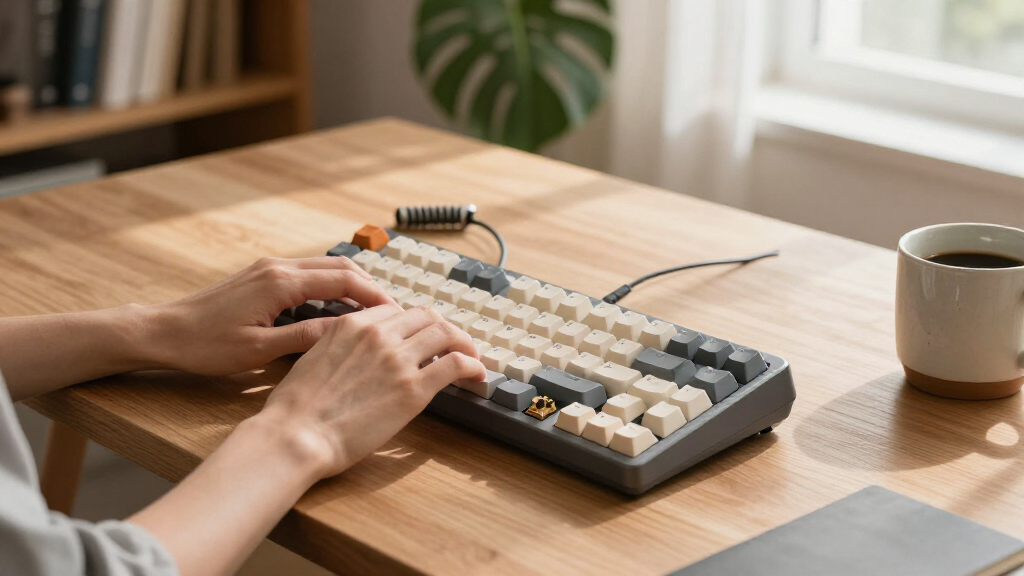

Mechanical keyboards in 2026 offer more variety than ever, and the choice comes down to what you value most: a clicky typing feel, quiet tactile feedback, or a smooth linear switch tuned for gaming. My best overall pick is the AULA F75 Pro, which combines a hot-swappable 75% layout, a control knob and PBT keycaps at a mid-range price — a balance nothing else in this lineup matches. For productivity-focused buyers, the Logitech MX Mechanical stands out as the most refined wireless option for office work, while the Redragon K668 delivers the best value if you want full-size hot-swap functionality without paying for wireless features. The main tradeoff you’ll face is between budget wired boards and feature-rich wireless models with bigger batteries and heavier price tags. Keep reading for the full breakdown of all 14 boards and which one fits your desk, budget and typing style.

Get the latest gadgets delivered free — and shop member deals
- Fast, free delivery on millions of items
- Access to Prime Big Deal Days deals on October 6–7
- Prime Video, Amazon Music and more included
Complete the kit



Key Takeaways
- The AULA F75 Pro earned best overall because it’s the only board in this lineup that pairs a gasket-style typing feel with a knob, side-printed PBT keycaps and tri-mode wireless at a mid-tier price.
- Budget Redragon and RisoPhy boards prove that hot-swappability is no longer a premium feature — but they cut corners on case material and stabilizer quality, which is where the savings come from.
- 75% keyboards (Kisnt KN85, AULA F75, F75 Pro, Razer Reclusa X Mini at 65%) dominate this roundup because they free up desk space while keeping arrow keys, the feature most compact buyers refuse to lose.
- The Logitech MX Mechanical is the only board here built for office-first buyers — quiet tactile switches and multi-device switching — and the wrong choice for gamers who want fast actuation and RGB.
- Wireless boards with big batteries (Redragon K768 Pro’s 8000mAh, RK S98) justify their price through long uptime, but weigh noticeably more and cost more than their wired equivalents.
| Redragon Mechanical Gaming Keyboard Wired, 11 Backlit Modes, Hot-Swappable Red Switch |  | Best Budget Full-Size Pick | Layout: Full-size, 104 keys | Connectivity: Wired USB | Switches: Linear red, hot-swappable | VIEW LATEST PRICE | See Our Full Breakdown |
| Redragon K768 PRO Wireless 100-Key Gasket Gaming Keyboard with Knob and 8000mAh Battery |  | Best Battery Life | Layout: 100 keys | Connectivity: USB-C, Bluetooth, 2.4GHz wireless | Battery: 8000mAh rechargeable | VIEW LATEST PRICE | See Our Full Breakdown |
| AULA S99 Wireless Gaming Keyboard with Backlit and Programmable Keys |  | Best for Multi-Device Office Use | Layout: 96%, 99 keys with numpad | Connectivity: Bluetooth 5.0, 2.4GHz, USB-C wired | Backlighting: RGB | VIEW LATEST PRICE | See Our Full Breakdown |
| Kisnt KN85 Wireless Mechanical Keyboard, 75% Layout, Hot-Swappable, Retro Beige |  | Best Style Pick | Layout: 75%, 85 keys | Connectivity: Bluetooth 5.0, 2.4GHz wireless, USB-C | Switches: Pre-lubed linear, hot-swappable | VIEW LATEST PRICE | See Our Full Breakdown |
| AULA F75 75% Wireless Mechanical Keyboard, Hot Swappable, RGB Backlit |  | Best Value Compact | Layout: 75%, 81 keys | Connectivity: Bluetooth 5.0, 2.4GHz wireless, USB-C wired | Switches: Linear, hot-swappable | VIEW LATEST PRICE | See Our Full Breakdown |
| AULA F75 Pro Wireless Mechanical Keyboard |  | Best Budget Wireless All-Rounder | Layout: 75% (81 keys) | Connection Modes: Bluetooth 5.0, 2.4GHz, USB-C | Battery Capacity: 4000mAh | VIEW LATEST PRICE | See Our Full Breakdown |
| RisoPhy Mechanical Gaming Keyboard, RGB 104 Keys |  | Best Cheap Wired Full-Size | Switch Type: Blue (clicky, tactile) | Number of Keys: 104 | Connectivity: USB wired | VIEW LATEST PRICE | See Our Full Breakdown |
| RK Royal Kludge S98 Wireless Mechanical Keyboard |  | Best Feature-Packed Pick | Display: Smart display with customizable info | Connection: Bluetooth 5.0, 2.4GHz, USB-C wired | Switch Type: Hot-swappable mechanical | VIEW LATEST PRICE | See Our Full Breakdown |
| Logitech G413 SE Full-Size Mechanical Gaming Keyboard |  | Best Built to Last | Layout: Full-size (tenkeyless option available) | Switches: Tactile mechanical | Keycaps: PBT, heat- and wear-resistant | VIEW LATEST PRICE | See Our Full Breakdown |
| Machenike KG98 Wireless Mechanical Keyboard |  | Best Quiet Typing Pick | Layout: Compact 98-key with numpad | Connection Modes: Bluetooth 5.0, 2.4GHz wireless, USB-C wired | Switch Type: Linear, hot-swappable | VIEW LATEST PRICE | See Our Full Breakdown |
| Logitech MX Mechanical Wireless Illuminated Keyboard Tactile – Graphite |  | Best for the Home Office | Switch Type: Tactile, Quiet Mechanical | Backlighting: Smart illumination with automatic adjustment | Connectivity: Bluetooth, Logi Bolt receiver | VIEW LATEST PRICE | See Our Full Breakdown |
| Razer Reclusa X Mini 65% Hot-Swappable Mechanical Gaming Keyboard |  | Best Compact Gaming Pick | Layout: 65% compact | Switch Type: Razer Orange Tactile Mechanical Gen-3 | Switch Compatibility: 3-pin and 5-pin hot-swappable | VIEW LATEST PRICE | See Our Full Breakdown |
| Razer BlackWidow V4 X Mechanical Gaming Keyboard, Yellow Switches, Black |  | Best Full-Size Gaming Keyboard | Switch Type: Razer Yellow linear | Connectivity: Wired (corded electric) | Number of Keys: 104 | VIEW LATEST PRICE | See Our Full Breakdown |
| Redragon K668 108-Key Hot-Swap Wired RGB Gaming Keyboard |  | Best Budget Hot-Swap Pick | Number of Keys: 108 | Switch Compatibility: 3-pin and 5-pin hot-swappable | Hotkeys: 4 dedicated (mute, calculator, screen lock, desktop) | VIEW LATEST PRICE | See Our Full Breakdown |
| mechanical keyboard | Layout | Connectivity | Backlighting | Compatibility |
|---|---|---|---|---|
| Redragon Mechanical Gaming Key | Full-size, 104 keys | Wired USB | RGB, 11 preset modes | Windows |
| Redragon K768 PRO Wireless 100 | 100 keys | USB-C, Bluetooth, 2.4GHz wireless | RGB | — |
| AULA S99 Wireless Gaming Keybo | 96%, 99 keys with numpad | Bluetooth 5.0, 2.4GHz, USB-C wired | RGB | Windows XP/7/8/10, Mac, Android, iOS |
| Kisnt KN85 Wireless Mechanical | 75%, 85 keys | Bluetooth 5.0, 2.4GHz wireless, USB-C | RGB | Windows, MacOS, Linux, Android |
| AULA F75 75% Wireless Mechanic | 75%, 81 keys | Bluetooth 5.0, 2.4GHz wireless, USB-C wired | RGB, 16.8 million colors | PC, laptops, tablets, smartphones, consoles |
| AULA F75 Pro Wireless Mechanic | 75% (81 keys) | — | — | PC, laptop, tablet, smartphone, gaming consoles |
| RisoPhy Mechanical Gaming Keyb | — | USB wired | — | Windows, Mac, Xbox |
| RK Royal Kludge S98 Wireless M | — | — | — | — |
| Logitech G413 SE Full-Size Mec | Full-size (tenkeyless option available) | — | — | — |
| Machenike KG98 Wireless Mechan | Compact 98-key with numpad | — | RGB side lighting, 16 million colors | Windows, Mac, PC |
| Logitech MX Mechanical Wireles | — | Bluetooth, Logi Bolt receiver | Smart illumination with automatic adjustment | — |
| Razer Reclusa X Mini 65% Hot-S | 65% compact | Detachable USB-C, wired | — | — |
| Razer BlackWidow V4 X Mechanic | — | Wired (corded electric) | Chroma RGB, 16.8 million colors | Windows 11, macOS 14 Sonoma |
| Redragon K668 108-Key Hot-Swap | — | — | — | — |
More Details on Our Top Picks
Redragon Mechanical Gaming Keyboard Wired, 11 Backlit Modes, Hot-Swappable Red Switch
For buyers who want a full 104-key mechanical layout without a premium price, this Redragon is the entry point I would point to first. The hot-swappable red switches mean it is not a dead end — you can swap in tactile or clicky switches later, which is rare at this tier and puts it ahead of the similarly wired RisoPhy, whose blue switches are fixed. The double-shot PBT keycaps also outlast the ABS caps common on cheap boards. The tradeoff is wired-only connectivity and the backlighting being locked to preset rainbow modes rather than full per-key RGB like the Redragon K768 PRO. Software setup can be fiddly, and Windows is the only supported platform, so Mac users should look at the Kisnt KN85 instead.
Pros:- Hot-swappable switches allow cheap customization later
- Double-shot PBT keycaps resist shine and wear
- Full 104-key layout with numeric keypad and anti-ghosting
- Macro editing and multimedia shortcuts included
Cons:- Backlighting limited to preset rainbow modes, not per-key RGB
- Wired-only connectivity with no Bluetooth or 2.4GHz option
- Windows-only software support
Best for: Budget-conscious gamers and typists who want a full-size hot-swappable board they can upgrade over time
Not ideal for: Multi-device users and Mac owners — it is wired-only with Windows-exclusive software
- Layout:Full-size, 104 keys
- Connectivity:Wired USB
- Switches:Linear red, hot-swappable
- Keycaps:Double-shot PBT
- Backlighting:RGB, 11 preset modes
- Compatibility:Windows
Our verdict“A sensible first mechanical keyboard for Windows gamers who value upgradeability over wireless convenience.”
Redragon K768 PRO Wireless 100-Key Gasket Gaming Keyboard with Knob and 8000mAh Battery
The K768 PRO earns its slot on one headline feature: an 8000mAh battery that doubles the capacity of the AULA F75 and Kisnt KN85, both rated at 4000mAh. For anyone tired of weekly charging, that alone justifies its position. The gasket-mounted construction gives it a softer, cushioned feel that the budget Redragon wired model cannot match, and the tri-mode connectivity plus media knob make it a genuine desktop-command center. Compared with the AULA S99, it also supports 3-pin and 5-pin hot-swapping, so switch upgrades stay on the table. The costs are real though: it is heavier than wired boards, sits at a higher tier on price, and the knob will feel like gimmick furniture to buyers who just want to type.
Pros:- 8000mAh battery roughly doubles the runtime of most wireless rivals
- Gasket mount delivers a softer, more cushioned typing feel
- Tri-mode connectivity with a control knob for media and lighting
- Accepts both 3-pin and 5-pin hot-swap switches
Cons:- Heavier than wired and compact alternatives
- Priced above basic mechanical boards due to feature load
- Control knob adds cost that some buyers will never use
Best for: Power users and gamers who want maximum wireless runtime and gasket-mount comfort in one board
Not ideal for: Portability-minded users — the large battery makes it heavy for carrying between setups
- Layout:100 keys
- Connectivity:USB-C, Bluetooth, 2.4GHz wireless
- Battery:8000mAh rechargeable
- Switch Compatibility:3-pin and 5-pin hot-swap
- Keycaps:PBT
- Backlighting:RGB
Our verdict“The pick for buyers whose top priority is rarely plugging in a charging cable without giving up gaming features.”
AULA S99 Wireless Gaming Keyboard with Backlit and Programmable Keys
The S99 is positioned as a cross-platform workhorse rather than a enthusiast gaming board. With Bluetooth, 2.4GHz, and USB-C modes, plus official support for Windows, Mac, Android, and iOS, it covers more devices than the Windows-centric Redragon wired model, and its 96% layout keeps a numeric keypad in a tighter footprint than the full-size options. Full-key macro programming and an adjustable ergonomic stand make it practical for long workdays. The catch is that it uses membrane switches with no hot-swap support, so unlike the AULA F75 or Kisnt KN85, there is no path to changing the typing feel — it is what it is. Battery life figures are also unspecified, which makes wireless planning a guessing game.
Pros:- Tri-mode connectivity across Windows, Mac, Android, and iOS
- 96% layout retains a numeric keypad in a compact footprint
- Full-key macro programming and customizable shortcuts
- Ergonomic design with foldable adjustable stand
Cons:- No hot-swap support, locking you into the stock switch feel
- Battery life is not specified by the manufacturer
- Membrane construction lacks the crisp feedback of true mechanical switches
Best for: Office and mobile users juggling Windows, Mac, and mobile devices who want a numpad and macros
Not ideal for: Enthusiasts who want to tune switches — the fixed membrane build offers no hot-swapping
- Layout:96%, 99 keys with numpad
- Connectivity:Bluetooth 5.0, 2.4GHz, USB-C wired
- Backlighting:RGB
- Programmable Keys:All 99 keys with macro support
- Compatibility:Windows XP/7/8/10, Mac, Android, iOS
- Water Resistance:Water resistant
Our verdict“A pragmatic pick for productivity across many devices, as long as you never plan to modify the switches.”
Kisnt KN85 Wireless Mechanical Keyboard, 75% Layout, Hot-Swappable, Retro Beige
Most boards in this roundup look like gaming gear; the KN85 looks like it belongs on a retro-inspired, aesthetic-first desk setup. The beige-and-cream colorway is genuinely unusual, and underneath it there is substance: pre-lubed linear switches that produce a mellow, thocky sound the flashier AULA F75 also chases, plus hot-swap sockets and tri-mode connectivity. Compared with the Redragon K768 PRO, it trades battery capacity — 4000mAh versus 8000mAh — for a far smaller footprint and lighter carry. It is not without care requirements: the manufacturer notes it needs careful charging habits, water resistance is minimal, and the driver software is Windows-only, which undercuts its otherwise broad Mac and Linux compatibility.
Pros:- Distinctive retro beige aesthetic rarely seen in this category
- Pre-lubed linear switches deliver a smooth, mellow typing sound
- Hot-swappable sockets support future switch changes
- 75% layout frees desk space while keeping arrow keys
Cons:- Requires careful charging practices to avoid battery damage
- Limited water resistance compared with spill-rated rivals
- Customization driver only available on Windows
Best for: Design-conscious users building a retro or minimalist desk who still want hot-swap flexibility
Not ideal for: Clumsy or beverage-adjacent workspaces — limited water resistance and delicate charging demands
- Layout:75%, 85 keys
- Connectivity:Bluetooth 5.0, 2.4GHz wireless, USB-C
- Switches:Pre-lubed linear, hot-swappable
- Battery:4000mAh rechargeable
- Backlighting:RGB
- Color:Retro Beige
- Compatibility:Windows, MacOS, Linux, Android
Our verdict“The choice for buyers who want their keyboard to look as considered as the rest of their desk, with real enthusiast features inside.”
AULA F75 75% Wireless Mechanical Keyboard, Hot Swappable, RGB Backlit
The F75 hits the sweet spot between the Kisnt KN85 and the larger, pricier Redragon K768 PRO: it shares the 75% compact layout, tri-mode connectivity, and 4000mAh battery of the KN85 but adds a multi-function control knob and full per-key programmability for around the same money. The hot-swappable linear switches and N-key rollover mean it holds up for gaming, while the white-and-brown colorway keeps it from looking out of place at work. Drawbacks mirror its price tier: you need to download a driver to unlock full customization, the stock linear switches will not satisfy clicky-switch fans, and the plastic case feels lighter than premium builds. Still, for a do-everything compact board, the balance here is hard to beat.
Pros:- Hot-swappable switches at a highly accessible price point
- Tri-mode connectivity plus a multi-function knob
- N-key rollover and WIN key lock for gaming
- 75% layout retains arrows and function row in a small footprint
Cons:- Driver download required for full key customization
- Stock linear switches leave no tactile or clicky option
- Plastic enclosure feels less premium than metal-build rivals
Best for: Buyers wanting one affordable 75% board that handles gaming, work, and multi-device switching
Not ideal for: Clicky-switch lovers and anyone who wants full functionality out of the box without driver downloads
- Layout:75%, 81 keys
- Connectivity:Bluetooth 5.0, 2.4GHz wireless, USB-C wired
- Switches:Linear, hot-swappable
- Battery:4000mAh rechargeable
- Backlighting:RGB, 16.8 million colors
- Special Features:Programmable keys, control knob, N-key rollover
- Compatibility:PC, laptops, tablets, smartphones, consoles
Our verdict“The best bang-for-buck compact pick for someone buying their first — or only — mechanical keyboard.”
AULA F75 Pro Wireless Mechanical Keyboard
The F75 Pro earns its spot by packing tri-mode connectivity, hot-swappable switches, and PBT keycaps into a value-focused 75% board. Compared with the standard AULA F75, the Pro adds a multi-function knob and a 4000mAh battery, which translates to longer stretches between charges and faster volume or lighting control mid-game. The side-printed keycap legends are an acquired taste, but they keep the deck looking clean when the 16.8-million-color RGB is doing its thing. Unlike the wired-only RisoPhy 104-key, this board hops between a PC, tablet, and console without cable juggling. The tradeoff is software: full key programming and macro support require a driver install, and the knob’s layered controls take a weekend to memorize.
Pros:- Tri-mode connectivity (Bluetooth 5.0, 2.4GHz, USB-C) covers nearly every device
- Hot-swappable 3-pin/5-pin socket accepts almost any switch on the market
- 4000mAh battery outlasts most boards at this size
- PBT double-injection keycaps resist shine far longer than ABS
Cons:- Advanced customization requires driver installation out of the box
- The multi-function knob has a learning curve before it feels intuitive
- Side-printed legends are hard to read in dim lighting
Best for: Budget-conscious gamers and multi-device users who want wireless flexibility and switch customization without paying enthusiast prices
Not ideal for: Anyone who needs a full number row and dedicated function cluster for spreadsheet-heavy work — the 81-key layout drops keys pros rely on
- Layout:75% (81 keys)
- Connection Modes:Bluetooth 5.0, 2.4GHz, USB-C
- Battery Capacity:4000mAh
- Switch Support:3-pin or 5-pin hot-swappable
- Keycaps:PBT side-printed, double injection molding
- Backlight:RGB, 16.8 million colors, 16 preset effects
- Compatibility:PC, laptop, tablet, smartphone, gaming consoles
Our verdict“This is the pick if you want one affordable wireless board that games, types, and travels across every device you own.”
RisoPhy Mechanical Gaming Keyboard, RGB 104 Keys
There is still a place for a no-frills, plug-in-and-go mechanical keyboard, and the RisoPhy 104-key fills it. Where the AULA F75 Pro asks you to pair, charge, and install drivers, this board just works the moment its USB cable lands — a genuine advantage for shared computers or anyone who hates troubleshooting connectivity. The blue switches deliver loud, unmistakable tactile confirmation that fast-paced gaming and tactile typists tend to love, and full anti-ghosting means every input registers even in frantic key mashes. The compromises are real: ABS keycaps will shine within months of heavy use, there is no wireless option at all, and anyone sharing an office will quickly tire of the click-clack. It trades polish for simplicity, and at this tier that is a fair deal.
Pros:- Plug-and-play wired connection with zero pairing or battery worries
- Full 104-key layout includes numpad and dedicated arrow cluster
- Complete anti-ghosting keeps inputs accurate during intense games
- Spill-resistant design adds peace of mind around drinks
Cons:- Blue switches are too loud for offices, calls, or late-night roommates
- ABS keycaps wear shiny and legends fade faster than PBT alternatives
- No wireless connectivity limits placement and device switching
Best for: First-time mechanical keyboard buyers and students who want the full typing experience for the least money and zero setup hassle
Not ideal for: Shared or quiet workspaces — blue switch clickiness and a full-size footprint make it disruptive and desk-hungry
- Switch Type:Blue (clicky, tactile)
- Number of Keys:104
- Connectivity:USB wired
- Backlight:RGB with 9 modes
- Keycap Material:Double injection ABS
- Anti-Ghosting:Yes
- Compatibility:Windows, Mac, Xbox
Our verdict“The simplest path into mechanical keyboards: full-size, wired, loud, and refreshingly uncomplicated.”
RK Royal Kludge S98 Wireless Mechanical Keyboard
If you want a keyboard that doubles as a desk conversation piece, the RK S98 is the standout here. Its smart display — capable of showing GIFs, the date, and connection status — is something none of the other boards in this roundup offer, and the onboard knob rounds out a genuinely premium-feeling control surface. Build quality punches above its tier: double-shot PBT keycaps, a top-mount plate, IXPE switch dampeners, and layered sound-absorbing foam give it a deeper, quieter typing sound than the clickier RisoPhy or even the well-damped Machenike KG98. The flip side is complexity. Between the screen, knob, tri-mode wireless, and hot-swap sockets, there is a lot to configure, and RK is vague about battery specifics. RGB lighting customization is also less extensive than AULA’s offerings.
Pros:- Unique smart display with customizable GIFs, date, and connection info
- Serious acoustic tuning: IXPE dampeners and sound-absorbing foam layers
- Hot-swappable switches plus durable double-shot PBT keycaps
- Tri-mode wireless covers every connection scenario
Cons:- Feature depth makes setup intimidating for first-time mechanical keyboard owners
- Battery life details are not clearly documented
- RGB lighting options trail similarly priced competitors
Best for: Enthusiasts and tinkerers who enjoy customizing every element of their setup and want a board that looks unlike anything else on the desk
Not ideal for: Buyers who just want to type — the smart display and layered controls add cost and complexity you may never touch
- Display:Smart display with customizable info
- Connection:Bluetooth 5.0, 2.4GHz, USB-C wired
- Switch Type:Hot-swappable mechanical
- Keycaps:Double-shot PBT
- Sound Dampening:IXPE switch dampener, sound-absorbing foams
- Design:Top-mount, gaming-friendly
- Additional Features:Knob for volume and settings
Our verdict“The board for people who treat their desk as a hobby — everyone else can save money and complexity elsewhere.”
Logitech G413 SE Full-Size Mechanical Gaming Keyboard
The Logitech G413 SE plays a different game than the feature-stuffed boards around it. There is no smart display like the RK S98, no rainbow of RGB modes like the RisoPhy — just a brushed aluminum-magnesium top plate, heat- and wear-resistant PBT keycaps, and tactile switches backed by Logitech’s proven reliability. That restraint is the point: this is a board you buy once and forget about, where the AULA and RK options invite constant tinkering. The white LED backlight is clean and readable but flat-out limited if you care about color-matching your setup, and the 6-key rollover is adequate rather than class-leading. It also carries real heft from the metal construction — a non-issue at a desk, a nuisance for LAN-party travelers.
Pros:- Aluminum-magnesium alloy frame and PBT keycaps shrug off years of abuse
- Tactile switches give clear feedback without blue-switch noise
- Understated white LED lighting suits professional environments
- Reliable anti-ghosting and dedicated media controls
Cons:- No dedicated macro keys for MMO or productivity power users
- Single-color backlight with no RGB customization
- Metal construction makes it heavier and less portable than plastic rivals
Best for: Buyers who prioritize long-term durability and a professional, understated look over flashy features — office gamers especially
Not ideal for: RGB enthusiasts and macro-heavy MMO players — the single-color lighting and lack of dedicated macro keys will disappoint both
- Layout:Full-size (tenkeyless option available)
- Switches:Tactile mechanical
- Keycaps:PBT, heat- and wear-resistant
- Lighting:White LED backlit
- Material:Brushed aluminum-magnesium alloy
- Features:6-key rollover, anti-ghosting, media controls
Our verdict“Buy it for the frame and keycaps, not the feature list — this is the buy-once option in the lineup.”
Machenike KG98 Wireless Mechanical Keyboard
The Machenike KG98 splits the difference between compact and complete: its 98-key layout keeps the numpad that the AULA F75 Pro sacrifices, while trimming enough fat to free up desk space. Its real signature is the gasket mount with five layers of noise dampening, which produces a softer, more muted typing experience than anything else in this batch — including the foam-tuned RK S98 — making it the obvious choice for shared offices or late-night sessions. Tri-mode connectivity matches the AULA and RK boards for flexibility, and hot-swap sockets keep customization open. The gaps: linear switches ship only, so clicky fans must swap (and buy) their own, there is no water resistance unlike the spill-tolerant RisoPhy, and Machenike does not publish battery capacity figures, which makes endurance comparisons guesswork.
Pros:- Gasket mount and 5-layer dampening deliver the quietest typing in this batch
- 98-key layout retains the numpad in a compact footprint
- Tri-mode connectivity (Bluetooth 5.0, 2.4GHz, USB-C) matches pricier rivals
- Hot-swappable sockets leave room to change feel later
Cons:- No water or spill resistance at all
- Ships with linear switches only — tactile or clicky fans must buy replacements
- Battery life specifications are not published, making endurance a gamble
Best for: Office workers and shared-space typists who want numpad functionality, wireless freedom, and a quiet board that will not disturb anyone
Not ideal for: Clicky-switch devotees and the accident-prone — it ships linear-only and has no spill protection whatsoever
- Layout:Compact 98-key with numpad
- Connection Modes:Bluetooth 5.0, 2.4GHz wireless, USB-C wired
- Switch Type:Linear, hot-swappable
- Backlighting:RGB side lighting, 16 million colors
- Build:Gasket mount, 5-layer noise dampening
- Battery:Rechargeable (capacity unspecified)
- Compatibility:Windows, Mac, PC
Our verdict“The quiet, numpad-keeping middle path between the compact AULA F75 Pro and the feature-heavy RK S98.”
Logitech MX Mechanical Wireless Illuminated Keyboard Tactile – Graphite
This option stands out for people who want mechanical feel without the mechanical noise. The quiet tactile switches deliver feedback that’s satisfying for long typing sessions, while the smart backlighting dims and brightens itself based on room lighting — a genuine quality-of-life feature the gaming-focused picks like the Razer BlackWidow V4 X simply don’t offer. Compared with wireless rivals such as the AULA F75, the MX Mechanical trades hobbyist customization for multi-device, multi-OS switching, making it far better suited to a work setup where you jump between a laptop, desktop, and tablet. The tradeoffs are real: there’s no hot-swapping, the Graphite-only finish is bland, and it costs noticeably more than value picks like the Redragon K668.
Pros:- Quiet tactile switches suitable for shared offices
- Automatic smart backlighting adjusts to ambient light
- Seamless multi-device and multi-OS switching
- Long battery life with fast USB-C charging
Cons:- No hot-swappable switches or deep customization
- Premium price far above budget mechanical options
- Only available in Graphite, limiting style choices
Best for: Professionals and hybrid workers who type all day across multiple devices and OSes and need quiet switches for shared spaces
Not ideal for: Tinkerers and gamers who want hot-swappable switches and per-key RGB — the fixed switches and productivity focus will frustrate them
- Switch Type:Tactile, Quiet Mechanical
- Backlighting:Smart illumination with automatic adjustment
- Connectivity:Bluetooth, Logi Bolt receiver
- Battery Life:Up to 15 days with backlighting, 10 months off
- Material:45% post-consumer recycled plastic (Graphite)
Our verdict“Buy this if your keyboard lives on a work desk rather than a battle station — it’s the most productivity-polished mechanical here.”
Razer Reclusa X Mini 65% Hot-Swappable Mechanical Gaming Keyboard
Where the BlackWidow V4 X goes big with a full 104-key layout, the Reclusa X Mini makes the opposite bet: a 65% form factor that frees desk space for wide mouse swipes in FPS games. The standout feature is hot-swappable 3-pin and 5-pin sockets, so the stock Gen-3 Orange tactile switches can be swapped out later without a soldering iron — something the MX Mechanical can’t touch. Competitive players get real benefits from the 1000Hz polling rate and N-key rollover, plus Razer’s Snap Tap and Dual-Keypress Priority features for fighting-game precision. The compromises: no arrow-cluster-adjacent dedicated function row means adjusting to layers, no wireless option unlike the AULA S99, and the enthusiast-grade build pushes the price up.
Pros:- Hot-swappable 3-pin and 5-pin switch support
- Compact 65% layout maximizes mouse space
- Per-key Chroma RGB with extensive customization
- 1000Hz polling and tournament-grade anti-ghosting
Cons:- Dropped keys require learning function-layer shortcuts
- Wired only, unlike wireless compact rivals
- Premium build makes it pricier than budget hot-swap options
Best for: FPS and fighting-game players with limited desk space who want to tune their switches over time
Not ideal for: Office workers and spreadsheet users who rely on a number pad and dedicated function keys daily
- Layout:65% compact
- Switch Type:Razer Orange Tactile Mechanical Gen-3
- Switch Compatibility:3-pin and 5-pin hot-swappable
- Connectivity:Detachable USB-C, wired
- Polling Rate:1000Hz
- Key Rollover:N-key with anti-ghosting
- Lighting:Per-key Razer Chroma RGB
- Build:PPS plate, custom stabilizers, dual-layer silicone dampening
Our verdict“This model makes the most sense for competitive gamers who want a small, tunable board and don’t mind relearning key layers.”
Razer BlackWidow V4 X Mechanical Gaming Keyboard, Yellow Switches, Black
Compared with the Reclusa X Mini from the same brand, the BlackWidow V4 X is built for the gamer who refuses to give up any keys — the full 104-key layout keeps the number pad and adds dedicated macro keys plus a media roller that genuinely helps mid-game volume adjustments. The yellow linear switches are fast and quiet, a contrast to clicky boards like the RisoPhy’s blue switches that colleagues or housemates can hear through a door. Doubleshot ABS keycaps resist legend wear, and sound dampening with improved stabilizers gives a more refined typing feel than older BlackWidows. The tradeoff is rigidity: it’s wired-only, lacks hot-swap support unlike the Redragon K668, and has zero spill resistance — a real risk for desk-snack gamers.
Pros:- Quiet, rapid yellow linear switches
- Dedicated macro keys and a media roller
- Doubleshot ABS keycaps that resist fading
- Full 104-key layout with sound dampening
Cons:- No wireless connectivity option
- Not hot-swappable and not water resistant
- Wired connection adds desk cable clutter
Best for: MMO and strategy gamers who need macro keys, a number pad, and quiet linear switches for long sessions
Not ideal for: Cable-averse users or anyone who wants to change switches later — the fixed yellow switches and wired design close both doors
- Switch Type:Razer Yellow linear
- Connectivity:Wired (corded electric)
- Number of Keys:104
- Backlighting:Chroma RGB, 16.8 million colors
- Keycaps:Doubleshot ABS
- Special Features:Dedicated macro keys, media roller, sound dampening
- Compatibility:Windows 11, macOS 14 Sonoma
Our verdict“Pick this over compact boards if macros and a number pad matter more to you than portability or switch tinkering.”
Redragon K668 108-Key Hot-Swap Wired RGB Gaming Keyboard
This pick makes the most sense for buyers who want the enthusiast feature set — hot-swap sockets, macro programming, 19 RGB modes — at a budget price. The 3-pin and 5-pin hot-swappable design matches what the Razer Reclusa X Mini offers at a fraction of the cost, letting you replace stock switches if you later decide you want something clickier or heavier. The full 108-key layout plus four dedicated hotkeys (calculator, mute, screen lock, desktop) makes it a practical everyday work-and-play board, closer in utility to the BlackWidow V4 X than to compact boards. The compromises are predictable: full customization requires Redragon’s software, the stock switches run quiet and mushy for gamers who crave audible feedback, and the overall build feels lighter than Razer’s offerings.
Pros:- Hot-swappable 3-pin and 5-pin switch sockets
- Full 108-key layout with four dedicated hotkeys
- 19 preset RGB modes with adjustable brightness
- Includes two sets of mixed-color keycaps
Cons:- Software required for macro and lighting customization
- Stock switches feel quiet and lack tactile punch
- Build quality trails premium brands like Razer
Best for: First-time mechanical keyboard buyers and budget builders who want to experiment with different switches without buying a new board
Not ideal for: Audiophiles of the clicky-switch world — the quiet stock switches and lighter build won’t satisfy enthusiasts chasing premium feel
- Number of Keys:108
- Switch Compatibility:3-pin and 5-pin hot-swappable
- Hotkeys:4 dedicated (mute, calculator, screen lock, desktop)
- Lighting:RGB, 19 preset modes, adjustable brightness and flow speed
- Keycaps:2 sets of mixed-color keycaps included
- Features:Anti-ghosting, customizable macros, adjustable feet
Our verdict“If you want to taste the hot-swap hobby without the Razer price, this is the cheapest sensible entry point in the lineup.”
How We Picked
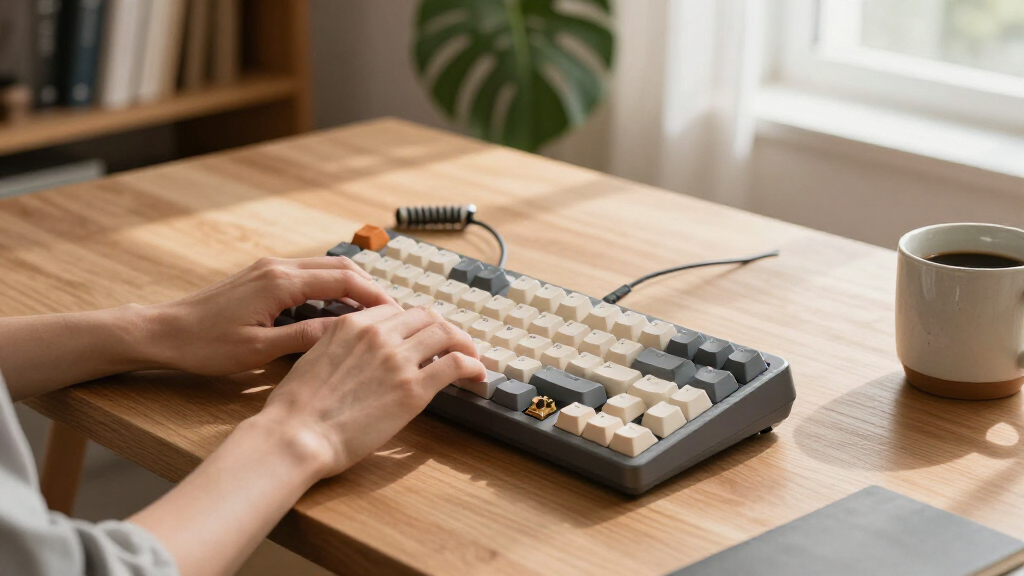
My ranking logic starts with switch type and typing feel, because that’s the single biggest reason anyone buys a mechanical keyboard over a membrane board. Linear switches (Red, Yellow, Creamy) suit gamers and shared workspaces; clicky Blue switches suit typists who work alone. I then weighed build quality — PBT versus ABS keycaps, gasket versus tray mounting, and stabilizer rattle — since these determine whether a board feels cheap after six months of daily use.
Next, I scored connectivity and versatility: hot-swappable sockets extend a keyboard’s lifespan, and tri-mode wireless (Bluetooth, 2.4GHz, USB-C) adds flexibility that wired-only boards can’t match. Layout and desk footprint mattered too, as full-size, 98-key and 75% boards serve genuinely different setups. Finally, I weighed value — not just price, but whether each board earns its cost through features, durability and software support. Boards ranked higher either offer more for similar money or execute the same feature set more convincingly.
| mechanical keyboard | Backlighting |
|---|---|
| Redragon Mechanical Gaming Key | RGB, 11 preset modes |
| Redragon K768 PRO Wireless 100 | RGB |
| AULA S99 Wireless Gaming Keybo | RGB |
| Kisnt KN85 Wireless Mechanical | RGB |
| AULA F75 75% Wireless Mechanic | RGB, 16.8 million colors |
| AULA F75 Pro Wireless Mechanic | — |
| RisoPhy Mechanical Gaming Keyb | — |
| RK Royal Kludge S98 Wireless M | — |
| Logitech G413 SE Full-Size Mec | — |
| Machenike KG98 Wireless Mechan | RGB side lighting, 16 million colors |
| Logitech MX Mechanical Wireles | Smart illumination with automatic adjustment |
| Razer Reclusa X Mini 65% Hot-S | — |
| Razer BlackWidow V4 X Mechanic | Chroma RGB, 16.8 million colors |
| Redragon K668 108-Key Hot-Swap | — |
Factors to Consider When Choosing Mechanical Keyboards
Choosing between mechanical keyboards comes down to a few decisions that shape everything else — switch feel, layout, and how you connect. These are the factors I weighed across the lineup, and the tradeoffs most buyers underestimate before their first purchase.Switch Type: The Decision That Shapes Everything
Switches are the heart of any mechanical keyboard, and picking the wrong type is the most common first-buyer mistake. Linear switches (like the Red, Yellow and Creamy switches in this roundup) press straight down with no bump or click, making them ideal for gaming and quiet offices. Tactile switches, like those in the Logitech MX Mechanical, give a noticeable bump at actuation so your fingers know when a keypress registers — a comfort feature for long typing sessions. Clicky Blue switches, like the RisoPhy’s, deliver audible feedback that typists love but that will annoy anyone sitting nearby. If you’re unsure, hot-swappable boards like the AULA F75 or Redragon K668 let you change switches later without soldering, which is why I weighted hot-swap support heavily in the rankings. A common mistake is buying a board for its looks and living with a switch you dislike — prioritize feel over aesthetics.
Layout and Desk Footprint
Layout affects ergonomics and workflow more than most buyers expect. Full-size boards (104–108 keys, like the Logitech G413 SE and Redragon K668) include a numpad, which matters for spreadsheets and data entry but pushes your mouse far to the right. 98-key layouts (Machenike KG98, RK S98) keep the numpad while trimming wasted space — a smart middle ground. 75% layouts (AULA F75 family, Kisnt KN85) drop the numpad but retain function rows, arrows and navigation keys, which is why they’ve become the enthusiast default. 65% boards like the Razer Reclusa X Mini go further, removing the function row entirely for maximum mouse room. Before buying, honestly assess whether you use a numpad daily; many buyers who insist they need one never touch it, while accountants and traders genuinely can’t live without it.
Wired, Wireless or Tri-Mode
Connectivity isn’t just about cutting the cable — it changes price, weight and battery behavior. Wired-only boards (RisoPhy, Logitech G413 SE, Razer BlackWidow V4 X, Redragon K668) cost less, weigh less and never need charging, but tie you to one machine. Tri-mode boards (AULA F75, F75 Pro, Kisnt KN85, Redragon K768 Pro) switch between Bluetooth for tablets, 2.4GHz for gaming-grade latency, and USB-C for charging — the most flexible option. One thing to watch: cheap wireless boards sometimes suffer Bluetooth lag or dropped connections, so a 2.4GHz dongle matters if you game. Battery capacity is a real differentiator here — the Redragon K768 Pro’s 8000mAh cell means weeks between charges, while smaller 75% boards may need weekly top-ups with RGB on. If you only ever use one computer, wired is the better value; multi-device users should pay for tri-mode.
Build Quality: Keycaps, Gasket Mount and Stabilizers
Build quality separates a board that feels premium from one that feels hollow, and it’s where budget manufacturers cut costs first. PBT keycaps (found on the AULA F75 Pro, Kisnt KN85 and Redragon hot-swap models) resist shine and wear for years, while cheaper ABS caps develop a greasy look within months. Gasket mounting, used in boards like the AULA S99 and F75 family, suspends the plate in foam for a softer, deeper sound signature — the reason these boards feel more expensive than they are. Stabilizer quality determines whether your spacebar and shift keys rattle; budget boards often cut this corner, and it’s the most common complaint after a few weeks of use. My advice: if you’re spending above entry level, gasket mount and PBT caps should be non-negotiable, because they’re the features you notice every single day.
Extra Features: Knobs, Displays and Software
Modern boards compete on extras, and some are more useful than they sound. A volume knob (Redragon K768 Pro, AULA F75 Pro, RK S98) is genuinely one of the most-used features on any keyboard — adjusting sound without leaving your workflow becomes second nature. The smart display on the RK S98 shows time and connectivity status, a fun flourish that some buyers love and others forget exists. Per-key RGB and programmable macros matter for gamers who bind abilities or shortcuts, but office users should know RGB drains wireless batteries fast and looks unprofessional in meetings. Software quality varies wildly — Razer and Logitech offer polished suites, while smaller brands like AULA and Kisnt rely on web-based or clunky apps. Weigh extras by whether you’ll use them weekly, not by how impressive they sound in a spec list.
When to Pay More — and When Not To
The jump from entry-level to mid-range buys real improvements: hot-swap sockets, PBT caps, gasket mounting and wireless. The jump from mid-range to premium buys refinement, not fundamentals — the Logitech MX Mechanical costs more than an AULA F75 Pro but doesn’t out-type it; you’re paying for multi-device software, quiet tactile switches and brand support. Paying more makes sense if you type all day, share your workspace, or switch between multiple devices. Saving makes sense if you game occasionally, want to experiment with the hobby cheaply, or plan to customize anyway — a hot-swappable budget board plus aftermarket switches often beats a locked premium board. The biggest mistake I see is buyers paying premium prices for features they’ll never use, like tri-mode wireless on a desktop-only setup. Match the spend to your actual daily routine, not the spec sheet.
Frequently Asked Questions
Should I buy a 75% keyboard or a full-size board?
It depends entirely on your numpad usage. If you enter numbers regularly — accounting, coding data, spreadsheet work — a full-size board like the Redragon K668 or Logitech G413 SE is worth the desk space, or a 98-key layout like the Machenike KG98 gets you the numpad with a tighter footprint. If you rarely touch the numpad, a 75% board such as the AULA F75 Pro frees up several inches of mouse room and improves gaming ergonomics. One caution: some 65% boards like the Razer Reclusa X Mini also drop the function row and arrow-key-adjacent navigation cluster, which frustrates programmers who rely on Home, End and Delete. When in doubt, 75% is the safest compromise because it keeps arrows and function keys while cutting the numpad you probably don’t use.
Is hot-swappability worth paying extra for?
For most buyers, yes — and the good news is you barely pay extra anymore. Hot-swap sockets let you replace switches without soldering, which means you can start with linear switches for gaming and later try tactiles for typing without buying a new board. In this roundup, even budget options like the Redragon K668 and Kisnt KN85 include hot-swap, so there’s little reason to accept a soldered board unless it wins on other grounds — the RisoPhy and Logitech G413 SE are the notable non-hot-swap holdouts. The real value is longevity: if a switch fails or your tastes change, a $15 set of switches revives the board. The one caveat is checking compatibility — most hot-swap boards accept 3-pin and 5-pin switches, but a few are 3-pin only, which limits some enthusiast switch options.
Are wireless mechanical keyboards good enough for gaming?
Modern 2.4GHz wireless is genuinely competitive with wired for gaming — latency differences are now measured in single-digit milliseconds and are imperceptible to most players. Boards like the AULA F75 and Machenike KG98 include a 2.4GHz dongle precisely for this reason. Where you need to be careful is Bluetooth, which prioritizes battery efficiency over speed and can introduce noticeable input lag in fast games. My rule: use 2.4GHz or wired for competitive gaming, Bluetooth for tablets, laptops and couch browsing. Also factor in battery behavior — running full RGB over wireless can drain a battery in days rather than weeks, so gamers who keep lighting on should favor big-battery boards like the Redragon K768 Pro or just stay wired.
What’s the difference between the budget boards and the Logitech or Razer options?
The gap is smaller than it used to be, but it’s real. Budget brands like AULA, Redragon and Kisnt now match or beat the big names on hardware specs — gasket mounts, PBT caps, tri-mode wireless and hot-swap sockets often appear on boards costing half as much as a Razer BlackWidow V4 X. What you give up is polish: software ecosystems, warranty support, consistent quality control and refined stabilizers. Razer’s Synapse and Logitech’s Options+ are genuinely better for macros, remapping and device switching than the web-based tools smaller brands use. If you’re comfortable tweaking and customizing, the budget boards deliver more hardware per dollar. If you want something that works flawlessly out of the box with long-term support, the premium brands still earn their price — especially the Logitech MX Mechanical for multi-device office use.
Which keyboard in this roundup is quietest for an office or shared space?
The Logitech MX Mechanical is the clear winner — its low-profile tactile switches are engineered for quiet office typing, and it skips the aggressive RGB gamer aesthetic entirely. Among the value options, boards with pre-lubed linear switches like the AULA F75 with its Creamy switches are surprisingly muted, especially with the sound-dampening foam that gasket-mounted boards include. Avoid anything with Blue switches — the RisoPhy in this lineup is explicitly clicky and will be audible across a room or on calls. One tip if you buy a hot-swappable board: switching to silent linear switches later is a cheap upgrade that makes almost any board office-friendly. Also remember that case material matters — plastic cases like the Kisnt’s produce a hollower, more resonant sound than denser builds.
Conclusion
After comparing all 14 boards, the right choice depends less on specs and more on how you actually work and play. For best overall, the AULA F75 Pro wins on balance: gasket feel, PBT keycaps, a volume knob, hot-swap and tri-mode wireless make it the most complete package at a mid-range price. For best value, the Redragon K668 delivers hot-swappable full-size functionality for entry-level money — nothing else here matches that combination. For best premium, the Logitech MX Mechanical is worth the splurge for office professionals and multi-device users who want quiet tactile typing and polished software.
For beginners, the Kisnt KN85 is my recommendation: its 75% layout, forgiving linear switches and retro styling make it an easy, low-risk entry into the hobby. For specific needs: the AULA F75 (non-Pro) suits wireless gamers on a budget, the RK S98 with its smart display and knob suits tinkerers who love gadgets, the Razer Reclusa X Mini suits competitive players wanting maximum mouse space, and the Redragon K768 Pro with its 8000mAh battery suits anyone who never wants to charge a keyboard. Whatever you pick, prioritize switch feel and layout over RGB and extras — those are the factors you’ll live with every keystroke.
Fall Picks
fall essentials
As an affiliate, we earn on qualifying purchases.