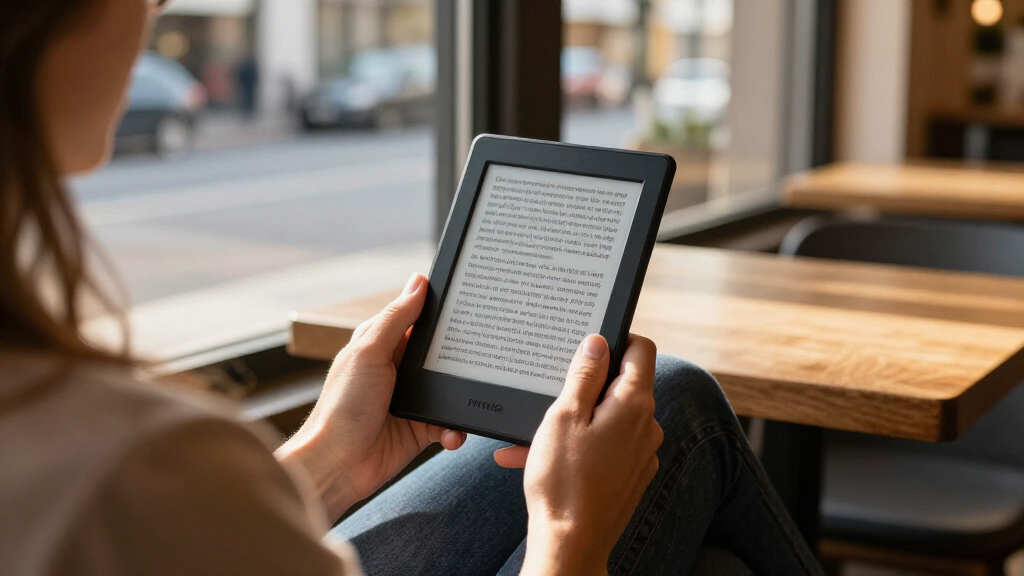

Among these Kindle e-readers, I’d choose the Kindle Paperwhite 16GB as the best overall option for readers who want a large, waterproof screen without paying for extras they may not use. The basic Kindle is a simpler, lighter pick for reading on the go, while the Kindle Scribe suits readers who want room for notes and annotations. The main tradeoffs are screen size, color versus black-and-white display, portability, and whether writing tools justify a larger device. I also compare the Paperwhite Signature Edition and Colorsoft models so you can judge which upgrades fit your habits. Read on for the full breakdown of all 15 options.

Get the latest gadgets delivered free with Prime
- Fast, free delivery on millions of items
- Prime Video, Amazon Music and more included
- Member-only deals all year
Complete the kit



Key Takeaways
- The standard Paperwhite is the clearest all-rounder: its 7-inch black-and-white display and waterproof design cover everyday reading without the Signature Edition’s added features.
- Signature Edition models share a core reading experience: choose among Black, Jade, and Raspberry by finish, and weigh the extra storage and convenience features against the standard Paperwhite.
- The basic Kindle earns its place through portability: its compact design suits commuting and casual reading, though the smaller screen and lack of Paperwhite features are meaningful compromises.
- Colorsoft serves readers with a reason to see color: covers, illustrations, and highlighted content can benefit, but ordinary text reading may not justify choosing a color screen.
- Scribe models are a different kind of Kindle: their large display and included pen are most useful for writing and document work, while their size makes them less convenient for one-handed reading.
| Amazon Kindle Scribe Colorsoft 64GB with Premium Pen |  | Best Premium Pick | Display: 11-inch Colorsoft; 300 ppi B&W, 150 ppi color; front light | Storage: 64 GB total (50 GB available to user) | Dimensions: 7.4 × 9.6 × 0.21 in (189 × 245 × 5.4 mm) | VIEW LATEST PRICE | See Our Full Breakdown |
| Amazon Kindle Paperwhite Signature Edition (12th Generation, 2024), 32 GB, Metallic Black |  | Best Overall | Display: 7-inch, 300 ppi, 16-level grayscale | Storage: 32 GB | Battery life: Up to 12 weeks under specified conditions | VIEW LATEST PRICE | See Our Full Breakdown |
| Amazon Kindle Paperwhite 16GB (12th Generation, 2024) – 7-inch Display, Raspberry | 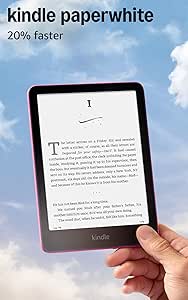 | Best Value Pick | Display: 7-inch, 300 ppi, 16-level grayscale | Storage: 16 GB | Battery life: Up to 12 weeks | VIEW LATEST PRICE | See Our Full Breakdown |
| Amazon Kindle Paperwhite Signature Edition, 32 GB, Metallic Jade |  | Best for Travel and Commuters | Display: 7-inch glare-free Paperwhite display | Storage: 32 GB | Front light: Auto-adjusting | VIEW LATEST PRICE | See Our Full Breakdown |
| Amazon Kindle Scribe Colorsoft 64GB (Newest Model) – 11″ Paper-Like Color Display with Premium Pen – Graphite |  | Best for Note-Takers | Display: 11-inch Colorsoft; 300 ppi B&W, 150 ppi color; front light | Storage: 64 GB (50 GB available) | Weight: Device 14.1 oz (400 g); Pen 0.6 oz (17 g) | VIEW LATEST PRICE | See Our Full Breakdown |
| Amazon Kindle Paperwhite Signature Edition (32 GB), Metallic Raspberry |  | Best Premium Pick | Display: 7-inch glare-free display | Storage: 32 GB | Front light: Auto-adjusting | VIEW LATEST PRICE | See Our Full Breakdown |
| Amazon Kindle (11th Generation, 2024) 16 GB, Black |  | Best Budget Entry Point | Display: 6-inch glare-free display, 300 ppi, 16-level grayscale | Storage: 16 GB | Battery life: Up to 6 weeks | VIEW LATEST PRICE | See Our Full Breakdown |
| Amazon Kindle (11th Generation, 2024) 16 GB, Matcha, Without Lock Screen Ads |  | Best Ad-Free Value | Generation: 11th Generation (2024 release) | Display: 6-inch glare-free, 300 ppi, adjustable front light, 16-level grayscale | Storage: 16 GB | VIEW LATEST PRICE | See Our Full Breakdown |
| Amazon Kindle (11th Generation, 2024), 16 GB, Matcha | | Best Style Pick on a Budget | Display: 6-inch, 300 ppi glare-free with built-in light and 16-level grayscale | Storage: 16 GB | Battery life: Up to 6 weeks | VIEW LATEST PRICE | See Our Full Breakdown |
| Amazon Kindle Scribe (64GB) with Premium Pen |  | Best for Note-Takers | Display: 10.2-inch glare-free, 300 ppi, front-lit | Storage: 64 GB | Included accessory: Premium Pen | VIEW LATEST PRICE | See Our Full Breakdown |
| Amazon Kindle (16 GB), Matcha |  | Best Budget-Friendly Starter Pick | Storage: 16 GB | Display: 6-inch glare-free display | Lighting: Adjustable front light; 25% brighter at maximum setting | VIEW LATEST PRICE | See Our Full Breakdown |
| Amazon Kindle Paperwhite (16GB, 7-inch, Black) |  | Best Value Waterproof Pick | Storage: 16GB | Display: 7-inch glare-free Paperwhite display | Lighting: Adjustable white-to-amber | VIEW LATEST PRICE | See Our Full Breakdown |
| Amazon Kindle Paperwhite (12th Generation, 2024), 16 GB, Black | | Best Overall | Display: 7-inch Paperwhite display, 300 ppi, 16-level grayscale | Storage: 16 GB | Dimensions: 5 × 7 × 0.3 in (127.6 × 176.7 × 7.8 mm) | VIEW LATEST PRICE | See Our Full Breakdown |
| Amazon Kindle Colorsoft, 16 GB, 7-Inch Color Display, Black, Ad-Free |  | Best for Color Reading | Storage: 16 GB | Display: 7-inch Colorsoft color display | Battery life: Up to 8 weeks per charge | VIEW LATEST PRICE | See Our Full Breakdown |
| Amazon Kindle Paperwhite (12th Generation, 2024), 16GB, 7-inch Display, Jade |  | Best Style Pick With Full Features | Display: 7-inch Paperwhite, 300 ppi, 16-level grayscale | Storage: 16 GB | Dimensions: 5 × 7 × 0.3 in (127.6 × 176.7 × 7.8 mm) | VIEW LATEST PRICE | See Our Full Breakdown |
| Kindle e-reader | Display | Storage | Battery life | Weight |
|---|---|---|---|---|
| Amazon Kindle Scribe Colorsoft | 11-inch Colorsoft; 300 ppi B&W, 150 ppi color; front light | 64 GB total (50 GB available to user) | Weeks per charge (per Amazon) | 14.1 oz (400 g) |
| Amazon Kindle Paperwhite Signa | 7-inch, 300 ppi, 16-level grayscale | 32 GB | Up to 12 weeks under specified conditions | 7.5 oz (214 g) |
| Amazon Kindle Paperwhite 16GB | 7-inch, 300 ppi, 16-level grayscale | 16 GB | Up to 12 weeks | 7.4 oz (211 g) |
| Amazon Kindle Paperwhite Signa | 7-inch glare-free Paperwhite display | 32 GB | Up to 12 weeks per USB-C charge | — |
| Amazon Kindle Scribe Colorsoft | 11-inch Colorsoft; 300 ppi B&W, 150 ppi color; front light | 64 GB (50 GB available) | Weeks of reading and writing per charge | Device 14.1 oz (400 g); Pen 0.6 oz (17 g) |
| Amazon Kindle Paperwhite Signa | 7-inch glare-free display | 32 GB | Up to 12 weeks per USB-C charge | — |
| Amazon Kindle | 6-inch glare-free display, 300 ppi, 16-level grayscale | 16 GB | Up to 6 weeks | 5.56 oz (158 g) |
| Amazon Kindle | 6-inch glare-free, 300 ppi, adjustable front light, 16-level grayscale | 16 GB | Up to 6 weeks | 5.56 oz (158 g) |
| Amazon Kindle | 6-inch, 300 ppi glare-free with built-in light and 16-level grayscale | 16 GB | Up to 6 weeks | 5.56 oz (158 g) |
| Amazon Kindle Scribe | 10.2-inch glare-free, 300 ppi, front-lit | 64 GB | Months of reading or weeks of writing per charge | — |
| Amazon Kindle | 6-inch glare-free display | 16 GB | Up to 6 weeks per charge | — |
| Amazon Kindle Paperwhite | 7-inch glare-free Paperwhite display | 16GB | Up to 12 weeks per charge | — |
| Amazon Kindle Paperwhite | 7-inch Paperwhite display, 300 ppi, 16-level grayscale | 16 GB | Up to 12 weeks under specified conditions | 7.4 oz (211 g) |
| Amazon Kindle Colorsoft | 7-inch Colorsoft color display | 16 GB | Up to 8 weeks per charge | — |
| Amazon Kindle Paperwhite | 7-inch Paperwhite, 300 ppi, 16-level grayscale | 16 GB | Up to 12 weeks under specified reading conditions | 7.4 oz (211 g) |
More Details on Our Top Picks
Amazon Kindle Scribe Colorsoft 64GB with Premium Pen
This option stands out as the closest thing to a digital desk in the Kindle lineup. The 11-inch Colorsoft screen gives comics, PDFs, and illustrated books a visual weight that the 7-inch Kindle Paperwhite Signature Edition simply cannot match, and the included Pen that never needs charging makes it a genuine notebook replacement rather than just a reader. Compared with the standard black-and-white Scribe, color support changes how documents and diagrams read. The tradeoff is real: at 150 ppi in color, images look softer than they do in the 300 ppi black-and-white mode, and the 400 g body is roughly double the weight of a Paperwhite — this is a bag device, not a pocket one.
Pros:- Large 11-inch glare-free color display with built-in light
- Included Premium Pen supports handwriting, erasing, and shortcuts without charging
- AI tools for searching, summarizing, and converting notes to text
- Battery lasts weeks per charge even with mixed reading and writing
Cons:- Color content renders at 150 ppi, visibly softer than the 300 ppi black-and-white mode
- Only 50 GB of the 64 GB is user-accessible, which fills fast with graphic-heavy files
- Far heavier and less portable than 7-inch Kindle models
Best for: Professionals and students who annotate documents, keep handwritten notebooks, and want color for comics and illustrated content on one screen
Not ideal for: Readers who mostly read novels and want something light for one-handed commuting — the size and weight are overkill
- Display:11-inch Colorsoft; 300 ppi B&W, 150 ppi color; front light
- Storage:64 GB total (50 GB available to user)
- Dimensions:7.4 × 9.6 × 0.21 in (189 × 245 × 5.4 mm)
- Weight:14.1 oz (400 g)
- Connectivity:Dual-band Wi-Fi (2.4 GHz and 5.0 GHz)
- Battery life:Weeks per charge (per Amazon)
- Included:Premium Pen, USB-C cable, replacement tips
Our verdict“Buy this if reading and writing are equally important to you and you want one device for books, documents, and notes; skip it if you only read novels.”
Amazon Kindle Paperwhite Signature Edition (12th Generation, 2024), 32 GB, Metallic Black
This model makes the most sense for the largest group of readers because it nails the fundamentals without excess. The 7-inch, 300 ppi display is sharp enough that text looks printed, and the auto-adjusting front light removes the last bit of manual fiddling that the base Paperwhite asks of you. Compared with the 16 GB Kindle Paperwhite in Raspberry, the doubled storage and wireless charging support are the whole story — same screen, same 12-week battery claim, more headroom for audiobooks and manga. The catch is that you pay a premium for those two additions, and the wireless charging dock itself is sold separately, which softens the appeal.
Pros:- Sharp 7-inch 300 ppi glare-free display
- 32 GB storage holds thousands of books plus audiobooks
- Wireless charging support and under-2.5-hour USB-C charging
- Waterproof design with VoiceView and text-to-speech accessibility
Cons:- Wireless charging dock is sold separately
- Battery life drops well below the 12-week claim with audiobook streaming
Best for: Heavy readers and audiobook listeners who want maximum storage and set-and-forget convenience in one device
Not ideal for: Budget-conscious buyers who would rather spend the difference on books — the 16 GB Paperwhite covers the same core reading experience
- Display:7-inch, 300 ppi, 16-level grayscale
- Storage:32 GB
- Battery life:Up to 12 weeks under specified conditions
- Charging:USB-C; wireless charging supported
- Connectivity:Dual-band Wi-Fi; Bluetooth audio
- Waterproofing:Yes
- Weight:7.5 oz (214 g)
Our verdict“The safest choice for most readers: big screen, big storage, and convenience features that justify the step up from the base Paperwhite.”
Amazon Kindle Paperwhite 16GB (12th Generation, 2024) – 7-inch Display, Raspberry
This is the smart middle of the lineup: nearly everything that makes the Paperwhite family good, at a lower rung on the ladder than the Paperwhite Signature Edition. You still get the 7-inch, 300 ppi screen, the warm adjustable light, IPX8 waterproofing, and the same 12-week battery claim — what you give up is storage (16 GB versus 32) and wireless charging. For text-focused readers, 16 GB holds thousands of books and the omission barely registers. Compared with the basic Kindle, the larger, sharper, waterproof screen is the reason to stretch here. The Raspberry colorway is a genuine differentiator if you want your e-reader to not look like everyone else’s.
Pros:- Glare-free 300 ppi display with adjustable warm light
- IPX8 waterproofing for bath and pool reading
- Up to 12 weeks of battery life under specified conditions
- USB-C charging in under 2.5 hours with a 9W adapter
Cons:- 16 GB fills faster if you store audiobooks or graphic novels
- VoiceView screen reader is available in English only
Best for: Value-minded readers who want the core Paperwhite experience — big sharp screen, warm light, waterproofing — without paying Signature Edition prices
Not ideal for: Audiobook and manga hoarders who will bump against the 16 GB ceiling and miss the Signature’s extra capacity
- Display:7-inch, 300 ppi, 16-level grayscale
- Storage:16 GB
- Battery life:Up to 12 weeks
- Waterproofing:IPX8 (2 m fresh water, 60 minutes)
- Charging:USB-C
- Weight:7.4 oz (211 g)
- Color:Raspberry
Our verdict“The best price-to-feature ratio in the Paperwhite family — buy it unless storage or wireless charging is a must-have.”
Amazon Kindle Paperwhite Signature Edition, 32 GB, Metallic Jade
Same hardware story as the Metallic Black Signature Edition, so the decision here is largely about style and intent. The Metallic Jade finish is one of the more distinctive looks in the lineup, and the package is built around people who read everywhere: waterproof for the beach or bath, up to 12 weeks of battery so chargers stay home, and auto-adjusting light for dim trains and bright patios. Page turns feel quicker than on the 16 GB Paperwhite in Raspberry, and text contrast is a step up, which matters on long reading sessions. The familiar annoyance applies — wireless charging is supported but the dock costs extra, so factor that in before assuming it replaces cables entirely.
Pros:- Higher-contrast display with faster page turns than the base Paperwhite
- Auto-adjusting front light handles changing environments hands-free
- Wireless charging support and USB-C
- Waterproof build suited to pool, beach, and bath reading
Cons:- Wireless charging dock sold separately
- Premium pricing over the nearly identical 16 GB Paperwhite
Best for: Frequent travelers and commuters who want a distinctive-looking, waterproof e-reader with long battery life and roomy storage
Not ideal for: Anyone who has already decided against the Signature Edition’s price bump — the Jade color alone is not worth it over the standard Paperwhite
- Display:7-inch glare-free Paperwhite display
- Storage:32 GB
- Front light:Auto-adjusting
- Charging:USB-C and wireless charging
- Battery life:Up to 12 weeks per USB-C charge
- Waterproofing:Yes
- Color:Metallic Jade
Our verdict“A Signature Edition in a more expressive finish — pick it over the Black model if looks matter, and over the 16 GB Paperwhite if storage and convenience do.”
Amazon Kindle Scribe Colorsoft 64GB (Newest Model) – 11″ Paper-Like Color Display with Premium Pen – Graphite
Where the Paperwhite line is about disappearing into a novel, this model is about working with text. The pressure-sensitive Premium Pen with its built-in eraser and shortcut buttons feels closer to pen on paper than to stylus on glass, and the AI features — summarizing notes, cleaning up handwriting, converting it to text — are what separate this from the writing-less Kindle Colorsoft 7-inch, which offers color reading only. Cloud integration with Google Drive and OneDrive makes it practical for juggling documents across devices. The Graphite finish reads more restrained than most colorways. Tradeoffs mirror the other Scribe: color at 150 ppi is noticeably softer than B&W, there is no cellular option, and text-to-speech runs English-only.
Pros:- Pressure-sensitive Premium Pen with eraser and shortcuts that needs no charging
- AI tools for summarizing, tidying, and converting handwritten notes
- Google Drive and OneDrive cloud integration for document workflows
- Thin, lightweight design (5.4 mm, 400 g) with weeks of battery life
Cons:- Color resolution of 150 ppi falls well short of the 300 ppi B&W mode
- No cellular option — cloud syncing depends entirely on Wi-Fi
- Text-to-speech accessibility limited to English
Best for: Writers, researchers, and meeting-note takers who want handwriting-to-text workflows and document markup in a distraction-free device
Not ideal for: Casual fiction readers — the pen, the 11-inch size, and the AI toolset go unused if you only page through novels
- Display:11-inch Colorsoft; 300 ppi B&W, 150 ppi color; front light
- Storage:64 GB (50 GB available)
- Weight:Device 14.1 oz (400 g); Pen 0.6 oz (17 g)
- Dimensions:7.4 × 9.6 × 0.21 in (189 × 245 × 5.4 mm)
- Connectivity:Wi-Fi (2.4 GHz and 5.0 GHz)
- Battery life:Weeks of reading and writing per charge
- Included:Premium Pen, USB-C cable, replacement tips
Our verdict“The strongest choice in the roundup for people whose Kindle is a productivity tool as much as a library; pure readers should look at the Paperwhite line instead.”
Amazon Kindle Paperwhite Signature Edition (32 GB), Metallic Raspberry
The Paperwhite Signature Edition stands out for readers who want the full-featured Paperwhite experience without compromises. Its auto-adjusting front light is the real differentiator against the standard Kindle Paperwhite (16GB, 7-inch), which makes you set brightness manually — here, the screen adapts as lamps dim or sunlight floods in. The jump to 32 GB of storage also doubles what the base Paperwhite offers, which matters if you hoard manga, audiobooks, or long series. Wireless charging is genuinely convenient on a nightstand, though the dock costs extra. Compared with the compact Kindle (11th Generation), the larger 7-inch screen and waterproofing make this the better choice for serious daily readers.
Pros:- Auto-adjusting front light adapts to any environment without manual fiddling
- 32 GB storage holds large libraries, comics, and audiobooks
- Wireless charging plus USB-C gives flexible topping-up options
- Waterproof design suits baths, pools, and beach reading
Cons:- Wireless charging dock is sold separately
- Heavier and less pocketable than the 6-inch base Kindle
- Auto-light and wireless charging are conveniences, not necessities — the standard Paperwhite covers the core experience
Best for: Heavy readers and commuters who want a large glare-free screen, waterproofing, and double the storage of the base Paperwhite
Not ideal for: Buyers on a strict budget or casual readers who would be just as happy with the standard Paperwhite at a lower tier
- Display:7-inch glare-free display
- Storage:32 GB
- Front light:Auto-adjusting
- Charging:USB-C and wireless charging
- Battery life:Up to 12 weeks per USB-C charge
- Waterproof:Yes
- Color:Metallic Raspberry
Our verdict“This is the pick for readers who read daily, near water, or in changing light and want the most refined Paperwhite available.”
Amazon Kindle (11th Generation, 2024) 16 GB, Black
The base Kindle (11th Generation) makes the most sense for anyone buying their first e-reader or replacing an aging model without overspending. You still get a sharp 300 ppi glare-free display — the same resolution as the far pricier Paperwhite Signature Edition — along with dark mode and an adjustable front light. What you give up versus the Paperwhite line is screen size (6 vs 7 inches), waterproofing, and the auto-adjusting light. Compared with the Kindle Scribe, this is a pure reading device: no stylus, no notes, but a fraction of the weight at 5.56 oz. The tradeoff that stings most is the ad-supported lock screen unless you pay to remove it.
Pros:- 300 ppi display matches the resolution of pricier Paperwhite models
- Compact 5.56 oz body slips into a jacket pocket or small bag
- 16 GB storage holds thousands of books
- Adjustable front light and dark mode for comfortable night reading
Cons:- Smaller 6-inch screen and no waterproofing versus the Paperwhite line
- Battery life drops quickly with wireless on and heavy daily reading
- Some personal document formats require conversion before loading
Best for: First-time e-reader buyers and casual readers who want core Kindle functionality at the lowest entry point
Not ideal for: Poolside or bathtub readers who need waterproofing, or anyone wanting a bigger 7-inch screen like the Paperwhite offers
- Display:6-inch glare-free display, 300 ppi, 16-level grayscale
- Storage:16 GB
- Battery life:Up to 6 weeks
- Weight:5.56 oz (158 g)
- Dimensions:6.2 × 4.3 × 0.32 in (157.8 × 108.6 × 8.0 mm)
- Connectivity:Dual-band Wi-Fi (2.4 GHz and 5.0 GHz)
- Charging:USB-C
- Generation:11th Generation, 2024 release
Our verdict“The cheapest sensible way into the Kindle ecosystem, ideal if you just want to read books and nothing else.”
Amazon Kindle (11th Generation, 2024) 16 GB, Matcha, Without Lock Screen Ads
This Matcha Kindle (11th Generation) is the same capable 300 ppi e-reader as the Black base model, with one meaningful difference: no lock screen ads. That matters more than it sounds — every time you wake the device, you see your book cover or a clean screensaver instead of promotional art. Compared with the Kindle Paperwhite (12th Generation), you trade away the 7-inch display and waterproofing, but keep the same storage and a lighter body. The Matcha colorway and use of recycled materials give it a fresher identity than the standard black. Note that the six-week battery figure assumes wireless off and 30 minutes of daily reading, so heavy users will charge more often.
Pros:- Ad-free lock screen shows book covers instead of promotions
- Same 300 ppi display quality as Paperwhite models at a smaller size
- Faster page turns than previous base Kindles
- Built with recycled materials and includes VoiceView accessibility support
Cons:- Battery estimate assumes light daily reading with wireless off
- VoiceView screen reader is available in English only
- 6-inch screen feels cramped next to the 7-inch Paperwhite
Best for: Readers who find lock screen ads distracting and want the cleanest version of the base Kindle experience
Not ideal for: Anyone who wants waterproofing or a larger display — the Paperwhite line covers both for a higher tier
- Generation:11th Generation (2024 release)
- Display:6-inch glare-free, 300 ppi, adjustable front light, 16-level grayscale
- Storage:16 GB
- Battery life:Up to 6 weeks
- Weight:5.56 oz (158 g)
- Connectivity:Dual-band Wi-Fi (2.4 GHz and 5.0 GHz)
- Accessibility:VoiceView screen reader over Bluetooth audio
- Warranty:1-year limited warranty
Our verdict“The best version of the entry-level Kindle for people who hate ads — same hardware, cleaner experience.”
Amazon Kindle (11th Generation, 2024), 16 GB, Matcha
The Matcha base Kindle is functionally the reader’s Kindle — same 300 ppi screen, same 16 GB, same 5.56 oz frame as its Black sibling — but the pale green finish gives it personality that most e-readers lack. This option suits buyers who care how a device looks on a nightstand or in a clear case. Against the Paperwhite Signature Edition, the gap is size and resilience: no 7-inch display, no waterproofing, no wireless charging. And unlike the ad-free Matcha variant sold without lock screen ads, this model includes those promotions, which some buyers tolerate and others despise. Faster page turns make long reading sessions feel smoother than on older base Kindles.
Pros:- Distinctive Matcha colorway stands out from standard black e-readers
- Lightweight 5.56 oz design is comfortable for one-handed reading
- Glare-free 300 ppi display with adjustable light and dark mode
- 16 GB holds thousands of titles for travel
Cons:- Lock screen includes ads unless upgraded
- Battery estimate assumes wireless off and limited daily reading
- No support for ad-hoc or peer-to-peer Wi-Fi networks
Best for: Style-conscious casual readers who want a distinctive colorway and don’t need waterproofing or premium features
Not ideal for: Ad-averse buyers — the lock screen promotions here are removable only by paying an upgrade fee after purchase
- Display:6-inch, 300 ppi glare-free with built-in light and 16-level grayscale
- Storage:16 GB
- Battery life:Up to 6 weeks
- Weight:5.56 oz (158 g)
- Dimensions:6.2 × 4.3 × 0.32 in (157.8 × 108.6 × 8.0 mm)
- Wi-Fi:2.4 GHz and 5.0 GHz
- Generation:11th Generation, 2024 release
- Color:Matcha
Our verdict“Choose this if the color wins you over and you’re fine with ads — otherwise the ad-free Matcha variant is the smarter buy.”
Amazon Kindle Scribe (64GB) with Premium Pen
The Kindle Scribe plays a different sport than every other model here: it’s a reading-and-writing hybrid with a 10.2-inch screen and the included Premium Pen, which needs no charging or pairing. Where the Paperwhite Signature Edition is built purely for reading, the Scribe adds handwritten notes, document markup, and imported PDF annotation — with built-in AI tools that can convert and summarize your handwriting. That 64 GB of storage dwarfs every Kindle in this lineup, making room for notebooks upon notebooks. The tradeoffs are real: it’s far larger and heavier than the 6-inch Kindles, uncomfortable for one-handed reading, and the battery claim of ‘months of reading or weeks of writing’ is vaguer than the concrete figures rivals provide.
Pros:- Combines e-reading, note-taking, and PDF markup in a single device
- Premium Pen works out of the box with no charging or setup
- AI tools convert, summarize, and reformat handwritten notes
- 64 GB storage is the largest capacity in this lineup
Cons:- Large 10.2-inch form factor is unsuitable for one-handed or pocket reading
- Battery life is quoted only vaguely as ‘months of reading or weeks of writing’
- No notifications or general-purpose apps limit it strictly to reading and writing tasks
Best for: Students, professionals, and journaling enthusiasts who want to read, annotate PDFs, and take handwritten notes on one device
Not ideal for: Commuters and bedtime readers who need a light, one-handed device — the 10.2-inch frame is too large for casual curl-up reading
- Display:10.2-inch glare-free, 300 ppi, front-lit
- Storage:64 GB
- Included accessory:Premium Pen
- Battery life:Months of reading or weeks of writing per charge
- Document support:Send to Kindle document and PDF import
- Function:E-reader and digital notebook hybrid
Our verdict“The only Kindle worth buying if handwriting and document markup matter as much as reading itself.”
Amazon Kindle (16 GB), Matcha
The base Kindle in Matcha is the most approachable entry point in this lineup, and honestly, that pastel green finish makes it the most charming too. Compared with the Paperwhite (12th Generation), the smaller 6-inch screen and shorter six-week battery mean you give up real estate and stamina, but you keep the essentials: a glare-free display, dark mode, and faster page turns. The 16 GB capacity comfortably holds thousands of books, so casual readers won’t feel squeezed. What this pick makes the most sense for is someone who wants a dedicated reading device without paying Paperwhite money. The tradeoffs are real, though — there’s no waterproofing listed, so it’s a poor companion for the bathtub or beach, and the bundled Kindle Unlimited subscription auto-renews unless you cancel it.
Pros:- Compact and lightweight design that’s easy to hold one-handed
- Glare-free display with adjustable front light and dark mode
- Up to six weeks of battery life per charge
- 16 GB storage holds thousands of books
Cons:- Kindle Unlimited subscription bundled with auto-renewal
- No water-resistance information, unlike the waterproof Paperwhite models
Best for: Casual and first-time e-reader buyers who want a light, pocketable device for everyday reading
Not ideal for: Beach, bath, or poolside readers — no water-resistance information is provided, unlike the IPX8-rated Paperwhite
- Storage:16 GB
- Display:6-inch glare-free display
- Lighting:Adjustable front light; 25% brighter at maximum setting
- Battery life:Up to 6 weeks per charge
- Color:Matcha
- Recycled materials:75% recycled plastics; 90% recycled magnesium
- Packaging:100% recyclable device packaging
- Subscription:3 months of Kindle Unlimited with auto-renewal
Our verdict“A stylish, no-frills Kindle that suits new and casual readers who read mostly indoors and want the lowest barrier to entry.”
Amazon Kindle Paperwhite (16GB, 7-inch, Black)
This Kindle Paperwhite hits the sweet spot in the lineup: a larger 7-inch glare-free display, waterproof construction, and a USB-C charge that stretches up to 12 weeks. Compared with the base Kindle in Matcha, the extra inch of screen and doubled battery life are immediately noticeable, and the white-to-amber lighting makes late-night reading gentler on the eyes. Stacked against the Kindle Colorsoft, it lacks color highlights, but the monochrome display is tuned for crisp text, which is what most readers actually want. The slim body slips easily into a bag, making it a natural travel companion. The main catch is that Kindle Unlimited access requires a separate paid subscription, and this listing is lighter on detailed specs than the 12th Generation version, so buyers should confirm exact details before ordering.
Pros:- Glare-free 7-inch display with adjustable white-to-amber lighting
- Up to 12 weeks of battery life per charge
- Waterproof design safe for reading near water
- Slim, travel-friendly form factor
Cons:- Kindle Unlimited access requires a paid subscription
- Listing provides fewer technical details than the 12th Generation Paperwhite
Best for: Value-focused readers who want waterproofing, warm lighting, and long battery life without stepping up to a Signature Edition
Not ideal for: Readers who want full spec transparency or color content support — the Colorsoft and 12th Generation listings are more detailed
- Storage:16GB
- Display:7-inch glare-free Paperwhite display
- Lighting:Adjustable white-to-amber
- Battery life:Up to 12 weeks per charge
- Charging:USB-C
- Waterproof:Yes
- Color:Black
Our verdict“A dependable, waterproof mid-tier choice for travelers and bath readers who don’t need color or premium trim.”
Amazon Kindle Paperwhite (12th Generation, 2024), 16 GB, Black
If I had to point one reader at a single device, the 12th Generation Paperwhite is where the roundup lands. The 300 ppi display at 7 inches renders text sharper than the base Kindle’s 6-inch panel, and the IPX8 waterproofing (rated for 2 meters of fresh water for 60 minutes) covers the spill, tub, and beach scenarios cheaper models don’t. At 7.4 oz with a sub-2.5-hour USB-C full charge, it balances portability and stamina better than anything else here — up to 12 weeks under specified conditions. Compared with the Kindle Colorsoft, it skips color entirely, and that’s the point: this display is tuned for black-and-white text, where most reading happens. Tradeoffs exist — battery life drops with heavier use and audiobook streaming, and it won’t join ad-hoc Wi-Fi networks, which matters for travelers using phone hotspots in some setups.
Pros:- Large 7-inch, 300 ppi glare-free display with adjustable warm lighting
- Up to 12 weeks of battery life under specified conditions
- IPX8 waterproofing tested for immersion in 2 m of fresh water
- Lightweight 7.4 oz body with fast USB-C charging in under 2.5 hours
Cons:- Battery life varies with usage, and audiobook streaming reduces it
- Does not support ad-hoc Wi-Fi networks
Best for: Serious readers who want the best text clarity, waterproofing, and battery life in one balanced package
Not ideal for: Readers who rely on color covers, comics, or color highlights — the Colorsoft is the better fit there
- Display:7-inch Paperwhite display, 300 ppi, 16-level grayscale
- Storage:16 GB
- Dimensions:5 × 7 × 0.3 in (127.6 × 176.7 × 7.8 mm)
- Weight:7.4 oz (211 g)
- Battery life:Up to 12 weeks under specified conditions
- Charging:USB-C; fully charges in less than 2.5 hours with a 9 W adapter
- Waterproofing:IPX8; tested to withstand immersion in 2 m of fresh water for 60 minutes
- Connectivity:Dual-band 2.4 GHz and 5.0 GHz Wi-Fi; Bluetooth audio
- Accessibility:VoiceView screen reader, Dark Mode, adjustable fonts and layout
Our verdict“The most complete Kindle for dedicated readers — sharp, waterproof, and long-lasting, as long as you don’t need color.”
Amazon Kindle Colorsoft, 16 GB, 7-Inch Color Display, Black, Ad-Free
The Kindle Colorsoft earns its place by doing something no Paperwhite in this roundup can: it renders color on an e-ink screen. That changes the experience for anyone reading comics, manga, cookbooks, or illustrated guides, and the four-color highlight system is genuinely useful for study and note-taking. It ships ad-free out of the box, a nicety other listings don’t include. Compared with the 12th Generation Paperwhite, the Colorsoft trades a couple of weeks of battery (8 versus up to 12) and some text crispness for its color capability — the display is optimized for color reading where the Paperwhite is tuned for black-and-white. It keeps the 7-inch size, USB-C, waterproofing, and adjustable warm lighting, so the everyday reading experience stays familiar. This model makes the most sense for readers whose libraries are visual, not purely textual.
Pros:- Color display supports color content and four-color highlights
- Up to 8 weeks of battery life per USB-C charge
- Waterproof build for reading near water
- Adjustable white-to-amber lighting and Dark Mode; ships ad-free
Cons:- Display is optimized for color reading, so black-and-white text is less crisp than on the Paperwhite
- Battery life trails the Paperwhite’s 12-week rating
Best for: Readers of comics, manga, illustrated books, and anyone who color-codes highlights and notes
Not ideal for: Pure novel readers chasing maximum battery life and the sharpest text — the monochrome Paperwhite does both better
- Storage:16 GB
- Display:7-inch Colorsoft color display
- Battery life:Up to 8 weeks per charge
- Charging:USB-C
- Lighting:Adjustable white-to-amber display
- Waterproof:Yes
- Dark Mode:Yes
- Ads:Ad-free
Our verdict“The pick for visually driven readers who want color e-ink with waterproofing — as long as monochrome endurance isn’t the priority.”
Amazon Kindle Paperwhite (12th Generation, 2024), 16GB, 7-inch Display, Jade
Functionally, this Jade-colored Paperwhite is the same 12th Generation device as its Black sibling — 300 ppi display, IPX8 waterproofing, 12-week battery, USB-C — so the choice between them comes down to aesthetics. The soft green finish pairs well with the base Kindle’s Matcha color if you like the idea of a pastel device but refuse to compromise on screen size or water resistance. Against the Paperwhite Signature Edition, this version skips the premium trimmings like extra storage, but 16 GB still holds thousands of books for most readers. Real-world tradeoffs mirror the rest of the 12th Generation family: heavy use and audiobook streaming cut into battery life, and the VoiceView screen reader is English-only, which limits its usefulness for non-English speakers relying on accessibility features.
Pros:- Glare-free 7-inch, 300 ppi display with adjustable white-to-amber lighting
- IPX8 waterproof design tested in 2 m of fresh water
- Up to 12 weeks of battery life under specified conditions
- Distinctive Jade finish sets it apart from standard black e-readers
Cons:- Battery life varies with usage, and audiobook streaming reduces it
- VoiceView screen reader is available in English only
Best for: Style-conscious readers who want full Paperwhite features — waterproofing, sharp 300 ppi display, 12-week battery — in a fresher color
Not ideal for: Readers needing bilingual accessibility support, since VoiceView is English-only, or those wanting more than 16 GB of storage
- Display:7-inch Paperwhite, 300 ppi, 16-level grayscale
- Storage:16 GB
- Dimensions:5 × 7 × 0.3 in (127.6 × 176.7 × 7.8 mm)
- Weight:7.4 oz (211 g)
- Battery life:Up to 12 weeks under specified reading conditions
- Charging:USB-C; fully charges in less than 2.5 hours with a 9W adapter
- Waterproofing:IPX8; tested in 2 m of fresh water for 60 minutes
- Color:Jade
- Warranty:1-year limited warranty
Our verdict“The same best-in-class Paperwhite experience in a standout color — pick it over the Black version if looks matter to you.”

How We Picked
I ranked these Kindle e-readers by how well their screen, size, durability, storage, and extra tools serve distinct reading habits. For a general-purpose recommendation, I gave more weight to a comfortable reading experience and useful everyday features than to color or note-taking tools that many readers may not need. Portability mattered more for the basic Kindle, while the Scribe models had to justify their larger format with writing and document tasks.
Several listings are variations of the same model, including Paperwhite Signature Editions in different colors and multiple standard Kindle or Paperwhite listings. I treated those as finish or configuration choices rather than separate performance tiers. That keeps the ranking focused on meaningful differences: the standard Paperwhite leads for balanced reading, the basic Kindle for compact simplicity, Colorsoft for color content, and Scribe for annotation and writing. Each pick also carries a drawback, so the order reflects fit rather than a claim that one Kindle suits everyone.
| Kindle e-reader | Charging |
|---|---|
| Amazon Kindle Scribe Colorsoft | — |
| Amazon Kindle Paperwhite Signa | USB-C; wireless charging supported |
| Amazon Kindle Paperwhite 16GB | USB-C |
| Amazon Kindle Paperwhite Signa | USB-C and wireless charging |
| Amazon Kindle Scribe Colorsoft | — |
| Amazon Kindle Paperwhite Signa | USB-C and wireless charging |
| Amazon Kindle | USB-C |
| Amazon Kindle | — |
| Amazon Kindle | — |
| Amazon Kindle Scribe | — |
| Amazon Kindle | — |
| Amazon Kindle Paperwhite | USB-C |
| Amazon Kindle Paperwhite | USB-C; fully charges in less than 2.5 hours with a 9 W adapter |
| Amazon Kindle Colorsoft | USB-C |
| Amazon Kindle Paperwhite | USB-C; fully charges in less than 2.5 hours with a 9W adapter |
Factors to Consider When Choosing Kindle E-readers
I’d start with the kind of reading you do most often, then decide which added features will change that routine. The screen and device size shape daily comfort; extras matter only when they solve a real problem for you.
Choose the screen for what you read
For novels and most text, a black-and-white Kindle keeps the display focused on words and avoids paying attention to color features you may rarely use. Color can help with illustrated books, comics, and covers, but it does not make every page easier to read. Think about how often color appears in the actual material you open, rather than choosing it because it sounds like a general upgrade. A large Scribe display may help with full-page documents and notes, yet it takes more room in a bag and in your hands. If most sessions are text on a commute or before bed, a standard Kindle or Paperwhite is usually the more natural match.
Match portability to your reading routine
A smaller device is easier to carry and hold in one hand, which can matter more than screen area when you read in short sessions throughout the day. A larger screen reduces page turns and gives documents or notes more room, but it changes the feel of reading while standing or traveling. Consider where the Kindle will live: in a small bag, beside a bed, or on a desk. Buyers sometimes focus on screen size without accounting for how often they will carry the device. If reading happens mostly at home, a larger model can make sense; frequent commuters may prefer the basic Kindle’s compact form.
Pay for writing tools only if you will use them
The Scribe models add a pen-centered experience for handwriting, annotating, and working with documents. That can reduce the need to switch between a Kindle and a notebook for readers who regularly mark up material. For someone who mainly reads novels, those tools add bulk without improving the central task. Before choosing a Scribe, identify a repeatable use such as class notes, meeting notes, or document review. Occasional curiosity about handwriting is a weaker reason than a routine you already have. If you mostly underline passages, a smaller reader may be easier to live with.
Separate useful upgrades from model names
Signature Edition and standard Paperwhite models share the same broad reading role, so compare their extra storage and convenience features against your own habits. More storage can be handy for a large offline library or many downloaded documents, but it does not improve page readability. Color variants such as Black, Jade, and Raspberry are finish choices; they do not signal a different reading experience. Avoid assuming that a longer model name means a better fit. Check the exact generation and included configuration in the listing, especially when multiple listings use similar names.
Think through waterproofing and everyday handling
Water resistance can matter for reading near a pool, in a bath, or in a kitchen, where a spill could otherwise end a session. If your Kindle mostly stays in a dry bedroom or office, that protection may be less valuable than lighter weight or a lower feature count. A device used outdoors or in busy settings also benefits from a case, which affects how comfortable it feels to hold. Do not treat water resistance as permission to ignore care instructions; it is a durability feature, not a reason to expose electronics casually. Consider the places you actually read before letting this feature decide the model.
Decide whether ad-free configuration matters to you
Some listed configurations explicitly say they are ad-free, while others do not make that distinction in the product name. If lock-screen promotions would bother you, verify the exact listing details before ordering rather than assuming all versions match. This choice affects the out-of-box experience, not the screen size or core reading features. The same model can appear in several colors and configurations, so product titles alone may not explain every difference. Confirm storage, generation, color, and ad status together to avoid comparing near-identical listings as though they were different devices.
Frequently Asked Questions
Should I choose a Paperwhite or the basic Kindle for everyday reading?
I’d choose the basic Kindle if keeping the device small and simple matters most and you mainly read standard books. The Paperwhite is a better fit if its larger 7-inch screen and waterproof design match how and where you read. The difference is less about whether either can handle books and more about comfort and durability in your routine. If you often read near water or want more screen space, the Paperwhite has a stronger case. If you carry a reader everywhere and want the simplest setup, the basic Kindle is easier to justify.
Is a Paperwhite Signature Edition worth choosing over a standard Paperwhite?
It depends on whether the Signature Edition’s added storage and convenience features solve a need you actually have. Readers with a large offline library or a preference for those extras may appreciate the upgrade. For someone who downloads a modest number of books and wants a straightforward reading device, the standard 16GB Paperwhite already covers the core experience. The color choices do not change the reading performance. Compare the specific configuration details rather than treating the word “Signature” as a reason by itself.
Is Kindle Colorsoft a better choice for illustrated books and comics?
Colorsoft is the more relevant pick if color on the page is part of what you read, such as illustrated titles or comics. A black-and-white Paperwhite remains a strong choice for prose and other text-heavy reading. Before switching, consider how much of your library benefits from color instead of focusing on book covers alone. Color does not automatically make text more comfortable or the device more portable. If color content is occasional, the standard Paperwhite may be a better match for your everyday sessions.
Should I buy a Kindle Scribe if I mainly want to annotate books?
A Scribe makes the most sense when annotation is a regular part of how you study, review, or work with documents, and you want room to write on a large display. If you only highlight passages now and then, its size and pen-centered design may be more than your reading routine needs. Think about whether you will handwrite notes or mark up documents often enough to carry a larger device. Readers focused on novels may find a Paperwhite easier to hold and pack. The deciding factor is how central writing is, not simply whether the pen is included.
How can I tell which of these similar Kindle listings is the right configuration?
Check the generation, screen size, storage, color, and ad status in the full product details. Several listings here refer to the same basic device in different finishes or configurations, so a longer title does not always indicate a different Kindle. In particular, compare standard Paperwhite listings with Signature Edition models feature by feature. Confirm whether “ad-free” is specified if that matters to you. Reviewing those details before purchase helps prevent choosing a finish or configuration that does not match your preference.
Conclusion
For most readers, I recommend the Kindle Paperwhite 16GB as the best overall pick: it balances screen size, waterproofing, and a focused reading experience. The basic Kindle is my best value and beginner choice for someone who wants a straightforward, portable reader. Choose a Paperwhite Signature Edition as the premium option if its extra storage and convenience features matter to you. For specific needs, Colorsoft suits readers of illustrated material, while Kindle Scribe is the better match for regular handwriting and document annotation. If you mostly read text and do not need color or a pen, the standard Paperwhite is the easiest recommendation to act on.