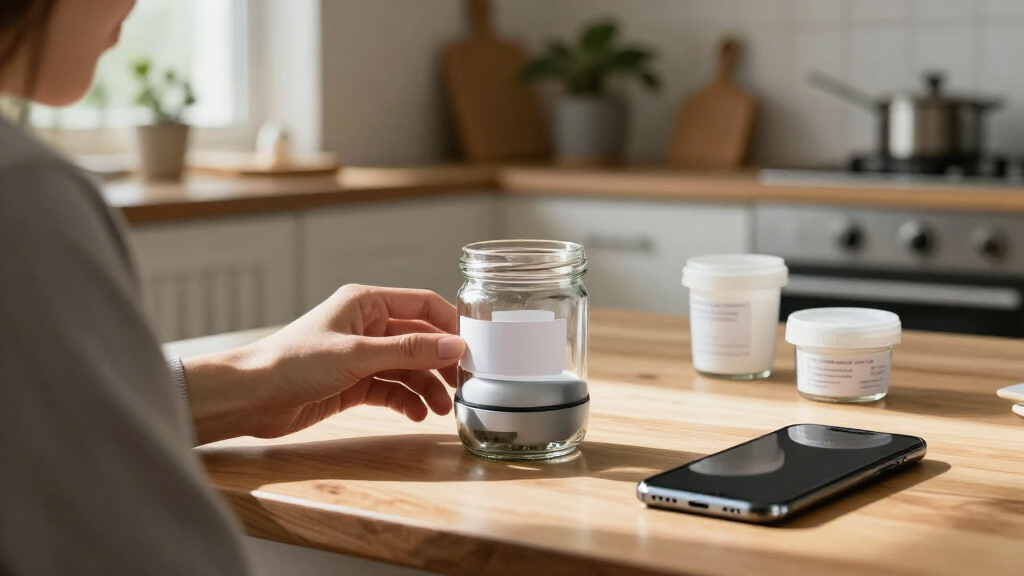
Portable Bluetooth label makers range from pocket-size app-driven printers to models with built-in keyboards, and my best overall pick is the Brother P-Touch PT-N25BT for its blend of portable design and app-based label creation. The SUPVAN E12 stands out for buyers who want both a keyboard and Bluetooth, while the Phomemo M110 is a notable choice for people who value a display and thermal printing. The main tradeoffs are app convenience versus on-device controls, tape flexibility versus a compact footprint, and bundle contents versus the freedom to choose supplies. I compare all 15 models by how well they fit everyday labeling needs, not by feature count alone. Read on for the full breakdown and guidance on which type makes the most sense for you.
Complete the kit



Key Takeaways
- The Brother PT-N25BT is the most balanced pick: it pairs portable Bluetooth operation with a dedicated design-and-print app, while keyboard-equipped SUPVAN models suit buyers who prefer direct controls.
- Keyboard models trade compactness for independence: the SUPVAN E12 and E11 can be useful when you want to compose labels on the device rather than rely entirely on a phone.
- Thermal minis favor simple, frequent labeling: models such as the Phomemo M110, NIIMBOT D110, and Nelko P21 lean toward compact app-based printing, with supply compatibility worth checking before choosing.
- Bundles change the starting experience, not just the box contents: several SUPVAN and Brother options include multiple tapes or accessories, which can reduce setup friction but may not match every buyer’s preferred label type.
- The right format depends on where and what you label: small portable printers fit pantry, cable, and storage labels, while the NIIMBOT B1’s two-inch format is better suited to buyers needing wider labels than mini tape models provide.
| ORGSTA Label Maker S001 Portable Bluetooth Thermal Label Printer with Tape |  | Best for Pocket-Sized Portability | Printer type: Thermal | Connectivity: Bluetooth, USB Type-C | Resolution: 203 × 203 dpi | VIEW LATEST PRICE | See Our Full Breakdown |
| SUPVAN E12 Keyboard & Bluetooth Label Maker with 4 Tapes |  | Best for On-Device Controls | Printer type: Thermal | Connectivity: Bluetooth, USB Type-C | Controls: App, push buttons | VIEW LATEST PRICE | See Our Full Breakdown |
| Brother P-Touch PT-N25BT Personal Connected Label Maker with Bluetooth and Design&Print2 App |  | Best for Color Tape Choices | Printer type: Thermal | Connectivity: Bluetooth, USB | Compatible devices: Smartphones, tablets | VIEW LATEST PRICE | See Our Full Breakdown |
| ORGBRO Label Maker Machine with Tape, X1 Bluetooth Mini Label Printer |  | Best Rechargeable Mini | Printer type: Thermal | Connectivity: Bluetooth, USB Type-C | Compatible systems: iOS, Android | VIEW LATEST PRICE | See Our Full Breakdown |
| Phomemo M110 Label Maker, Portable Bluetooth Thermal Printer with Display |  | Best for Barcode and Address Templates | Printer type: Thermal | Connectivity: Bluetooth | Compatible devices: Laptops, PCs, smartphones, tablets | VIEW LATEST PRICE | See Our Full Breakdown |
| NIIMBOT D110 Upgrade Mini Label Maker, Bluetooth Thermal Printer |  | Best Compact Pick | Printer type: Thermal | Print output: Monochrome | Print resolution: 203 DPI | VIEW LATEST PRICE | See Our Full Breakdown |
| SUPVAN T50M Pro Bluetooth Label Maker Machine with Tape, Black |  | Best for Device Flexibility | Printer type: Thermal | Print resolution: 203 dpi | Connectivity: USB and Bluetooth | VIEW LATEST PRICE | See Our Full Breakdown |
| SUPVAN E11 Bluetooth & Keyboard Label Maker with 4 Tapes |  | Best for Phone-Free Labeling | Printer type: Thermal | Output: Monochrome | Resolution: 203 dpi | VIEW LATEST PRICE | See Our Full Breakdown |
| Brother P-Touch N25BTV Personal Connected Label Maker, Bundle |  | Best for Color-Tape Labels | Printer type: Thermal | Print resolution: 180 dpi | Maximum media size: 12 mm | VIEW LATEST PRICE | See Our Full Breakdown |
| Nelko P21 Label Maker Machine with Tape, Bluetooth Label Printer, Black |  | Best for QR Codes and Barcodes | Printer type: Thermal | Print output: Monochrome | Print resolution: 203 × 203 DPI | VIEW LATEST PRICE | See Our Full Breakdown |
| Brother P-Touch Cube Color Smartphone Label Maker |  | Best for Durable, Custom Labels | Printer type: Thermal | Connectivity: Bluetooth | Output: Color | VIEW LATEST PRICE | See Our Full Breakdown |
| Rongta Bluetooth Label Maker Machine with Tape |  | Best for Wider Monochrome Labels | Printer type: Thermal | Output: Monochrome | Connectivity: Bluetooth | VIEW LATEST PRICE | See Our Full Breakdown |
| N12 Label Maker Machine with 1 Tape Bluetooth Label Printer, Green |  | Best Compact Pick | Printer type: Thermal, BPA-free direct thermal | Connectivity: Bluetooth | Compatible devices: Smartphones and tablets | VIEW LATEST PRICE | See Our Full Breakdown |
| SUPVAN E10 Bluetooth Label Maker Machine with 3 Tapes Bundle |  | Best for Everyday Home Organization | Printer type: Thermal, inkless | Connectivity: Bluetooth; USB Type-C listed | Compatible devices: Android and iOS | VIEW LATEST PRICE | See Our Full Breakdown |
| NIIMBOT B1 Label Maker, 2-Inch Bluetooth Label Printer for Home |  | Best for Home and Small-Business Versatility | Printer type: Thermal | Connectivity: Bluetooth | Output: Monochrome | VIEW LATEST PRICE | See Our Full Breakdown |
| portable Bluetooth label maker | Printer type | Connectivity | Dimensions | Weight |
|---|---|---|---|---|
| ORGSTA Label Maker S001 Portab | Thermal | Bluetooth, USB Type-C | 1.1 × 2.9 × 5.3 in | 9.07 g (as listed) |
| SUPVAN E12 Keyboard & Bluetoot | Thermal | Bluetooth, USB Type-C | — | 15.04 oz |
| Brother P-Touch PT-N25BT Perso | Thermal | Bluetooth, USB | — | — |
| ORGBRO Label Maker Machine wit | Thermal | Bluetooth, USB Type-C | 1.2 × 3 × 4.2 in | 7 oz |
| Phomemo M110 Label Maker | Thermal | Bluetooth | 4.48 × 2.44 × 3.43 in | 222.8 g |
| NIIMBOT D110 Upgrade Mini Labe | Thermal | Bluetooth | 3.86 × 2.99 × 1.18 in | 149 g |
| SUPVAN T50M Pro Bluetooth Labe | Thermal | USB and Bluetooth | 5.9 × 2.6 × 4.3 in | 433 g |
| SUPVAN E11 Bluetooth & Keyboar | Thermal | Bluetooth and USB Type-C | 5.8 × 3.1 × 1.5 in | 8 oz |
| Brother P-Touch N25BTV Persona | Thermal | Bluetooth | 6 × 6 × 2.9 in | 1.1 lb |
| Nelko P21 Label Maker Machine | Thermal | Bluetooth | 6.65 × 4.5 × 1.9 in | — |
| Brother P-Touch Cube Color Sma | Thermal | Bluetooth | 2.5 × 4.6 × 4.6 inches | 13.44 ounces |
| Rongta Bluetooth Label Maker M | Thermal | Bluetooth | 4 × 2 × 3 inches | 0.33kg |
| N12 Label Maker Machine with 1 | Thermal, BPA-free direct thermal | Bluetooth | 1.25 × 3.03 × 4.29 inches | 4 ounces |
| SUPVAN E10 Bluetooth Label Mak | Thermal, inkless | Bluetooth; USB Type-C listed | 1.18 × 3.15 × 5.12 inches | 7.04 ounces |
| NIIMBOT B1 Label Maker | Thermal | Bluetooth | 2.4 × 3.6 × 5.2 inches | 293g |
More Details on Our Top Picks
ORGSTA Label Maker S001 Portable Bluetooth Thermal Label Printer with Tape
The ORGSTA S001 is the smallest, lightest choice in this group on the supplied specifications, making it a fit for quick labeling away from a desk. Its rechargeable, ink-free thermal printing avoids carrying ink, while Bluetooth app templates let a phone handle label design. Compared with the ORG BRO X1, it has a narrower stated maximum media width—12 mm rather than 0.6 inches—so it suits small identification labels, not broader ones. The description calls its labels waterproof, oil-proof, and scratch-resistant, a useful combination for items that get handled or stored. The tradeoff is a phone-dependent workflow and monochrome output; its compact format also limits label size. I would pick it for portability over flexibility, and skip it if I need wide labels or device-free controls.
Pros:- Compact dimensions make it easy to carry in a pocket or small bag.
- Rechargeable thermal printing needs no ink.
- App templates allow label customization from a smartphone.
- Labels are described as waterproof, oil-proof, and scratch-resistant.
Cons:- Maximum media width is only 12 mm, limiting label size.
- Monochrome printing cannot produce color labels.
- App-based control may not suit buyers who prefer standalone operation.
Best for: People who want a very small Bluetooth label maker for narrow labels on school supplies, cables, or household containers.
Not ideal for: Buyers who need wide labels, color printing, or controls that work without a smartphone app.
- Printer type:Thermal
- Connectivity:Bluetooth, USB Type-C
- Resolution:203 × 203 dpi
- Maximum media size:12 mm
- Dimensions:1.1 × 2.9 × 5.3 in
- Weight:9.07 g (as listed)
- Control method:App
- Output:Monochrome; no ink required
Our verdict“Choose the ORGSTA S001 for highly portable printing of narrow labels, but pick the ORGBRO X1 if you need a wider media option.”
SUPVAN E12 Keyboard & Bluetooth Label Maker with 4 Tapes
The SUPVAN E12 is the best fit here for buyers who want a portable label maker without making a phone the only way to operate it. Its keyboard, push-button controls, and backlit display provide a direct workflow, while Bluetooth app access adds fonts, icons, and templates when needed. That makes it more self-contained than the app-only ORGSTA S001, though the E12 is much larger and heavier than a pocket-format printer. The included four tapes give buyers a useful starting supply, and minimal-margin printing can reduce wasted tape on routine labels. Its monochrome output is practical for everyday organization, but it will not provide the color-tape flexibility of the Brother P-Touch PT-N25BT. I’d choose it for hands-on controls, not for the lightest carry or the most compact storage.
Pros:- Keyboard and push-button controls allow operation without relying solely on an app.
- Backlit display supports label creation in dim settings.
- Bluetooth app adds fonts, icons, and templates.
- Four tapes are included, and minimal-margin printing can reduce tape waste.
Cons:- At 15.04 ounces and 6.7 × 4.7 × 2.3 inches, it is bulkier than the mini printers here.
- Monochrome output does not support color labels.
- Full app features still require a smartphone.
Best for: Home and small-office organizers who want a portable printer with its own keyboard and screen, plus optional app customization.
Not ideal for: People who need a pocket-sized label maker or color labels; its listed size and monochrome output are limiting.
- Printer type:Thermal
- Connectivity:Bluetooth, USB Type-C
- Controls:App, push buttons
- Display:Backlit display
- Resolution:203 dpi
- Maximum media size:0.59 in × 19.68 ft
- Weight:15.04 oz
- Included tapes:4
Our verdict“Choose the SUPVAN E12 if direct keyboard-and-screen operation matters more than pocketability or color output.”
Brother P-Touch PT-N25BT Personal Connected Label Maker with Bluetooth and Design&Print2 App
The Brother P-Touch PT-N25BT stands apart from the monochrome Phomemo M110 and ORGSTA S001 by supporting Brother Btag tapes in 17 colors. That does not mean full-color printing: the color comes from the tape, so buyers can add visual distinction while keeping the printer’s output simple. Bluetooth connection to the Design&Print2 app provides fonts, symbols, frames, and label previews, with support for up to two lines. The tradeoff is a more restricted supply system: it works with Brother Btag tapes, and it needs six AAA batteries or a separately sold adapter rather than offering a rechargeable battery in the supplied details. Its 12 mm media limit also keeps labels compact. I’d choose it for color-coded home organization, but the ORGBRO X1 is a better match for buyers prioritizing a rechargeable power source.
Pros:- Supports Brother Btag tapes in 17 color varieties.
- Design&Print2 offers fonts, symbols, frames, and label previews.
- Bluetooth works with smartphones and tablets.
- Prints up to two lines for more informative compact labels.
Cons:- Requires six AAA batteries or an adapter sold separately.
- Limited to Brother Btag label tapes.
- Maximum media width is 12 mm and output is limited to two lines.
Best for: People who want compact, color-coded labels and are comfortable designing them through a phone or tablet app.
Not ideal for: Buyers seeking rechargeable power, broad tape compatibility, or labels wider than 12 mm.
- Printer type:Thermal
- Connectivity:Bluetooth, USB
- Compatible devices:Smartphones, tablets
- Resolution:180 × 180 dpi
- Maximum media size:12 mm
- Supported tape:Brother Btag tapes
- Power:6 AAA batteries or adapter (sold separately)
- Maximum text lines:2
Our verdict“Pick the Brother PT-N25BT for color-coded labels on compatible tapes, but choose the ORGBRO X1 if rechargeable power is a priority.”
ORGBRO Label Maker Machine with Tape, X1 Bluetooth Mini Label Printer
The ORGBRO X1 balances small-device portability with a more clearly specified rechargeable setup: its 2,000 mAh battery and USB-C connection make it a strong option for mobile labeling without routine disposable-battery changes. It also accepts continuous and fixed-size media, giving it more format flexibility than the ORGSTA S001, whose listed maximum width is 12 mm. Its 203 dpi thermal output needs no ink, and the product description cites waterproof, oil-resistant, and abrasion-resistant labels for everyday handling. The limit is still scale: the stated maximum media size is 0.6 × 1.57 inches, and printing is monochrome. The phone app is central to its templates and customization, so this is less suitable for anyone wanting an onboard keyboard. I’d rank it for rechargeable portability rather than standalone controls.
Pros:- Rechargeable 2,000 mAh battery with USB-C connectivity.
- Supports continuous and fixed-size label media.
- 203 dpi thermal printing requires no ink.
- Labels are described as waterproof, oil-resistant, and abrasion-resistant.
Cons:- Monochrome printing cannot create color labels.
- Maximum media size of 0.6 × 1.57 inches restricts label dimensions.
- App-based customization depends on a compatible smartphone.
Best for: Mobile organizers who want a rechargeable mini printer and use both continuous and fixed-size labels.
Not ideal for: People who need color output, wide-format labels, or a built-in keyboard and screen.
- Printer type:Thermal
- Connectivity:Bluetooth, USB Type-C
- Compatible systems:iOS, Android
- Resolution:203 × 203 dpi
- Maximum media size:0.6 × 1.57 in
- Battery:2,000 mAh rechargeable
- Dimensions:1.2 × 3 × 4.2 in
- Weight:7 oz
Our verdict“Choose the ORGBRO X1 for a rechargeable, compact printer with flexible small-label formats, but not for wide or color printing.”
Phomemo M110 Label Maker, Portable Bluetooth Thermal Printer with Display
The Phomemo M110 earns its place for buyers whose labels need to do more than identify a storage bin: its app templates include barcode and address labels, and OCR can turn recognized text into a quicker starting point for a label. That makes it more task-oriented than the Brother PT-N25BT, which emphasizes symbols, frames, and color tape options. The M110 connects by Bluetooth and supports phones, tablets, laptops, and PCs according to the supplied details, though its controls are app-based. Thermal monochrome output keeps the setup ink-free, but it cannot make color labels and the description says it is not suited to shipping labels. Its listed 1,500 mAh power specification does not establish a specific battery runtime. I’d choose it for address and barcode workflows, not for color coding or shipping use.
Pros:- App templates include barcode and address label formats.
- OCR can help convert recognized text into label content.
- Bluetooth compatibility is listed for phones, tablets, laptops, and PCs.
- Thermal printing requires no ink.
Cons:- Monochrome output does not support color printing.
- App-based controls may require setup and learning.
- Product information says it is not suitable for shipping labels.
Best for: Small-business and home users who make barcode, address, or text-recognition labels from a phone, tablet, or computer.
Not ideal for: Buyers who need color labels, shipping labels, or a label maker with standalone physical controls.
- Printer type:Thermal
- Connectivity:Bluetooth
- Compatible devices:Laptops, PCs, smartphones, tablets
- Resolution:203 dpi
- Power capacity:1,500 mAh
- Dimensions:4.48 × 2.44 × 3.43 in
- Weight:222.8 g
- Output:Monochrome
Our verdict“Choose the Phomemo M110 for app-based barcode and address labeling, but skip it if shipping labels or color output are part of the job.”
NIIMBOT D110 Upgrade Mini Label Maker, Bluetooth Thermal Printer
The NIIMBOT D110 is the most pocketable choice in this group: at 149 g, it is much lighter than the 433 g SUPVAN T50M Pro. Its 203 DPI thermal printing and Bluetooth connection make it suited to quick labeling from an iPhone or Android phone, without carrying a larger desktop-style unit. The D110 also supports different label types, including waterproof and oil-proof tapes, which can help with kitchen, storage, or small-business labels. The tradeoff is that it relies on a phone app and does not connect to computers, while the T50M Pro lists USB connectivity and broader device support. Output is monochrome, too, so buyers who want colorful tape or color printing should look at the Brother P-Touch N25BTV instead. I’d choose the D110 for portability over flexibility.
Pros:- 149 g body is lighter than the SUPVAN T50M Pro
- Bluetooth connection supports iOS and Android smartphones
- 203 DPI thermal printing requires no ink or toner
- Supports different label sizes and waterproof or oil-proof tapes
Cons:- Works with smartphones rather than computers
- Prints monochrome labels only
- App-based control may be less convenient than a model with a physical keyboard
Best for: People who want a very lightweight Bluetooth label maker for phone-based labeling at home, school, or on the go
Not ideal for: Buyers who need computer connectivity, color output, or a built-in keyboard for printing without a smartphone
- Printer type:Thermal
- Print output:Monochrome
- Print resolution:203 DPI
- Weight:149 g
- Dimensions:3.86 × 2.99 × 1.18 in
- Connectivity:Bluetooth
- Compatible devices:Smartphones; iOS and Android
- Power:Built-in rechargeable battery
Our verdict“Choose the D110 if low carry weight matters more than computer support or color printing.”
SUPVAN T50M Pro Bluetooth Label Maker Machine with Tape, Black
The SUPVAN T50M Pro is the practical pick for buyers who want a portable label maker that can work with more than a phone: its listed Bluetooth and USB connectivity covers smartphones, tablets, laptops, and PCs. That gives it an advantage over the phone-only NIIMBOT D110 when labels are designed from a computer or shared across devices. The app adds fonts, icons, and image editing, while auto label-size recognition can cut down on setup for different tasks. It is still a compact thermal printer, not a full-width office machine: media tops out at 1-5/8 × 1-3/16 inches, and output is black and white. At 433 g, it is also heavier than the D110, so I’d favor it for a desk, craft area, or small business rather than a pocket carry.
Pros:- Bluetooth and USB connectivity supports phones, tablets, laptops, and PCs
- App offers customizable fonts, icons, and images
- Auto label-size recognition helps simplify switching label formats
- Includes white 40 × 30 mm tape and supports several label types
Cons:- Monochrome output cannot produce colored text or designs
- Maximum media size is relatively small for larger signage or long labels
- At 433 g, it is heavier than the NIIMBOT D110
Best for: Home organizers and small-business owners who want Bluetooth app editing plus USB connection to a computer
Not ideal for: Buyers who need wide labels, color output, or the lightest possible printer for carrying around
- Printer type:Thermal
- Print resolution:203 dpi
- Connectivity:USB and Bluetooth
- Maximum media size:1-5/8 × 1-3/16 in
- Weight:433 g
- Dimensions:5.9 × 2.6 × 4.3 in
- Included tape:White, 40 × 30 mm
- Warranty:1 year
Our verdict“Pick the T50M Pro if computer connectivity and app customization matter more than minimal carry weight.”
SUPVAN E11 Bluetooth & Keyboard Label Maker with 4 Tapes
The SUPVAN E11 stands apart from app-first picks such as the NIIMBOT D110 by pairing on-device keyboard controls and an LCD with Bluetooth app editing. That makes it a useful portable option when you want to type a short label directly on the machine, but still have fonts, icons, and language choices available from a phone. Its stated monochrome speed reaches 28 pages per minute, and minimal-margin printing can reduce wasted tape during repeated labeling. The main constraint is tape width: the maximum media size is 15 mm, which suits narrow household or file labels better than broad address or storage labels. The listed long battery life and four included tapes make it ready for varied small jobs, though buyers seeking wider formats should compare it with the T50M Pro.
Pros:- Physical keyboard and LCD allow basic labeling without app entry
- Bluetooth app supports fonts, icons, and multiple languages
- Minimal-margin printing can reduce tape waste
- Rechargeable battery is specified to last up to a month per charge
Cons:- Maximum media width of 15 mm limits label size
- Monochrome output only
- Larger than the pocket-sized NIIMBOT D110 by listed dimensions
Best for: Families, teachers, and office users who want a rechargeable label maker with direct keyboard entry and app design options
Not ideal for: People who need wide labels or color output, or who prefer a phone-only, especially compact printer
- Printer type:Thermal
- Output:Monochrome
- Resolution:203 dpi
- Connectivity:Bluetooth and USB Type-C
- Maximum media size:15 mm × 6 m
- Weight:8 oz
- Dimensions:5.8 × 3.1 × 1.5 in
- Display:LCD
- Warranty:2 years
Our verdict“Choose the E11 if direct keyboard entry matters and narrow monochrome labels meet your needs.”
Brother P-Touch N25BTV Personal Connected Label Maker, Bundle
The Brother P-Touch N25BTV is the option here for buyers who want to change the look of a label with three included colorful tapes, rather than rely on the monochrome output used by the NIIMBOT D110 and SUPVAN E11. Bluetooth pairing and app customization add fonts, symbols, and templates, while its preview display and QWERTY keyboard give it a more self-contained feel than a phone-only printer. The compromise is a maximum tape width of 12 mm, narrower than the SUPVAN T50M Pro’s listed maximum media size, so it is better suited to small item labels than large storage or address labels. At 1.1 pounds, it is also less convenient to carry than the D110. This bundle favors personalized, narrow labels over minimum weight or broad-format flexibility.
Pros:- Bundle includes three sample-sized colorful label tapes
- Bluetooth connection supports smartphones and tablets
- QWERTY keyboard and preview display support direct label editing
- Templates, fonts, and symbols allow label customization
Cons:- Maximum media width is limited to 12 mm
- At 1.1 pounds, it is heavier than the NIIMBOT D110
- Uses specific label tapes, which can limit media choices
Best for: Home and workspace organizers who want Bluetooth design tools, direct keyboard entry, and colorful tape choices for narrow labels
Not ideal for: Buyers who need wide labels, the lowest carry weight, or broad compatibility with non-Brother tape
- Printer type:Thermal
- Print resolution:180 dpi
- Maximum media size:12 mm
- Connectivity:Bluetooth
- Compatible devices:Smartphones and tablets
- Weight:1.1 lb
- Dimensions:6 × 6 × 2.9 in
- Included tapes:Three sample-sized tapes
Our verdict“Choose the N25BTV if colorful tape options and on-device editing matter more than wide labels or a lighter carry.”
Nelko P21 Label Maker Machine with Tape, Bluetooth Label Printer, Black
The Nelko P21 is the most compelling choice in this group for phone-based labels that need more than plain text: its app supports QR codes, barcodes, images, and borders, alongside standard templates and icons. Its 203 × 203 DPI monochrome thermal output is a practical fit for readable everyday labels without ink or toner. Compared with the NIIMBOT D110, the P21 lists a wider set of app content tools and a faster stated print speed; the D110, however, is lighter and has clearly stated dimensions that suit buyers focused on compact carry. The P21’s compatibility has a specific catch: it does not work with Google Pixel phones running Android 14, and the charging adapter is not included. I’d choose it for varied label designs, provided your phone is compatible.
Pros:- App supports QR codes, barcodes, images, and borders
- 203 × 203 DPI thermal printing avoids ink and toner
- Bluetooth compatibility covers iOS and most listed Android phone use
- Portable design is suited to printing away from a fixed desk
Cons:- Not compatible with Google Pixel phones running Android 14
- Charging adapter is not included
- Monochrome output cannot print colored text or graphics
Best for: Android or iPhone users who want a portable printer for text labels, QR codes, and barcodes around the home, classroom, or small business
Not ideal for: Google Pixel owners running Android 14, computer-based workflows, or buyers who need color printing
- Printer type:Thermal
- Print output:Monochrome
- Print resolution:203 × 203 DPI
- Connectivity:Bluetooth
- Compatible devices:Smartphones; iOS and Android, with stated Pixel Android 14 exception
- Dimensions:6.65 × 4.5 × 1.9 in
- Print speed:30 pages per minute
- Control method:App
Our verdict“Pick the P21 for flexible QR-code and barcode labeling if your phone is compatible and black-and-white output is enough.”
Brother P-Touch Cube Color Smartphone Label Maker
The Brother P-Touch Cube PT-P300BT suits buyers who want app-designed labels that hold up to everyday handling. Its laminated TZe tape and support for ribbons make it more focused on durable, polished labeling than the Rongta R22, which offers wider monochrome labels but no stated laminated media. Bluetooth printing from Apple or Android devices keeps the Cube portable, while the Design&Print2 app adds templates, fonts, and symbols for personalizing labels without a built-in keyboard.
The tradeoff is flexibility: printing is limited to 12mm-wide media, and the printer uses specific Brother tapes. It also prints only, so it is less suited to buyers who want broad-format labels or lower-cost generic media. Choose it for refined, resilient labels rather than maximum width or supply flexibility.
Pros:- Bluetooth printing from smartphones and tablets
- Laminated TZe tape supports durable labels
- Design&Print2 offers templates, fonts, and symbols
- Compact body is easy to store or carry
Cons:- Maximum media width is 12mm
- Requires compatible Brother TZe tape
- App-based print-only design offers no standalone operation
Best for: Home and small-office organizers who want customizable, durable labels or ribbons from a smartphone.
Not ideal for: Buyers who need labels wider than 12mm, generic media flexibility, or a printer with standalone controls.
- Printer type:Thermal
- Connectivity:Bluetooth
- Output:Color
- Maximum media width:12mm
- Included tape:Brother P-touch TZe laminated tape, 12mm wide
- Resolution:180 × 180 dpi
- Weight:13.44 ounces
- Dimensions:2.5 × 4.6 × 4.6 inches
Our verdict“Choose the Brother Cube for compact, app-designed labels where laminated durability matters more than label width or media choice.”
Rongta Bluetooth Label Maker Machine with Tape
The Rongta R22 is the better fit when a portable label maker needs more room for text than narrow household tape allows. It prints monochrome labels up to 2 inches wide, giving small-business users more space for product details or storage information than the Brother P-Touch Cube’s 12mm limit. Bluetooth support for iOS and Android and a rechargeable battery keep it usable away from a desk, while the app provides customizable fonts and icons.
That width comes with a clear tradeoff: the R22 prints only in monochrome and cannot connect to a computer. Its 0.33kg weight is also less pocketable than the tiny N12. The listed continuous-printing battery life is four hours, which supports short labeling sessions but is not a substitute for a long-running, plugged-in setup.
Pros:- Prints monochrome labels up to 2 inches wide
- Bluetooth support for iOS and Android
- Rechargeable battery supports wireless use
- App offers customizable fonts and icons
Cons:- Does not support color printing
- Cannot be used with computers
- Heavier than the compact N12
Best for: Mobile sellers and home organizers who need wider monochrome labels and design them on an iOS or Android phone.
Not ideal for: People who want color, computer-based printing, or a very small label maker for pocket carry.
- Printer type:Thermal
- Output:Monochrome
- Connectivity:Bluetooth
- Compatible devices:Android and iOS devices
- Maximum media width:2 inches
- Print resolution:203 × 203 dpi
- Weight:0.33kg
- Dimensions:4 × 2 × 3 inches
- Battery:Rechargeable; up to 4 hours of continuous printing
Our verdict“Pick the Rongta R22 if label width matters more than color output or the smallest possible carry size.”
N12 Label Maker Machine with 1 Tape Bluetooth Label Printer, Green
At just 4 ounces, the green N12 is the clearest choice here for buyers who want a label maker that takes up very little space. It connects to smartphones and tablets over Bluetooth and uses direct thermal printing, so there is no ink or ribbon to carry. Compared with the Rongta R22, it is far lighter and simpler to tuck into a drawer or bag; the Rongta is the stronger option when wider labels are more important than compactness.
The N12’s included roll is a constraint as well as a convenience: its pre-cut 14 × 40mm labels keep routine small-item labeling straightforward but restrict label length and format. Output is monochrome, and full operation depends on a phone app. This makes it a compact tool for recurring, small-label jobs—not a flexible substitute for a wider-format printer.
Pros:- Very light at 4 ounces
- Direct thermal printing requires no ink or ribbon
- Bluetooth compatibility with smartphones and tablets
- Includes 180 pre-cut labels
Cons:- Included labels are fixed at 14 × 40mm
- Monochrome output only
- Requires an app for full functionality
Best for: Students and home organizers who want a very light Bluetooth printer for small, repeated labels from a phone or tablet.
Not ideal for: Small-business users needing wide or variable-length labels, color output, or operation without a smartphone app.
- Printer type:Thermal, BPA-free direct thermal
- Connectivity:Bluetooth
- Compatible devices:Smartphones and tablets
- Output:Monochrome
- Print resolution:203 × 203 dpi
- Weight:4 ounces
- Dimensions:1.25 × 3.03 × 4.29 inches
- Included media:180 pre-cut white labels, 14 × 40mm
Our verdict“Choose the N12 for lightweight, small-format labeling, but look to the Rongta R22 if you need substantially wider media.”
SUPVAN E10 Bluetooth Label Maker Machine with 3 Tapes Bundle
The SUPVAN E10 is geared toward everyday home labeling, with an app for adding fonts, icons, and frames and support for continuous and die-cut labels. Its stated waterproof, oil-proof, and heat-resistant laminated media gives it an advantage for kitchen containers and other spots where labels may meet moisture or warmth. Compared with the Brother P-Touch Cube, the E10 is presented as a broader household-use option with multiple tape formats, while the Brother emphasizes its own laminated TZe system.
The E10 remains a monochrome, app-dependent printer, and its maximum label size is 0.59 inches, so it is not the choice for larger product labels. USB Type-C is listed alongside Bluetooth, but the product information still describes Bluetooth as required for operation. Its compact build and supplied tape bundle suit routine organization better than demanding wide-format work.
Pros:- Supports continuous and die-cut labels
- Laminated media is described as waterproof, oil-proof, and heat-resistant
- App includes fonts, icons, and frames
- Compact 7.04-ounce design with USB Type-C listed
Cons:- Maximum label size is 0.59 inches
- Monochrome printing only
- Operation depends on Bluetooth and the mobile app
Best for: Households organizing kitchen containers, school supplies, and storage with compact labels and varied templates.
Not ideal for: Sellers or teams who need labels wider than 0.59 inches, color printing, or operation without a mobile app.
- Printer type:Thermal, inkless
- Connectivity:Bluetooth; USB Type-C listed
- Compatible devices:Android and iOS
- Output:Monochrome
- Resolution:203 dpi
- Supported media:Continuous and die-cut labels
- Maximum label size:0.59 inches
- Weight:7.04 ounces
- Dimensions:1.18 × 3.15 × 5.12 inches
Our verdict“The E10 makes sense for household organizers who value durable, varied small labels more than width or color.”
NIIMBOT B1 Label Maker, 2-Inch Bluetooth Label Printer for Home
The NIIMBOT B1 balances portability with a wider-label format, making it a flexible choice for home supplies, office storage, and small-business labeling. Its 2-inch Bluetooth thermal printing gives users more layout space than the SUPVAN E10’s 0.59-inch maximum, while inkless operation avoids ink cartridges. The app supports fonts, borders, and symbols, and auto-detection of label size can reduce setup friction when changing compatible labels.
There are limits to that versatility: output is monochrome, and the listed compatible-device information conflicts, naming both laptops and smartphones while also identifying the controller as Android and iOS. The product details specifically note that it is not compatible with iPads, so tablet buyers should check device fit before choosing it. At 293g, it is portable, but less featherweight than the N12.
Pros:- Supports labels up to 2 inches wide
- Inkless thermal printing avoids ink supplies
- Bluetooth app offers fonts, borders, and symbols
- Auto-detects label size
Cons:- Monochrome printing only
- Not compatible with iPads according to the product information
- App-based operation may take time to learn
Best for: Home organizers and small-business owners who want a portable, app-based printer for labels up to 2 inches wide.
Not ideal for: iPad users, buyers who require color, or anyone seeking the lightest device for occasional small labels.
- Printer type:Thermal
- Connectivity:Bluetooth
- Output:Monochrome
- Maximum label width:2 inches
- Maximum print resolution:203 dpi
- Weight:293g
- Dimensions:2.4 × 3.6 × 5.2 inches
- Power:1500 mAh
- Special features:Auto-detect label size; inkless printing
Our verdict“Choose the NIIMBOT B1 for portable, wider monochrome labels, but skip it if iPad compatibility or ultra-light carry is a priority.”
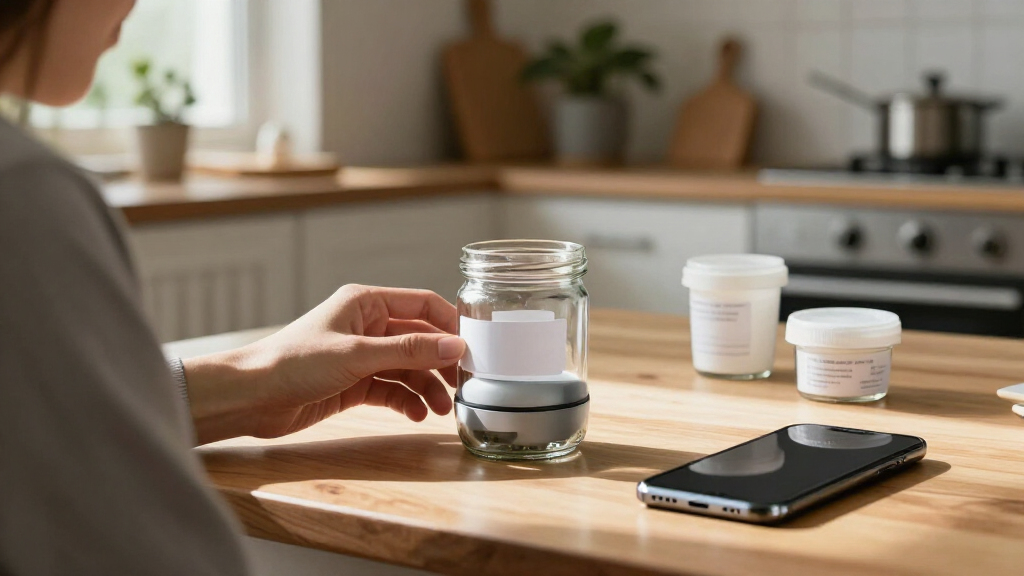
How We Picked
I compared these portable Bluetooth label makers by the factors that shape daily use: how portable the printer is, whether it depends on an app or also has a keyboard, the stated printing approach, the available tape or label format, and what comes in the package. I also weighed setup demands, the likely ease of replacing supplies, and whether a model’s controls make sense for its intended user. A feature only counted as an advantage when it solved a clear buyer problem.
The order gives priority to versatility and low-friction use, then separates models by distinctive strengths such as a built-in keyboard, display, included tape, or wider label format. Similar products are not treated as interchangeable: a phone-first mini printer may be a better fit for occasional household labels, while a keyboard model can suit someone who wants to create labels without opening an app. I avoid ranking by bundle size alone; buyers should confirm device and tape compatibility before choosing.
| portable Bluetooth label maker | Printer type | Connectivity | Output |
|---|---|---|---|
| ORGSTA Label Maker S001 Portab | Thermal | Bluetooth, USB Type-C | Monochrome; no ink required |
| SUPVAN E12 Keyboard & Bluetoot | Thermal | Bluetooth, USB Type-C | — |
| Brother P-Touch PT-N25BT Perso | Thermal | Bluetooth, USB | — |
| ORGBRO Label Maker Machine wit | Thermal | Bluetooth, USB Type-C | — |
| Phomemo M110 Label Maker | Thermal | Bluetooth | Monochrome |
| NIIMBOT D110 Upgrade Mini Labe | Thermal | Bluetooth | — |
| SUPVAN T50M Pro Bluetooth Labe | Thermal | USB and Bluetooth | — |
| SUPVAN E11 Bluetooth & Keyboar | Thermal | Bluetooth and USB Type-C | Monochrome |
| Brother P-Touch N25BTV Persona | Thermal | Bluetooth | — |
| Nelko P21 Label Maker Machine | Thermal | Bluetooth | — |
| Brother P-Touch Cube Color Sma | Thermal | Bluetooth | Color |
| Rongta Bluetooth Label Maker M | Thermal | Bluetooth | Monochrome |
| N12 Label Maker Machine with 1 | Thermal, BPA-free direct thermal | Bluetooth | Monochrome |
| SUPVAN E10 Bluetooth Label Mak | Thermal, inkless | Bluetooth; USB Type-C listed | Monochrome |
| NIIMBOT B1 Label Maker | Thermal | Bluetooth | Monochrome |
Factors to Consider When Choosing Portable Bluetooth Label Makers
Before choosing a model, I would start with how labels will be created and where they will be used. Portability is only one part of the fit: supply compatibility, label width, phone dependence, and the way the printer handles repeat jobs can matter more over time.
Choose Between App-First and Keyboard Controls
Bluetooth connection does not automatically mean a printer is easy to use for every person. App-first models can make it simpler to arrange text or use templates, but they tie label creation to a compatible phone and the maker’s app. A built-in keyboard offers more independence and can be handy when a phone is unavailable or when someone prefers physical keys. The tradeoff is that adding controls can make a portable unit larger and may not provide the same editing flexibility as an app. Before buying, check which phone systems the app supports and whether the printer can create labels without a mobile device. Choose based on the workflow you will actually repeat, not the control method that sounds more feature-rich.
Match Label Width and Tape Type to the Job
A narrow label works well for cables, small containers, and filing tabs, but can feel cramped for longer names or multiple lines. Wider formats can carry more information, though the printer and supplies may take up more room. Buyers often focus on the machine and overlook the exact tape or label dimensions it accepts. Check whether the device uses proprietary cartridges, continuous tape, or a specific label roll, then confirm that the format suits the surfaces you plan to mark. Also think about whether labels need to resist moisture, handling, or outdoor exposure; ordinary household tape may not meet those needs. Buying a format that matches the job can prevent reprinting and wasted supplies.
Look Beyond the Included Tape Bundle
Multiple tapes in the box can help you start labeling right away, but a bundle is only useful if its contents match your needs. Some buyers will value a choice of colors or sizes, while others may prefer one dependable tape type they can replace easily. Compare the supplied tape with the printer’s supported consumables and check whether replacement options are readily available through the channels you use. A bundled set can also create a false sense of flexibility if all included rolls share the same format. Consider the cost and availability of ongoing supplies as part of the ownership decision, without assuming that a larger starter pack is always better value. For occasional use, one suitable roll may matter more than several extras.
Decide Whether Thermal Printing Fits Your Labels
Many compact Bluetooth label makers use thermal printing, which avoids the need for ink cartridges and keeps the printer design relatively simple. That convenience does not mean every thermal label is suited to every environment or long-term task. Think about how long the label needs to remain legible, how much sunlight or heat it may face, and whether the surface will be handled often. For home organization and short-term identification, a compact thermal setup can be practical. For archival labeling or demanding conditions, check the label material specifications rather than relying on the printer type alone. The printer and the consumable both shape durability.
Balance Portability Against Print Workflow
A pocket-size printer is convenient to store and carry, but the smallest model may require more phone interaction or offer fewer on-device controls. For one-off labels around the house, a compact body can be the priority; for batches of labels, editing and repeat-print features may save more time than a smaller footprint. Consider where the device will live, how often it will move, and whether you will print one label at a time or in groups. Buyers sometimes choose the tiniest option and later find its format too limited for common labels. Others pay for extra functions they rarely touch. Match the printer’s size and workflow to your actual routine.
Frequently Asked Questions
Should I choose a Bluetooth label maker with a keyboard or one that works through an app?
Choose a keyboard model if you want to create labels directly on the device or expect to use it without reaching for your phone. An app-first printer may suit you better if you prefer composing and formatting labels on a larger screen. Keyboard controls can add bulk, while app-based operation depends on phone compatibility and the manufacturer’s software. Compare the SUPVAN E12 or E11 style with phone-led options such as the Brother PT-N25BT to see which workflow fits your habits. If more than one person will use the printer, check whether the controls feel straightforward for each user.
Are these portable printers suitable for shipping labels?
Most compact tape label makers in this roundup are aimed at small identification labels, not standard parcel labels. A mini tape format is too narrow for many shipping layouts, addresses, and carrier requirements. The NIIMBOT B1’s two-inch format offers more width than the smallest tape-style printers, but that alone does not confirm compatibility with a shipping service’s label dimensions or software. Check the printer’s supported media size, connection workflow, and the carrier’s current label requirements before buying. For frequent shipping, a printer designed specifically for shipping labels is often a better fit.
What should I check before buying replacement tape or labels?
Confirm the exact model’s supported tape or roll format rather than relying on a brand name or a similar-looking cartridge. Check width, cartridge or roll shape, and whether the printer accepts continuous tape or only fixed-format labels. Bundles can include supplies that are convenient initially but may not cover every label style you want later. It also helps to check supply availability from sellers you are comfortable using before committing to a printer. Matching the consumable to the job matters just as much as picking a compact device.
Will thermal labels stay readable for long-term storage?
Thermal printing removes the need for ink, but label life depends on the material and the conditions where it is stored. Heat, sunlight, friction, and moisture can affect some labels, so a printer’s printing method does not by itself guarantee long-term readability. For pantry containers or frequently handled bins, check whether the label stock is rated for the environment. For archive boxes or records that must remain legible for years, confirm material specifications and consider a more durable labeling method if the maker does not offer suitable stock. Test a sample on the actual surface before labeling a large collection.
Is a multi-tape bundle a better choice than buying the printer alone?
A bundle is useful when its included tape types match the labels you plan to make and you want supplies ready at setup. It is less helpful when the included formats are too narrow, too short, or otherwise unsuitable for your main tasks. Compare the bundle contents with compatible replacements so you know what choices remain after the starter supplies run out. A printer with one appropriate roll and easy-to-find refills can be a better long-term fit than a larger package of mismatched tape. Decide based on usable formats and future supply access, not the number of items in the box.
Conclusion
For most buyers, I recommend the Brother P-Touch PT-N25BT as the best overall because it balances portable Bluetooth use with app-based label design. The SUPVAN E12 is my best value-style pick for hands-on controls, especially if a built-in keyboard and included tapes suit your routine; check the exact bundle contents before deciding. For a premium-leaning choice, consider the Phomemo M110 if its display and thermal workflow match your needs, while beginners who want a straightforward phone-led option can start by comparing the Brother PT-N25BT and NIIMBOT D110. For labels that need more width than mini tape models provide, the NIIMBOT B1 is the specific-use option to investigate. My final advice is to choose the label format and workflow first, then narrow the shortlist by portability and bundle contents.