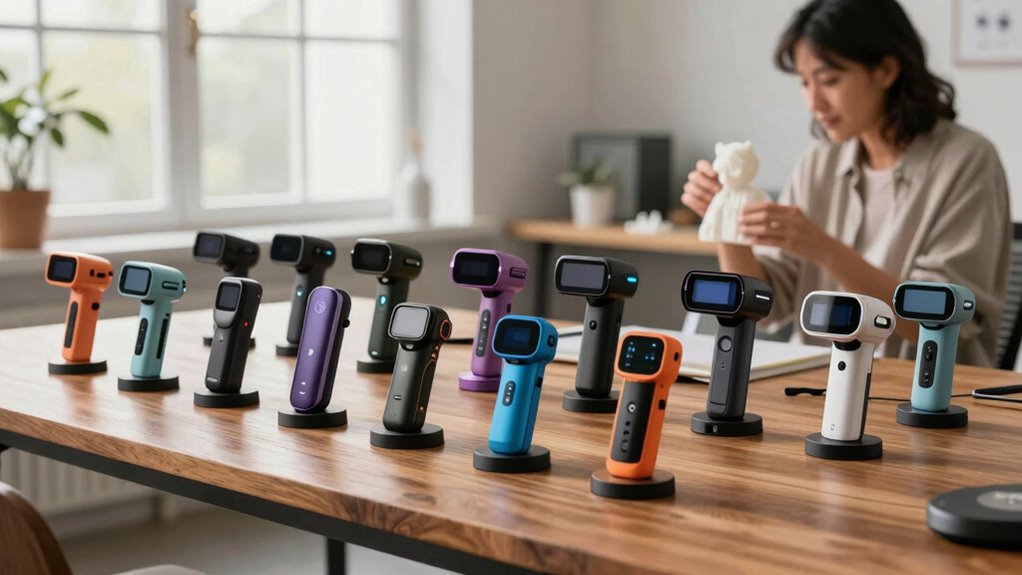

Shopping for handheld 3D scanners in 2026 means choosing between three big tradeoffs: accuracy versus ease of use, wired versus wireless freedom, and budget consumer models versus professional-grade laser systems. The Creality CR-Scan Raptor Pro stands out as my best overall pick because its dual blue laser and structured light modes handle everything from small mechanical parts to full-sized objects without the accuracy drops that plague cheaper units. If portability matters more than raw precision, the Revopoint MIRACO Plus is a standout all-in-one with a built-in screen, while the Revopoint INSPIRE 2 makes the most sense for beginners and casual hobby scanning at a friendlier price. Entry-level options like the Creality Ferret and Otter Lite lines trade accuracy and frame rates for affordability. Keep reading for the full breakdown of all 15 models and which one fits your workflow.

Get the latest gadgets delivered free — and shop member deals
- Fast, free delivery on millions of items
- Access to Prime Big Deal Days deals on October 6–7
- Prime Video, Amazon Music and more included
Complete the kit



Key Takeaways
- Blue laser models (Raptor Pro, MetroX Pro, Pika) clearly outperformed structured-light-only scanners on dark, reflective, or metallic surfaces — the single biggest differentiator in this lineup.
- Wireless versions (Ferret Pro, Otter Lite Wireless) added real freedom of movement but required a phone or tablet as the display, which small screens make harder for fine alignment work.
- The Revopoint MIRACO Plus was the only true standalone option with a built-in touchscreen, removing the PC dependency entirely — at a notably higher cost.
- Entry-level scanners under the Ferret and Moose Lite tier struggled with frame rates of 10–30 FPS, causing tracking loss on fast hand movement; serious scanning needs higher capture speeds.
- Several near-duplicate models appeared across lineups (Otter Lite Basic vs. Wireless, Raptor vs. Raptor Pro); the higher-tier versions generally justified their premium through accuracy and scan volume, not gimmicks.
| Revopoint INSPIRE 2 3D Scanner |  | Best for Portable Outdoor Scanning | Scanning modes: Infrared structured light and multi-line laser | Accuracy: Up to 0.05 mm | Precision: Up to 0.03 mm | VIEW ON AMAZON | See Our Full Breakdown |
| Creality CR-Scan Raptor Pro 3D Scanner |  | Best Overall Precision | Accuracy: 0.02mm (volume accuracy 0.02mm + 0.08mm/m) | Lasers: 22 crossed + 7 parallel blue lasers + NIR infrared | Scan speed: Up to 660,000 points/sec; 60fps laser / 30fps infrared | VIEW ON AMAZON | See Our Full Breakdown |
| Creality CR-Scan Ferret Pro Wireless Handheld 3D Scanner |  | Best for Beginners | Accuracy: 0.1 mm | Resolution: 0.16 mm | Scanning speed: 30 FPS | VIEW ON AMAZON | See Our Full Breakdown |
| Revopoint MetroX Pro Blue Laser 3D Scanner |  | Best Premium for Industrial Detail | Scanning technology: Blue laser and structured light | Single-frame precision: Up to 0.01 mm | Single-frame accuracy: Up to 0.02 mm | VIEW ON AMAZON | See Our Full Breakdown |
| Creality Otter Lite Basic 3D Scanner |  | Best Value All-Rounder | Accuracy: Up to 0.05 mm | Scanning speed: Up to 30 fps | Camera design: Four cameras: dual long-focal and dual short-focal lenses | VIEW ON AMAZON | See Our Full Breakdown |
| Creality Otter Lite Wireless Handheld 3D Scanner | 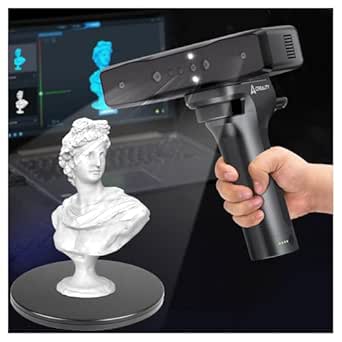 | Best for Outdoor Scanning | Scanner Type: Handheld, wireless | Accuracy: 0.05mm | Scan Rate: 30fps with anti-shake tracking | VIEW ON AMAZON | See Our Full Breakdown |
| Revopoint MIRACO Plus All-in-One 3D Scanner |  | Best Premium All-in-One | Single-point Cloud Accuracy: 0.04 mm | Photogrammetric Length Accuracy: 0.02 mm + 0.05 mm × L(m) | Processor / RAM / Storage: 8-core 2.4 GHz / 32 GB / 256 GB | VIEW ON AMAZON | See Our Full Breakdown |
| Creality Pika Portable 3D Scanner |  | Best Compact Travel Pick | Weight / Dimensions: 260g; 100 x 60 x 35 mm | Scanning Accuracy: 0.03mm (laser mode) | 3D Resolution: 0.1mm | VIEW ON AMAZON | See Our Full Breakdown |
| Revopoint INSPIRE 2 3D Scanner |  | Best for 3D Printing Workflows | Accuracy / Precision: Up to 0.05 mm / up to 0.03 mm | Scanning Modes: Infrared structured light, 11-line infrared laser | Connectivity: WiFi 6.0 with interactive streaming | VIEW ON AMAZON | See Our Full Breakdown |
| 3DMakerpro Fox 3D Scanner |  | Best Budget Learning Platform | Accuracy: Up to 0.07 mm | Scanning Technology: Near-infrared (NIR) | Tracking: Markerless with anti-shake stabilization | VIEW ON AMAZON | See Our Full Breakdown |
| Creality CR-Scan Ferret 3D Scanner |  | Best Portable All-Rounder | Accuracy: 0.1 mm | Resolution: 0.16 mm | Scanning Speed: Up to 30 FPS point cloud capture | VIEW ON AMAZON | See Our Full Breakdown |
| 3DMakerpro Moose Lite Premium Handheld 3D Scanner |  | Best for Fine Detail on a Mid-Range Budget | Precision: 0.05 mm | Scanning Speed: 10 FPS | Compatibility: Android, iOS, Windows, macOS | VIEW ON AMAZON | See Our Full Breakdown |
| Creality CR-Scan Raptor Handheld 3D Scanner |  | Best Premium Precision | Scanning Technology: Dual blue laser and NIR infrared | Accuracy: 0.02 mm | Detail Resolution: 0.1 mm | VIEW ON AMAZON | See Our Full Breakdown |
| Revopoint POP 4 3D Scanner |  | Best for Challenging Materials | Single-Frame Accuracy: Up to 0.03 mm | Scanning Modes: Full-Field HD, Hybrid HD, VCSEL Rapid, 30-Cross Laser, Single-Line Deep Hole | Multi-Line Laser Frame Rate: Up to 105 fps with NVIDIA GPU acceleration | VIEW ON AMAZON | See Our Full Breakdown |
| 3DMakerpro Fox Entry-Level Medium-Format 3D Scanner |  | Best for Beginners | Accuracy: 0.07 mm | Resolution: 0.10 mm | Format: Medium-format handheld | VIEW ON AMAZON | See Our Full Breakdown |
| handheld 3d scanner | Accuracy |
|---|---|
| Revopoint INSPIRE 2 3D Scanner | Up to 0.05 mm |
| Creality CR-Scan Raptor Pro 3D | 0.02mm (volume accuracy 0.02mm + 0.08mm/m) |
| Creality CR-Scan Ferret Pro Wi | 0.1 mm |
| Revopoint MetroX Pro Blue Lase | — |
| Creality Otter Lite Basic 3D S | Up to 0.05 mm |
| Creality Otter Lite Wireless H | 0.05mm |
| Revopoint MIRACO Plus All-in-O | — |
| Creality Pika Portable 3D Scan | — |
| Revopoint INSPIRE 2 3D Scanner | — |
| 3DMakerpro Fox 3D Scanner | Up to 0.07 mm |
| Creality CR-Scan Ferret 3D Sca | 0.1 mm |
| 3DMakerpro Moose Lite Premium | — |
| Creality CR-Scan Raptor Handhe | 0.02 mm |
| Revopoint POP 4 3D Scanner | — |
| 3DMakerpro Fox Entry-Level Med | 0.07 mm |
More Details on Our Top Picks
Revopoint INSPIRE 2 3D Scanner
At just 190 grams, the INSPIRE 2 is the lightest scanner in this lineup by a wide margin, and that changes how you actually use it. Compared with the Creality CR-Scan Raptor Pro at over nine pounds, this model makes long handheld sessions and field work far less fatiguing. The dual infrared structured light and multi-line laser modes give you flexibility between speed and detail, and the ability to scan reflective and dark surfaces without spray saves real setup time. The tradeoff is raw precision: 0.05 mm accuracy is respectable for hobbyist 3D printing but trails the Raptor Pro’s 0.02 mm. Note that Revo Design is sold separately, and outdoor use is limited to shaded or semi-bright conditions despite the 20,000 lux rating.
Pros:- Scans reflective and dark surfaces without scanning spray
- Featherlight 190 g build enables genuinely portable outdoor scanning
- Dual scanning modes plus 1.5x/2x optical zoom for framing flexibility
- Wi-Fi 6 connectivity and bundled tripod, turntable, and markers
Cons:- Revo Design software is a separate purchase
- AI object segmentation works on Windows only
- Outdoor scanning limited to shaded or semi-bright conditions
Best for: Hobbyists and makers who scan on location and want a featherweight kit they can carry anywhere
Not ideal for: Engineers needing measurement-grade precision below 0.05 mm — the Raptor Pro or MetroX Pro are better fits
- Scanning modes:Infrared structured light and multi-line laser
- Accuracy:Up to 0.05 mm
- Precision:Up to 0.03 mm
- Outdoor lighting:Up to 20,000 lux
- Weight:190 g
- Connectivity:Wi-Fi 6.0
- Software:Revo Metro; Revo Design sold separately
Our verdict“A great pick for portable, spray-free scanning on the go, as long as 0.05 mm accuracy meets your needs.”
Creality CR-Scan Raptor Pro 3D Scanner
The Raptor Pro sits at the top of this roundup for one reason: 0.02 mm measurement-grade accuracy at a blistering 660,000 points per second. Its 22 crossed and 7 parallel blue lasers plus NIR infrared let it handle black, metallic, and even transparent surfaces without spray powder — something the lighter Ferret Pro explicitly cannot do. The 5 mm to 4 m object range covers everything from small parts to full-body scans in roughly two minutes, and the 24-bit RGB camera captures usable textures. The honest tradeoff is hardware: this scanner wants a 32 GB RAM Windows machine with an 8 GB VRAM GPU, and at over nine pounds it is a bench tool, not a carry-anywhere device like the INSPIRE 2.
Pros:- Measurement-grade 0.02 mm accuracy at up to 660,000 points/sec
- Handles black, metallic, and transparent materials without spray
- Enormous 5 mm to 4 m object range with 2-minute full-body scanning
- Wireless, outdoor-capable, and exports to Geomagic, SolidWorks, ZBrush, and more
Cons:- Steep Windows system requirements (i7 Gen 10, 32 GB RAM, 8 GB VRAM)
- Heavy at over 9 pounds — impractical for extended handheld sessions
Best for: Professionals and serious makers doing reverse engineering or inspection who need industrial-grade accuracy and can supply a powerful PC
Not ideal for: Casual users with modest laptops — the system requirements alone will bottleneck performance
- Accuracy:0.02mm (volume accuracy 0.02mm + 0.08mm/m)
- Lasers:22 crossed + 7 parallel blue lasers + NIR infrared
- Scan speed:Up to 660,000 points/sec; 60fps laser / 30fps infrared
- Object size range:5mm to 4000mm
- Color capture:24-bit RGB camera
- Weight:9.06 lbs
- Compatibility:Windows 10/11, macOS (M1–M4), Android 10+
Our verdict“If accuracy and material versatility matter more than portability or budget, this is the scanner to beat.”
Creality CR-Scan Ferret Pro Wireless Handheld 3D Scanner
The Ferret Pro earns the beginner slot by removing the two things that frustrate new users most: cables and shaky scans. Wi-Fi 6 wireless operation works across iOS, Android, Windows, and macOS, so you can start scanning from a phone you already own, and anti-shake tracking forgives the unsteady hand movements novices inevitably make. Its 30 FPS full-color capture keeps feedback instant, which builds confidence during a scan. Compared with the Otter Lite, the Ferret Pro is more forgiving to learn on, but its 0.1 mm accuracy and 0.16 mm resolution sit below every other scanner here. It also struggles with highly reflective, transparent, or very dark surfaces — the Raptor Pro handles those without breaking a sweat.
Pros:- Anti-shake tracking dramatically improves success rates for new users
- True wireless Wi-Fi 6 scanning across phones, tablets, and computers
- Full-color 30 FPS capture with instant visual feedback
- Exports OBJ, STL, and PLY for direct 3D printing workflows
Cons:- Cannot handle highly reflective, transparent, or extremely dark surfaces
- Requires reasonably capable hardware even in wireless mode
- 0.1 mm accuracy trails most competitors in this lineup
Best for: First-time scanner owners and 3D printing hobbyists who value an easy wireless workflow over fine detail
Not ideal for: Anyone scanning shiny, transparent, or very dark objects, or needing tighter than 0.1 mm accuracy
- Accuracy:0.1 mm
- Resolution:0.16 mm
- Scanning speed:30 FPS
- Connectivity:WiFi 6, USB
- Outdoor ambient light:Up to 30,000 lux
- Export formats:OBJ, STL, PLY
- Compatibility:iOS, Android, Windows, macOS
Our verdict“The friendliest entry point into handheld 3D scanning, provided your subjects are forgiving materials.”
Revopoint MetroX Pro Blue Laser 3D Scanner
This option stands out for sheer data density: up to 7 million points per second in full-field structured light mode, with single-frame precision reaching 0.01 mm — the tightest numbers in this roundup. Where the Raptor Pro emphasizes versatility across huge objects, the MetroX Pro doubles down on small-to-medium part fidelity, pairing a 30-line cross laser mode with an automated dual-axis turntable for repeatable, hands-off capture. Full-color textures and three tracking modes (feature, marker, and global marker) round out a genuinely professional toolkit. The tradeoffs are real though: Revo Design and Revo Measure are sold separately, both run on Windows only, and at nearly 15 pounds this is a stationary workstation setup rather than something you carry into the field like the INSPIRE 2.
Pros:- Class-leading 0.01 mm single-frame precision with 7M points/sec capture
- Automated dual-axis turntable enables hands-off repeatable scans
- Scans shiny and dark surfaces without spray in specified modes
- Feature, marker, and global marker tracking plus full-color capture
Cons:- Revo Design and Revo Measure software sold separately
- Professional software tools support Windows only
- Heavy, workstation-oriented package at nearly 15 pounds
Best for: Industrial designers and metrology-focused users capturing precision parts with a turntable workflow
Not ideal for: Mac users and anyone wanting a portable kit — key software is Windows-only and the setup weighs almost 15 pounds
- Scanning technology:Blue laser and structured light
- Single-frame precision:Up to 0.01 mm
- Single-frame accuracy:Up to 0.02 mm
- Scanning modes:30 cross-line lasers, 15 parallel lines, 62-line full-field structured light, auto turntable
- Maximum scan rate:Up to 7,000,000 points/second
- Camera:HD RGB camera
- Weight:14.82 lbs
Our verdict“The most precise scanner here for detail-critical industrial work — if you run Windows and don’t need portability.”
Creality Otter Lite Basic 3D Scanner
The Otter Lite Basic makes this list because it covers the widest practical range for the least complexity. Its four-camera design — dual long-focal and dual short-focal lenses — handles objects from 0.8 to 78 inches, meaning one device covers figurines, engine parts, and full-body scans, while a Class I invisible near-infrared laser keeps it safe for faces. Compared with the Ferret Pro, it matches the 30 FPS speed and adds spray-free scanning of dark and metallic surfaces, which the Ferret Pro can’t manage. It also beats the Ferret Pro on accuracy at 0.05 mm, though it still trails the Raptor Pro by a wide margin. Be aware the Scan Bridge handle is a separate purchase, and it lacks the wireless freedom of Creality’s higher models.
Pros:- Huge 0.8 to 78 inch object range from a single four-camera setup
- Scans dark and metallic surfaces without spray
- 24-bit full-color textures with built-in RGB camera and LED fill lights
- Marker, geometry, and texture alignment with six export formats including FBX
Cons:- Optional Scan Bridge handle sold separately
- No built-in wireless scanning in the Basic configuration
- 0.05 mm accuracy insufficient for precision metrology work
Best for: Budget-conscious makers who want one scanner covering everything from miniatures to full-body capture
Not ideal for: Users prioritizing wireless mobile scanning or sub-0.05 mm precision for engineering work
- Accuracy:Up to 0.05 mm
- Scanning speed:Up to 30 fps
- Camera design:Four cameras: dual long-focal and dual short-focal lenses
- Object size range:0.8 to 78 inches
- Color capture:24-bit full-color texture
- Outdoor illumination:Up to 30,000 lux
- Alignment modes:Marker, geometry, and texture
- Export formats:PLY, OBJ, STL, ASC, 3MF, GLTF, FBX
Our verdict“The smartest pick for versatile, spray-free scanning across many object sizes without paying professional prices.”
Creality Otter Lite Wireless Handheld 3D Scanner
This model stands out for its 30,000 lux light tolerance, which means you can scan in bright daylight rather than retreating to a dim studio — a capability most handhelds in this price band can’t match. The 0.05mm accuracy and flexible 20mm³ to 2000mm³ object range make it a sensible middle ground between the compact Creality Pika and the pricier Revopoint MIRACO Plus. Compared with the 3DMakerpro Fox, its anti-shake tracking at 30fps makes handheld capture far more forgiving for beginners. The tradeoff is the Lite Bridge battery handle: wireless freedom comes at the cost of runtime, and the software leans on your computer’s horsepower more than the marketing suggests.
Pros:- 0.05mm accuracy handles both tiny screws and large automotive parts
- Wireless Wi-Fi operation with live monitoring from the Creality Scan app
- Works in bright outdoor lighting up to 30,000 lux
- Ships with calibration tools and a portable carrying case
Cons:- Lite Bridge battery handle limits wireless runtime
- Smooth software performance depends on a reasonably powerful computer
Best for: Hobbyists and makers who scan large objects like car parts or furniture outdoors and want wireless smartphone control
Not ideal for: Buyers planning marathon scanning sessions — the battery handle limits runtime, and weaker PCs may struggle with smooth software performance
- Scanner Type:Handheld, wireless
- Accuracy:0.05mm
- Scan Rate:30fps with anti-shake tracking
- Object Size Range:20mm³ to 2000mm³
- Light Technology:Infrared structured light with DOE and dual LED fill lights
- Max Ambient Lighting:30,000 lux
- Compatibility:Windows, macOS
- Export Formats:OBJ, STL, PLY
Our verdict“A strong pick if daylight scanning of medium-to-large objects matters more to you than all-day battery life.”
Revopoint MIRACO Plus All-in-One 3D Scanner
The MIRACO Plus is the only scanner in this lineup that doesn’t need a computer at all — its 8-core processor, 32GB of RAM, and 6-inch flip display mean capture, processing, and export happen on the device itself. That sets it apart from the wireless-but-phone-or-PC-dependent Creality Otter Lite and Pika. Its photogrammetric metrology mode, backed by included carbon fiber scale bars and coded targets, pushes accuracy to 0.02mm + 0.05mm × L(m) over distance — dimensional measurement territory the INSPIRE 2 simply can’t reach. The catches are real, though: Revo Design software costs extra, the two-hour battery caps field sessions, and x86_64-only software limits OS flexibility.
Pros:- Fully standalone operation with onboard processing and a flip AMOLED display
- Dual near/far modes cover small detailed parts and large objects
- 48MP color camera captures vivid textures for presentation-ready models
- Photogrammetric kit with scale bars and coded targets enables measurement-grade accuracy
Cons:- Revo Design software is a separate purchase
- Battery life tops out at two hours
- Software runs only on x86_64 architecture
Best for: Professionals and serious metrology users who need standalone operation and photogrammetric accuracy for measurement-grade work
Not ideal for: Casual hobbyists or Mac-only ARM users — the price of the ecosystem and the x86_64 software requirement outweigh the metrology features they’ll never use
- Single-point Cloud Accuracy:0.04 mm
- Photogrammetric Length Accuracy:0.02 mm + 0.05 mm × L(m)
- Processor / RAM / Storage:8-core 2.4 GHz / 32 GB / 256 GB
- RGB Camera:48 MP
- Display:6-inch 2K AMOLED, 180° flip
- Continuous Capture:Up to 20 fps
- Battery Life:Up to 2 hours; 65W fast charge to 80% in 35 minutes
- Export Formats:PLY, OBJ, STL, ASC, 3MF, GLTF, FBX
Our verdict“The closest thing to a portable scanning workstation, best for buyers who need metrology-grade results without hauling a laptop.”
Creality Pika Portable 3D Scanner
At 260g and pocket-sized, the Pika is the most portable scanner here — noticeably lighter than the 750g MIRACO Plus and even the svelte 190g INSPIRE 2 once you factor in its built-in 3-inch touchscreen and dual swappable batteries. Its dual-mode design is the real draw: 7-line blue laser for 0.03mm fine detail, NIR structured light for full-body color capture, effectively replacing two devices. Unlike the Otter Lite, it scans black and metallic surfaces without spray. The compromises: marker-free scanning requires wired PC mode, full-body results rely partly on AI-generated geometry rather than pure capture, and the headline accuracy only applies in laser mode.
Pros:- True pocket portability at 260g with built-in touchscreen and swappable batteries
- Dual modes cover both 0.03mm fine detail and full-body color scans
- AI hole filling, body completion, and retexturing cut post-processing time
- Handles black and metallic surfaces without scanning spray
Cons:- Marker-free scanning is limited to wired PC mode
- Full-body results depend on AI generation and may not match true scan accuracy
Best for: Traveling makers and content creators who want one pocketable device for everything from jewelry-scale detail to people
Not ideal for: Purists who need every surface genuinely scanned rather than AI-completed, and anyone wanting marker-free scanning untethered from a PC
- Weight / Dimensions:260g; 100 x 60 x 35 mm
- Scanning Accuracy:0.03mm (laser mode)
- 3D Resolution:0.1mm
- Scanning Speed:110 FPS
- Scan Range:10x10x10mm to 2000x2000x2000mm
- Display:3-inch HD touchscreen (500 nit)
- Outdoor Use:Up to 110,000 lux
- Compatibility:Windows, macOS, iOS, Android
Our verdict“The best choice if portability and versatility in one tiny package matter more than guaranteed scan fidelity on every surface.”
Revopoint INSPIRE 2 3D Scanner
The INSPIRE 2 is built squarely around the scan-to-print pipeline: 11 infrared laser lines, up to 0.03mm precision, and spray-free capture of reflective and dark surfaces mean filament-friendly fillets, threads, and brackets come out clean. At 190g in aerospace-grade aluminum, it undercuts the Pika on weight while adding 1.5x and 2x optical zoom for framing small features — something the Creality Otter Lite lacks entirely. The included accessory bundle (tripod, markers, mini turntable, calibration board, outdoor filters) means fewer add-on purchases than the 3DMakerpro Fox. But Revo Design is sold separately and Windows-only, and its 20,000 lux outdoor ceiling falls short of the Otter Lite’s and Pika’s sun tolerance.
Pros:- Spray-free scanning of reflective and dark surfaces
- Up to 0.03mm precision with 1.5x/2x optical zoom for small features
- Featherweight 190g aluminum build suited to field work
- Generous accessory bundle including turntable, markers, and outdoor filters
Cons:- Revo Design software costs extra and runs on Windows only
- Outdoor tolerance of 20,000 lux trails the Creality competition
Best for: 3D printing enthusiasts and reverse-engineering tinkerers who want a light, accurate scanner with a complete accessory kit out of the box
Not ideal for: Mac users who need Revopoint’s design software, or anyone scanning in full direct sunlight — it prefers shade or semi-bright conditions
- Accuracy / Precision:Up to 0.05 mm / up to 0.03 mm
- Scanning Modes:Infrared structured light, 11-line infrared laser
- Connectivity:WiFi 6.0 with interactive streaming
- Weight:190 g, aerospace-grade aluminum
- Optical Zoom:1.5x, 2x magnification
- Outdoor Lighting Tolerance:Up to 20,000 lux
- Software:Revo Metro included; Revo Design sold separately (Windows only)
Our verdict“The most printer-obsessed scanner in this group — ideal if your scans end up on a build plate rather than in a report.”
3DMakerpro Fox 3D Scanner
The Fox earns its place as the entry ticket to real scanning skills. Its markerless tracking spares you the tedium of applying target dots — a genuine quality-of-life win over marker-dependent workflows like the INSPIRE 2’s — and its near-infrared light is safe for face and body scanning. Covering 40–1,200mm objects, it sits between the tiny-object specialists and the large-format Creality Otter Lite. But honesty is required here: 0.07mm accuracy trails every other scanner in this batch, and successful prints demand mesh cleanup and slicing know-how. Factor in the recommended dedicated GPU and the total cost of ownership creeps up. It’s a classroom, not a shortcut.
Pros:- Markerless tracking eliminates the need for target dots
- Eye-safe near-infrared scanning supports faces and bodies
- Anti-shake technology compensates for minor hand movement
- Exports to OBJ, STL, PLY, and ASC with turntable included
Cons:- 0.07mm accuracy trails the rest of this lineup
- Noticeable learning curve; successful prints require mesh-refinement skills
- A capable PC with a dedicated GPU is strongly recommended
Best for: Patient beginners and students who want to learn scanning and mesh-editing fundamentals on a markerless device
Not ideal for: Anyone wanting polished results quickly — the learning curve, softer accuracy, and PC demands make it a poor fit for deadline-driven work
- Accuracy:Up to 0.07 mm
- Scanning Technology:Near-infrared (NIR)
- Tracking:Markerless with anti-shake stabilization
- Object Size Range:40–1,200 mm
- Working Distance:150–400 mm
- Export Formats:OBJ, STL, PLY, ASC
- Included Accessories:65W charger, data cable, manual turntable
- Warranty:1 year
Our verdict“Choose this if you see the learning process as part of the value; skip it if you need turnkey precision from day one.”
Creality CR-Scan Ferret 3D Scanner
The CR-Scan Ferret earns its spot by making genuinely capable scanning something you can toss in a backpack. Its dual-mode design means one device covers both ends of the size spectrum: wide-range mode captures areas up to 560 x 820 mm per pass, while high-accuracy mode tightens down to 0.1 mm precision for smaller, detailed objects. That flexibility is where it beats the 3DMakerpro Fox, which stays firmly in medium-format territory.
The tradeoff is honest, though. Compared with the Creality CR-Scan Raptor, the Ferret gives up raw accuracy — 0.1 mm versus 0.02 mm — and its mobile scanning is Android-only on the base model, which will frustrate iPhone owners. Still, for scan-on-location work powered by nothing more than a 5V power bank, nothing else in this lineup matches its portability-to-performance ratio.
Pros:- Dual-mode scanning covers both large objects and fine detail
- ASIC chip delivers smooth 30 FPS point cloud capture
- Full-color RGB texture capture for realistic models
- Runs off a power bank or Android phone for true portability
Cons:- Base model mobile scanning is Android-only, not iOS
- Demands fairly modern computer hardware (recent CPU, 8GB RAM)
Best for: Hobbyists and field workers who need to scan medium-to-large objects on location without hauling a laptop
Not ideal for: iPhone-first users or professionals who need sub-0.05mm precision for reverse engineering
- Accuracy:0.1 mm
- Resolution:0.16 mm
- Scanning Speed:Up to 30 FPS point cloud capture
- Scan Coverage (Wide-Range Mode):560 x 820 mm
- Color Capture:Full-color RGB camera
- Power:5V power bank or compatible Android devices
- Windows Requirements:i5 8th Gen+, Win 10/11 (64-bit), 8GB RAM
- Mobile Compatibility:Android 10+ (8GB RAM, Wi-Fi 6); iOS iPhone 11+
Our verdict“A smart buy for anyone prioritizing portable, full-color scanning of varied object sizes over cutting-edge accuracy.”
3DMakerpro Moose Lite Premium Handheld 3D Scanner
The Moose Lite Premium sits in a sweet spot: it delivers 0.05 mm precision — double the accuracy of the Creality Ferret — while keeping the workflow friendly through marker-free scanning and AI visual tracking. Optical anti-shake means handheld wobble doesn’t immediately ruin a pass, which is a real quality-of-life feature the Ferret can’t match at this level.
Its limitation is scope. At 10 FPS it scans slower than the Ferret’s 30 FPS, and it’s built around medium-sized objects, not the furniture-scale captures wide-range scanners handle. Cross-platform support across Android, iOS, Windows, and macOS is a genuine advantage over the Ferret’s Android-only base mobile support. If your work centers on parts, figurines, and mechanical components rather than large surfaces, this model makes more sense than paying extra for range you won’t use.
Pros:- 0.05 mm precision captures fine surface detail
- Marker-free scanning with AI visual tracking and optical anti-shake
- Works across Android, iOS, Windows, and macOS
- JMStudio software with lifetime free OTA updates
Cons:- 10 FPS scanning is slow compared with laser-based rivals
- Best suited to medium-sized objects, not large items
Best for: Makers and small-workflow professionals scanning medium parts who want high precision without a premium price
Not ideal for: Anyone scanning large objects or needing fast throughput for high-volume work
- Precision:0.05 mm
- Scanning Speed:10 FPS
- Compatibility:Android, iOS, Windows, macOS
- Software:JMStudio with lifetime OTA updates
- Tracking:AI visual tracking with optical anti-shake
- Item Weight:3.65 pounds
Our verdict“The right pick if detail matters more than speed or scan volume, and you want cross-platform flexibility.”
Creality CR-Scan Raptor Handheld 3D Scanner
The CR-Scan Raptor is the accuracy leader of this batch, pairing blue laser and NIR infrared scanning to hit 0.02 mm accuracy across an object range from tiny 5 mm parts up to 2-meter components. Where the Revopoint POP 4 reaches 0.03 mm single-frame accuracy, the Raptor edges ahead while also adding 24-bit color capture and 12 built-in LED texture lights, so you get dimensional and visual fidelity in one pass.
That capability comes at a cost beyond the price tag. Recommended specs call for an i7 CPU and an NVIDIA GPU with 6GB VRAM, and Android support is gated to Snapdragon 888+ phones with Wi-Fi 6 — far stricter than the Ferret’s requirements. NIR mode also drops to 20 FPS versus the blue laser’s 60 FPS. This is a tool that assumes you already have (or will buy) serious hardware to feed it.
Pros:- Class-leading 0.02 mm accuracy with 0.1 mm detail resolution
- Handles objects from 5 mm to 2 meters in size
- Fast 60 fps blue laser scanning with anti-shake autofocus
- 24-bit full-color capture with dual-mode LED lighting
Cons:- Needs a powerful Windows or macOS machine for best results
- Android support requires Snapdragon 888+, 8GB RAM, and Wi-Fi 6
- NIR mode is slower at up to 20 fps
Best for: Reverse engineers, designers, and 3D printing professionals who need maximum accuracy and already run a capable workstation
Not ideal for: Casual users or anyone with an older laptop — the hardware demands will bottleneck performance immediately
- Scanning Technology:Dual blue laser and NIR infrared
- Accuracy:0.02 mm
- Detail Resolution:0.1 mm
- Scan Speed:Up to 60 fps (blue laser); 20 fps (NIR)
- Object Size Range:5 x 5 x 5 mm to 2000 x 2000 x 2000 mm
- Color Capture:24-bit full-color with 12 LED lights
- Software:CrealityScan
- Operating Systems:Windows, macOS (Android app with strict requirements)
Our verdict“The most precise scanner here, provided your computer and workflow can keep up with it.”
Revopoint POP 4 3D Scanner
What separates the POP 4 from everything else here is sheer versatility. Five scanning modes — full-field structured light, hybrid, VCSEL rapid, and multi-line laser — let it adapt to dark, reflective, and outdoor surfaces that stump single-technology scanners. With resistance up to 100,000 lux and an included outdoor filter, it goes where the Creality Raptor (a mostly indoor tool) can’t. The 5500mAh battery grip and WiFi 6 connectivity make truly wireless sessions practical for up to four hours.
The compromises are in the fine print. Hitting the headline 105 fps multi-line laser rate requires NVIDIA GPU acceleration, AI object segmentation is Windows-only, and Revo Design and Revo Measure are paid add-ons — so the software bill can quietly grow. Compared with the Moose Lite’s all-inclusive JMStudio, that’s a real cost-of-ownership difference. Still, for mixed-material and outdoor work, nothing else in this lineup is as adaptable.
Pros:- Five scanning modes handle small, large, dark, and reflective objects
- Single-frame accuracy up to 0.03 mm with 5,000,000 points/s structured light capture
- Outdoor-capable with up to 100,000 lux ambient light resistance
- Wireless scanning with WiFi 6 and 4-hour battery grip
Cons:- Peak 105 fps performance requires NVIDIA GPU acceleration
- Revo Design and Revo Measure sold separately
- AI object segmentation limited to Windows
Best for: Users scanning dark, reflective, or outdoor objects who need mode flexibility and true wireless operation
Not ideal for: Buyers wanting an all-inclusive software package or those without an NVIDIA GPU for maximum frame rates
- Single-Frame Accuracy:Up to 0.03 mm
- Scanning Modes:Full-Field HD, Hybrid HD, VCSEL Rapid, 30-Cross Laser, Single-Line Deep Hole
- Multi-Line Laser Frame Rate:Up to 105 fps with NVIDIA GPU acceleration
- Point Rate:Up to 5,000,000 points/s (structured light)
- Scan Volume:10 x 10 x 10 mm to 2 x 2 x 2 m
- Ambient Light Resistance:Up to 100,000 lux (VCSEL and outdoor filter)
- Connectivity:WiFi 6.0
- Battery:5500mAh grip, up to 4 hours
- Software:Revo Scan 6 (Design and Measure sold separately)
Our verdict“The most adaptable scanner in this batch for tricky surfaces and outdoor work, as long as you budget for the paid software extras.”
3DMakerpro Fox Entry-Level Medium-Format 3D Scanner
The Fox is the easiest entry point into handheld scanning in this lineup. Its markerless AI visual tracking relocks onto your subject if you move too fast — the single most common way beginners ruin a scan — and the bundled JMStudio software handles scanning, editing, and optimization in one place rather than forcing you to stitch together a toolchain. Its sibling, the Moose Lite Premium, doubles its precision at 0.05 mm, so the Fox concedes accuracy for a friendlier, more forgiving package.
At 0.07 mm accuracy and 0.10 mm resolution, results are solid for hobby printing and basic modeling, but this is not a metrology instrument, and professional inspection work will expose its ceiling. Results also still depend on user technique — anti-shake AI helps, but it doesn’t replace a steady hand. For a first scanner that won’t overwhelm you, it’s the most sensible starting point here.
Pros:- 0.07 mm accuracy is strong for an entry-level scanner
- AI tracking recovers quickly when scanning goes off-track
- All-in-one JMStudio software covers scan-to-edit workflow
- Markerless operation removes a common beginner stumbling block
Cons:- Entry-level ceiling limits professional applications
- Output quality still depends heavily on user technique
Best for: Beginners and hobbyists wanting a low-friction first scanner for 3D printing and casual modeling
Not ideal for: Professionals doing measurement or quality inspection who need tighter than 0.07 mm accuracy
- Accuracy:0.07 mm
- Resolution:0.10 mm
- Format:Medium-format handheld
- Tracking:Markerless AI visual tracking with relock
- Included Software:JMStudio
- Typical Workflows:3D printing, modeling, measurement, quality inspection
Our verdict“The least intimidating way into handheld 3D scanning, ideal for hobbyists who value guided simplicity over maximum precision.”
How We Picked
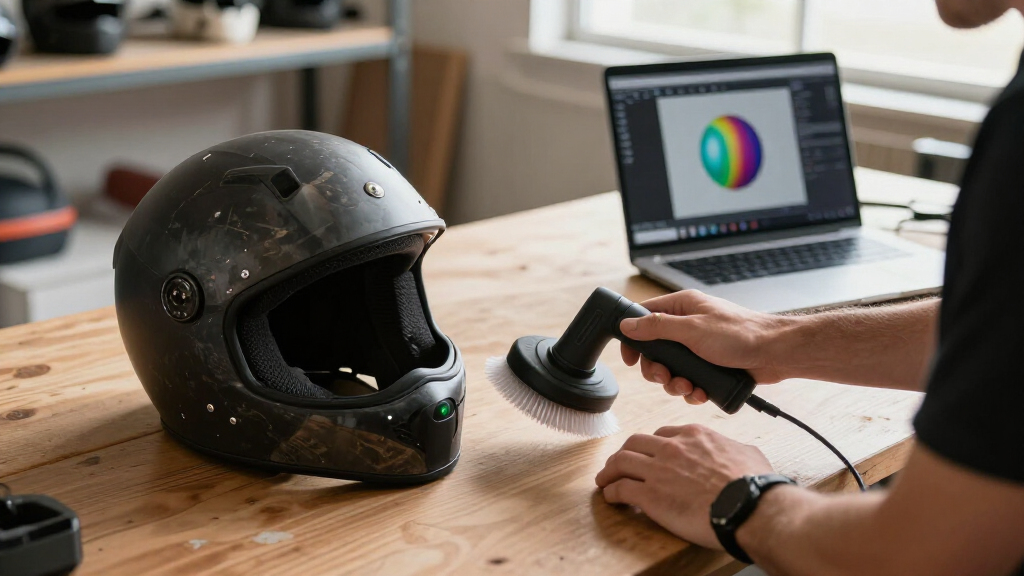
My ranking is built around what actually determines scan quality in real use: single-frame accuracy, frame rate, tracking stability, scan volume range, and surface compatibility. A scanner rated to 0.03mm means little if it loses tracking the moment your hand moves quickly, so I weighted capture speed and hybrid light sources heavily — dual-mode blue laser plus structured light systems consistently handled more material types than single-technology units. I also evaluated software and workflow, since a frustrating reconstruction pipeline ruins good hardware, and connectivity options (PC tether, phone pairing, standalone screens) that shape where and how you can actually scan.
The ordering reflects a simple logic: professional-capable hybrid scanners sit at the top, versatile mid-range options fill the middle, and affordable beginner-friendly models rank lower not because they are bad, but because their accuracy ceilings and slower frame rates limit serious reverse-engineering work. Where two models from the same family compete, I favored the version with a clearer use case and better long-term value rather than spec-sheet padding.
Factors to Consider When Choosing Handheld 3d Scanners
Before settling on a specific model, it helps to understand the broader forces that shape handheld scanning performance and cost. These are the factors that separate a satisfying purchase from an expensive paperweight.Light Source Technology Determines What You Can Scan
The single most consequential choice is between infrared structured light, blue LED structured light, and blue laser systems. Infrared scanners like the Ferret line are gentle, affordable, and work well on people and matte objects, but they struggle badly with black, shiny, or translucent surfaces. Blue light offers tighter precision and better behavior on moderately reflective materials, while hybrid laser-plus-light systems like the Raptor Pro and MetroX Pro handle machined metal and dark composites that defeat cheaper units. A common mistake is buying an IR-only scanner for automotive or engineering work and discovering you need spray coating for nearly every part. Match the light source to your actual objects before comparing anything else.
Accuracy Ratings Only Tell Part of the Story
Manufacturers quote accuracy figures like 0.1mm or 0.05mm, but these numbers describe single-frame precision under ideal conditions, not the final mesh you will get after stitching thousands of frames together. Tracking stability matters just as much: a scanner that drifts or loses alignment mid-scan produces a final model far less accurate than its spec sheet suggests. Frame rate is the hidden variable here — 10 FPS units demand slow, steady sweeping, while 30 FPS and above tolerate natural hand movement. Volume coverage matters too, since scanning a car body with a small-format scanner means hours of stitching and accumulated error. Read the accuracy number as a floor, not a promise, and prioritize models with strong tracking algorithms.
Connectivity Shapes Your Entire Workflow
Handheld scanners connect three ways: tethered to a PC, paired wirelessly to a phone or tablet, or fully standalone with a built-in screen. Tethered scanning gives you the most processing power and the largest display for checking alignment, but it tethers you to a desk even though the scanner itself is portable. Wireless phone-based scanning is genuinely freeing for fieldwork, yet small screens make it hard to spot tracking errors until you finish. Standalone units like the MIRACO Plus eliminate the computer entirely, which is excellent for on-site capture but means post-processing still happens elsewhere. Honest assessment of where you will scan — workshop, client sites, outdoors — should drive this decision more than it typically does.
Software Can Make or Break the Hardware
Even excellent optics fail when the accompanying software crashes, exports messy meshes, or locks features behind subscriptions. Before buying, check whether the manufacturer’s software supports your operating system — macOS and iOS support remain inconsistent across this category, with Revopoint and 3DMakerpro generally offering broader compatibility than budget tiers. Look for mesh editing, texture mapping, one-click model optimization, and export to formats your downstream tools accept (STL, OBJ, PLY). Also verify whether registration requires an internet connection or paid cloud plan, which frustrates offline users. A slightly weaker scanner with polished software often outperforms a stronger one fighting its own application.
Scan Volume and Object Size Matching
Every scanner has a sweet-spot working distance and single-frame capture area, and mismatching these to your objects is a classic beginner error. Small-format scanners excel at coins, jewelry, and mechanical components but become tedious for furniture or vehicle panels — you pay in time and accumulated stitching error. Larger working ranges cover big objects faster but sacrifice fine detail on small features. Some models, like the MetroX Pro, offer multiple scan modes precisely to bridge this gap. If your projects span both tiny parts and large objects, a hybrid or multi-mode scanner costs more upfront but avoids buying two devices later.
When Paying More Actually Pays Off
The jump from entry-level to mid-range buys the most meaningful upgrades in this category: faster frame rates, blue laser capability, and better tracking — all of which directly reduce failed scans. The jump from mid-range to professional mostly buys precision headroom and scan volume that only matters for engineering, inspection, or commercial work. Hobbyists making figurines or 3D-printing replicas rarely need 0.02mm-class accuracy, and paying for it wastes budget that might go toward a turntable, lighting, or spray kit. A practical rule: buy the cheapest model that handles your most difficult material and largest object, then stop. Avoid paying for professional tolerance you will never verify.
Frequently Asked Questions
Can a handheld 3D scanner work on dark, shiny, or metallic objects?
This depends almost entirely on the light source. Infrared structured-light scanners — including most entry-level Ferret and Otter models — tend to fail on black, glossy, or metallic surfaces because the reflections confuse the sensor. Blue laser systems like the Raptor Pro and MetroX Pro handle these materials far better and can often scan car panels or machined parts without treatment. If your scanner is IR-based, a light dusting of matting spray or developer spray solves most problems but adds cleanup time and cost per scan. Buyers who regularly scan metal should treat blue laser capability as non-negotiable rather than optional, since workarounds get expensive fast at volume.
Do I need a powerful computer to use a handheld 3D scanner?
Usually yes for tethered models, because real-time reconstruction is processor-intensive and a weak laptop produces lag that causes tracking loss. Most manufacturers publish minimum specs — typically a recent quad-core processor, dedicated graphics, and 16GB of RAM — and hitting only the bare minimum often means choppy previews. The alternatives are phone or tablet-based wireless scanning, which shifts processing to a mobile chip and works adequately for casual use, or standalone units like the MIRACO Plus that carry their own processing and screen. If your only computer is an old office laptop, factor a hardware upgrade into the total cost of a tethered scanner, or choose a wireless/standalone route instead.
Is a wireless handheld scanner better than a wired one?
Wireless is more convenient but not automatically better. Cutting the cable lets you circle large objects freely and scan in locations without a computer, which matters for fieldwork, automotive, and outdoor capture. The tradeoffs are battery management, potential latency between capture and preview, and doing your quality checks on a small phone screen where misalignment is easy to miss until the scan is done. Wired scanning keeps a full-size display in front of you for real-time error spotting, which beginners benefit from enormously. My suggestion: choose wireless if portability drives your use case, and wired if scan quality and learning speed matter more than freedom of movement.
How accurate do handheld scanners need to be for 3D printing replicas?
For most hobby replication — figurines, decorative objects, 3D-printed replacement parts — accuracy of 0.1mm is generally plenty, because typical desktop 3D printers cannot reproduce detail finer than about 0.2–0.3mm anyway. Scanning at 0.05mm or better mainly benefits reverse engineering, dimensional inspection, and parts that must mate with existing components, where a fraction of a millimeter decides fit. Overspending on precision your printer cannot express is one of the most common wasted-budget patterns I see in this category. That said, higher-accuracy scanners often also deliver cleaner surface texture and fewer artifacts, so the benefit shows up as less manual mesh cleanup rather than raw dimensional accuracy.
What is the difference between Creality’s Raptor, Raptor Pro, and the Ferret line?
The Ferret line is Creality’s compact, affordable tier built around infrared structured light — good for people, matte objects, and casual hobby use, with the Ferret Pro adding wireless operation and improved accuracy. The Raptor sits above it with blue laser capability aimed at harder surfaces and more demanding projects, while the Raptor Pro extends that with a larger scan range and refined precision suitable for professional reverse engineering. In practical terms, the tiers map to material difficulty and object size rather than marketing tiers: Ferret for easy surfaces, Raptor for metal and dark objects, Raptor Pro when large parts or tighter tolerances enter the picture. Choosing between them is really a question of what you scan, not how experienced you are.
Conclusion
After comparing all 15 models, the right choice comes down to your materials, your objects, and your workspace. Best overall goes to the Creality CR-Scan Raptor Pro for its hybrid laser and structured light flexibility, strong tracking, and ability to handle both small parts and large surfaces — the widest usefulness in the lineup. Best premium is the Revopoint MetroX Pro, whose blue laser precision suits serious engineering and inspection work where the Raptor Pro’s tolerance is not quite tight enough. Best value belongs to the Revopoint POP 4, which balances accuracy, speed, and price better than anything in the middle of the field. Best for beginners is the Revopoint INSPIRE 2, thanks to forgiving software and gentle operation, while the 3DMakerpro Moose Lite suits budget-conscious first-timers who want broad device compatibility. For specific needs: the MIRACO Plus for standalone on-site scanning, the Ferret Pro for wireless fieldwork on a budget, the Otter Lite Wireless for casual mobile capture, and the Pika or 3DMakerpro Fox for compact scanning of small detailed objects. Buy for your hardest object, not your average one, and you will not outgrow the scanner in six months.
Fall Picks
fall essentials
As an affiliate, we earn on qualifying purchases.