
TL;DR

Get the latest gadgets delivered free with Prime
- Fast, free delivery on millions of items
- Prime Video, Amazon Music and more included
- Member-only deals all year
Building your own AI workstation used to be cheaper, but shortages and rising component costs tilt the balance. Buying prebuilt offers validated thermals, support, and quick deployment—especially for complex, multi-GPU setups. The smartest choice now often combines both approaches.
Getting into AI now feels like trying to navigate a maze of choices. Do you build your own workstation, or buy a ready-made one? The old rule—build cheaper, buy faster—no longer holds. Supply chain issues and skyrocketing component prices have flipped the script. Now, it’s about control, speed, and customizing your setup to match your workload.
If you’re serious about AI—training models, running inference, or exploring creative workflows—your decision shapes your entire project. In this article, I’ll break down when building makes sense, when buying hits the mark, and how hybrid approaches are changing the game.
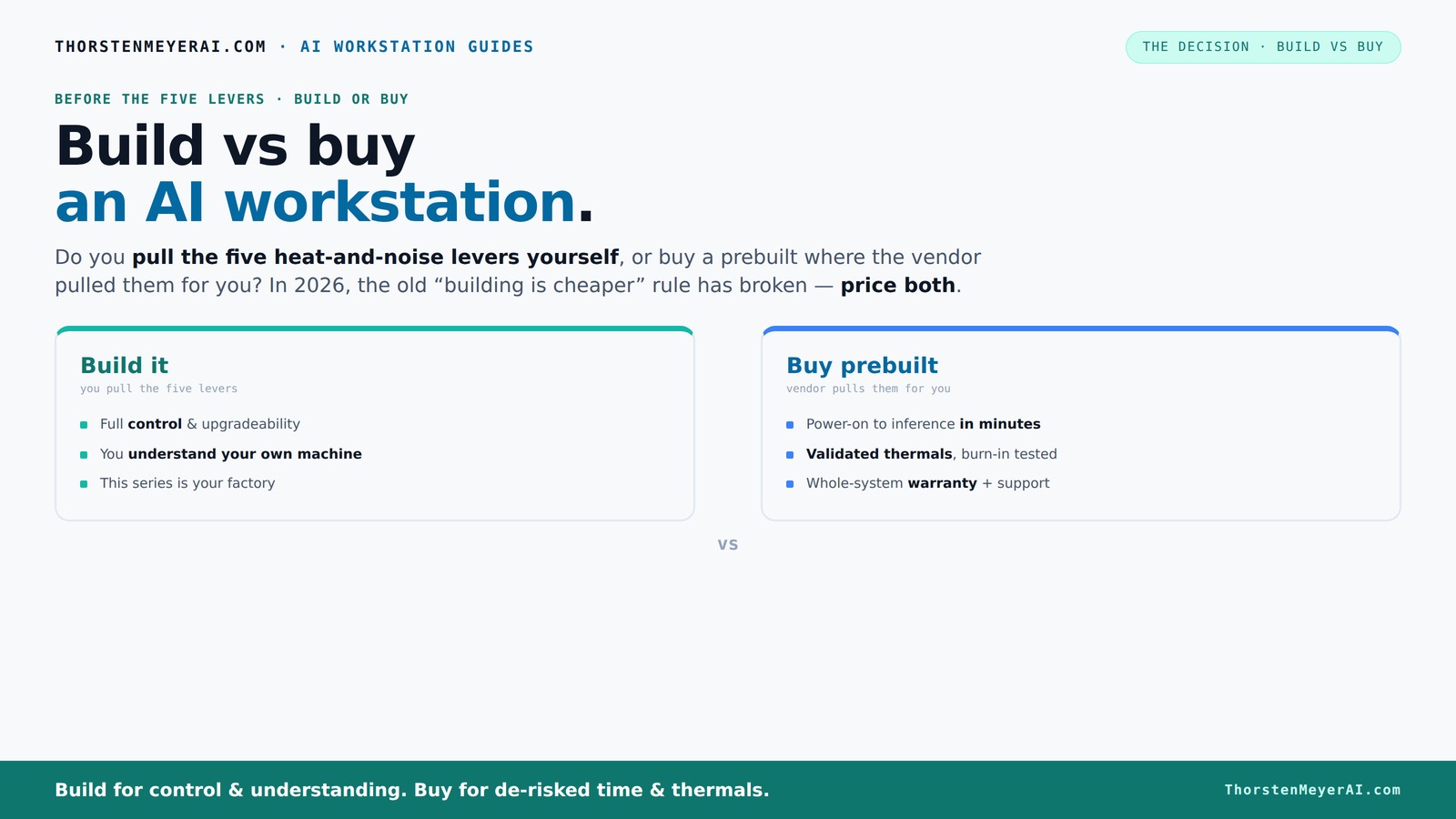
Build vs buy
an AI workstation.
The real question behind this whole series: do you pull the five heat-and-noise levers yourself, or buy a prebuilt where the vendor pulled them for you? And in 2026, the old “building is cheaper” rule has broken. Match your situation in Part 3.
Key Takeaways
- Component shortages and rising prices make building an AI workstation more expensive in 2026—don't assume DIY is cheaper anymore.
- Prebuilt systems save time, reduce operational risk, and come with validated thermal and noise performance, especially for complex multi-GPU setups.
- Controlling heat and noise involves five key levers; building allows full customization, while prebuilt vendors optimize at the factory.
- Hybrid approaches—buy the base, upgrade the rest—offer a balanced path, combining speed and control.
- Recent trends favor buying for standard workloads, but building remains attractive for highly customized, niche use cases.
high performance AI workstation prebuilt
As an affiliate, we earn on qualifying purchases.
As an affiliate, we earn on qualifying purchases.
Why Building Your Own AI Workstation Might Cost More Than You Think
Building your own AI rig used to be a straightforward cost-saving move: sourcing the best parts, assembling them yourself, and customizing for optimal performance. However, in 2026, this equation has shifted. Component shortages and inflated prices mean that sourcing high-end GPUs, CPUs, and memory can sometimes cost more than preconfigured systems. The tradeoff is not just monetary but also time and effort: sourcing compatible parts, troubleshooting compatibility issues, and optimizing cooling and power delivery are all time-consuming tasks that can negate the initial cost savings.
Moreover, the unpredictability of component availability and the need for premium parts to ensure stability and thermal performance can lead to unforeseen expenses. For example, premium cooling solutions, which are crucial for maintaining performance in multi-GPU setups, can add hundreds of dollars. The implication? Building in 2026 often requires a careful assessment of whether the time and complexity involved justify the potential savings, especially when considering the total cost of ownership over the system's lifespan.
Additionally, the risk of miscalculating power requirements or thermal design can lead to costly upgrades or system failures. These tradeoffs highlight that while building provides control, it demands a significant investment in expertise, time, and sometimes, extra money—factors that might outweigh the benefits for many users.
customizable AI GPU workstation build kit
As an affiliate, we earn on qualifying purchases.
As an affiliate, we earn on qualifying purchases.
How Prebuilt AI Workstations Save You Time and Headaches
A prebuilt AI workstation is designed to streamline your workflow by minimizing setup complexity. Instead of spending days or weeks sourcing parts, troubleshooting compatibility, and tuning BIOS settings, you get a system that’s tested, validated, and ready to deploy. This approach reduces downtime and allows you to focus on your core work—training models, running inferences, or developing algorithms—more quickly.
Vendors like Lambda or Puget perform rigorous testing, simulating real-world workloads to ensure thermal stability, noise levels, and power efficiency. This validation process is crucial because it guarantees that the system can handle intensive tasks without throttling or overheating, which can otherwise compromise performance or cause hardware failures. The implication here is that these prebuilt systems act as a reliable baseline—reducing the guesswork and minimizing the risk of costly hardware issues during critical projects.
Furthermore, support and warranty services offered by vendors provide peace of mind. When hardware problems occur, you have a dedicated team to troubleshoot and resolve issues swiftly, which is especially valuable when working on time-sensitive AI applications. Ultimately, choosing a prebuilt isn’t just about convenience; it’s about ensuring operational reliability, reducing the total cost of ownership by avoiding unexpected downtime, and enabling faster project turnaround.
As an affiliate, we earn on qualifying purchases.
The Heat and Noise Control: Who Pulls the Levers?
Controlling heat and noise in a high-power AI workstation is akin to fine-tuning a musical instrument; small adjustments can make a significant difference in performance and user comfort. When building your own system, you become the conductor—selecting components and tuning settings to optimize thermal performance and minimize noise. For example, choosing a GPU like the NVIDIA RTX 4090 with custom undervolt profiles can reduce power consumption and heat output, while strategic placement of case fans and airflow pathways can keep temperatures in check without excessive noise.
This hands-on approach allows you to tailor your environment precisely to your needs, which is crucial for maintaining system stability during prolonged workloads. The tradeoff, however, is that it requires expertise, time, and ongoing maintenance to keep everything running smoothly.
Buy a prebuilt, on the other hand, means the vendor has already optimized thermal and acoustic performance at the factory. Many systems come with preconfigured water-cooling solutions or custom fan curves designed to balance cooling efficiency with noise reduction. This validation means you can expect quieter operation and greater thermal stability without extensive tinkering. The implication is that for users who prioritize operational simplicity and reliability, prebuilt systems offer a significant advantage—allowing focus on AI work rather than thermal management.
In essence, the choice boils down to control versus convenience. Building your own system gives you the ability to fine-tune every aspect of thermal and noise performance, but demands a deep understanding of hardware and airflow dynamics. Prebuilts, by contrast, handle these complexities internally, providing a ready-to-run solution that’s optimized for performance and quiet operation from day one.
quiet cooling system for AI workstation
As an affiliate, we earn on qualifying purchases.
As an affiliate, we earn on qualifying purchases.
Frequently Asked Questions
Is it cheaper to build or buy a prebuilt AI workstation?
It used to be that building was cheaper, but recent shortages and price spikes have leveled the playing field or even made prebuilt systems more cost-effective. Always compare the total cost of ownership, including time and maintenance, before deciding.
How much does a prebuilt AI workstation typically cost versus a custom build?
Prebuilt AI systems generally start around $3,000 for entry-level multi-GPU setups and can go over $10,000 for high-end configurations. Building your own can range from $2,500 to $12,000 depending on parts, but beware of inflated component prices in 2026.
What are the performance differences between prebuilt and custom AI workstations?
Both can deliver similar performance if configured correctly. Prebuilts are tested for thermal and power limits, often giving you a stable baseline. Custom builds can be fine-tuned for maximum efficiency, but require expertise.
How long does it take to build versus buy?
Building a high-end AI workstation can take days to weeks, especially if you’re troubleshooting. Buying prebuilt can have you up and running in a few days—sometimes even hours if you’re just installing your AI tools.
Will buying lock me into a vendor or limit future upgrades?
Prebuilt systems may limit upgrade options, especially for proprietary cooling or power solutions. Building your own gives you full control over future upgrades, but also more responsibility for compatibility and maintenance.
Conclusion
In 2026, the choice between build and buy hinges on what you value most: control or convenience. If you’re fine with spending time tuning your rig, building can still be rewarding. But if you want reliable, validated performance with less hassle, a prebuilt system often makes more sense.
Remember, hybrid models are now a popular middle ground—combining the speed of prebuilt with the flexibility of custom tweaks. The best approach depends on your workload, budget, and patience. In the end, the key is choosing what makes your AI journey smoother and more productive.
Fall Picks
fall essentials
As an affiliate, we earn on qualifying purchases.