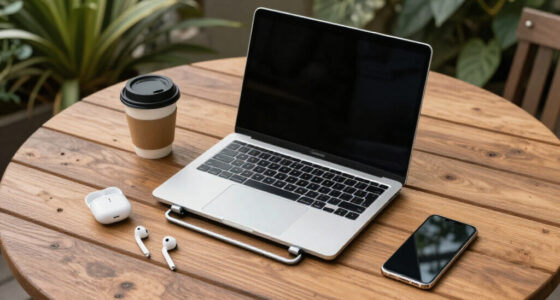

Student-friendly laptops in this price range all promise the same things — portability, battery life, and enough speed for essays and online classes — but they differ more than their listings suggest. The HP 14 Laptop with Intel N150 and 16GB RAM stands out as my best overall pick because it’s the only option here with enough memory to stay smooth across browser tabs, video calls, and Word documents at once. For pure value, the HP 14″ Chromebook with 14-hour battery is hard to beat if most schoolwork happens in a browser, while the HP 14 Ultra-Light in White wins on all-day portability. The main tradeoff you’ll face in this category is between Windows laptops with bigger storage and Chromebooks with better battery life, plus the reality that most of these machines run on 4GB of RAM — fine for note-taking, limiting for multitasking. Read on for the full breakdown of where each model excels and where it falls short.

Get the latest gadgets delivered free with Prime
- Fast, free delivery on millions of items
- Prime Video, Amazon Music and more included
- Member-only deals all year
Complete the kit



Key Takeaways
- Only one laptop in this lineup — the HP 14 with 16GB RAM — has enough memory for serious multitasking; every other pick runs on 4GB, which caps how many tabs and apps you can keep open during class.
- ChromeOS models (the HP 14″ Chromebook and Samsung Galaxy Chromebook Go) clearly beat Windows models on battery life — up to 14 hours versus roughly 8-12 — but their 64GB eMMC storage assumes you live in the cloud.
- Storage claims are misleading across this category: several listings bundle ‘1TB of cloud storage’ or 1.12TB totals with only 64-128GB of actual onboard space, so check the physical SSD capacity before buying.
- Intel N150 processors appear in most of the newer 2026 listings and handle schoolwork noticeably better than the older Celeron N4500 and N4120 chips found in the cheapest options.
- Half of these laptops are variations of the same HP 14 chassis in different colors and configurations, which means your real decision is usually about RAM, storage type (SSD vs eMMC), and operating system — not brand or design.


| student-friendly laptop | Display | Processor | RAM | Storage |
|---|---|---|---|---|
| HP Stream 14" HD Student & Bus | 14-inch HD (1366 x 768) | Intel N150 | 4GB DDR4 | 128GB UFS + 1TB docking station |
| HP 14" HD Chromebook Laptop fo | 14-inch HD (1366 x 768), anti-glare | Intel Celeron N4120 quad-core | 4GB LPDDR4x | 64GB eMMC |
| 15.6" FHD IPS Student Laptop w | 15.6-inch FHD IPS (1920 x 1080) | Intel Celeron J4105 quad-core | 12GB | 256GB SSD (expandable to 2TB) |
| HP 14-inch Willow Green Laptop | 14-inch HD (1366 x 768), anti-glare | Intel N150 (4 cores, up to 3.6 GHz) | 4GB DDR4 | 128GB SSD + 1TB OneDrive |
| HP Stream 14 Student Business | 14-inch HD (1366 x 768), anti-glare | Intel N150 quad-core (up to 3.6 GHz) | 4GB | 128GB UFS |
| HP 14" Laptop 2026 Edition | 14-inch HD (1366 x 768) anti-glare | Intel N150 | 4GB DDR4 | 128GB UFS |
| HP 14-Inch HD Student Laptop w | 14-inch HD (1366 x 768) anti-glare | Intel Celeron N4500 | 4GB DDR4 | 64GB eMMC |
| HP 14 Student Laptop with Quad | 14-inch HD (1366 x 768) micro-edge | Intel Celeron N150 (4 cores, up to 3.6 GHz) | 4GB DDR4 | 128GB UFS |
| HP 14" Ultra-Light Laptop for | 14-inch micro-edge, anti-glare, 62.5% sRGB | Intel Celeron N4500 | 4GB DDR4 | 128GB (64GB eMMC + 64GB SD card) |
| HP 14 Laptop for Students and | 14-inch HD (1366 x 768) LED anti-glare | Intel Processor N150 | 16GB DDR4 | 128GB UFS + 256GB MicroSD expansion |
| HP Chromebook 14-inch HD Lapto | 14-inch HD (1366 x 768), anti-glare | Intel Celeron N4500, 1.1 GHz (up to 2.8 GHz) | 4GB DDR4 | 64GB eMMC |
| Samsung 14" Galaxy Chromebook | 14 inches | Intel Celeron N4500 | 4GB | 64GB |
| HP 14-Inch Ultra-Portable Lapt | 14-inch HD (1366 x 768), anti-glare | Intel N150 Quad-Core up to 3.6 GHz | 4GB DDR4 | 128GB SSD + 500GB external drive + 1TB cloud |
More Details on Our Top Picks
HP Stream 14″ HD Student & Business Laptop with AI Copilot, Intel N150, 4GB RAM, 1.12TB Storage, Windows 11, Wi-Fi 6, Willow Green
This HP Stream 14 stands out less for the laptop itself and more for what comes in the box: a docking station that expands total storage to a stated 1.12TB, plus a pre-installed Office 365 subscription. For a student who needs to plug into a dorm desk setup with an external monitor and peripherals, that bundle saves real money compared with buying the pieces separately. Compared with the HP 14″ Chromebook (B0C8171GTK), this model runs full Windows 11, which matters if coursework requires desktop-only software. The tradeoff is honest, though: 4GB of RAM means heavy multitasking will feel sluggish, and at 3.24 pounds it is not the featherweight its plastic chassis suggests. This pick makes the most sense for budget-conscious students who value connectivity extras over raw speed.
Pros:- Docking station bundle adds 1TB of external storage and port expansion
- Full Windows 11 with Office 365 pre-installed, unlike Chromebook alternatives
- Wi-Fi 6 provides faster, more reliable campus network connections
- Bright 14-inch HD display with anti-glare finish for lecture halls
Cons:- 4GB RAM limits how many browser tabs and apps can run at once
- At 3.24 pounds with a bulky footprint, it’s heavier than most 14-inch budget laptops
- Integrated Intel graphics handle only everyday tasks
Best for: Students who want a complete desk-and-go setup with docking station, Office 365, and full Windows included in one purchase
Not ideal for: Multitaskers or engineering students running demanding software — 4GB of RAM and integrated graphics will bottleneck quickly
- Display:14-inch HD (1366 x 768)
- Processor:Intel N150
- RAM:4GB DDR4
- Storage:128GB UFS + 1TB docking station
- Operating System:Windows 11
- Wireless:Wi-Fi 6
- Weight:3.24 lbs
Our verdict“Buy this for the bundle, not the hardware — it’s the smartest choice when accessories and software matter more than performance.”
HP 14″ HD Chromebook Laptop for Students, Intel Quad-Core N4120, 4GB RAM, 64GB eMMC, WiFi, Webcam, HDMI, USB-A&C, 14-Hour Battery
If your day is measured in back-to-back lectures with zero access to outlets, this Chromebook’s up-to-14-hour battery is the strongest endurance number in this entire lineup. Chrome OS also sidesteps the RAM problem that hampers Windows machines here — the HP Stream 14 (B09LRF37GL) strains with 4GB under Windows 11, while this model stays responsive because the operating system is lighter. The anti-glare micro-edge display is genuinely practical in sunny classrooms. Where it falls short is flexibility: 64GB of eMMC storage fills fast, and Chrome OS cannot run Windows-only applications like some statistics or engineering software. This option stands out for note-taking, Google Docs, and web-based coursework rather than specialized programs. Compared with the Samsung Galaxy Chromebook Go in this roundup, the HP counters with longer battery life and an HDMI port for presentations.
Pros:- Class-leading battery life of up to 14 hours outlasts every Windows laptop here
- Anti-glare display performs well in bright lecture halls and outdoors
- Chrome OS stays fast and secure with automatic updates
- USB-C, USB-A, and HDMI ports cover most classroom connectivity needs
Cons:- 64GB eMMC storage fills up quickly once a semester of files accumulates
- Chrome OS cannot run Windows or macOS applications
- Celeron N4120 struggles with more than a handful of open tabs
Best for: Students whose coursework lives in Google Docs and the browser, and who need all-day battery without carrying a charger
Not ideal for: Anyone dependent on Windows-only software (specific LMS apps, SPSS, full Office desktop apps) or large local file storage
- Display:14-inch HD (1366 x 768), anti-glare
- Processor:Intel Celeron N4120 quad-core
- RAM:4GB LPDDR4x
- Storage:64GB eMMC
- Operating System:Chrome OS
- Battery Life:Up to 14 hours
- Weight:3.35 lbs
Our verdict“The pick for Google-centric students who prioritize battery endurance over software compatibility.”
15.6″ FHD IPS Student Laptop with Office 365 and AI Assistant
Among these budget options, this 15.6-inch model solves the problem the others create: it pairs 12GB of RAM with a 256GB SSD, so it actually keeps up when a research paper, twenty browser tabs, and a video call run simultaneously. The full HD 1920×1080 IPS display is also a genuine step up — the HP Stream 14 (B0H2YCVDGD) and its 1366×768 panel look noticeably softer side by side. The 180° hinge is a sleeper feature for group work, letting the screen lay flat on a library table. The honest tradeoff is the Celeron J4105 processor, which is dated and will feel slow during demanding moments despite the generous RAM. At 3.7 pounds and with unspecified battery life, it’s also the least portable pick here. This model makes the most sense for students who work at a desk and value screen quality and memory over mobility.
Pros:- 12GB of RAM is triple what most laptops in this price tier offer
- Full HD IPS display with narrow bezels is sharper than the HD panels on the HP Stream models
- 180° hinge enables flat-lay collaboration and presentation angles
- Includes 1-year Office 365 subscription and SSD expandable to 2TB
Cons:- Aging Celeron J4105 processor limits performance despite ample RAM
- At 3.7 pounds, it’s the heaviest machine in this lineup
- Battery capacity is unspecified, making all-day portability a gamble
Best for: Students who multitask heavily at a desk and want a sharper FHD screen plus real RAM without paying mid-range prices
Not ideal for: Commuters and coffee-shop nomads — the 3.7-pound build and unclear battery life make it a poor carry-everywhere machine
- Display:15.6-inch FHD IPS (1920 x 1080)
- Processor:Intel Celeron J4105 quad-core
- RAM:12GB
- Storage:256GB SSD (expandable to 2TB)
- Operating System:Windows 11 Home
- Weight:3.7 lbs
- Connectivity:Wi-Fi 5, Bluetooth 4.2
Our verdict“The value play for stationary multitaskers who need RAM and a real FHD screen more than portability.”
HP 14-inch Willow Green Laptop with Intel N150 Processor, 4GB RAM, 128GB SSD + 1TB Cloud Storage, Windows 11, and Copilot AI
This model takes a different storage philosophy than its sibling, the HP Stream 14 (B0H2YCVDGD): instead of a physical docking station, it bundles 1TB of OneDrive cloud storage, which keeps files synced across a phone, library PC, and personal laptop. For students with reliable campus Wi-Fi, that’s arguably more useful than a dock that stays behind in the dorm. The N150 processor and Wi-Fi 6 combo deliver snappy browsing and video calls, and the 12-hour battery claim beats most Windows machines in this batch. The compromises mirror the rest of the Stream family: a 1366×768 panel that looks dated next to the 15.6″ FHD laptop (B0H5BYM75Q), and 4GB of RAM that caps multitasking. This pick makes the most sense for students who already live in the Microsoft ecosystem and don’t hoard files locally.
Pros:- 1TB OneDrive cloud storage keeps files synced across all devices
- Up to 12 hours of battery life outlasts most Windows laptops here
- Anti-glare micro-edge display is comfortable for long study sessions
- Windows 11 with Copilot AI and modern Wi-Fi 6 connectivity
Cons:- Low-resolution 1366×768 display falls short of the FHD panel on the 15.6-inch model
- 4GB RAM limits simultaneous apps and heavy browser use
- Only 128GB of local storage for offline work
Best for: Cloud-oriented students who work across multiple devices and want their files accessible everywhere via OneDrive
Not ideal for: Students with slow or unreliable internet — the 128GB local SSD plus cloud-first storage model collapses without bandwidth
- Display:14-inch HD (1366 x 768), anti-glare
- Processor:Intel N150 (4 cores, up to 3.6 GHz)
- RAM:4GB DDR4
- Storage:128GB SSD + 1TB OneDrive
- Battery Life:Up to 12 hours
- Operating System:Windows 11 with Copilot
- Weight:3.24 lbs
Our verdict“The right choice for Microsoft-ecosystem students who trust the cloud more than a hard drive.”
HP Stream 14 Student Business Laptop with Microsoft Office 365 and Copilot AI, 4GB RAM, 128GB UFS, Intel N150 Quad-Core, Windows 11 Home, Willow Green
Laptops get dropped, and this Stream 14 is the only model in this batch advertising military-grade drop resistance — a meaningful difference for a backpack that gets tossed around campus. It also carries Bluetooth 5.4, the newest wireless standard here, which means more stable earbud and mouse connections in crowded lecture halls. Compared with the HP 14″ Chromebook (B0C8171GTK), it offers full Windows 11 with Office 365 pre-installed, so desktop Word and Excel work out of the box. The flip side is familiar: 4GB of RAM and 128GB of UFS storage place firm ceilings on multitasking and file hoarding, and the HD display won’t impress anyone who has seen the FHD panel on the 15.6-inch model. Compared with the cloud-storage Stream (B0H3DTZZM6), durability here replaces the OneDrive bundle — choose based on which protection you need more.
Pros:- Military-grade drop resistance is unique in this budget lineup
- Bluetooth 5.4 and Wi-Fi 6 provide the most modern wireless connectivity here
- Office 365 and Copilot AI pre-installed for immediate productivity
- Anti-glare HD display with 720p webcam suited for remote classes
Cons:- 4GB RAM caps multitasking well below the 12GB 15.6-inch model
- 128GB UFS storage fills quickly without cloud offloading
- HD resolution looks dated next to FHD competitors
Best for: Accident-prone students and commuters who need a rugged, Office-ready Windows machine that survives campus life
Not ideal for: Power users and media students — the 4GB RAM, HD display, and 128GB storage will frustrate demanding workloads
- Display:14-inch HD (1366 x 768), anti-glare
- Processor:Intel N150 quad-core (up to 3.6 GHz)
- RAM:4GB
- Storage:128GB UFS
- Operating System:Windows 11 Home with Office 365
- Wireless:Wi-Fi 6 (2×2), Bluetooth 5.4
- Weight:3.24 lbs
Our verdict“The toughest cheap Windows laptop here — pick it when surviving drops matters more than screen sharpness.”
HP 14″ Laptop 2026 Edition, Intel Processor, 4GB RAM, 128GB Storage
This model stands out as a dependable first laptop for coursework thanks to its 128GB UFS storage, which feels far more responsive than the eMMC drives in the cheaper HP 14-Inch HD Student Laptop. The included one-year Microsoft Office 365 subscription is a real value-add for students who would otherwise pay monthly. Compared with the N4500-based options in this lineup, the Intel N150 chip delivers noticeably smoother web browsing and document switching. The tradeoff is the same one that plagues most laptops at this price: 4GB of RAM caps multitasking, and the 1366 x 768 display is sharp enough for essays but cramped for spreadsheets side by side. Anyone studying design, engineering, or video editing should look higher up the list.
Pros:- 128GB UFS storage is faster than typical eMMC at this price
- One-year Office 365 subscription included
- Wi-Fi 6 and USB-C connectivity for a modern setup
- Anti-glare display is easier on the eyes during long study sessions
Cons:- 4GB RAM limits multitasking with multiple browser tabs and apps open
- HD resolution is dated for detailed visual work
Best for: High school and first-year college students who need an affordable laptop for essays, browsing, and streaming with Office included
Not ideal for: Students running heavy software like coding IDEs, statistics tools, or creative suites — the 4GB RAM ceiling will frustrate them quickly
- Processor:Intel N150
- RAM:4GB DDR4
- Storage:128GB UFS
- Display:14-inch HD (1366 x 768) anti-glare
- Operating System:Windows 11 Home
- Connectivity:Wi-Fi 6, Bluetooth 5.0, USB-C, USB 3.2, HDMI
- Included Software:1-Year Microsoft Office 365
Our verdict“A sensible entry point for students whose workload lives in a browser and Word documents.”
HP 14-Inch HD Student Laptop with Intel Celeron N4500, 4GB RAM, 64GB eMMC, Windows 11 S
As the cheapest route into a full Windows laptop, this model makes sense for one specific buyer: the student who needs something now, for almost nothing. Its 64GB eMMC storage fills up fast once Windows updates land, which is the biggest gap between it and the HP 14 Student Laptop with 128GB SSD — that model doubles the storage for a modest premium. The Windows 11 S mode restriction keeps it locked to Microsoft Store apps, which actually helps performance on the modest Celeron N4500 but blocks software like some course-specific tools. On the plus side, Wi-Fi 6 and Bluetooth 5.4 are genuinely modern for this price bracket, and the 3.42 lb frame travels well between classes. This is a stopgap machine, not a four-year companion.
Pros:- Lowest cost of entry in the lineup
- Wi-Fi 6 and Bluetooth 5.4 despite the price
- Lightweight 3.42 lb design for backpack carry
- Anti-glare display helps in bright classrooms
Cons:- 64GB eMMC storage fills quickly after Windows updates
- Windows 11 S mode restricts which apps can be installed
- Celeron N4500 struggles with more than a handful of open tabs
Best for: Budget-squeezed students or parents needing a backup machine for note-taking, email, and web research
Not ideal for: Anyone planning to install desktop software beyond Store apps — 64GB of storage and S mode make that a poor fit
- Processor:Intel Celeron N4500
- RAM:4GB DDR4
- Storage:64GB eMMC
- Display:14-inch HD (1366 x 768) anti-glare
- Operating System:Windows 11 S
- Connectivity:Wi-Fi 6, Bluetooth 5.4
- Weight:3.42 lbs
Our verdict“Buy it only if the budget is rigid — spending slightly more gets you double the storage and fewer restrictions.”
HP 14 Student Laptop with Quad-Core Processor, 4GB RAM, 128GB SSD, Windows 11, 1-Year Office 365, Natural Silver
This is the pick I would point most students toward, because it bundles the right things at the right price: a quad-core N150 that boosts to 3.6 GHz, 128GB of fast storage, full Windows 11 Home (no S mode lock-in, unlike the HP 14″ Ultra-Light Laptop in white), a one-year Office 365 subscription, and an 11-hour battery that covers a full day of lectures. Compared with the cheaper HP 14-Inch HD Student Laptop, the extra spend buys double the storage and unrestricted Windows — both matter more over a semester than the small price gap. The 3.24 lb weight is among the lightest here. The honest weaknesses: it still shares the same 1366 x 768 panel and 4GB of RAM as its siblings, so students who juggle research tabs, video calls, and documents simultaneously will feel the ceiling.
Pros:- Full Windows 11 Home without S mode restrictions
- Quad-core N150 handles everyday coursework smoothly
- Up to 11 hours of battery life for all-day classes
- Lightest-in-class 3.24 lb design
Cons:- 4GB RAM limits heavy multitasking
- HD display resolution feels dated for media and detailed documents
Best for: Students who want the best balance of speed, battery, storage, and software freedom without overspending
Not ideal for: Multitaskers and STEM students — 4GB of RAM and integrated graphics will bottleneck serious workloads
- Processor:Intel Celeron N150 (4 cores, up to 3.6 GHz)
- RAM:4GB DDR4
- Storage:128GB UFS
- Display:14-inch HD (1366 x 768) micro-edge
- Battery:45 Wh, up to 11 hours
- Operating System:Windows 11 Home
- Included Software:1-Year Office 365
- Weight:3.24 lbs
Our verdict“The strongest all-around value in this lineup for a typical student workload.”
HP 14″ Ultra-Light Laptop for Students & Home with Windows 11, 12-Hour Battery, Intel Celeron N4500, 4GB RAM, 128GB Storage, Wi-Fi 6, White
For students whose days run from morning lectures to evening library sessions without a convenient outlet, the 12-hour battery claim plus fast charging makes this the pick that removes outlet anxiety. The Wi-Fi 6E support is also a step above the standard Wi-Fi 6 found on the HP 14 Student Laptop with quad-core N150, which matters on crowded campus networks. Two caveats deserve attention: the 128GB figure is really 64GB eMMC plus a 64GB SD card, so actual onboard storage is the same as the cheapest model here, and Windows 11 S mode limits installs to Store apps. The N4500 processor is fine for notes and streaming but weaker than the N150 in the Best Overall Value pick. Choose this for endurance, not speed.
Pros:- Up to 12 hours of battery with fast charging
- Wi-Fi 6E for congested campus networks
- Lightweight, travel-friendly design
- One-year Microsoft 365 subscription included
Cons:- Half the 128GB storage is an SD card, which is slower and easier to lose
- S mode restricts app installation
- N4500 is the weakest mainstream processor in this batch
Best for: Commuter and all-day-on-campus students who prioritize battery life and portability over raw speed
Not ideal for: Students who need to install desktop software — S mode and the split 64GB+64GB storage setup will fight them
- Processor:Intel Celeron N4500
- RAM:4GB DDR4
- Storage:128GB (64GB eMMC + 64GB SD card)
- Display:14-inch micro-edge, anti-glare, 62.5% sRGB
- Battery Life:Up to 12 hours
- Operating System:Windows 11 Home in S mode
- Connectivity:Wi-Fi 6E, Bluetooth 5.4, USB-C, USB-A, HDMI, SD reader
- Color:White
Our verdict“The right choice when staying powered through a full day matters more than performance.”
HP 14 Laptop for Students and Home Use, Intel Processor N150, 16GB RAM
Among a sea of 4GB RAM laptops, this model’s 16GB of DDR4 is the single biggest differentiator in this roundup. Where the Best Overall Value pick slows to a crawl with a dozen research tabs, a Zoom call, and Spotify running at once, this one keeps going — that headroom matters for students in research-heavy programs. The Copilot AI integration and Microsoft 365 subscription add genuine productivity value, and the N150 is the stronger processor of the two chips HP uses across this lineup. Storage is where the compromise sits: 128GB UFS is tight for a media-filled student life, though the included 256GB MicroSD expansion softens the blow. The 1366 x 768 display is the one spec that lags behind the 15.6″ FHD IPS laptop elsewhere in this guide, so visual-work students should weigh that gap.
Pros:- 16GB RAM — four times the standard in this lineup — enables real multitasking
- Copilot AI and Microsoft 365 included
- Up to 11 hours of battery life
- 256GB MicroSD expansion card included
Cons:- 128GB internal storage is limiting for large files
- HD display resolution lags behind FHD competitors
- S mode needs to be switched off for full software freedom
Best for: Students who live in browser tabs, run video calls, and want headroom for years of coursework without lag
Not ideal for: Anyone storing large media libraries locally — 128GB fills fast, and expansion cards are slower than internal storage
- Processor:Intel Processor N150
- RAM:16GB DDR4
- Storage:128GB UFS + 256GB MicroSD expansion
- Display:14-inch HD (1366 x 768) LED anti-glare
- Battery Life:Up to 11 hours
- Operating System:Windows 11 Home in S Mode
- Connectivity:Wi-Fi 6, Bluetooth 5.4, USB-C, USB-A, HDMI
- Weight:3.24 lbs
Our verdict“The pick for students who would rather never think about closing tabs than worry about screen sharpness.”
HP Chromebook 14-inch HD Laptop, Intel Celeron N4500, 4GB RAM, 64GB eMMC, Chrome OS, Gray
For students whose schoolwork lives almost entirely in Google Docs and browser tabs, this option stands out as the lowest-friction way to get online. Chrome OS boots in seconds, updates itself, and shrugs off the malware worries that make budget Windows machines feel risky. Compared with the Samsung Galaxy Chromebook Go, the tradeoff is durability and battery: Samsung brings military-grade toughness and a 12-hour battery, while this HP leans on fast charging and a lighter $-friendly price to compensate for shorter endurance. The 720p anti-glare display is the real compromise — fine for essays, tight for split-screen research — and 64GB of storage means cloud dependency is not optional. Still, with HDMI and multiple USB ports, it handles dorm-room projector duty better than most Chromebooks at this price.
Pros:- Fast boot and low-maintenance Chrome OS experience
- Anti-glare display is easier on the eyes in bright classrooms
- HDMI and multiple USB ports cover presentation and peripheral needs
- Lightweight 3.35 lb frame fits any backpack
Cons:- 720p display is noticeably soft next to 1080p rivals
- 64GB eMMC fills up fast without disciplined cloud use
- Celeron N4500 slows down with more than a handful of tabs open
Best for: Students who work almost entirely in Chrome and Google Workspace and want the cheapest reliable path to a browser
Not ideal for: Anyone who needs to install Windows software like SPSS, full Adobe apps, or specific exam-lockdown programs
- Processor:Intel Celeron N4500, 1.1 GHz (up to 2.8 GHz)
- Display:14-inch HD (1366 x 768), anti-glare
- RAM:4GB DDR4
- Storage:64GB eMMC
- Operating System:Chrome OS
- Weight:3.35 lbs (1.52 kg)
- Ports:Multiple USB-A/USB-C, HDMI
Our verdict“A sensible buy for cloud-first students, as long as nothing in the syllabus demands Windows software.”
Samsung 14″ Galaxy Chromebook Go Laptop with Intel Celeron N4500, 4GB RAM, 64GB Storage, ChromeOS, Silver
Where the HP Chromebook 14 asks you to find an outlet by late afternoon, this model is built to outlast a full class schedule with its 12-hour battery. That endurance, combined with military-grade durability, makes it the better pick for students who toss a laptop into a bag five times a day and don’t want to babysit a charger. Compared with Samsung’s typical flashier Galaxy Chromebooks, this one trades premium displays for practical toughness — a sensible trade for a locker-and-lecture-hall life. Fast Wi-Fi keeps video lectures smooth, and the slim profile undercuts most 14-inch rivals on heft. The compromises mirror the HP: the same modest Celeron N4500 and 64GB ceiling, so heavy multitaskers and offline hoarders will feel squeezed.
Pros:- 12-hour battery covers a full school day without charging
- Military-grade tested chassis tolerates backpack bumps and drops
- Slim, lightweight design is easy to carry between classes
- Fast Wi-Fi keeps streaming lectures and calls stable
Cons:- 64GB storage is tight for offline files and downloads
- Celeron N4500 struggles with heavy tab counts or light photo editing
- No LTE option, so connectivity depends entirely on campus Wi-Fi or hotspots
Best for: Commuter and campus students who need a full day unplugged and a chassis that survives bag abuse
Not ideal for: Students who store large media libraries locally or run demanding applications — the storage and CPU won’t cooperate
- Processor:Intel Celeron N4500
- Display:14 inches
- RAM:4GB
- Storage:64GB
- Operating System:ChromeOS
- Battery Life:Up to 12 hours
- Color:Silver
Our verdict“The durability-and-battery champion for students constantly on the move, provided their work stays web-based.”
HP 14-Inch Ultra-Portable Laptop for Students and Business with Windows 11 Pro, 4GB RAM, 628GB Storage, and AI Copilot
Unlike the two Chromebooks above, this model runs full Windows 11 Pro, which matters the moment a course requires Windows-only software — think lockdown browsers, specialized lab tools, or desktop Office. Its real hook, though, is the boxed accessory kit: docking station, external 500GB drive, mouse, and HDMI cable, so a student can set up a complete dorm desk without shopping for extras. Total storage climbs to 628GB, dwarfing the 64GB on both Chromebooks. The catches are familiar for this price class — 4GB RAM is the weakest link when multitasking, and the 720p panel is no sharper than the Chromebook displays. Compared with the HP Stream lineup, the stronger N150 processor and Pro OS give it an edge for coursework that Chrome OS simply can’t run.
Pros:- Full Windows 11 Pro support for any course-required software
- 628GB total storage including a 500GB external drive
- Complete accessory bundle with docking station, mouse, and cables
- Up to 9 hours of battery and modern Wi-Fi 6 connectivity
Cons:- 4GB RAM limits multitasking and browser-heavy workflows
- 1366 x 768 display falls short of the Full HD campus standard
- Accessories inflate the price over comparable bare laptops
Best for: Students who need Windows-only software and want a desk-ready setup with accessories included out of the box
Not ideal for: Heavy multitaskers and engineering or media students — 4GB of RAM will bottleneck demanding coursework fast
- Processor:Intel N150 Quad-Core up to 3.6 GHz
- Display:14-inch HD (1366 x 768), anti-glare
- RAM:4GB DDR4
- Storage:128GB SSD + 500GB external drive + 1TB cloud
- Operating System:Windows 11 Pro
- Battery:3-cell, 41 Wh, up to 9 hours
- Weight:3.24 lbs
- Connectivity:Wi-Fi 6, Bluetooth 5.4
Our verdict“The right choice when Windows compatibility is non-negotiable and you want everything for the desk in one box.”

How We Picked
Because every laptop here targets students on a tight budget, I judged them against what actually determines whether a machine survives a school year: usable performance, storage type, battery endurance, and software value. RAM was the first filter — 4GB is the floor for basic schoolwork, while 16GB changes the experience entirely. Storage came next, and I distinguished between fast SSDs, slower eMMC chips, and cloud-storage bundles that inflate the numbers on the box. Processor generation mattered too: Intel N150 chips outrank the older Celeron N4500 and N4120 for responsiveness.
Beyond specs, I weighed the operating system fit — ChromeOS models score higher for battery life and simplicity but lock you into Google’s ecosystem, while Windows models offer Office 365 compatibility and flexibility at the cost of battery life. Bundled extras like Office 365 subscriptions and Copilot AI nudged value scores up where the core hardware justified it. The ranking favors machines that balance these factors rather than excelling in one column while failing in another.
Factors to Consider When Choosing Student-friendly Laptops
Before choosing from the picks above, it helps to understand what actually separates a laptop that lasts four semesters from one that frustrates you by midterms. These are the factors I’d weigh — and the mistakes I’d avoid — when shopping for student-friendly laptops in this price bracket.RAM: The 4GB Problem
Almost every laptop in this roundup ships with 4GB of RAM, and that’s the single biggest limitation you’ll live with. On Windows 11, the operating system alone consumes roughly half of that, leaving little headroom for a video call plus a document plus a dozen browser tabs. If your coursework involves heavy multitasking, streaming lectures while taking notes, or any light photo editing, paying more for 16GB is the best money you can spend — it’s the difference between a machine that feels fine for a semester and one that feels slow by week three. If you’re set on a 4GB machine, a ChromeOS model copes far better with limited memory because the operating system is lighter. The common mistake here is fixating on processor brand names while ignoring RAM, when RAM is what you’ll feel every single day. For a younger student who does one thing at a time, 4GB is genuinely fine; for a high schooler or undergrad juggling research and essays, it’s a compromise you’ll notice.
Storage: Read Between the Lines
Storage marketing in this category is designed to mislead, and knowing how to read it will save you from a bad purchase. A listing that says ‘1.12TB storage’ almost always means 128GB of real onboard space plus a one-year cloud subscription — and once that subscription lapses, so does your capacity. Similarly, ‘1TB cloud storage’ bundles are worth perhaps $20-30 on their own but are presented as if they’re equivalent to a physical drive. The type of storage matters as much as the size: an SSD loads Windows, apps, and files noticeably faster than eMMC flash, which is why models with 128GB SSDs rank above models with 64GB eMMC even though the difference sounds small. Students who save large video projects or install several applications will fill 64GB within months. My advice: treat anything under 128GB of physical storage as a cloud-first machine, and budget for an external drive or a microSD card if the laptop has a slot.
ChromeOS or Windows: Match the Software to the School
This is the decision that shapes everything else, and it depends less on specs and more on what your school actually requires. Many school districts run on Google Classroom, Google Docs, and web-based testing platforms — in that environment, a Chromebook is faster, simpler, more secure, and lasts hours longer on a charge. But if your courses require desktop software like full Microsoft Office, specific testing applications, or any Windows-only tool for STEM or design classes, a Chromebook becomes a liability no matter how good its battery is. Windows machines also carry more maintenance burden: updates, antivirus caution, and background processes that a student has to manage. A practical approach is to check the school’s tech requirements page before buying anything. The mistake I see most often is parents buying a Windows laptop ‘to be safe’ when the child only ever uses Chrome — and ending up with worse battery life and more updates to babysit.
Battery Life and Weight: The Backpack Test
Classroom reality is unforgiving: outlets are scarce, and a laptop that dies during a lecture is worthless regardless of its specs. ChromeOS models in this roundup claim up to 14 hours, while Windows models typically deliver 8-12 — and real-world use usually runs 20-30% below claimed figures, especially with brightness turned up. Weight matters more than buyers expect, too. Most of these 14-inch machines land between 3 and 3.5 pounds, which sounds identical until it’s riding in a backpack alongside textbooks all day. Anything under 3 pounds earns genuine portability credit; anything approaching 4 pounds (usually 15.6-inch models) is better suited to a desk-bound student. Also check the charger size — a bulky power brick negates some of the benefit of a light laptop. If the student’s day involves moving between five or more classrooms, I’d prioritize battery over processor speed every time, because a slow laptop that’s on beats a fast one that’s dead.
Bundled Software: Real Value or Filler?
Several laptops in this roundup bundle Office 365 or advertise Copilot AI, and it’s worth knowing what those are actually worth before letting them sway your decision. A one-year Office 365 Personal subscription retails around $70, and many students get Microsoft 365 free through their school anyway — so check that first. If your school provides it, a bundle you can’t use is worth nothing, and a cheaper model without the bundle becomes the better buy. Copilot AI, meanwhile, is built into Windows 11 on capable hardware, so it’s a feature rather than an add-on you’re paying extra for. The real trap is paying a premium for bundled software while the hardware underneath is weaker — a laptop with Office included but only 64GB of eMMC storage is a worse deal than a bare machine with a proper SSD. My rule: evaluate the hardware as if the software bundle didn’t exist, then treat any bundle as a small bonus rather than a deciding factor.
Screen and Build: What Cheap Laptops Sacrifice
At this price, corners are cut somewhere, and the two most common places are the display and the chassis. Several models here use HD (1366×768) panels rather than Full HD, and that lower resolution makes text less crisp during long reading sessions — a real issue for students who spend hours in documents and PDFs. A 15.6-inch FHD IPS display is noticeably more comfortable for research and split-screen work, but it comes with a bigger, heavier body. Build quality follows the same pattern: these chassis are mostly plastic, so look for hinge reviews and treat the machine gently. Don’t expect upgradeability either — RAM on most of these models is soldered, meaning what you buy is what you’re stuck with for the machine’s life. That’s the strongest argument for buying the most RAM you can afford upfront, even if it means choosing a plainer color or skipping a bundle. A laptop that can’t grow with the student’s workload becomes e-waste in two years.
Frequently Asked Questions
Is 4GB of RAM enough for a student laptop, or will I regret it?
For a middle schooler or a student who works in one application at a time, 4GB is workable, especially on a Chromebook where the operating system is lighter. On Windows 11, though, 4GB fills up quickly — expect lag when a video call runs alongside a browser with multiple tabs open, which describes a typical online class. The regret usually sets in during the second year when coursework gets heavier. If you can stretch your budget to the HP 14 with 16GB RAM, that model removes the problem entirely and will feel current far longer. If you can’t, choose a 4GB Chromebook over a 4GB Windows machine, because ChromeOS simply does more with less memory and won’t slow down the same way.
Should I buy a Chromebook or a Windows laptop for school?
The deciding factor is your school’s software, not personal preference. If classes run on Google Classroom, Google Docs, and web-based tools, a Chromebook like the HP 14″ Chromebook or Samsung Galaxy Chromebook Go gives you longer battery life, faster boot times, and fewer updates to manage. If any course requires desktop applications — full Excel, specific STEM software, or Windows-only testing tools — a Chromebook won’t run them, and no workaround fully solves that. College students generally benefit from Windows unless their program is explicitly cloud-based. Also consider that Chromebooks receive automatic updates for roughly 10 years from release, while a cheap Windows laptop may feel outdated sooner. Check the syllabus or the school’s IT requirements page before spending anything.
What does ‘1TB cloud storage’ or ‘1.12TB storage’ actually mean in these listings?
It means marketing, mostly. A laptop advertised with ‘1.12TB storage’ typically has 128GB of physical storage plus a one-year cloud subscription that the manufacturer values at hundreds of gigabytes. Once the subscription expires — usually after 12 months — you either pay to renew it or lose that capacity, and cloud storage also requires internet access to use. For students with reliable Wi-Fi, cloud storage is genuinely convenient for documents and photos. But applications, the operating system, and offline files all need physical space, and 64GB of real storage fills up fast. My advice is to ignore the cloud number entirely, compare only the physical SSD or eMMC capacity, and add a cheap microSD card or external drive if you need more room.
Is the Intel N150 much better than the Celeron N4500 or N4120?
Yes, and the gap is wider than the similar-sounding names suggest. The N150 is a newer, more efficient chip that handles everyday tasks — browsing, documents, streaming — with less lag and better battery characteristics than the older Celeron N4500 and N4120 found in the cheapest models here. None of these processors are speed demons; they’re built for basic schoolwork, not gaming or video editing. But the Celeron chips show their age when you open several tabs or run a video call, whereas the N150 holds up better under that same load. If two laptops are close in price, always pick the N150 model. If the Celeron option is meaningfully cheaper and the user is a younger student with light needs, the savings can be worth it — just expect to feel the limit sooner.
Which of these laptops will last through four years of high school or college?
Honestly, only two or three of them. The HP 14 with 16GB RAM is the strongest candidate because its memory headroom accommodates growing workloads, and RAM on these machines can’t be upgraded later. The SSD-equipped 128GB Windows models are the next best bet, since storage speed and capacity age more gracefully than eMMC. The 64GB eMMC Chromebooks can last four years for a student whose needs stay web-based, but they’ll feel tight if coursework expands into media projects. The models I’d be cautious about for a four-year horizon are the 64GB Windows machines — they’ll hit storage walls and slowdowns early. Whatever you choose, a protective sleeve and careful hinge handling matter more than any spec, because plastic chassis are the first thing to fail on budget laptops.
Conclusion
After comparing all 13, the right choice depends less on brand — since most of these are HP 14-inch variations — and more on RAM, storage type, and operating system. For the best overall pick, the HP 14 with Intel N150 and 16GB RAM is the clear winner: it’s the only machine here built to multitask and the only one likely to feel fast in year three. For best value, the HP 14″ Chromebook with its 14-hour battery delivers the most capability per dollar for browser-based schoolwork, with the Samsung Galaxy Chromebook Go as a stylish alternative. The 15.6″ FHD model with Office 365 is the closest thing to a premium pick — the larger Full HD screen and included software make long study sessions more comfortable. For younger students and beginners, the HP 14-inch HD with Celeron N4500 keeps things simple and inexpensive enough that a dropped backpack isn’t a catastrophe. And for the portability-first student, the HP 14 Ultra-Light in White pairs a 12-hour battery with easy carrying weight. Whatever you choose, buy the most RAM and real SSD storage your budget allows — those two specs decide how long these student-friendly laptops stay useful.
Halloween Picks
halloween
As an affiliate, we earn on qualifying purchases.