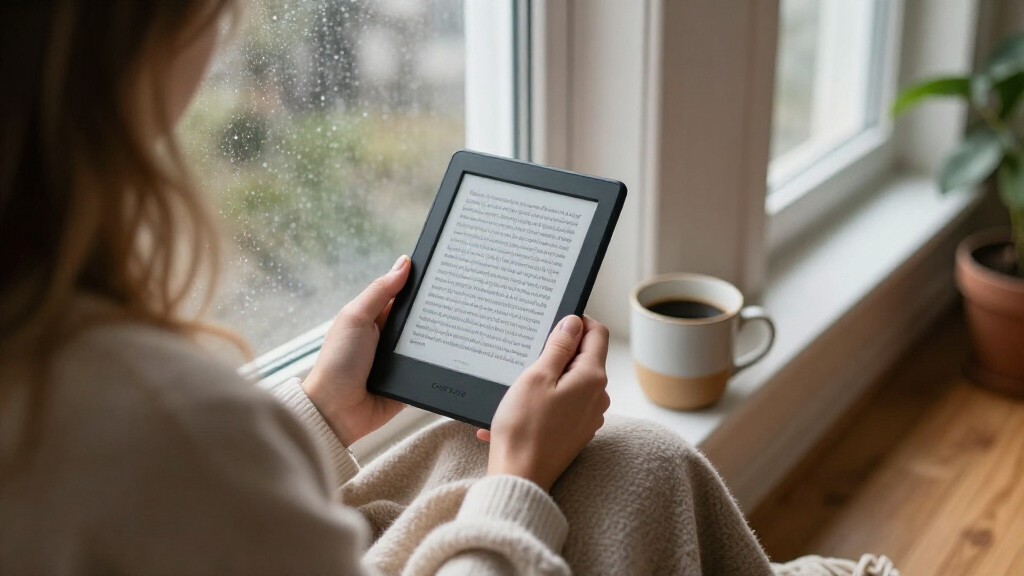

Choosing between Amazon Kindle e-readers mostly comes down to three questions: do you want color, do you want a bigger screen, and how much are you willing to spend on the upgrades? The Kindle Paperwhite 16GB (12th Generation) earns my best overall pick because its 7-inch glare-free display, fast page turns and weeks-long battery hit the sweet spot for most readers. If you read comics, cookbooks or magazines, the Kindle Colorsoft stands out as the only color E Ink option here, while the base Kindle 16GB (2024) remains the smartest budget entry point. The Signature Edition models add wireless charging, auto-adjusting light and 32GB of storage for readers who want fewer compromises. Keep reading for the full breakdown of all 15 models.

Get the latest gadgets delivered free with Prime
- Fast, free delivery on millions of items
- Prime Video, Amazon Music and more included
- Member-only deals all year
Complete the kit



Key Takeaways
- The Paperwhite lineup dominates this roundup because its 7-inch, 300 ppi glare-free display is a bigger real-world upgrade than any storage bump — six of my top ten picks are Paperwhite variants.
- Color is the biggest dividing line in 2026: only the Colorsoft models offer it, and it makes sense almost exclusively for graphic-heavy content, since it costs you brightness and battery versus monochrome Kindles.
- Certified refurbished units (the Like-New Kindle 16GB models) deliver identical hardware at a lower cost, making them the value plays of this lineup for budget-focused buyers.
- The Signature Edition’s 32GB of storage is overkill for text-only readers — 16GB holds thousands of books — but its wireless charging and auto front light justify the jump for daily commuters.
- Paying extra for the ‘Without Lockscreen Ads’ versions of the base Kindle is only worthwhile if you’re particular about the lock screen; everything else about the device is identical.
| Amazon Kindle 16 GB (11th Generation, 2024) – Like-New/Refurbished – Black |  | Best Budget Entry Point | Display: 6″ glare-free, 300 ppi, adjustable front light | Storage: 16 GB | Battery Life: Up to 6 weeks | VIEW LATEST PRICE | See Our Full Breakdown |
| Amazon Kindle Scribe Colorsoft 64GB (Newest Model) with Premium Pen – Graphite |  | Best Premium Pick for Readers Who Write | Display: 11″ Colorsoft, 300 ppi B&W / 150 ppi color | Storage: 64 GB (50 GB available to user) | Battery Life: Weeks of reading and writing per charge | VIEW LATEST PRICE | See Our Full Breakdown |
| Amazon Kindle Paperwhite 16GB (12th Generation, 2024) – 7″ Glare-Free Display, Jade |  | Best Overall | Display: 7″ Paperwhite, 300 ppi, adjustable warm light | Storage: 16 GB | Battery Life: Up to 12 weeks per charge | VIEW LATEST PRICE | See Our Full Breakdown |
| Amazon Kindle Paperwhite 16GB (12th Generation, 2024) – Raspberry | 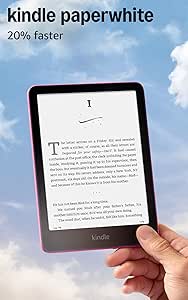 | Best Overall, Style Pick | Display: 7″ Paperwhite, 300 ppi, 16-level grayscale | Storage: 16 GB | Battery Life: Up to 12 weeks per charge | VIEW LATEST PRICE | See Our Full Breakdown |
| Amazon Kindle Paperwhite Signature Edition 32GB (Newest Model) – Metallic Raspberry |  | Best Premium Value Upgrade | Display: 7-inch glare-free Paperwhite, high contrast | Storage: 32 GB | Page Turns: 25% faster | VIEW LATEST PRICE | See Our Full Breakdown |
| Amazon Kindle Paperwhite Signature Edition (12th Generation, 2024) – 32GB, Metallic Black |  | Best Premium Pick | Display: 7″ Paperwhite, 300 ppi, 16-level gray scale | Storage: 32 GB | Battery Life: Up to 12 weeks | VIEW LATEST PRICE | See Our Full Breakdown |
| Amazon Kindle Paperwhite 16GB (12th Generation, 2024) – 7″ Glare-Free Display, Black, Without Lockscreen Ads |  | Best Overall | Display: 7″ Paperwhite, 300 ppi, adjustable warm light | Storage: 16 GB | Battery Life: Up to 12 weeks per charge | VIEW LATEST PRICE | See Our Full Breakdown |
| Amazon Kindle 16 GB (2024, 11th Generation) – Matcha |  | Best Compact Pick | Display: 6″ glare-free, 300 ppi, 16-level grayscale | Storage: 16 GB | Battery Life: Up to 6 weeks per charge | VIEW LATEST PRICE | See Our Full Breakdown |
| Amazon Kindle 16 GB (2024 Release, Matcha) – Like-New Certified Refurbished | | Best Budget Route In | Display: 6″ glare-free | Front Light: Adjustable, 25% brighter at max setting | Storage: 16 GB | VIEW LATEST PRICE | See Our Full Breakdown |
| Amazon Kindle 16 GB (2024, 11th Generation) – Black | | Best for First-Time Kindle Owners | Display: 6″ glare-free, 300 ppi, 16-level grayscale | Storage: 16 GB | Battery Life: Up to 6 weeks per charge | VIEW LATEST PRICE | See Our Full Breakdown |
| Amazon Kindle Paperwhite (16 GB) – 11th Generation |  | Best Proven All-Rounder | Display Size: 6.8 inches | Resolution: 300 ppi | Storage: 16 GB | VIEW LATEST PRICE | See Our Full Breakdown |
| Amazon Kindle Paperwhite Signature Edition 32GB (Newest Model), Metallic Jade |  | Best Premium | Display: 7-inch glare-free, higher contrast | Storage: 32 GB | Battery Life: Up to 12 weeks | VIEW LATEST PRICE | See Our Full Breakdown |
| Amazon Kindle 16 GB (2024, 11th Generation) – Without Lockscreen Ads – Black | | Best for Beginners and Commuters | Display: 6″ glare-free, 300 ppi, 16-level grayscale | Storage: 16 GB | Battery Life: Up to 6 weeks | VIEW LATEST PRICE | See Our Full Breakdown |
| Amazon Kindle Paperwhite 16GB (Newest Model) – Black | | Best Overall | Display: 7-inch glare-free E Ink | Storage: 16 GB | Battery Life: Up to 12 weeks | VIEW LATEST PRICE | See Our Full Breakdown |
| Amazon Kindle Colorsoft 16 GB (Newest Model) – Color Display, No Ads, Black |  | Best for Color Content | Display Size: 7 inches | Display Type: Colorsoft (Color) | Storage: 16 GB | VIEW LATEST PRICE | See Our Full Breakdown |
| Amazon Kindle e-reader | Storage | Battery Life | Display | Weight |
|---|---|---|---|---|
| Amazon Kindle 16 GB | 16 GB | Up to 6 weeks | 6" glare-free, 300 ppi, adjustable front light | 5.56 oz (158 g) |
| Amazon Kindle Scribe Colorsoft | 64 GB (50 GB available to user) | Weeks of reading and writing per charge | 11" Colorsoft, 300 ppi B&W / 150 ppi color | 14.1 oz (400 g); Pen: 0.6 oz (17 g) |
| Amazon Kindle Paperwhite 16GB | 16 GB | Up to 12 weeks per charge | 7" Paperwhite, 300 ppi, adjustable warm light | 7.4 oz (211 g) |
| Amazon Kindle Paperwhite 16GB | 16 GB | Up to 12 weeks per charge | 7" Paperwhite, 300 ppi, 16-level grayscale | 7.4 oz (211 g) |
| Amazon Kindle Paperwhite Signa | 32 GB | Up to 12 weeks | 7-inch glare-free Paperwhite, high contrast | — |
| Amazon Kindle Paperwhite Signa | 32 GB | Up to 12 weeks | 7" Paperwhite, 300 ppi, 16-level gray scale | 7.5 oz (214g) |
| Amazon Kindle Paperwhite 16GB | 16 GB | Up to 12 weeks per charge | 7" Paperwhite, 300 ppi, adjustable warm light | 7.4 oz (211g) |
| Amazon Kindle 16 GB | 16 GB | Up to 6 weeks per charge | 6" glare-free, 300 ppi, 16-level grayscale | 5.56 oz (158 g) |
| Amazon Kindle 16 GB | 16 GB | Up to 6 weeks per charge | 6" glare-free | — |
| Amazon Kindle 16 GB | 16 GB | Up to 6 weeks per charge | 6" glare-free, 300 ppi, 16-level grayscale | 5.56 oz (158 g) |
| Amazon Kindle Paperwhite | 16 GB | Up to 10 weeks | — | 7.23 oz (205 g) |
| Amazon Kindle Paperwhite Signa | 32 GB | Up to 12 weeks | 7-inch glare-free, higher contrast | — |
| Amazon Kindle 16 GB | 16 GB | Up to 6 weeks | 6" glare-free, 300 ppi, 16-level grayscale | 5.56 oz (158 g) |
| Amazon Kindle Paperwhite 16GB | 16 GB | Up to 12 weeks | 7-inch glare-free E Ink | — |
| Amazon Kindle Colorsoft 16 GB | 16 GB | Up to 8 weeks | — | — |
More Details on Our Top Picks
Amazon Kindle 16 GB (11th Generation, 2024) – Like-New/Refurbished – Black
For anyone who wants a genuine, current-generation Kindle without paying for a fresh box, this certified refurbished model is the smartest way in. It carries the same 1-year warranty as a brand-new unit, which is what separates it from risky third-party used listings. Compared with the Kindle Paperwhite 16GB, you give up the larger 7-inch screen, waterproofing, and warm adjustable light — but you still get the same crisp 300 ppi display, USB-C charging, and weeks of battery life. The tradeoff is real: this is the smallest, lightest Kindle in the lineup, which makes it a joy to hold one-handed but cramped for PDFs or manga. Expect generic packaging and no cellular connectivity — this is Wi-Fi only, and VoiceView text-to-speech works in English alone.
Pros:- Same 1-year limited warranty as a new device despite the refurbished condition
- Current-generation hardware with a sharp 300 ppi glare-free display and dark mode
- Lightest and most compact design in the lineup at 5.56 oz
- 16 GB storage holds thousands of books with USB-C fast charging
Cons:- No waterproofing, unlike every Paperwhite model in this roundup
- May arrive in generic packaging with minor cosmetic history
- Display is smaller at 6 inches, with no warm-light color adjustment
Best for: First-time e-reader buyers and gift-givers who want the newest base Kindle hardware at the lowest barrier to entry
Not ideal for: Bathtub and beach readers — it lacks the IPX8 waterproofing you get on the Paperwhite line
- Display:6″ glare-free, 300 ppi, adjustable front light
- Storage:16 GB
- Battery Life:Up to 6 weeks
- Weight:5.56 oz (158 g)
- Connectivity:Wi-Fi (2.4/5.0 GHz), USB-C
- Condition:Like-New certified refurbished
- Warranty:1-year limited warranty
Our verdict“Buy it if you want modern Kindle essentials and a full warranty while spending as little as possible; skip it if you read near water.”
Amazon Kindle Scribe Colorsoft 64GB (Newest Model) with Premium Pen – Graphite
This option stands out as the most capable device in the lineup — an 11-inch Colorsoft display paired with the included Premium Pen, which never needs charging and has a built-in eraser. Where the Kindle Paperwhite Signature Edition maximizes pure reading, the Scribe Colorsoft adds a genuine productivity layer: AI tools that summarize, search, and convert handwritten notes to text, plus cloud integration with Google Drive, OneDrive, and OneNote. The tradeoffs are worth weighing. The color layer changes the screen’s texture and brightness compared with the standard Scribe, and color content renders at 150 ppi versus 300 ppi for black-and-white — so color comics and magazines look softer than text. At 14.1 oz, it’s also nearly double the weight of a Paperwhite, and it’s firmly not a tablet.
Pros:- Largest screen in the roundup — an 11-inch paper-like Colorsoft display
- Premium Pen included, charge-free, with built-in eraser and shortcut button
- AI-powered note summarization, search, and handwriting-to-text conversion
- Cloud document workflows via Google Drive, OneDrive, and OneNote
Cons:- Color resolution is half that of black-and-white, softening color content
- Color filter layer alters texture and brightness versus the standard Scribe
- Heavy and large compared with every other Kindle here, and not a general-purpose tablet
Best for: Students, researchers, and professionals who annotate documents and journals by hand alongside their reading
Not ideal for: Commuters and one-handed readers — the size and 14 oz weight make it impractical for crowded trains or bedtime reading
- Display:11″ Colorsoft, 300 ppi B&W / 150 ppi color
- Storage:64 GB (50 GB available to user)
- Battery Life:Weeks of reading and writing per charge
- Weight:14.1 oz (400 g); Pen: 0.6 oz (17 g)
- Connectivity:Wi-Fi 2.4/5.0 GHz, USB-C
- Included:Premium Pen, USB-C cable, replacement tips
- Warranty:1-year limited warranty
Our verdict“This pick makes the most sense for readers whose books share space with notebooks and PDFs; pure novel-readers should stick with a Paperwhite.”
Amazon Kindle Paperwhite 16GB (12th Generation, 2024) – 7″ Glare-Free Display, Jade
If I had to point one reader at a single Kindle, this is it. The Paperwhite 12th Generation hits the sweet spot the lineup orbits around: a 7-inch 300 ppi display that’s noticeably more comfortable than the 6-inch screen on the base Kindle 16 GB, with 25% faster page turns and adjustable warm light that shifts from white to amber. Unlike the base Kindle, it’s IPX8 waterproof, so pool and bath reading carry no anxiety, and battery life stretches to 12 weeks — double the base model’s rating. The Jade colorway is a genuine differentiator if you want something that isn’t black. Compared with the Paperwhite Signature Edition, you lose wireless charging, the auto-adjusting light, and half the storage, but for a library of text-first books, 16 GB goes a long way.
Pros:- Larger 7-inch glare-free 300 ppi display with faster page turns
- IPX8 waterproofing for bath, beach, and poolside reading
- Up to 12 weeks of battery life per USB-C charge
- Adjustable warm front light for comfortable night reading
Cons:- Battery life drops sharply when streaming Audible over Bluetooth
- No wireless charging or auto-adjusting light — those are Signature Edition features
- Requires Wi-Fi; no cellular connectivity option
Best for: Avid readers who want the best balance of screen size, battery life, waterproofing, and price
Not ideal for: Heavy audiobook listeners — streaming Audible over Bluetooth drains the battery far faster than the 12-week reading rating
- Display:7″ Paperwhite, 300 ppi, adjustable warm light
- Storage:16 GB
- Battery Life:Up to 12 weeks per charge
- Waterproofing:IPX8 (2 m fresh water for 60 minutes)
- Weight:7.4 oz (211 g)
- Connectivity:Wi-Fi 2.4/5.0 GHz, Bluetooth, USB-C
- Colors:Black, Raspberry, Jade
- Warranty:1-year limited warranty
Our verdict“The most balanced Kindle for the most readers — buy it unless you specifically need note-taking, color, or wireless charging.”
Amazon Kindle Paperwhite 16GB (12th Generation, 2024) – Raspberry
Under the hood, this Raspberry Paperwhite is identical to the Jade model — same 7-inch 300 ppi display, same IPX8 waterproofing, same 12-week battery. So why does it earn its own slot? Because for some buyers, a bolder colorway genuinely changes the ownership experience: it’s easier to spot in a bag, harder to leave behind at a café, and simply more personal than matte black. This model is better suited to readers who treat their e-reader as an everyday carry item rather than a bedside gadget. Compared with the base Kindle 16 GB, the step up in screen real estate and waterproofing is the real argument, and the higher-contrast display with warm light makes long sessions easier on the eyes. The same caveats apply: Bluetooth audiobook streaming cuts battery life dramatically, and VoiceView text-to-speech is English-only.
Pros:- Distinctive Raspberry finish that’s easy to identify in a bag or on a nightstand
- Same 7-inch high-contrast 300 ppi display and faster page turns as other 12th-gen Paperwhites
- IPX8 waterproof design built for pool and bath reading
- Up to 12 weeks of battery with adjustable warm lighting
Cons:- No hardware differences from sibling Paperwhite colorways — you’re paying for aesthetics alone
- Audiobook streaming over Bluetooth markedly shortens battery life
- Wi-Fi only, with no cellular option for downloading on the go
Best for: Readers who want the best-overall Paperwhite experience in a color that stands out from the sea of black devices
Not ideal for: Anyone who already owns the Jade or Black Paperwhite 16GB — this is a color choice, not an upgrade
- Display:7″ Paperwhite, 300 ppi, 16-level grayscale
- Storage:16 GB
- Battery Life:Up to 12 weeks per charge
- Waterproofing:IPX8 (2 m fresh water for 60 minutes)
- Weight:7.4 oz (211 g)
- Connectivity:Wi-Fi 2.4/5.0 GHz, Bluetooth, USB-C
- Generation:Kindle Paperwhite (12th Generation) – 2024 release
Our verdict“Choose it over the Jade or Black Paperwhite only if the color speaks to you — the reading experience is exactly the same excellent one.”
Amazon Kindle Paperwhite Signature Edition 32GB (Newest Model) – Metallic Raspberry
The Signature Edition answers the question every Paperwhite shopper eventually asks: what does the top of the line actually add? Compared with the Paperwhite 16GB in Raspberry, you get double the storage at 32 GB, an auto-adjusting front light that reads the room and dims itself, and wireless charging — drop it on a dock (sold separately) and never think about cables again. For readers with large libraries, graphic novels, or audiobook habits, the storage bump alone justifies the tier. The shared strengths carry over: the fast 7-inch display with 25% faster page turns, IPX8 waterproofing, and 12-week battery life. The honest tradeoff is that the core reading experience is barely different from the standard Paperwhite — this is a convenience upgrade, not a performance one — and the wireless dock costs extra on top of an already premium device.
Pros:- 32 GB of storage — double the standard Paperwhite, ideal for audiobooks and graphic-heavy titles
- Auto-adjusting front light adapts automatically from daylight to bedtime
- Wireless charging support plus USB-C for flexibility
- Same fast 7-inch display and IPX8 waterproofing as the Paperwhite line
Cons:- Wireless charging dock is sold separately
- Core reading experience is nearly identical to the cheaper standard Paperwhite
- Reading-only device — no apps, notifications, or tablet functions
Best for: Readers with big libraries and audiobook collections who want set-and-forget lighting and cable-free charging
Not ideal for: Casual readers with a modest book collection — the standard Paperwhite delivers nearly the same experience for less
- Display:7-inch glare-free Paperwhite, high contrast
- Storage:32 GB
- Page Turns:25% faster
- Front Light:Auto-adjusting
- Charging:USB-C and wireless (dock sold separately)
- Battery Life:Up to 12 weeks
- Waterproof:Yes
- Color:Metallic Raspberry
Our verdict“Worth the jump for storage-hungry readers who value convenience features; everyone else can happily stay with the standard Paperwhite.”
Amazon Kindle Paperwhite Signature Edition (12th Generation, 2024) – 32GB, Metallic Black
This option stands out as the most feature-complete Paperwhite in the lineup. Compared with the standard Kindle Paperwhite 16GB, it adds an auto-adjusting front light, wireless charging, and doubles storage to 32 GB — meaningful upgrades if you read at night or carry large libraries and audiobooks. The 7-inch, 300 ppi display matches the standard Paperwhite, so the premium here is convenience, not image quality.
The tradeoffs are real, though. The wireless charging dock is sold separately, which undercuts the headline feature unless you budget for it. And if you compare it against the Kindle Scribe elsewhere in this roundup, you’ll notice there’s no stylus support or note-taking — this is a pure reading device at a premium price.
Pros:- 32 GB storage handles large libraries and audiobooks
- Auto-adjusting front light removes manual brightness fiddling
- Wireless charging adds everyday convenience
- IPX8 waterproofing for bath and pool reading
Cons:- Wireless charging dock costs extra
- No note-taking or stylus support unlike the Scribe
- Text-to-speech is English-only
Best for: Heavy readers and audiobook listeners who want maximum storage, wireless charging, and hands-free lighting
Not ideal for: Budget-conscious buyers who just want to read — the standard Paperwhite 16GB delivers the same display for less
- Display:7″ Paperwhite, 300 ppi, 16-level gray scale
- Storage:32 GB
- Battery Life:Up to 12 weeks
- Charging:USB-C and wireless charging
- Weight:7.5 oz (214g)
- Waterproofing:IPX8
- Generation:12th Generation (2024)
Our verdict“The Signature Edition makes the most sense for readers who want every Paperwhite convenience without stepping up to the Scribe’s larger format.”
Amazon Kindle Paperwhite 16GB (12th Generation, 2024) – 7″ Glare-Free Display, Black, Without Lockscreen Ads
This model is the sweet spot of the entire Kindle lineup. It carries the same 7-inch, 300 ppi display and 12-week battery as the Paperwhite Signature Edition, but skips the auto-light and wireless charging — features most readers can happily live without. This version also ships without lockscreen ads, a detail that saves you from staring at sponsored covers every time you wake the device.
Where it beats the basic Kindle (11th Generation) is comfort: the adjustable warm light shifts from white to amber for evening reading, and IPX8 waterproofing means a dropped book in the bathtub is a non-event. The compromise is size and weight — at 211g it’s noticeably heavier than the 158g base Kindle, so one-handed marathon sessions are less comfortable.
Pros:- 12-week battery life on a single charge
- IPX8 waterproof for bath, beach, and pool reading
- Adjustable warm light for comfortable night reading
- Ships without lockscreen ads
Cons:- Heavier and larger than the base Kindle
- Bluetooth audiobook streaming drains battery much faster
- No support for ad-hoc peer-to-peer Wi-Fi networks
Best for: Readers who want the core Paperwhite experience — big screen, warm light, waterproofing — without paying for Signature extras
Not ideal for: Commuters and travelers prioritizing pocketability — the 6-inch base Kindle is far easier to carry one-handed
- Display:7″ Paperwhite, 300 ppi, adjustable warm light
- Storage:16 GB
- Battery Life:Up to 12 weeks per charge
- Charge Time:Under 2.5 hours (9W USB adapter)
- Waterproofing:IPX8
- Weight:7.4 oz (211g)
- Colors:Black, Raspberry, Jade
Our verdict“If you only buy one Kindle in this roundup, this is it — nearly all of the Signature experience at the standard Paperwhite price.”
Amazon Kindle 16 GB (2024, 11th Generation) – Matcha
At just 5.56 oz (158 g), this is the lightest Kindle here, and that number translates directly into reading comfort — it disappears in a jacket pocket or a small bag in a way the Paperwhite 16GB simply cannot. The 6-inch, 300 ppi display is sharper and brighter than previous base Kindles, with 25% more brightness and dark mode for late-night chapters.
The savings come from what’s missing: no adjustable warm light, no IPX8 waterproofing, and battery life tops out at six weeks rather than the Paperwhite’s twelve. Compared with the Paperwhite, it’s a fair trade for commuters and casual readers, but a poor one for bath readers or anyone sensitive to blue-toned light at bedtime. The Matcha finish is a pleasant departure from the usual black slab, too.
Pros:- Lightest and most compact Kindle design
- 25% brighter glare-free display with dark mode
- Built with 75% recycled plastics and 90% recycled magnesium
- 16 GB holds thousands of books
Cons:- No adjustable warm light for evening reading
- Not waterproof
- No speakers or Audible playback
Best for: Commuters, travelers, and casual readers who value pocketability and light weight above all
Not ideal for: Bath and beach readers — the lack of waterproofing makes one splash an expensive mistake
- Display:6″ glare-free, 300 ppi, 16-level grayscale
- Storage:16 GB
- Battery Life:Up to 6 weeks per charge
- Charge Time:~2 hours with 9W adapter
- Weight:5.56 oz (158 g)
- Connectivity:Wi-Fi 2.4 GHz and 5.0 GHz
- Generation:Kindle (11th Generation), 2024
Our verdict“This pick makes the most sense for anyone who reads on the move and wants a Kindle they’ll forget they’re carrying.”
Amazon Kindle 16 GB (2024 Release, Matcha) – Like-New Certified Refurbished
This is the same lightest-and-compact Kindle as the new Matcha model elsewhere in this roundup, delivered as a certified refurbished unit tested to work like new — and backed by the same limited warranty as a brand-new device, which is what separates it from risky secondhand listings. Functionally, you get the identical 6-inch glare-free display, 25% brighter front light, dark mode, and six-week battery.
The compromises are cosmetic and practical rather than functional: expect generic packaging rather than the retail box, which makes it a weak choice as a gift. Like the new version of the same hardware, there’s no warm light, no waterproofing, and no Audible playback — this is a pure, distraction-free reader. Compared with the refurbished black Kindle also in this guide, the choice comes down purely to color preference.
Pros:- Same warranty coverage as a new device
- Identical hardware to the new 11th Generation Kindle
- 25% brighter adjustable front light with dark mode
- Lightest, most portable Kindle form factor
Cons:- Arrives in generic, non-retail packaging
- Not waterproof
- No warm light or audiobook playback
Best for: First-time Kindle buyers and gift-shoppers on a tight budget who still want warranty-backed hardware
Not ideal for: Anyone wanting a gift-ready presentation or premium features like warm light and waterproofing
- Display:6″ glare-free
- Front Light:Adjustable, 25% brighter at max setting
- Storage:16 GB
- Battery Life:Up to 6 weeks per charge
- Condition:Like-New Certified Refurbished
- Warranty:Same limited warranty as new device
- Color:Matcha
Our verdict“A sensible entry point for cautious budget buyers — full warranty, same hardware, fewer frills in the box.”
Amazon Kindle 16 GB (2024, 11th Generation) – Black
The black 11th Generation Kindle is the straightforward default for anyone joining the Kindle ecosystem for the first time. It pairs the 300 ppi 6-inch display — the same sharpness as the far pricier Paperwhite Signature Edition — with a brighter front light, faster page turns, and 16 GB of storage that comfortably holds thousands of books.
What a newcomer gives up versus the Paperwhite 16GB (12th Generation) is the warm amber light, waterproofing, and the larger 7-inch screen. Whether those matter depends on habits: sofa and commute readers will be satisfied; bath and vacation readers should pay up for the Paperwhite. One practical gripe — a full charge takes about 4 hours over USB, so a 9W adapter is worth having. Broad format support, including EPUB via conversion, makes moving an existing library over painless.
Pros:- 300 ppi display matches the sharpness of premium models
- Dark mode and adjustable fonts for comfortable reading
- Broad format support including EPUB via conversion
- Eco-friendly build with recycled plastics and magnesium
Cons:- No adjustable warm light unlike Paperwhite models
- Full USB charge takes up to 4 hours
- Not waterproof
Best for: First-time e-reader buyers testing the waters who want sharp text and simple setup without premium pricing
Not ideal for: Long-session or bedtime readers — the missing warm light and small screen invite an upgrade sooner rather than later
- Display:6″ glare-free, 300 ppi, 16-level grayscale
- Storage:16 GB
- Battery Life:Up to 6 weeks per charge
- Charge Time:Approx. 2 hours with 9W adapter; 4 hours via USB
- Weight:5.56 oz (158 g)
- Wi-Fi:2.4 GHz and 5.0 GHz
- Formats:AZW3, TXT, PDF, MOBI; EPUB and others via conversion
- Generation:Kindle (11th Generation), 2024
Our verdict“The right first Kindle: sharp, simple, and light enough that upgrading later feels like a choice, not a correction.”
Amazon Kindle Paperwhite (16 GB) – 11th Generation
The 11th-generation Paperwhite remains the safest pick in the lineup because it delivers the features most readers actually want — a 6.8-inch 300 ppi display, adjustable warm light, IPX8 waterproofing, and 10-week battery life — without asking anyone to pay for extras they won’t use. Compared with the 2024 base Kindle, this model trades a little compactness for a larger screen and a warmer, more flexible light, which matters if you read at night. Against the newer Paperwhite 16GB (12th Generation), it gives up the bigger 7-inch panel and slightly faster page turns, but the core reading experience holds up well.
The tradeoffs are real but modest: no physical page-turn buttons, no ad-hoc Wi-Fi support, and text-to-speech limited to English. For a mid-tier buyer, those are acceptable compromises.
Pros:- Up to 10 weeks of battery life per charge
- IPX8 waterproofing makes bath and beach reading safe
- Adjustable warm light reduces eye strain at night
- Lighter and faster than earlier Paperwhite generations
Cons:- No physical page-turn buttons
- Smaller 6.8-inch display than the current 7-inch models
- Text-to-speech accessibility is limited to English
Best for: Readers who want a large, warm-lit, waterproof e-reader at a mid-tier price without premium frills like wireless charging
Not ideal for: Anyone wanting the newest 7-inch screen or faster page turns — the 12th-generation Paperwhite is the better fit
- Display Size:6.8 inches
- Resolution:300 ppi
- Storage:16 GB
- Battery Life:Up to 10 weeks
- Weight:7.23 oz (205 g)
- Charging Port:USB-C
- Waterproofing:IPX8
- Generation:11th Generation (2021)
Our verdict“A dependable, waterproof mid-tier choice for readers who value warm lighting and long battery life over the very latest screen size.”
Amazon Kindle Paperwhite Signature Edition 32GB (Newest Model), Metallic Jade
The Signature Edition is the Paperwhite at its most pampered. Beyond the standard Paperwhite 16GB (12th Generation), it adds 32 GB of storage, an auto-adjusting front light that reads the room and dims itself, and wireless charging — small conveniences that add up for daily readers. The 7-inch higher-contrast display matches the regular Paperwhite, so what you’re really paying for is autonomy: fewer charging moments, fewer light adjustments, and room for very large libraries or Audible audiobook collections.
The drawbacks are mostly financial. The wireless charging dock is sold separately, which stings on a premium device, and if you don’t pick the right configuration at purchase, ads may still appear on the lockscreen. Compared with the base 16 GB model, the value case weakens unless storage and hands-free charging genuinely matter to you.
Pros:- Auto-adjusting front light adapts to any environment hands-free
- 32 GB of storage for very large book and audiobook libraries
- Wireless charging support plus USB-C
- Up to 12 weeks of battery life in a waterproof body
Cons:- Wireless charging dock sold separately
- Ad-free experience depends on configuration at purchase
- Premium price over nearly identical standard Paperwhite hardware
Best for: Heavy readers and audiobook listeners with large libraries who want maximum storage and zero-fuss convenience features
Not ideal for: Casual readers with modest libraries — the standard Paperwhite 16GB offers nearly the same experience for less
- Display:7-inch glare-free, higher contrast
- Storage:32 GB
- Battery Life:Up to 12 weeks
- Page Turn Speed:25% faster than previous generation
- Front Light:Auto-adjusting
- Charging:USB-C and wireless (dock sold separately)
- Waterproof:Yes
- Color:Metallic Jade
Our verdict“The most convenient Kindle for daily power readers who want the extras — everyone else should stick with the standard Paperwhite.”
Amazon Kindle 16 GB (2024, 11th Generation) – Without Lockscreen Ads – Black
This is the lightest and most compact Kindle in the entire roundup at just 5.56 oz, and that portability is its whole argument. Slide it into a jacket pocket or a small bag and it disappears until you need it — something no Paperwhite can match. The 2024 refresh also brings a 25% brighter front light, dark mode, and faster page turns, closing much of the gap with the Paperwhite (11th Generation), though you still give up the larger 6.8–7 inch screens and waterproofing.
This ad-free variant matters: buying without lockscreen ads means a cleaner device from day one, though the ad-supported version costs less. Battery life of up to 6 weeks is roughly half what the Paperwhite line delivers, and charging from a computer takes around four hours. The recycled plastics and magnesium construction is a nice bonus for sustainability-minded buyers.
Pros:- Lightest and most compact design in the Kindle lineup
- Brighter front light with dark mode and high-contrast display
- Ad-free lockscreen out of the box
- Built with 75% recycled plastics and 90% recycled magnesium
Cons:- No waterproofing, unlike every Paperwhite model
- Only 6 weeks of battery life versus 10–12 on Paperwhites
- Charging via computer takes around 4 hours
Best for: First-time Kindle owners, commuters, and travelers who prioritize pocketability and a clean, ad-free lockscreen over screen size
Not ideal for: Bathtub, pool, or beach readers — there’s no waterproofing here, so a Paperwhite is the safer bet
- Display:6″ glare-free, 300 ppi, 16-level grayscale
- Storage:16 GB
- Battery Life:Up to 6 weeks
- Weight:5.56 oz (158 g)
- Connectivity:Wi-Fi 2.4 GHz and 5.0 GHz
- Generation:11th Generation (2024 release)
- Ads:Without lockscreen ads
- Warranty:1-year limited warranty
Our verdict“The perfect first Kindle for on-the-go readers who want portability and an ad-free screen without Paperwhite bulk or cost.”
Amazon Kindle Paperwhite 16GB (Newest Model) – Black
This 12th-generation Paperwhite is the model I’d point most buyers toward, because it nails the balance the rest of the lineup circles around. The 7-inch higher-contrast display is larger than the older Paperwhite (11th Generation)’s 6.8-inch panel, page turns are 25% faster, and battery life stretches to 12 weeks — the longest in this batch alongside the Signature Edition. Unlike the compact base Kindle, it’s IPX8 waterproof, so it survives the tub, the pool, and the beach.
Where it sits below the Signature Edition is storage and convenience: 16 GB is fine for thousands of books but can feel tight for heavy audiobook libraries, and there’s no wireless charging or auto-adjusting light. And like all Kindles here, it’s deliberately app-free — a strength for focus, a limitation if you want a tablet-like device.
Pros:- Up to 12 weeks of battery life on a single USB-C charge
- 7-inch glare-free display with adjustable warm light
- IPX8 waterproofing for pool and bath reading
- 25% faster page turns than the previous generation
Cons:- 16 GB storage can feel limiting for very large libraries
- No wireless charging or auto-adjusting light unlike the Signature Edition
- No apps or multimedia beyond reading and Audible
Best for: Most readers — especially those who want a big, waterproof, long-lasting screen without paying for premium extras
Not ideal for: Audiobook hoarders and gadget lovers — the 32 GB Signature Edition with wireless charging covers those needs better
- Display:7-inch glare-free E Ink
- Storage:16 GB
- Battery Life:Up to 12 weeks
- Page Turns:25% faster than previous generation
- Charging:USB-C
- Waterproof:Yes (IPX8)
- Color:Black
Our verdict“The default choice: the newest 7-inch waterproof Paperwhite hits the sweet spot of screen, battery, and price for most readers.”
Amazon Kindle Colorsoft 16 GB (Newest Model) – Color Display, No Ads, Black
The Kindle Colorsoft exists for one reason: color on an E Ink screen. Book covers, comics, illustrated guides, and color highlights all render with a paper-like quality no black-and-white Kindle can offer — a genuine difference for manga readers, cookbook users, and anyone annotating in color. It matches the Paperwhite 16GB (Newest Model) on the fundamentals: 7-inch waterproof body, USB-C, adjustable warm light, plus a Dark Mode that works well with the color panel.
The tradeoffs are worth weighing. Battery life drops to up to 8 weeks versus the Paperwhite’s 12, because driving a color display costs power. The screen is also tuned differently than standard E Ink — text sharpness in black-and-white reading doesn’t quite match a dedicated monochrome Kindle. And getting the most from the store’s catalog may nudge you toward a Kindle Unlimited subscription.
Pros:- High-contrast color display brings covers, comics, and illustrations to life
- Color highlighting for richer annotation
- Waterproof 7-inch design with adjustable warm light and Dark Mode
- Up to 8 weeks of battery life per charge
Cons:- Shorter battery life than monochrome Paperwhite models
- Text rendering tuned for color rather than maximum black-and-white sharpness
- Full catalog access may require a Kindle Unlimited subscription
Best for: Manga and comics readers, cookbook and illustrated-guide fans, and annotators who want color highlights on a distraction-free device
Not ideal for: Pure novel readers — if you only read plain text, a monochrome Paperwhite delivers sharper text and longer battery life for less
- Display Size:7 inches
- Display Type:Colorsoft (Color)
- Storage:16 GB
- Battery Life:Up to 8 weeks
- Charging Port:USB-C
- Waterproof:Yes
- Ads:No Ads
- Color:Black
Our verdict“The Kindle to buy if color content is central to your reading — skip it if you only read plain-text novels.”

How We Picked
I ranked these 15 Kindle models by weighing the factors that actually change the reading experience day to day: display size and sharpness, battery life, lighting quality (including auto-adjusting front lights), storage, and physical size. Since many entries in this lineup are color or storage variants of the same device, I also judged value within each family — deciding, for example, when the Signature Edition’s extras are worth the premium over the standard Paperwhite, and when the base Kindle is simply the smarter buy.
Models that share hardware were grouped and compared head-to-head, with rankings favoring configurations that give buyers the most useful features per dollar spent. Refurbished units were evaluated on the same criteria as new units, since Amazon’s certified refurbishing covers the same internal hardware. The final ordering reflects a simple principle: the best Kindle is the one whose screen, size and battery match how you actually read, not the one with the longest spec sheet.
Factors to Consider When Choosing Amazon Kindle E-readers
Before picking a specific model, it helps to understand what actually separates Kindles from one another — and where buyers commonly overspend or regret their choice.Screen Size and Sharpness: The Upgrade You Notice Every Day
The single biggest difference between Kindle models is the display, and it affects every single reading session. The base Kindle’s 6-inch screen is fine for casual reading, but the Paperwhite’s 7-inch, 300 ppi display fits more words per page, reduces page turns, and is easier on the eyes during long sessions. The Scribe’s large canvas is a different product entirely — great for annotations and documents, but bulky for a commute or bedtime reading. A common mistake is paying for storage upgrades while skipping the display upgrade; the screen is what you’ll notice, the storage you won’t. If you read more than a few hours a week, prioritize screen quality above everything else.
Color vs. Monochrome: Know What You’re Paying For
The Colorsoft models introduce color E Ink, and this decision shapes the entire purchase. Color makes an obvious difference for manga, comics, cookbooks, children’s books and illustrated guides, where a monochrome Kindle flattens the experience. For novels, essays and text-heavy nonfiction, color adds nothing — the text looks identical. There are tradeoffs too: color E Ink layers typically cost you some contrast and battery life compared with monochrome panels. I’d only recommend color if at least a third of your library is graphic-heavy content; otherwise the same budget is better spent on a Paperwhite Signature Edition.
Storage: Where Buyers Most Often Overspend
Storage is the most misunderstood Kindle spec. A 16GB Kindle holds thousands of standard ebooks — far more than most people will read in a decade — because text files are tiny. Where storage matters is audiobooks, comics and PDFs, which can be ten to a hundred times larger. The 32GB Signature Edition makes sense for Audible listeners and graphic-novel readers, not for text-only buyers. The 64GB Scribe is aimed at people storing documents, notes and large PDF libraries. If you’re unsure, 16GB is almost always enough; spending the difference on a better display or the no-ads configuration is smarter.
Lockscreen Ads: A Small Cost With an Everyday Effect
Several models in this lineup appear twice — once with lockscreen ads and once without — and the difference is easy to underestimate. Ad-supported Kindles show sponsored screensavers when the device sleeps, which some readers find genuinely annoying since the lock screen is something you see every time you pick up the device. Others never notice. The ad-free versions cost more upfront but can’t be retroactively regretted away cheaply, since removing ads later requires a payment anyway. My advice: if you’re particular about a clean, bookish lock screen aesthetic, pay for ad-free upfront. If you open a cover or immediately swipe past the lock screen, save the money.
New vs. Certified Refurbished: The Value Play Nobody Talks About
Two entries in this roundup are Like-New certified refurbished Kindles, and they deserve serious attention. Amazon’s refurbishing process covers the same internal hardware with a full warranty, and for a device with no moving parts and a screen rated for years of use, the risk is low. The tradeoff is cosmetic uncertainty and occasionally limited color availability. For budget buyers or someone buying a Kindle as a gift for a reluctant reader, refurbished base models are the smartest entry point in this entire lineup. If the device is a daily companion you’ll look at for years, the small premium for new may be worth the peace of mind.
Charging, Lighting and the Small Luxuries
The Signature Edition’s extras — wireless charging and an auto-adjusting front light — sound minor but compound over daily use. Wireless charging means one fewer cable on the nightstand, and the ambient light sensor adjusts brightness as room lighting changes, which matters for nighttime readers who forget to dim manually. The standard Paperwhite offers manual brightness only, and the base Kindle’s smaller battery needs recharging more often with heavy use. These features never justify upgrading alone, but if you’re already leaning toward a Paperwhite, the Signature Edition is the configuration where the small luxuries come bundled rather than paid for piecemeal.
Frequently Asked Questions
Should I buy the base Kindle or the Paperwhite?
Choose the base Kindle if you read occasionally, want the lightest and smallest device, or are buying for a child or first-time e-reader user — its 6-inch screen handles novels perfectly well. Choose the Paperwhite if you read daily, want the larger 7-inch glare-free display, or read outdoors often, since its screen is noticeably brighter and its battery lasts longer. The Paperwhite is also the better long-term purchase if your reading habits might grow. In practical terms, the Paperwhite is the safer default and the base Kindle is the deliberate budget choice, not the other way around.
Is the Kindle Colorsoft worth it if I mostly read novels?
Probably not. The Colorsoft’s color display only pays off for graphic-heavy content — comics, manga, illustrated cookbooks, magazines and children’s books. If your library is mostly fiction and text nonfiction, the words render identically on a monochrome Paperwhite, which also offers better contrast and longer battery life at a lower tier of cost. Where the Colorsoft earns its price is mixed-reading households or readers who subscribe to color-illustrated content. If you’re unsure, audit your last ten books: if fewer than three had meaningful color, stick with monochrome.
Are certified refurbished Kindles a safe buy?
Yes, with minor caveats. Amazon’s certified refurbishing replaces or verifies the battery, screen and internals, and the devices carry a warranty, so the reading experience is effectively identical to new. The main risks are cosmetic — minor scratches or plain packaging — and limited stock in specific colors. For a durable, no-moving-parts device like a Kindle, refurbished represents one of the best value opportunities in this lineup. I’d avoid refurbished only if the device is a gift where unboxing presentation matters or you want a guaranteed flawless finish.
What does the Signature Edition actually add over the regular Paperwhite?
Three things: 32GB of storage, wireless charging, and an auto-adjusting front light. None of these change the core reading experience — the display is the same panel — so the upgrade is about convenience rather than capability. It makes the most sense for Audible listeners filling 32GB, nightstand readers who’ll use wireless charging, and anyone who hates manually adjusting brightness. If you’re a text-only reader who charges monthly and sets brightness once, the standard Paperwhite gets you 95% of the experience for less. The Signature Edition is a luxury configuration, not a performance tier.
Does the lockscreen ad discount matter in everyday use?
It depends on how you use the device. Ad-supported Kindles display sponsored screensavers when sleeping, so if your Kindle lives on a nightstand or desk where you glance at it often, the ads are a constant small presence. If you use a cover and go straight to your book, you’ll rarely notice them. One practical point: you can pay to remove ads later, but buying the ad-free version upfront is usually cleaner. Readers who value a calm, distraction-free reading environment — which is much of the appeal of an e-reader over a phone — tend to regret choosing ads to save a small amount.
Conclusion
Here’s how the lineup maps to real buyers. For best overall, the Kindle Paperwhite 16GB (12th Generation) delivers the display, battery and size combination that suits the widest range of readers. For best value, the certified refurbished Kindle 16GB (2024) offers the full current-gen experience at the lowest entry cost, with the standard base Kindle in Matcha or Black close behind for buyers who prefer new. The best premium pick splits by need: the Paperwhite Signature Edition for readers who want every comfort feature, and the Kindle Scribe for note-takers and document readers who need the large canvas.
For beginners, the base Kindle 16GB in Matcha or Black is the low-risk way to find out whether e-reading suits you. For specific needs: the Kindle Colorsoft for comics and illustrated content, the Signature Edition in Metallic Jade or Raspberry for gift buyers who want a distinctive finish plus all the extras, and the 11th Generation Paperwhite for anyone who finds it discounted and doesn’t need the newest features. Whatever you pick, match the model to how you actually read — the right screen size beats extra storage every time.