
The biggest mistakes that can cost you with a digital microscope include skipping proper calibration, using incorrect power supplies, and mishandling the device. These errors lead to inaccurate images, potential damage, and reduced lifespan. Failing to maintain or update software and ignoring environmental factors also increase risks. Catching these issues early saves time and money. Keep these common pitfalls in mind to protect your investment and ensure the best performance, and you’ll discover even more tips to avoid costly mistakes.
Key Takeaways
- Failing to regularly calibrate the microscope, especially when switching magnifications, leads to inaccurate images and measurements.
- Using incompatible or damaged power supplies causes performance issues and risks internal component damage.
- Improper handling and neglecting cleaning protocols degrade optical clarity and device longevity.
- Ignoring routine maintenance and environmental conditions results in dust buildup and reduced image quality.
- Skipping software and firmware updates increases vulnerability to errors and hampers device reliability.
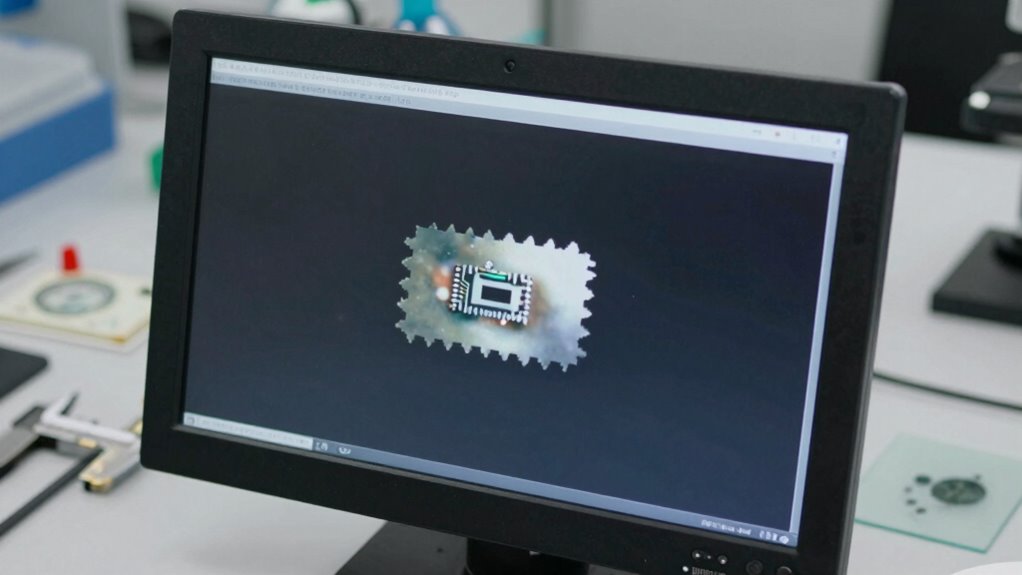
Digital microscopes are powerful tools that can enhance your observations, but they also come with common pitfalls that can compromise your results. One of the most frequent mistakes buyers make involves calibration errors. When you set up your microscope, it’s tempting to assume everything is perfectly aligned and ready to use. However, if the device isn’t properly calibrated, your images and measurements will be inaccurate. Overlooking calibration can lead to misinterpreting size, distance, or details, which might seem minor at first but can seriously skew your findings in the long run. Regular calibration checks are essential, especially if you frequently switch between different magnifications or use the microscope for precise measurements. Failing to calibrate properly can result in consistently flawed data, costing you time and potentially invalidating your work. Ensuring your device is properly calibrated helps maintain measurement accuracy and reliable results. Power supply issues are another common mistake that can cause significant disruptions. Many digital microscopes rely on stable power sources to operate smoothly. If you don’t use the recommended power supply or neglect to check your connections, you might encounter inconsistent performance or even damage to the device. Power fluctuations or interruptions can lead to image flickering, freezing, or complete shutdowns, which interrupt your workflow and may force you to repeat experiments or inspections. In some cases, power supply problems can damage internal components, leading to costly repairs or replacements. To prevent this, always use the manufacturer-specified power adapter and ensure your outlet provides a steady supply of electricity. Avoid using extension cords or power strips that might introduce fluctuations, and consider using a surge protector for added safety. Proper device handling and storage are also crucial to prevent accidental damage that can impair your microscope’s functionality. Beyond calibration errors and power issues, you should also be aware that neglecting routine maintenance can cause the device to malfunction. Dust, dirt, or fingerprints on lenses or sensors can distort images and reduce clarity. Regular cleaning and careful handling are simple but vital steps. Additionally, considering the environmental conditions in which you operate can help extend the lifespan of your microscope and maintain optimal performance. Also, don’t ignore software updates or firmware upgrades, as these often include important bug fixes or performance improvements. Ignoring these updates can leave your microscope vulnerable to errors or incompatibilities.
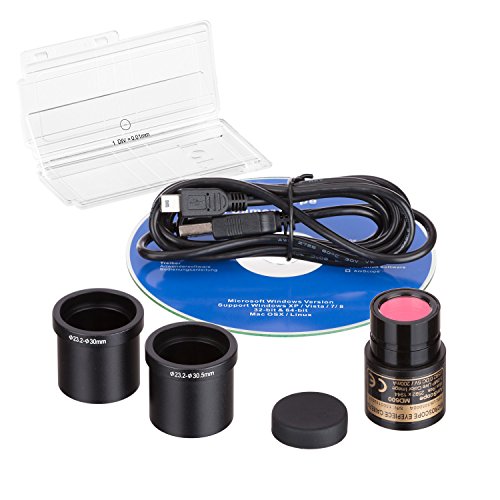
AmScope 5.0 MP USB Still & Live Video Microscope Imager Digital Camera + Calibration Kit
5MP USB digital camera captures still images, streams live videos and is compatible with Windows XP/Vista/7/8/10
As an affiliate, we earn on qualifying purchases.
As an affiliate, we earn on qualifying purchases.
Frequently Asked Questions
How Do I Choose the Right Digital Microscope for My Needs?
To choose the right digital microscope, consider your sample selection needs—whether you’re viewing tiny electronics or biological specimens. Think about the magnification and resolution required, and whether accessory upgrades like additional lenses or lighting will enhance your work. Also, assess if the microscope’s software supports your analysis goals. By matching these features to your tasks, you’ll find a model that provides clear images and long-term value.
What Maintenance Is Required to Keep a Digital Microscope Functioning Properly?
To keep your digital microscope functioning properly, you need to regularly perform lens calibration and follow cleaning protocols. Carefully calibrate the lens to guarantee accurate images, and clean the lens with a soft, lint-free cloth to prevent dust and smudges. Avoid touching the lens with your fingers and store the microscope in a clean, dry place. Regular maintenance helps prolong its lifespan and maintains peak performance.
How Can I Improve Image Quality on My Digital Microscope?
To improve your digital microscope’s image quality, focus on adjusting the lighting to reduce glare and shadows. Make certain your image resolution is set to the highest possible setting for clearer details. Keep the lenses clean and properly aligned, and experiment with different lighting angles to enhance contrast. These steps help you capture sharper, more detailed images, making your observations more accurate and easier to analyze.
Are There Safety Concerns When Using Digital Microscopes?
Yes, there are safety concerns when using digital microscopes. You should follow safety precautions like avoiding direct eye exposure to intense light sources and handling the device carefully to prevent damage. Be aware of handling hazards such as electrical components, especially if the device is plugged in. Always read the manual, use protective gear if needed, and guarantee your workspace is dry and organized to minimize accidents.
What Are the Common Troubleshooting Tips for Digital Microscopes?
Troubleshooting your digital microscope is like tuning a fine instrument. First, check for calibration issues—ensure the focus and image sharpness are correct. Next, adjust the lighting to eliminate glare or shadows, which can distort your view. If images appear blurry or unstable, clean the lens and reconnect cables. Regularly update the firmware to prevent glitches, and restart the device to refresh its settings, keeping your observations crystal clear.

LED Light Source for Microscopes Low Power Consumption 0.5W-5W Microscope Power Supply Light Microscope Electronics
Additionally, its energy efficient LED design conserves power, extends lifespans, and integrates digital imaging capabilities for easy and…
As an affiliate, we earn on qualifying purchases.
As an affiliate, we earn on qualifying purchases.
Conclusion
So, next time you’re about to buy a digital microscope, remember: don’t fall for flashy features or fake reviews. Skip the hype and do your homework—your wallet will thank you. After all, the real “magnification” happens when you avoid costly mistakes. Because nothing says “smart purchase” like learning from others’ blunders—unless, of course, you enjoy throwing money away on shiny gadgets that don’t deliver. Happy hunting, and may your magnifications always be accurate!

AmScope MLA-Kim Microscope Maintenance Kit – Ultra-Low Viscosity Immersion Oil and Kimwipes Wipers
1/4 Oz Type B medium viscosity immersion oil for better microscopy images and prolonged use
As an affiliate, we earn on qualifying purchases.
As an affiliate, we earn on qualifying purchases.

Wireless Digital Microscope, Skybasic 50X-1000X Magnification WiFi Portable Handheld Microscopes with Adjustable Stand HD USB Microscope Camera Compatible with iPhone Android iPad Windows Mac Computer
【WiFi & USB Microscope】This is a wireless handheld digital microscope that has been designed to work with your…
As an affiliate, we earn on qualifying purchases.
As an affiliate, we earn on qualifying purchases.