
TL;DR
Smart home automation devices connect your household equipment to apps or voice assistants, offering convenience, energy savings, and security. The key is understanding compatibility, automation rules, and security to make the most of your smart home.
If you’ve ever felt overwhelmed by the flood of smart home gadgets, you’re not alone. These devices promise a future where your home responds to your needs automatically—lights turn on, thermostats adjust, and doors lock—all without lifting a finger. But behind the shiny surface lies a maze of options, compatibility questions, and security concerns.

Get the latest gadgets delivered free with Prime
- Fast, free delivery on millions of items
- Prime Video, Amazon Music and more included
- Member-only deals all year
Understanding what makes a smart home device truly useful and how to set it up can turn your space into a seamless, efficient haven. This guide cuts through the hype, showing you what really matters when choosing, installing, and living with smart home automation tech.
Start small—focus on one or two needs like lighting or security—then expand as you learn.
Prioritize devices that support open standards like Matter or Zigbee for better interoperability.
Always secure your smart home with strong passwords, regular updates, and separate Wi-Fi networks.
Automation rules and sensors are what turn gadgets into a true smart home—don’t rely solely on manual control.
Choose brands with ongoing support and security updates to keep your system safe and functional over time.
What are smart home automation devices — and what can they really do?
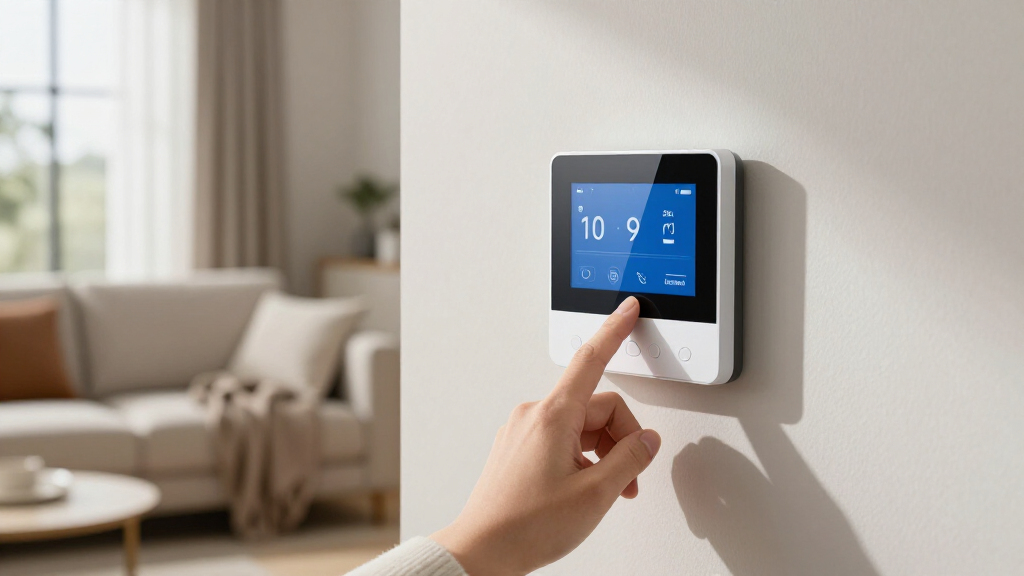
Smart home automation devices are gadgets connected to your home network that can be controlled remotely or set to run automatically based on rules or sensors. Think of a smart thermostat that learns your schedule or a motion-activated light that turns on when you walk into a room. These devices are designed to make life easier, save energy, and boost security.
For example, a smart lock can be unlocked remotely for a visitor, or a water leak sensor can alert you instantly if there’s a problem. The real magic happens when you combine devices into routines, like having your lights dim and music start when you arrive home.
However, not every device is truly automated—some just respond to manual commands. The difference lies in Rules, schedules, and sensors that trigger actions without your direct input. This distinction impacts how much effort you need to put into setting them up and how much convenience they provide. Truly automated devices can learn from your habits and adapt over time, reducing the need for manual adjustments and creating a more intuitive environment. But, they also require thoughtful setup and ongoing management to avoid unexpected behaviors or security vulnerabilities.
Popular right now

Dyson V15 Detect Cordless Vacuum

De’Longhi Classic Matte Black Espresso Machine with Milk Frother

KitchenAid Artisan 5-Qt Tilt-Head Stand Mixer, KSM150PS, Almond Cream
As an affiliate, we earn on qualifying purchases.
The must-know basics before diving into smart home tech
Before you start buying, understand some core concepts. First, a hub isn’t always necessary—many devices connect directly via Wi-Fi. But if you want a centralized control point, a hub can coordinate multiple protocols like Zigbee or Z-Wave, which are often more reliable and have lower latency than Wi-Fi. Choosing between direct Wi-Fi connections and hubs depends on your priorities: ease of setup versus expandability and stability.
Second, compatibility matters. Devices labeled ‘Works with Alexa’ or ‘Works with Google’ are designed to connect smoothly with those ecosystems, but not all automations or integrations are equal. Some may support basic commands but lack advanced routines, which affects how seamlessly your devices work together. Understanding the depth of compatibility helps prevent frustration and ensures your system can grow without major replacements.
Third, security isn’t just a buzzword. Use strong passwords, enable two-factor authentication, and keep your device firmware updated. Each device connected to your network can be an entry point for hackers, so neglecting security measures can compromise your entire smart home. Regular updates patch vulnerabilities, and segmenting your network isolates your smart devices from your primary internet access, reducing risk. The tradeoff often involves a slight increase in complexity but significantly improves safety.
Lastly, plan your upgrade. Start with a single need—like lighting or security—and expand gradually. This approach allows you to assess value, compatibility, and your comfort level without feeling overwhelmed. It also helps you avoid costly mistakes or overbuying devices that don’t fit into your overall system, ensuring a more cohesive and manageable smart home environment.
How to pick the right devices for your home — and what to avoid
Choosing the right smart home devices is like assembling a puzzle. Focus on your priorities—security, convenience, or energy saving. For instance, if you want peace of mind, start with smart cameras and door sensors. If convenience is key, consider smart lighting and voice-controlled speakers.
Here’s a quick comparison:
| Device Type | Use Case | Pros | Cons |
|---|---|---|---|
| Smart Thermostat | Auto-adjust temperature based on schedule or sensors | Energy savings, comfort control | Requires compatible HVAC system |
| Smart Locks | Keyless entry, remote lock/unlock | Convenience, security alerts | Potential hacking risk, battery dependence |
| Security Cameras | Monitoring and recording | Deterrent, evidence collection | Privacy concerns, storage costs |
While this overview helps, it’s essential to understand the deeper implications. For example, choosing a device solely based on initial features without considering long-term support or security can lead to vulnerabilities or obsolescence. Devices that require proprietary hubs or ecosystems might seem convenient but can limit your options later or increase dependency on a single brand. Prioritizing devices that support open standards like Zigbee, Z-Wave, or Matter ensures better interoperability and future-proofing. The tradeoff often involves a slightly more complex setup initially but pays off in flexibility and longevity.
Setting up your smart home: step-by-step for beginners
Getting started doesn’t have to be intimidating. Here’s a simple 5-step plan:
- Identify your main needs: Security, comfort, energy savings?
- Pick compatible devices: Focus on those supporting your ecosystem (Alexa, Google, Apple).
- Install and connect devices: Follow manufacturer instructions—most are straightforward with app-guided setup.
- Create routines and automations: Use apps to set rules—like turning lights on at sunset or lowering the heat when you leave.
- Test and refine: Play around, see what works, and adjust automations to fit your lifestyle.
For example, a friend installed smart lights in her living room. She set them to turn on at sunset and off at bedtime, saving her about 15% on electricity bills in the first month.
Patience is key. Some devices may need firmware updates or troubleshooting, but that’s part of building a reliable smart system. Understanding how to troubleshoot and refine automations over time ensures your setup remains effective and safe.
Why interoperability and standards matter — and what you really need to know
Interoperability is the ability of devices to work smoothly together across brands and ecosystems. Standards like Matter aim to unify control, but support varies widely among manufacturers. When devices support common protocols, it reduces the frustration of incompatibility and makes future upgrades easier. For instance, a device supporting Matter can often be added to your existing system without complex configuration, saving time and money. This compatibility also means you’re less locked into a single ecosystem, giving you flexibility as your needs evolve.
Support for protocols like Thread, which creates a mesh network, enhances reliability and speed—especially important if your Wi-Fi drops or becomes congested. Devices supporting these standards are typically more resilient, providing a more stable and responsive smart home environment. Prioritizing devices with open standards reduces the risk of obsolescence and vendor lock-in, making your investment more future-proof. Think of it as choosing a universal language that all your devices can speak, ensuring seamless communication and easier troubleshooting.
In essence, understanding the protocols your devices support and favoring open, widely adopted standards ensures your smart home remains flexible, secure, and easier to maintain over time.
Living with smart devices: security, privacy, and ongoing support
Smart home devices collect a significant amount of sensitive data—video feeds, usage patterns, voice recordings—which, if mishandled, can pose serious privacy risks. The importance of security cannot be overstated, as vulnerabilities can lead to unauthorized access or data breaches. Using strong, unique passwords for each device, enabling two-factor authentication, and regularly updating firmware are essential steps. These measures close security gaps and prevent hackers from exploiting known vulnerabilities.
Beyond technical safeguards, your habits play a crucial role. Ignoring firmware alerts, leaving default passwords unchanged, or neglecting security updates can open your system to attacks. Setting up a dedicated, segmented Wi-Fi network for your smart devices helps isolate potential breaches, protecting your primary network and sensitive information. This layered approach significantly reduces risk, but it requires some initial setup and ongoing vigilance.
Support from manufacturers is vital for maintaining security over time. Choose brands that commit to regular updates and have a reputation for prompt security patches. Devices that stop receiving updates after a few years can become vulnerable, so investing in reputable brands with active support ensures your system remains safe and functional. For example, a reputable smart camera received a critical security patch within two weeks of a vulnerability report, highlighting the importance of ongoing support and trustworthiness in your device choices.
Frequently Asked Questions
What are the most useful smart home devices to start with?
Start with smart lighting, thermostats, or door locks. They deliver immediate benefits—like energy savings and convenience—without requiring complicated setups. These devices also give a quick win that gets you motivated to expand your system.Do I need a hub for my smart home devices?
Not always. Many devices connect directly via Wi-Fi and work without a hub. However, if you want centralized control over multiple protocols or a more reliable system, a hub supporting Zigbee or Z-Wave can help unify your devices.Are smart home devices secure and private?
They can be, if you follow best practices. Use strong passwords, keep firmware updated, and set up separate Wi-Fi networks. Choose reputable brands that prioritize security and regularly release updates to patch vulnerabilities.What is Matter, and do I need it?
Matter is a new industry standard designed to improve device compatibility across ecosystems. While not mandatory yet, supporting devices with Matter support future-proofs your setup and simplifies automation across brands.Conclusion
Your smart home is a canvas waiting for your personal touch. Focus on the devices that solve your biggest problems, and let automation do the rest. With a little patience, you’ll create a space that’s more comfortable, energy-efficient, and secure—without the daily hassle.
Remember, the magic isn’t just in the gadgets, but in how you connect and control them. It’s about making your home smarter, one routine at a time. So, what will you automate first?