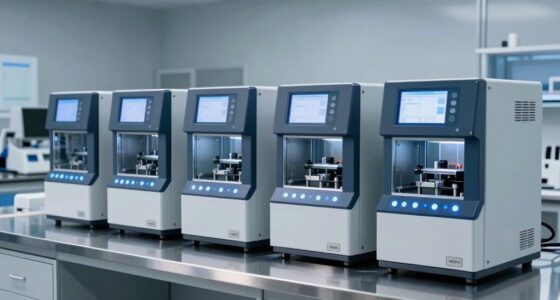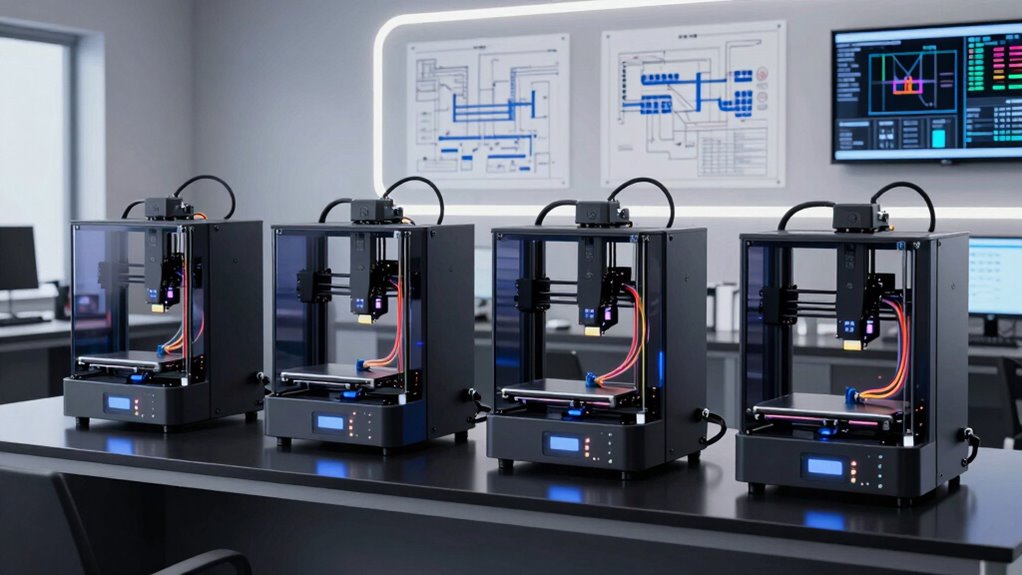

Engineers need FDM 3D printers that hold tolerances, print engineering-grade materials like ABS, ASA, nylon, and PC, and run reliably through long prototyping cycles — not just fast consumer machines. The Original Prusa CORE One takes my top spot for combining a fully enclosed CoreXY platform, hardened components, and the track record engineers depend on for dimensional accuracy. The QIDI Q2 stands out with its 65°C heated chamber at a mid-range price, while the Bambu Lab P1S offers the best speed-to-reliability ratio for teams that iterate quickly. The main tradeoff you’ll face in this category is between chamber heating and material capability on one side and speed, automation, and multicolor convenience on the other. Read on for the full breakdown of all 14 machines and which one fits your workflow.

Get the latest gadgets delivered free — and shop member deals
- Fast, free delivery on millions of items
- Access to Prime Big Deal Days deals on October 6–7
- Prime Video, Amazon Music and more included
Complete the kit


Key Takeaways
- A heated, actively controlled chamber was the single biggest differentiator in this lineup — the QIDI Q2 and QIDI Plus5 can print stress-critical ABS, ASA, and PC parts that open-frame machines warp or delaminate.
- Multicolor tool changing (Snapmaker U1, Flashforge Creator 5 Pro) is fundamentally faster than AMS-style filament swapping, but it costs far more — engineers printing functional parts, not decorative ones, can skip it entirely.
- The renewed Bambu A1 Combo and Anycubic Kobra X represent the value tier: excellent single-material part quality under $400, but both struggle with high-temperature filaments due to open frames.
- Prusa machines (MK4S, CORE One) remain the safest picks when documentation, open-source firmware, spare parts availability, and long-term serviceability matter more than raw speed.
- Build volume above 300mm³ cube (Kobra S1 Max, Plus5) adds real cost and slower heating cycles — only worth paying for if you genuinely print large fixtures, enclosures, or assembly prototypes in one piece.
| Original Prusa MK4S Fully Assembled FDM 3D Printer |  | Best for Open, Upgradeable Engineering Workflows | Print size: 9.84 × 8.3 × 8.6 in | Product dimensions: 19.6 × 15.7 × 21.6 in | Item weight: 15.4 lb | VIEW ON AMAZON | See Our Full Breakdown |
| FLASHFORGE Adventurer 5M Pro 3D Printer |  | Best for Fast Enclosed Prototyping | Printer type: Enclosed CoreXY 3D printer | Maximum speed: 600 mm/s | Acceleration: 20,000 mm/s² | VIEW ON AMAZON | See Our Full Breakdown |
| QIDI Q2 3D Printer with 65°C Heated Chamber and 370°C Nozzle |  | Best for High-Temperature Engineering Materials | Heated chamber temperature: 65°C | Maximum nozzle temperature: 370°C | Maximum print speed: 600 mm/s | VIEW ON AMAZON | See Our Full Breakdown |
| Bambu Lab A1 Combo 3D Printer with AMS Lite (Renewed) |  | Best for Multi-Color Desktop Prototypes | Included components: A1 3D printer and AMS lite | Refurbishment: Officially refurbished by Bambu Lab | Maximum acceleration: 10,000 mm/s² | VIEW ON AMAZON | See Our Full Breakdown |
| Bambu Lab A1 3D Printer – Ready-to-Use FDM Printer for Beginners and Kids |  | Best for Straightforward Single-Color Prototyping | Technology: FDM | Acceleration: 10,000 mm/s² | Noise level: ≤48 dB | VIEW ON AMAZON | See Our Full Breakdown |
| Bambu Lab P1S 3D Printer |  | Best All-Around Workhorse | Max Colors: 16 (requires Bambu Lab AMS) | Max Print Speed: 500 mm/s | Acceleration: 20000 mm/s² | VIEW ON AMAZON | See Our Full Breakdown |
| Flashforge Creator 5 Pro 4-Toolhead 3D Printer |  | Best for Serious Multi-Material Work | Toolheads: 4 independent toolheads | Tool Changer: 7-second FlashSwap | Max Chamber Temperature: 65°C | VIEW ON AMAZON | See Our Full Breakdown |
| Bambu Lab P2S 3D Printer |  | Best for Fast Engineering Prototypes | Print Speed: Up to 600 mm/s | Setup Time: 15 minutes | Chamber Temperature: 50°C | VIEW ON AMAZON | See Our Full Breakdown |
| Snapmaker U1 3D Printer |  | Best Large-Volume Multi-Material Machine | Toolheads: 4 independent toolheads | Tool Change Time: About 5 seconds | Max Print Speed: 500 mm/s | VIEW ON AMAZON | See Our Full Breakdown |
| ANYCUBIC Kobra X Fast 3D Printer |  | Best Entry-Level Multicolor Value | Build Volume: 260 x 260 x 260 mm | Colors: Native 4-color printing | Auto-Leveling: LeviQ 3.0, 49-point, 0.02mm accuracy | VIEW ON AMAZON | See Our Full Breakdown |
| QIDI Plus5 Combo Multi-Color 3D Printer |  | Best for Extreme Engineering Filaments | Build Volume: 320×320×300mm | Max Extrusion Temperature: 370°C | Chamber Temperature: 65°C (actively heated) | VIEW ON AMAZON | See Our Full Breakdown |
| FLASHFORGE AD5X Multi-Color 3D Printer |  | Best Value Multicolor Pick | Printing Technology: FDM | Color Printing: Up to 4 colors | Filament System: Intelligent Filament System (IFS) | VIEW ON AMAZON | See Our Full Breakdown |
| Anycubic Kobra S1 Max Combo 3D Printer |  | Best for Full-Scale Single-Piece Prototypes | Build Volume: 350×350×350mm | Structure: Fully-enclosed CoreXY, all-metal frame | Max Print Speed: 600mm/s | VIEW ON AMAZON | See Our Full Breakdown |
| Original Prusa CORE One Fully Enclosed High-Speed CoreXY 3D Printer |  | Best for Reliability and Long-Term Support | Motion System: CoreXY | Build Volume: 250×220×270mm | Chamber: Fully enclosed, active-heated | VIEW ON AMAZON | See Our Full Breakdown |
More Details on Our Top Picks
Original Prusa MK4S Fully Assembled FDM 3D Printer
The Original Prusa MK4S suits engineers who value a printer they can maintain and adapt over time. Its input shaping helps reduce ringing while supporting fast prints with good surface quality and dimensional accuracy, useful when functional parts need predictable geometry. Compared with the enclosed FLASHFORGE Adventurer 5M Pro, the MK4S has a more open design and an explicitly open-source ecosystem with firmware updates and hardware upgrade paths. That flexibility can appeal to teams that want visibility into their machine and room to modify it, though the provided details do not establish the same enclosed-material setup as the Flashforge. The tradeoff is a smaller stated build area than some larger-format options in this roundup. It includes a spool of Prusament PLA and lifetime technical assistance, but its listed features give less emphasis to automation and monitoring.
Pros:- Input shaping helps reduce ringing and supports accurate, clean-looking parts
- Open-source ecosystem offers firmware updates and hardware upgrade paths
- Fully assembled configuration is ready to set up as a desktop printer
- Includes 1 kg of Prusament PLA and lifetime technical assistance
Cons:- No heated chamber or broad engineering-material support is specified
- Build area is smaller than larger-format printers in the roundup
- Listed features do not include a built-in camera or automatic bed leveling
Best for: Engineering teams that prioritize repairability, open-source hardware, and accurate desktop prototypes
Not ideal for: Engineers who need a heated enclosure for routine work with advanced engineering filaments
- Print size:9.84 × 8.3 × 8.6 in
- Product dimensions:19.6 × 15.7 × 21.6 in
- Item weight:15.4 lb
- Model number:MK4S-COM-PEI
- Included filament:1 kg spool of Prusament PLA Galaxy Black
- Origin:European Union
Our verdict“Choose the MK4S if you want an accurate desktop printer with an open, upgradeable platform and do not need an enclosed high-temperature setup.”
FLASHFORGE Adventurer 5M Pro 3D Printer
The FLASHFORGE Adventurer 5M Pro combines a CoreXY system rated up to 600 mm/s with an enclosure, making it a practical fit for engineers moving quickly between prototypes in common materials. Automatic bed leveling reduces setup work, while the tool-free quick-swap nozzle makes it easier to change nozzle sizes for detail or throughput. Unlike the open-frame Original Prusa MK4S, this model lists support for ABS, ASA, and PETG-CF, plus dual filtration and a 280°C nozzle. Those features broaden its material options, though its temperature range is less suited to demanding high-temperature polymers than the QIDI Q2. A built-in camera, mobile control, and power-loss recovery help manage jobs with less supervision. The compromise is that this printer’s specified chamber is enclosed but not heated, so material control has limits.
Pros:- CoreXY motion system is rated for speeds up to 600 mm/s
- Enclosure, dual filtration, and support for ABS and ASA expand material choices
- Automatic bed leveling and tool-free nozzle changes simplify routine setup
- Camera, mobile control, and power-loss recovery support monitored jobs
Cons:- 280°C maximum nozzle temperature is below the QIDI Q2’s 370°C rating
- No heated chamber is specified for more demanding engineering materials
Best for: Prototype engineers who want an enclosed, fast machine for PLA, PETG, ABS, ASA, and PETG-CF parts
Not ideal for: Materials engineers who need a heated chamber and nozzle temperatures for high-temperature polymers
- Printer type:Enclosed CoreXY 3D printer
- Maximum speed:600 mm/s
- Acceleration:20,000 mm/s²
- Nozzle sizes:0.25, 0.4, 0.6, 0.8 mm
- Maximum nozzle temperature:280°C
- Maximum heated bed temperature:110°C
- Supported materials:PLA, PETG, ABS, ASA, PETG-CF
- Noise level:Under 50 dB
Our verdict“Pick the Adventurer 5M Pro for fast enclosed prototyping with common engineering filaments, and look to the QIDI Q2 for higher-temperature work.”
QIDI Q2 3D Printer with 65°C Heated Chamber and 370°C Nozzle
The QIDI Q2 is the specialist pick for engineers whose material requirements go beyond the Adventurer 5M Pro’s 280°C nozzle and unheated enclosure. Its 370°C nozzle and 65°C heated chamber are designed for demanding materials such as PPS-CF, while a full-metal CoreXY frame with linear rails supports printing up to 600 mm/s. Nozzle-based auto-leveling, a monitored chamber, and triple filtration add practical control for a more capable machine. Compared with the Prusa MK4S, the Q2 is much more focused on enclosed, high-temperature materials than an open, upgradeable desktop workflow. The tradeoff is complexity: its advanced material handling may exceed the needs of routine PLA prototyping, and the advertised multi-color capability requires the separate QIDI BOX accessory. This makes most sense when material range is a real engineering requirement.
Pros:- 370°C nozzle and 65°C heated chamber target high-temperature engineering materials
- Supports a broad range of materials, including PA, PC, and fiber composites
- CoreXY frame and linear rails support printing speeds up to 600 mm/s
- Triple filtration and closed-loop temperature controls add chamber safeguards
Cons:- Full multi-color printing requires the separate QIDI BOX accessory
- Advanced material and chamber features may be unnecessary for basic prototype work
- The listed print volume is not provided in the supplied product data
Best for: Materials and product engineers who need a heated chamber and high nozzle temperature for composites such as PPS-CF
Not ideal for: Engineers who mainly print PLA prototypes and want a simpler machine without accessory-dependent multi-color features
- Heated chamber temperature:65°C
- Maximum nozzle temperature:370°C
- Maximum print speed:600 mm/s
- Structure:Full-metal CoreXY with linear rails
- Auto-leveling:Yes; nozzle acts as the leveling sensor
- Multi-color capability:Up to 16 colors with QIDI BOX
- Supported materials:PLA, ABS, PETG, TPU, PA, PC, carbon- and glass-fiber composites, including PPS-CF
- Filtration:G3 pre-filter, H12 HEPA, and activated carbon
Our verdict“Choose the QIDI Q2 when high-temperature polymers and composites matter more than keeping the printer setup simple.”
Bambu Lab A1 Combo 3D Printer with AMS Lite (Renewed)
The Bambu Lab A1 Combo is the accessible route to multi-color printing in this group: its AMS lite is included, unlike the standard A1, where that system is sold separately. Automatic bed leveling and Z-offset calibration reduce manual setup, and the quick-swap nozzle helps shorten maintenance when changing jobs. Against the enclosed FLASHFORGE Adventurer 5M Pro, the A1 Combo emphasizes ease of use and color changes rather than an enclosure for ABS or ASA. That makes it a better fit for visual models, labeled components, or demonstrations than for temperature-sensitive engineering materials. Its renewed status is the central tradeoff for teams that require a new unit, and the provided data gives no build volume or supported-material list to judge engineering-part capacity. I would favor it when color separation adds value to desktop prototypes.
Pros:- AMS lite is included for multi-color printing
- Automatic bed leveling and Z-offset calibration reduce setup tasks
- One-clip quick-swap nozzle simplifies nozzle changes
- Active motor noise cancellation is designed to reduce operating noise
Cons:- Officially refurbished rather than new
- No enclosure is specified for materials such as ABS or ASA
- Provided product data does not list build volume or material compatibility
Best for: Design engineers and technical educators who need an included multi-color system for visual prototypes and demonstrations
Not ideal for: Engineers printing ABS, ASA, or other materials that benefit from an enclosed chamber, or buyers who require a new unit
- Included components:A1 3D printer and AMS lite
- Refurbishment:Officially refurbished by Bambu Lab
- Maximum acceleration:10,000 mm/s²
- Calibration:Automatic bed leveling and Z-offset
- Nozzle:1-Clip quick-swap
- Noise reduction:Active motor noise cancellation
Our verdict“Choose the renewed A1 Combo for accessible multi-color desktop prototypes if refurbished equipment fits your purchasing requirements.”
Bambu Lab A1 3D Printer – Ready-to-Use FDM Printer for Beginners and Kids
The standard Bambu Lab A1 makes sense for engineers who want fast, repeatable desktop prints without paying attention to every setup adjustment. Its full-auto calibration and active flow-rate compensation are aimed at reducing manual tuning, while acceleration up to 10,000 mm/s² supports quick iteration on everyday parts. Compared with the renewed A1 Combo, this version does not include the AMS lite, so multi-color work requires buying that accessory separately; in return, buyers can keep the setup focused on single-color prototypes. Its stated noise level of 48 dB or less and quick-swap nozzle suit shared workspaces and frequent maintenance. The key limitation versus the Adventurer 5M Pro is the lack of a listed enclosure or support for ABS and ASA. I would treat it as a capable general-purpose prototyping choice, not a high-temperature materials platform.
Pros:- Full-auto calibration handles bed leveling and Z-offset
- Active flow-rate compensation supports consistent print output
- Rated at 48 dB or less with active motor noise cancellation
- One-clip quick-swap nozzle simplifies routine nozzle maintenance
Cons:- AMS lite for multi-color printing is sold separately
- No enclosed chamber or advanced-material support is specified
- At 22 lb, it is less portable than a smaller desktop printer
Best for: Engineers and design students who need quickly calibrated single-color PLA or PETG prototypes at a shared desk
Not ideal for: Engineers who routinely print ABS, ASA, or composites and need an enclosed chamber or included multi-color system
- Technology:FDM
- Acceleration:10,000 mm/s²
- Noise level:≤48 dB
- Calibration:Full-auto bed leveling and Z-offset
- Nozzle:1-Clip quick-swap
- Multi-color:Supported with AMS lite, sold separately
- Product dimensions:21.76 × 20.83 × 12.87 in
- Item weight:22 lb
- Model number:PF002-A
Our verdict“Pick the standard A1 for low-fuss, single-color prototyping, and choose the A1 Combo if you need multi-color printing included.”
Bambu Lab P1S 3D Printer
The Bambu Lab P1S earns its place as the most balanced machine in this lineup because it solves two problems engineers care about at once: speed and material versatility. The fully enclosed frame lets it run ABS and ASA reliably, something the open-frame ANYCUBIC Kobra X simply can’t match without a DIY enclosure. Compared with the Flashforge Creator 5 Pro, the P1S gives up the dedicated multi-toolhead approach in favor of the AMS spool system — which means more purge waste, but a far lower barrier to entry and a 15-minute setup that gets an engineer prototyping the same afternoon.
The tradeoff is real, though: multi-color capability requires adding the separately purchased AMS, and the hardened-nozzle path for abrasive filaments is off the table since carbon and glass fiber reinforced polymers are explicitly not recommended. For nylon and PC, it’s capable but not ideal — the Snapmaker U1’s broader material support handles those better.
Pros:- Very fast 500 mm/s print speeds with 20000 mm/s² acceleration for rapid iteration
- Fully enclosed body handles ABS, ASA, and other engineering filaments reliably
- Automatic bed leveling plus 15-minute setup means near-zero fiddling
- Scalable multi-color support up to 16 colors via AMS
- Compact footprint relative to its capability
Cons:- Multi-color printing requires the separately purchased Bambu Lab AMS
- Not suitable for carbon or glass fiber reinforced filaments
- Purge-based color changes waste more filament than toolhead-switching designs
Best for: Engineers who need one dependable machine for fast prototyping across PLA, PETG, ABS, and ASA without babysitting it
Not ideal for: Anyone planning to run carbon- or glass-fiber reinforced filaments, or buyers who want multi-color printing included in the box
- Max Colors:16 (requires Bambu Lab AMS)
- Max Print Speed:500 mm/s
- Acceleration:20000 mm/s²
- Bed Leveling:Automatic
- Setup Time:15 minutes
- Design:Fully enclosed
- Ideal Filaments:PLA, PETG, TPU, PVA, PET, ABS, ASA
- Capable Filaments:PA, PC
Our verdict“The safest default choice for an engineer who wants fast, enclosed, multi-material prototyping — just plan on adding the AMS for color work.”
Flashforge Creator 5 Pro 4-Toolhead 3D Printer
Where the Bambu P1S handles color through a single nozzle and a purge tower, the Flashforge Creator 5 Pro attacks material waste head-on with four independent toolheads that swap in seven seconds via FlashSwap — no filament flushing at all. For engineers printing dissolvable-support assemblies or combining rigid and flexible materials, that difference translates directly into less wasted filament and cleaner part boundaries. The 65°C heated chamber also puts it ahead of the P1S for warp-prone engineering plastics like PC and PA, where chamber temperature is the difference between a flat part and a curled one.
The compromises are weight and transparency: at 39 pounds it’s a bench fixture, not a mobile tool, and Flashforge doesn’t publish a build volume in the product listing — an odd omission that forces buyers to verify dimensions before committing. Compared with the Snapmaker U1, you get the heated chamber and HEPA 13 filtration, but lose the U1’s clearly stated large build volume.
Pros:- Four independent toolheads eliminate filament flushing between colors and materials
- 65°C heated chamber reliably handles ABS, PC, and PA
- HEPA 13 and activated carbon filtration for safer indoor operation
- 600 mm/s CoreXY motion with automated calibration and remote monitoring
Cons:- Large and heavy at 39 pounds — not a portable machine
- Build volume is not stated in the product description
- Four-toolhead complexity adds maintenance surface compared with single-nozzle designs
Best for: Engineers producing multi-material or dissolvable-support parts in ABS, PC, and PA who want minimal purge waste and a controlled chamber
Not ideal for: Buyers with limited bench space or those who need confirmed build volume specs before purchasing
- Toolheads:4 independent toolheads
- Tool Changer:7-second FlashSwap
- Max Chamber Temperature:65°C
- Max Printing Speed:600 mm/s
- Motion System:CoreXY
- Filtration:HEPA 13 and activated carbon
- Supported Materials:ABS, PC, PA
- Dimensions:16 x 14 x 18 inches
- Weight:39 pounds
Our verdict“A purpose-built multi-material machine for engineers whose parts genuinely need four materials at once — everyone else will find the P1S simpler and cheaper to run.”
Bambu Lab P2S 3D Printer
The Bambu Lab P2S positions itself as the speed-focused successor in Bambu’s enclosed lineup, and it shows: 600 mm/s printing with CoreXY precision, a PMSM servo extruder, and active flowrate compensation keep dimensional accuracy from falling apart at high velocity. Compared with the P1S, the P2S adds a 50°C chamber and adaptive airflow — meaning overhangs cool properly on PLA while engineering-grade materials still get the warm environment they need. The AI failure detection is a genuinely useful addition for long unattended print runs, catching spaghetti before it consumes a spool.
The catch mirrors the P1S: multi-color requires stepping up to the Combo version with the AMS 2 Pro, so the base model is single-color only. And at 38.9 pounds with an 18 x 21 x 18 inch footprint, it’s a stationary bench machine. If you don’t need the newer speed and chamber, the P1S remains the value play; the P2S is for engineers who iterate fast and print hot.
Pros:- Up to 600 mm/s print speed with CoreXY accuracy retention
- 50°C heated chamber with adaptive airflow supports engineering-grade filaments
- AI failure detection prevents wasted material on long prints
- 15-minute setup with automatic calibration and quick-swap nozzles
- Bambu Studio and MakerWorld integration streamline the workflow
Cons:- Base model is single-color only; multi-color requires the Combo version with AMS 2 Pro
- Heavy at 38.9 pounds and not portable
- Overlaps heavily with the cheaper P1S for users who don’t need the extra speed
Best for: Engineers who want the fastest possible iteration cycles on engineering-grade materials with minimal setup friction
Not ideal for: Buyers who need multi-color out of the box, or anyone needing to regularly move the printer between workspaces
- Print Speed:Up to 600 mm/s
- Setup Time:15 minutes
- Chamber Temperature:50°C
- Motion System:CoreXY
- Extruder:PMSM servo with active flowrate compensation
- Dimensions:18 x 21 x 18 inches
- Weight:38.9 lbs
Our verdict“The pick for engineers who treat their printer as an iteration engine — fast, accurate, and chamber-heated, provided single-color output is acceptable.”
Snapmaker U1 3D Printer
The Snapmaker U1 stakes out the biggest footprint in this batch with a 270 × 270 × 270 mm build volume, and pairs it with the same four-toolhead architecture as the Flashforge Creator 5 Pro — but with a faster five-second tool change and a much broader published materials list, including TPU, PCTG, ASA, PA, and PC. For an engineer printing jigs, fixtures, or enclosures at scale, that volume matters more than anything the smaller Bambu machines offer. Automatic calibration and AI-powered monitoring through the app keep day-to-day operation low-effort despite the mechanical complexity.
The honest tradeoffs: it weighs 59 pounds, making it the heaviest machine here by a wide margin, and its four-toolhead system demands more setup and learning than a single-nozzle printer like the Bambu P2S. It also lacks the Flashforge’s heated chamber and HEPA filtration, so warp-prone materials benefit less from ambient control. This is a machine you plan around, not one you tuck on a shelf.
Pros:- Large 270 × 270 × 270 mm build volume for substantial functional parts
- Four independent toolheads with five-second changes minimize filament waste
- Broad material compatibility from PLA and TPU through PA, PC, and ASA
- Automatic calibration, AI monitoring, and remote app control
- 500 mm/s print speeds with a one-year warranty
Cons:- 59-pound weight makes relocation or repositioning genuinely difficult
- Four-toolhead system requires more setup effort and learning than single-nozzle printers
- No heated chamber or built-in filtration, unlike the Flashforge Creator 5 Pro
Best for: Engineers who need large multi-material or multi-color parts — jigs, fixtures, and functional assemblies — and have bench space to dedicate
Not ideal for: Small home workshops or buyers who want the simplest possible setup — the weight and toolhead learning curve demand commitment
- Toolheads:4 independent toolheads
- Tool Change Time:About 5 seconds
- Max Print Speed:500 mm/s
- Build Volume:270 × 270 × 270 mm
- Compatible Materials:PLA, PVA, TPU, PETG, PCTG, ABS, ASA, PA, PC, and more
- Display:3.5-inch touchscreen
- Dimensions:22.6 × 13 × 14.2 inches
- Weight:59 pounds
- Warranty:1 year
Our verdict“The choice when part size and multi-material capability are the priority — a heavy, capable bench machine for serious output rather than casual printing.”
ANYCUBIC Kobra X Fast 3D Printer
The ANYCUBIC Kobra X makes this list because it delivers something none of the Bambu options do at the base level: native 4-color printing with automatic color swaps included in the box. Buyers who would otherwise need to step up to a Bambu Combo package or the four-toolhead Snapmaker U1 get multicolor capability here without that added complexity or cost. The 260 × 260 × 260 mm build volume is generous for the category, and the 45 dB operation makes it genuinely livable in a shared office or home workspace — quieter than any enclosed CoreXY machine in this roundup.
The tradeoffs stem from its open-frame, value-first design. Unlike the enclosed Bambu P1S or Flashforge Creator 5 Pro, it lacks a heated chamber, so ABS and ASA will warp without third-party intervention — this is fundamentally a PLA and PETG machine. The ACE GEN 2 system reduces purge waste but doesn’t eliminate it the way true toolhead switching does. It’s the smart budget entry point, not an engineering-materials workhorse.
Pros:- Native 4-color printing with automatic color swaps, no add-on required
- Large 260 × 260 × 260 mm build volume
- Ultra-quiet 45 dB operation suitable for shared workspaces
- LeviQ 3.0 auto-leveling with 49-point, 0.02mm accuracy plus AI safety monitoring
- Pre-assembled with 15-minute setup and power/filament recovery
Cons:- Open frame with no heated chamber limits engineering-filament options
- Purge-based color changes waste more filament than toolhead-switching designs
- 720P camera is modest for detailed remote monitoring
Best for: Budget-conscious engineers or students who want multicolor prototyping in PLA and PETG with a large build volume and quiet operation
Not ideal for: Engineers relying on ABS, ASA, PC, or other warp-prone materials — the open frame and lack of a heated chamber make those unreliable
- Build Volume:260 x 260 x 260 mm
- Colors:Native 4-color printing
- Auto-Leveling:LeviQ 3.0, 49-point, 0.02mm accuracy
- Noise Level:45 dB
- Camera:720P with AI monitoring
- Setup:Pre-assembled, approximately 15 minutes
- Recovery Features:Power and filament recovery
- Dimensions:17.93 x 17.53 x 18.16 inches
- Weight:20.9 lbs
Our verdict“The most affordable path into large-format multicolor printing — an excellent PLA/PETG prototyper that engineers working with high-temp materials should skip.”
QIDI Plus5 Combo Multi-Color 3D Printer
No other machine in this lineup matches the QIDI Plus5’s material range. The 370°C hotend and 65°C actively heated chamber put carbon-fiber composites like PPS-CF and PPA-CF within reach — materials the FLASHFORGE AD5X, with its 300°C ceiling, simply cannot process. For an engineer printing structural jigs or high-temperature fixtures, that difference decides which parts are even possible.
Compared with the Anycubic Kobra S1 Max, you trade 30mm of build volume per axis for a hotter nozzle and a wider filament portfolio, which is the right trade for material-driven work rather than size-driven work. The downsides are real: multi-color printing needs the optional QIDI BOX, the toolhead cooling wants a Polar Cooler add-on for sustained chamber heat, and at 96.8 pounds this machine is essentially furniture. Budget for the accessories before committing.
Pros:- 370°C hotend plus 65°C actively heated chamber handles PPS-CF, PPA-CF, PC, and nylon reliably
- 320×320×300mm build volume suits full-scale prototypes and batch runs
- CoreXY motion with linear rails and 9mm belts keeps high-speed prints dimensionally accurate
- Active filament drying in the optional QIDI BOX prevents moisture defects in hygroscopic engineering filaments
Cons:- Multi-color printing and sustained heated-chamber cooling both require paid add-ons (QIDI BOX, Polar Cooler)
- At 96.8 pounds it is very difficult to relocate once installed
Best for: Engineers printing carbon-fiber reinforced nylons, PPS-CF, and other high-temp composites for functional prototypes
Not ideal for: Anyone in a shared or compact workspace — the weight and footprint demand a permanent, dedicated bench
- Build Volume:320×320×300mm
- Max Extrusion Temperature:370°C
- Chamber Temperature:65°C (actively heated)
- Max Print Speed:600mm/s
- Motion System:CoreXY with X-axis linear rails and 9mm timing belts
- Compatible Filaments:PLA, ABS, PETG, TPU, PA, PC, PPS-CF, PPA-CF, composites
- Multi-Color Support:Up to 16 colors with optional QIDI BOX
- Weight:96.8 pounds
Our verdict“This is the pick when your parts need exotic fiber-filled filaments that cheaper machines in this roundup cannot melt, provided you accept the add-on costs.”
FLASHFORGE AD5X Multi-Color 3D Printer
The FLASHFORGE AD5X earns its place by bundling capabilities that cost extra elsewhere. Four-color printing works out of the box here, while the QIDI Plus5 gates multicolor behind the optional QIDI BOX and the Anycubic Kobra S1 Max only reaches its full 16-color count after buying three additional ACE 2 Pro units. For color-coded assemblies, wiring guides, or labeled fixtures, that matters.
The Intelligent Filament System quietly does its job — automatic detection and refills mean fewer failed overnight runs, which any engineer who prints test brackets unattended will appreciate. The tradeoff is capability, not quality: the 300°C nozzle ceiling rules out the high-temp composites the Plus5 handles, and the 220mm cube build volume limits full-scale prototyping. Plan on tuning your profiles too, because chasing the advertised 600mm/s without calibration costs you surface finish.
Pros:- Native four-color printing with no extra hardware to buy
- Intelligent Filament System auto-detects and refills spools to reduce failed prints
- All-metal CoreXY frame delivers fast, rigid motion at up to 600mm/s
- Handles flexible TPU alongside standard filaments
Cons:- 300°C maximum nozzle temperature excludes most engineering-grade materials
- 220×220×220mm build volume forces large parts to be split and joined
- Sustained max-speed printing requires careful tuning to preserve quality
Best for: Engineers and makers who want integrated multicolor prototyping and labeled functional parts without paying for accessory ecosystems
Not ideal for: Anyone printing nylon, PC, or fiber-filled composites — the 300°C hotend and unheated chamber are hard limits
- Printing Technology:FDM
- Color Printing:Up to 4 colors
- Filament System:Intelligent Filament System (IFS)
- Max Printing Speed:600mm/s
- Max Acceleration:20,000mm/s²
- Max Nozzle Temperature:300°C
- Build Volume:220×220×220mm
- Frame:All-metal CoreXY
Our verdict“The most sensible choice if multicolor output is the priority and your material needs stop at PLA, PETG, ABS, and TPU.”
Anycubic Kobra S1 Max Combo 3D Printer
When your part cannot be split into sections, the Anycubic Kobra S1 Max has the largest envelope in this batch: a 350×350×350mm cube. That beats the QIDI Plus5 by 30mm per axis and dwarfs the AD5X, letting you print entire enclosures, brackets, or scale models in one uninterrupted run — no seams, no alignment jigs, no bonding steps.
The bundled ACE 2 Pro gives you four-color printing on day one, unlike the Plus5’s paid QIDI BOX, though matching its 16-color ceiling means buying three more units. The 65°C heated chamber and 350°C hotend cover ABS and ASA well, but the Plus5 still runs hotter (370°C) and reaches composite filaments the Anycubic’s material list omits. LeviQ 3.0 calibration with flow dynamics compensation keeps dimensional accuracy honest at speed. Like the Plus5, it is a 77.8-pound commitment — plan its parking spot before it arrives.
Pros:- Class-leading 350×350×350mm build volume for true single-piece prints
- 65°C heated chamber makes ABS and ASA prints warp-free
- Four-color printing included out of the box via ACE 2 Pro
- LeviQ 3.0 auto-leveling with flow dynamics calibration maintains accuracy at 600mm/s
Cons:- Reaching the advertised 16-color capability requires three additional ACE 2 Pro purchases
- At 77.8 pounds, relocation after setup is impractical
Best for: Engineers producing large single-piece prototypes, housings, or fixture tooling that won’t fit smaller build plates
Not ideal for: Workshops needing 16-color output on a budget — the three extra ACE 2 Pro units inflate the true cost quickly
- Build Volume:350×350×350mm
- Structure:Fully-enclosed CoreXY, all-metal frame
- Max Print Speed:600mm/s
- Heated Chamber:65°C
- Hotend Max Temp:350°C
- Color Capability:4 colors native, up to 16 with 4 ACE 2 Pro units
- Auto-Leveling:LeviQ 3.0 49-point with flow dynamics calibration
- Compatible Filaments:ABS, ASA, PVA, TPU, PLA, PETG
Our verdict“The machine to buy when print size drives your decision and four colors is enough — step up to the QIDI Plus5 only if composite filaments matter more than volume.”
Original Prusa CORE One Fully Enclosed High-Speed CoreXY 3D Printer
The Prusa CORE One competes on a different axis than the others here: trust. It arrives fully assembled and factory-tested, with automatic calibration and one-click printing — closer to the out-of-box experience of the Bambu Lab P1S than the tinker-heavy machines this category once implied. For a design office where the printer needs to simply work, that predictability has value the spec sheet hides.
Its active-heated chamber covers PC and nylon, narrowing the material gap with the QIDI Plus5, though Prusa’s 250×220×270mm volume is modest next to the Anycubic Kobra S1 Max’s 350mm cube. What you get instead is the open-source Prusa ecosystem — long-term firmware updates, deep documentation, and lifetime technical assistance — which extends the machine’s useful life well past cheaper alternatives. The tradeoff is price: you pay a premium over budget CoreXY options for a smaller build volume and no native multicolor system.
Pros:- Ships fully assembled and tested with one-click printing from day one
- Active-heated, fully enclosed chamber supports PC, nylon, and ASA with stable results
- Open-source ecosystem with long-term firmware support and lifetime technical assistance
- Rigid all-steel exoskeleton and CoreXY motion deliver consistent dimensional accuracy
Cons:- Premium pricing compared with similarly specced budget CoreXY machines
- 250×220×270mm build volume is the smallest among the enclosed picks here
- Large footprint demands dedicated bench space despite the modest build size
Best for: Engineering teams and professionals who prioritize uptime, documentation, and years of firmware support over raw specs
Not ideal for: Hobbyists watching their budget or anyone needing large-format or multicolor output — this machine offers neither cheaply
- Motion System:CoreXY
- Build Volume:250×220×270mm
- Chamber:Fully enclosed, active-heated
- Supported Materials:PLA, PETG, ASA, PC, Nylon
- Frame:Rigid all-steel exoskeleton
- Assembly:Fully assembled and tested
- Included Filament:1kg Prusament PLA Galaxy Black
- Support:Lifetime technical assistance, 24/7 customer support
Our verdict“Buy this if your printer is a business tool that cannot fail — skip it if you need maximum build volume, multicolor, or the lowest price per feature.”

How We Picked
I evaluated each printer through an engineer’s actual workflow: how well it holds dimensional tolerances on functional parts, whether it can process engineering-grade materials (including the heated-chamber requirements of ABS, ASA, nylon, and polycarbonate), and how much unattended reliability it offers during long print cycles. I also weighed system maturity — firmware openness, slicer quality, spare parts availability, and how well each ecosystem handles multi-material work — because a printer that stalls your prototyping loop costs more than its price suggests.
The ranking favors machines that balance accuracy, thermal capability, and uptime over headline speed or novelty features. Enclosed CoreXY platforms with active chamber heating rank highest because they solve the warping problems that sink engineering prints; fast open-frame machines rank lower for serious work but earn strong value positions for rapid PLA/PETG iteration. Multicolor capability was credited only when it served a real purpose — printing carbon-fiber ASA in multiple materials, for example, not just decorative color changes.
Factors to Consider When Choosing Fdm 3d Printers For Engineers
Choosing an FDM printer for engineering work involves tradeoffs that consumer reviews often gloss over. These are the factors that actually determine whether a machine fits your prototyping workflow.Heated Chamber vs. Open Frame: The Material Question
The most common buying mistake engineers make is assuming any printer with a 300°C hotend can print ABS or PC properly. It can’t — at least not reliably. Without an actively heated chamber (60°C or higher, as on the QIDI Q2 and Plus5), large ABS and ASA parts warp, delaminate, and split along layer lines, which quietly ruins structural prototypes. An open frame like the Bambu A1 or Anycubic Kobra X is perfectly fine for PLA, PETG, and TPU form-fit checks, but pushing them into engineering thermoplastics sets you up for false test results. If your parts will ever be load-tested, thermally cycled, or used outdoors, budget for a heated chamber from day one — retrofitting enclosures rarely matches a factory solution.
Motion System and Tolerances
CoreXY architectures (Prusa CORE One, Bambu P1S/P2S, QIDI Q2) keep the print bed stationary while the toolhead moves on both axes, which reduces ringing, improves corner accuracy, and keeps heavy parts from throwing off the motion system. Bed-slinger designs like the Prusa MK4S and Bambu A1 still produce excellent parts at moderate sizes, but very large or tall prints expose their limits. For engineers, the practical question is what tolerance you need to hold: ±0.1mm on small features is achievable on every machine here, but repeating it across a 250mm part favors the CoreXY platforms. Don’t pay for CoreXY stiffness if your parts fit in your palm and don’t carry load.
Ecosystem Lock-In and Serviceability
Bambu Lab and Flashforge deliver polished, tightly integrated ecosystems — but that integration means proprietary components, closed firmware, and cloud dependencies that some engineering teams can’t accept. Prusa’s open-source firmware, published schematics, and decade-long spare parts pipeline make it the default choice for labs, regulated environments, and anyone who needs a machine running in five years. QIDI sits in between with capable hardware and responsive support but a smaller community. Before buying, check whether your IT department allows cloud-connected devices and whether replacement hotends, nozzles, and build plates are actually stocked — downtime during a deadline crunch is the real cost of a fragile supply chain.
Multicolor: Genuine Tool or Gimmick?
There’s a hard engineering distinction between filament-swapping multicolor (Bambu AMS, Anycubic systems) and true multi-toolhead systems (Snapmaker U1, Flashforge Creator 5 Pro). Filament swapping purges waste with every color change — fine for a logo, wasteful and slow for functional parts. Multi-toolhead systems change tools in seconds and can pair different nozzle sizes or even different materials in one print, which is genuinely useful for combining a rigid body with flexible features. If multicolor only means aesthetics for you, skip the premium and put the budget toward a better chamber or build volume. Also note that the renewed Bambu A1 Combo is one of the cheapest ways into multicolor, but as an open-frame machine it’s a prototyping tool, not a production one.
Build Volume: Paying for Space You Don’t Use
Machines like the Anycubic Kobra S1 Max and QIDI Plus5 offer 350mm-class cubes, and that space is genuinely valuable for enclosure prototypes, jigs, and large fixtures — printing one part instead of bonding three always wins structurally. But bigger beds mean longer heating times, slower chamber warm-up, more demanding bed leveling, and higher consumable costs per failed print. Most engineering parts fit comfortably within a 250mm cube, which every printer in this lineup covers. My advice: audit your last twenty prints before upgrading volume. If fewer than five genuinely needed the extra space, spend the difference on thermal capability or multi-material support instead.
Speed Ratings vs. Actual Throughput
Advertised speeds of 500–600mm/s tell you very little about real output quality. A printer that hits those speeds only on straight, straight-walled PLA parts will crawl on curved engineering geometries with high-flow nozzles and sticky materials. What actually drives throughput in an engineering context is reliability over unattended runs — first-layer consistency, filament runout handling, and failure recovery — because a failed 12-hour nylon print costs a full day. Bambu and Prusa currently lead on unattended success rates; newer fast machines from Anycubic are close for standard materials but less proven with high-temperature filaments. Weight speed claims lightly and failure-recovery features heavily.
Frequently Asked Questions
Can a Bambu Lab A1 or P1S print ABS and nylon for engineering prototypes?
The enclosed P1S can handle ABS, ASA, PET-CF, and nylon reasonably well with a hardened steel nozzle and dried filament, though it lacks an actively heated chamber, so very large ABS parts may still show warping at corners. The open-frame A1 should be limited to PLA, PETG, and TPU — ABS on an open frame produces both poor parts and unpleasant fumes. If ABS, PC, or nylon parts are a regular part of your workflow, the QIDI Q2 with its 65°C active chamber or the Prusa CORE One will give more consistent layer adhesion. The P1S is a capable compromise for occasional engineering materials, but not the right primary machine if your parts carry structural loads.
Is a renewed Bambu A1 Combo a smart buy for an engineering team?
For a secondary machine dedicated to quick PLA and PETG form-fit checks, it makes a lot of sense — you get Bambu’s ecosystem and AMS Lite multicolor at a reduced entry cost, and the print quality is identical to a new unit after refurbishment. The caveats matter, though: verify the warranty terms before buying, expect some cosmetic wear, and accept that the open frame and modest hotend limit it to low-temperature materials. It should never be your only printer, because anything requiring ABS, nylon, or carbon-fiber blends will fail or underperform. As a fast-iteration sidekick next to a chamber-heated machine like the QIDI Q2 or Plus5, it’s an excellent pairing.
Do I need a multi-toolhead printer like the Snapmaker U1, or is AMS-style multicolor enough?
It depends entirely on why you want multiple materials. If you’re printing decorative color changes, marketing mockups, or color-coded prototypes, an AMS-style system on a Bambu or Anycubic machine is far cheaper and does the job — you’ll just waste some filament on purge towers. If you need to combine different actual materials in one print — say, a rigid PET-CF housing with TPU gaskets, or dissimilar nozzle sizes for detail and strength regions — a true multi-toolhead system like the Snapmaker U1 or Flashforge Creator 5 Pro is the only approach that works without massive purge waste. The 5-second tool changes also mean multi-material prints take roughly the same time as single-material ones. Engineers doing functional multi-material work should treat the premium as justified; everyone else can skip it.
Why choose a Prusa MK4S over a faster Bambu machine at a similar price?
Speed is the honest answer in Bambu’s favor — a P1S will complete most prints noticeably faster. But the MK4S earns its place through things that matter more over a machine’s lifespan: open-source firmware you can audit and modify, published documentation, replaceable off-the-shelf components, and a spare parts pipeline Prusa has maintained for over a decade. For engineering labs, regulated environments, or teams that can’t tolerate cloud-connected devices, that openness is decisive. The MK4S also excels at flexible filaments and produces superb surface quality on smaller functional parts thanks to its input shaping. Choose it when serviceability and long-term support outweigh raw throughput.
What’s the minimum spec I should accept for serious engineering work?
For anything beyond PLA form models, I’d set the floor at a fully enclosed frame, a minimum 300°C hotend with a hardened or replaceable nozzle, automatic bed leveling, and a direct-drive extruder — the Bambu P1S and Flashforge AD5X sit right at this baseline. Step up to an actively heated chamber (QIDI Q2, Plus5, or a Prusa CORE One with chamber kit) if ABS, ASA, PC, or nylon parts will be dimensioned or load-tested, because layer adhesion at those temperatures is what separates a functional prototype from a decorative one. Below that baseline, machines like the A1 or Kobra X are fine for concept models and fit checks, but don’t ask them to validate a design. Also factor in a filament dryer — even the best chamber can’t rescue wet nylon.
Conclusion
For best overall, the Original Prusa CORE One combines enclosed CoreXY precision, engineering-material capability, and Prusa’s long-term support in one package that suits nearly any engineering workflow. For best value, the Bambu Lab P1S delivers most of that capability at a lower cost, with only the heated chamber missing. The QIDI Q2 is my value pick for materials specifically — its 65°C chamber punches well above its price for ABS, ASA, and nylon work.
For best premium, the Snapmaker U1 and Flashforge Creator 5 Pro justify their cost only for teams doing true multi-material functional parts, while the Anycubic Kobra S1 Max and QIDI Plus5 lead for large-format needs. For beginners or a first engineering printer, the Bambu Lab A1 or the renewed A1 Combo gets you producing accurate PLA and PETG parts immediately — just plan to upgrade when high-temperature materials enter your workflow. And if your priority is a do-everything workhorse with maximum serviceability, the Prusa MK4S remains the safest long-term bet in the lineup.
Fall Picks
fall essentials
As an affiliate, we earn on qualifying purchases.