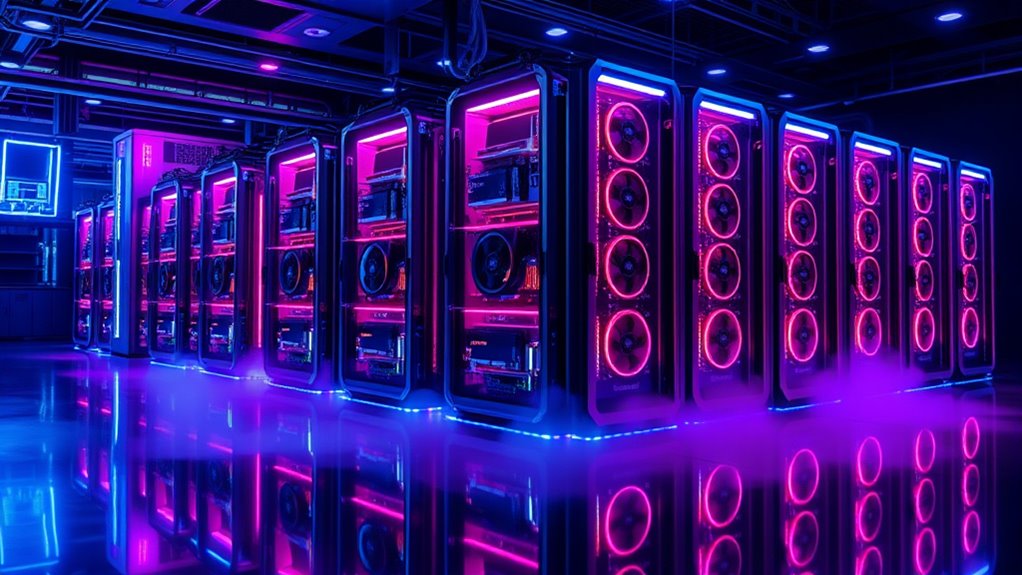

Choosing the right GPU compute server depends heavily on your workload and environment. For high-end AI training and deep learning, the ASUS ESC8000A-E13 stands out with its support for up to eight GPUs and dual AMD EPYC processors. If your focus is on enterprise virtualization or scalable business applications, the ProLiant ML350 Gen11 offers robust performance with its Xeon Gold CPU and flexible storage. Meanwhile, the NIMO AI NAS caters to those needing a compact, versatile AI development platform with strong GPU and storage capabilities. Each excels in specific scenarios but also involves notable tradeoffs, from complexity to cost.

Get the latest gadgets delivered free with Prime
- Fast, free delivery on millions of items
- Prime Video, Amazon Music and more included
- Member-only deals all year
Complete the kit



Key Takeaways
- High-end AI workloads benefit most from the ASUS ESC8000A-E13 due to its GPU support and thermal management.
- The ProLiant ML350 Gen11 provides a balance of CPU power and storage expansion for enterprise applications.
- The NIMO AI NAS offers a user-friendly, all-in-one solution for AI development and media workflows.
- All options have tradeoffs: weight and complexity for the ASUS, cost and overkill for the enterprise server, and setup difficulty for the NAS.
- Matching the server to your workload and environment is key—consider scale, performance needs, and your technical capacity.


| gpu compute server | Power Supply | Expansion Slots | Memory | Processor |
|---|---|---|---|---|
| ASUS ESC8000A-E13 4U AI GPU Se | Dual 3200W Titanium (redundant) | Multiple PCIe 5.0 slots | — | — |
| ProLiant ML350 Gen11 Tower Ser | Dual 800W PSU | PCIe Gen5, OCP 3.0 | 64GB DDR5, expandable up to 8TB | Intel Xeon Gold 5416S, 16 cores, 2.0GHz |
| NIMO 6-Bay AI NAS with RTX 508 | 1000W SFX Platinum, fully modular | PCIe Gen5 x8 | Dual DDR5 SO-DIMM slots | Intel Core Ultra 7 356H, 16-core |
| HPE NVIDIA Tesla V100 32GB HBM | — | — | 32GB HBM2 ECC | — |
More Details on Our Top Picks
ASUS ESC8000A-E13 4U AI GPU Server Barebones with Dual AMD EPYC Processors and Support for Eight GPUs
The ASUS ESC8000A-E13 is designed for demanding AI and deep learning tasks, supporting up to eight dual-slot GPUs and dual AMD EPYC processors. Its advanced cooling system, including redundancy and liquid cooling options, ensures stability under heavy loads. Compared to other servers, it offers exceptional GPU density, making it ideal for data centers focused on AI training. However, its hefty weight and complex setup mean it’s best suited for enterprise environments with technical expertise. If your primary goal is raw GPU power and scalability, this server provides a clear edge.
Pros:- Supports dual AMD EPYC processors for maximum computational throughput
- Supports up to eight high-performance GPUs, ideal for training models
- Advanced thermal management with redundant cooling and liquid cooling options
- Flexible storage and expansion with PCIe 5.0 slots
Cons:- Heavy weight (90 pounds) complicates handling and installation
- Setup complexity limits use to enterprise or data center environments
- No pre-installed OS, requiring technical setup
Best for: AI researchers, data centers, and enterprise deep learning teams
Not ideal for: Small businesses or users seeking a plug-and-play solution without specialized handling
- Design Type:Barebone
- Hardware Interface:SAS
- Item Weight:90 pounds
- Hard Disk Interface:Serial ATA
- Memory RAM Type:DDR5
- Graphics Card Interface:PCI Express
- Processor Count:2
- Power Supply:Dual 3200W Titanium (redundant)
- Cooling:Redundant hot-swap fans, liquid cooling support
- Expansion Slots:Multiple PCIe 5.0 slots
- Drive Bays:Front-panel supporting NVMe, SAS, SATA drives
- Supported GPUs:Up to eight dual-slot GPUs (e.g., RTX PRO 6000, AMD Instinct MI350P)
Our verdict“This server is best suited for large-scale AI training and deep learning environments where GPU density and thermal management are priorities.”
ProLiant ML350 Gen11 Tower Server (P69313-005), Xeon Gold 5416S, 64GB DDR5, 8 SFF Bays, 2×480GB SSD, MR408i-o RAID, Dual 800W PSU
The ProLiant ML350 Gen11 offers a balanced approach for demanding business environments. Its Xeon Gold 5416S processor delivers solid performance for virtualization, databases, and application workloads, while its scalable memory and storage options allow for future expansion. The server supports PCIe Gen5 and high-speed networking, making it suited for data center consolidation and enterprise tasks. Compared with high-end GPU servers, it doesn’t prioritize GPU support but excels in CPU-driven workloads. Its higher price reflects its enterprise-grade reliability and expandability, though this can be overkill for smaller or less demanding setups.
Pros:- Powerful Intel Xeon Gold 5416S processor for demanding enterprise workloads
- Scalable memory and storage options for growth
- Supports PCIe Gen5 expansion and dual 800W power supply
- Reliable, enterprise-grade build quality
Cons:- Higher cost may be prohibitive for small businesses
- Complex configuration and management for less experienced users
- Less emphasis on GPU support, limiting AI acceleration potential
Best for: Enterprise IT teams, virtualization, and scalable business applications
Not ideal for: Small teams or users primarily focused on GPU-accelerated AI training
- Processor:Intel Xeon Gold 5416S, 16 cores, 2.0GHz
- Memory:64GB DDR5, expandable up to 8TB
- Storage:2×480GB SSD, 8 SFF drive bays, RAID support
- Power Supply:Dual 800W PSU
- Expansion Slots:PCIe Gen5, OCP 3.0
- Form Factor:Tower
Our verdict“This server excels in enterprise virtualization and scalable workloads but is less suited for GPU-heavy AI tasks due to lack of GPU support.”
NIMO 6-Bay AI NAS with RTX 5080 GPU, 16-Core Intel Core Ultra 7, Up to 1801 Tops AI Compute, 128GB SSD, Dual 10GbE, USB 4, Up to 204TB Storage, Diskless
The NIMO AI NAS offers a compact, versatile platform for AI development, media processing, and data storage. Its 16-core Intel Core Ultra 7 provides ample CPU power, complemented by support for NVIDIA RTX 5080 GPU, making it suitable for local AI inference and creative workflows. With up to 204TB of storage and dual 10GbE networking, it’s designed for teams needing a private cloud with high data throughput. Unlike the large enterprise servers, this model prioritizes ease of access and GPU upgradeability in a smaller form factor. Yet, its setup can be complex, and missing drives mean additional investment might be necessary.
Pros:- High-performance AI inference with up to 1801 Tops
- Supports NVIDIA RTX 5080 GPU for accelerated AI and media tasks
- Flexible storage up to 204TB and robust networking
- Compact and diskless for custom storage configurations
Cons:- Setup may be technically demanding for less experienced users
- No included storage drives, requiring additional investment
- Designed more for inference and development than large-scale training
Best for: AI developers, media creators, and small teams needing local compute
Not ideal for: Large-scale training or data center deployments
- Processor:Intel Core Ultra 7 356H, 16-core
- GPU Support:NVIDIA GeForce RTX 5080
- AI Compute:Up to 1801 Tops
- Storage Capacity:Up to 204TB
- Memory:Dual DDR5 SO-DIMM slots
- Network:Dual 10GbE Ethernet
- Ports:Dual USB4
- Power Supply:1000W SFX Platinum, fully modular
- Expansion Slots:PCIe Gen5 x8
- Form Factor:Diskless desktop platform
Our verdict“This system is a smart choice for AI development and media workflows in small to medium teams, balancing GPU power with storage flexibility.”
HPE NVIDIA Tesla V100 32GB HBM2 PCIe 3.0 x16 Passive GPU Computational Accelerator for AI Machine Learning HPC Deep Learning (Renewed)
The NVIDIA Tesla V100 32GB is a proven enterprise GPU for demanding AI training, HPC, and scientific computing. With 4,608 CUDA cores and 32GB HBM2 memory, it offers high bandwidth and multi-precision support. Its PCIe 3.0 interface and NVLink connectivity enable scalable multi-GPU configurations in validated enterprise servers like HPE’s DL380 Gen10. While it’s a passive GPU requiring adequate airflow, its high compute capability makes it ideal for rigorous workloads. It’s overkill for casual use but provides a critical boost for large-scale, enterprise-level AI training and scientific research.
Pros:- High-performance GPU with 32GB HBM2 memory and high bandwidth
- Supports multi-GPU scaling via NVLink
- Validated for enterprise servers like HPE DL380 Gen10
- Excellent multi-precision support for diverse workloads
Cons:- Passive cooling requires careful airflow management
- Designed primarily for enterprise deployment, less flexible for other setups
- Renewed product may have limited warranty or support options
Best for: Enterprise AI training, HPC, scientific research
Not ideal for: Small teams or users needing a plug-and-play GPU solution
- Architecture:NVIDIA Volta GV100
- CUDA Cores:4,608
- Tensor Cores:640
- Memory:32GB HBM2 ECC
- Memory Bandwidth:900 GB/s
- Interface:PCIe 3.0 x16
- TDP:250W
- NVLink:Yes, 300 GB/s bi-directional
- Multi-Precision Support:FP64, FP32, FP16, INT8
- Validated Platforms:HPE DL380 Gen10, DL360 Gen10
Our verdict“This GPU excels in enterprise AI and HPC environments where maximum compute power and scalability are needed.”

How We Picked
Our selections are based on a combination of hardware performance, scalability, and suitability for different workloads in GPU compute tasks. We prioritized servers with robust GPU support, flexible storage options, and proven enterprise or AI deployment capabilities. Tradeoffs such as weight, complexity, and price were carefully considered, ensuring each pick serves a distinct role—from high-performance AI training to scalable enterprise solutions and flexible AI development platforms. Our goal is to help buyers identify which server aligns best with their workload demands and technical environment.
| gpu compute server | Expansion Slots | Processor | Form Factor |
|---|---|---|---|
| ASUS ESC8000A-E13 4U AI GPU Se | Multiple PCIe 5.0 slots | — | — |
| ProLiant ML350 Gen11 Tower Ser | PCIe Gen5, OCP 3.0 | Intel Xeon Gold 5416S, 16 cores, 2.0GHz | Tower |
| NIMO 6-Bay AI NAS with RTX 508 | PCIe Gen5 x8 | Intel Core Ultra 7 356H, 16-core | Diskless desktop platform |
| HPE NVIDIA Tesla V100 32GB HBM | — | — | — |
Factors to Consider When Choosing Gpu Compute Servers
Selecting the right GPU compute server requires understanding your workload demands, scalability needs, and environment constraints. High-performance AI training favors servers with multiple GPU support, advanced cooling, and high PCIe bandwidth. For enterprise applications, focus on CPU power, storage flexibility, and reliability. Smaller teams or developers may prefer more compact, upgradeable solutions with integrated support for GPUs and storage. Balancing these factors helps ensure your investment delivers the performance and flexibility your projects require.Workload Type
Determine whether your primary focus is AI training, inference, scientific computing, or enterprise virtualization. High-end AI training benefits from servers supporting multiple high-performance GPUs, like the ASUS ESC8000A-E13. For inference and development, systems like the NIMO AI NAS offer GPU support in a compact form. Enterprise workloads that involve virtualization or data management often prioritize CPU power and scalability, making servers like the ProLiant ML350 a better fit.
GPU Support & Scalability
If your tasks require extensive GPU acceleration, prioritize servers with support for multiple GPUs, PCIe 5.0 or higher, and advanced cooling. The ASUS server supports up to eight GPUs, making it ideal for large-scale AI. For more modest GPU needs, the NIMO AI NAS offers a single GPU upgrade path. Enterprise servers typically lack GPU support but excel in CPU-based scalability, which is better suited for virtualization and database workloads.
Environment & Handling
Heavy, complex servers like the ASUS model necessitate specialized handling and dedicated cooling solutions. Smaller or pre-integrated systems like the NIMO AI NAS simplify deployment but may limit expandability. For enterprise environments, servers like the ProLiant ML350 are designed for rack or tower deployment, emphasizing durability and future expandability. Align your choice with your technical capacity and physical infrastructure.
Frequently Asked Questions
What is the main difference between GPU compute servers and traditional servers?
GPU compute servers are specifically designed to support high-density GPU configurations, enabling accelerated parallel processing for AI, scientific computing, and deep learning workloads. Traditional servers primarily focus on CPU performance and may lack the extensive PCIe slots, cooling, and power provisions necessary for multiple GPUs. This specialization makes GPU servers more suitable for tasks that require massive computational throughput in parallel.
How important is cooling in GPU compute servers?
Cooling is critical in GPU compute servers because GPUs generate significant heat under load, especially when supporting multiple cards. Effective thermal management, including liquid cooling options and redundant fans, ensures system stability and longevity. Neglecting cooling can lead to thermal throttling, reduced performance, or hardware failure, particularly in high-density GPU setups like the ASUS ESC8000A-E13.
Are barebone GPU servers a good choice for small teams?
Barebone servers like the ASUS ESC8000A-E13 are powerful but often require significant technical expertise to set up and operate safely. For small teams or users without dedicated IT staff, pre-configured or integrated solutions like the NIMO AI NAS may offer a more manageable entry point, even if they offer less raw scalability. Evaluate your technical resources before choosing a barebone model.
Can enterprise GPUs like the Tesla V100 be used in gaming or consumer PCs?
Enterprise GPUs such as the Tesla V100 are optimized for scientific and AI workloads, not gaming. They lack the standard display outputs found on consumer-grade GPUs and are designed for server environments with specific PCIe configurations. Using them outside enterprise servers typically isn’t feasible or cost-effective, and they require specialized handling.
What should I consider when choosing a GPU compute server for AI training?
Focus on GPU support density, PCIe bandwidth, thermal management, and scalability. Servers supporting multiple GPUs like the ASUS ESC8000A-E13 provide maximum training throughput, but require robust cooling and handling capabilities. Balance your workload needs with your infrastructure capacity and budget, ensuring the server’s features align with your project scope and growth plans.
Conclusion
For large-scale AI research and deep learning, I recommend the ASUS ESC8000A-E13 for its GPU capacity and thermal design. Enterprise IT teams seeking scalable CPU-driven solutions should consider the ProLiant ML350 Gen11, especially if GPU support is less critical. Small teams, media creators, or developers focusing on inference and flexible workflows will find the NIMO AI NAS to be an efficient, compact choice. Each selection aligns with different needs—matching your workload scale, technical resources, and deployment environment is key to making the right investment.