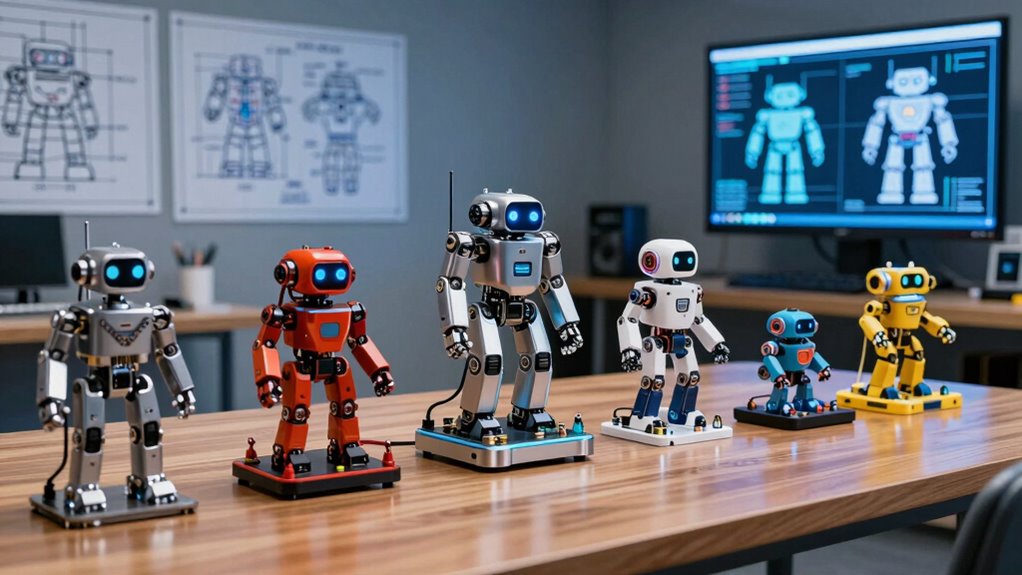

Humanoid robot kits range from tabletop 17-DOF learning platforms under a few hundred dollars to full-size research machines costing tens of thousands, and the gap between those extremes is where most buyers get lost. The Hiwonder AiNex ROS kit with Raspberry Pi 5 8GB stands out as the best overall pick because it combines 24 degrees of freedom, genuine ROS support, and AI vision at a price that hobbyists and students can actually justify. If you want a serious research-grade platform instead, the Unitree G1 is in a different league entirely — as is its price. For beginners and younger builders, the Tonybot Standard Kit offers the gentlest on-ramp with Scratch, Arduino, and Python support. The main tradeoff you’ll face in this category is between out-of-the-box usability and secondary development freedom, since several kits ship locked down or require substantial assembly and coding before they do anything impressive. Read on for the full breakdown of all 11 kits.

Get the latest gadgets delivered free with Prime
- Fast, free delivery on millions of items
- Prime Video, Amazon Music and more included
- Member-only deals all year
Complete the kit



Key Takeaways
- The Raspberry Pi 5 memory tier matters more than most buyers realize: the 8GB AiNex and TonyPi variants handle ROS and AI vision workloads noticeably better than the 2GB TonyPi Advanced, which can struggle with simultaneous vision and movement tasks.
- Unitree‘s R1 and G1 are not educational kits in the traditional sense — the G1 ‘No Secondary Development’ version is explicitly locked down, making it a demo platform rather than a learning tool despite its premium positioning.
- Hiwonder‘s lineup dominates the mid-range, but the differences between Tonybot, TonyPi, and AiNex come down to servo count (17-24 DOF), onboard computer, and ROS support — not raw brand quality.
- The Robot PU micro:bit kit is the only true entry-level option here, and it trades humanoid sophistication (fewer joints, simpler gait) for a coding environment schools already use.
- ChatGPT voice integration appears across the TonyPi line, but it depends on a stable internet connection and an API setup step that beginners frequently underestimate.
| Unitree R1 Humanoid Robot (R1 Air, White) |  | Best Full-Size Premium Pick | Degrees of Freedom: 20 (R1 Air); 26 (R1 / R1 Edu) | Camera: Monocular (Air); binocular on higher tiers | Height: 123 cm | VIEW ON AMAZON | See Our Full Breakdown |
| Unitree G1 Humanoid Robot (No Secondary Development) |  | Best Plug-and-Play Showcase Robot | Height: 132 cm | Weight: Approx. 35 kg | Degrees of Freedom: 23 (6 per leg, 5 per arm) | VIEW ON AMAZON | See Our Full Breakdown |
| Tonybot Advanced 17-DOF Humanoid Robot Kit with AI Vision, Voice Interaction, and Arduino/Scratch/Python Programming |  | Best Value for STEM Learning | Degrees of Freedom: 17 DOF | Main Controller: ESP32 | Programming Languages: Arduino, Scratch, Python | VIEW ON AMAZON | See Our Full Breakdown |
| Hiwonder AiNex ROS AI Vision Humanoid Robot with Raspberry Pi 5 4GB (Standard Kit) |  | Best for Serious Robotics Education | Controller: Raspberry Pi 5 4GB | Framework: Robot Operating System (ROS) | Servos: 24 intelligent serial bus servos | VIEW ON AMAZON | See Our Full Breakdown |
| Hiwonder Tonybot Standard Kit – AI Vision & Voice Interaction Humanoid Robot for Arduino, Scratch & Python Programming | | Best Entry-Level AI Humanoid | Controller: ESP32 | Vision Module: ESP32-S3 | Degrees of Freedom: 17 DOF | VIEW ON AMAZON | See Our Full Breakdown |
| HIWONDER TonyPi Humanoid Robot Kit with Raspberry Pi 5 4GB, ChatGPT Voice Control, AI Vision, Python Programming |  | Best Overall | Platform: Raspberry Pi 5 4GB | Degrees of Freedom: 16 (high-voltage intelligent bus servos) | AI Integration: ChatGPT large model voice interaction | VIEW ON AMAZON | See Our Full Breakdown |
| AiNex ROS Smart Humanoid Robot for Raspberry Pi 5 8GB, 24 DOF Programmable Robot with AI Vision, App/PC/Wireless Control |  | Best Premium Pick | Framework: Robot Operating System (ROS) | Computer: Raspberry Pi 5 8GB | Degrees of Freedom: 24 | VIEW ON AMAZON | See Our Full Breakdown |
| Robot PU Programmable Humanoid Micro:bit STEM Robot Kit |  | Best for Beginners and Kids | Platform: Micro:bit | Coding: MakeCode blocks, JavaScript, Python | Motion: Self-balancing walking, spinning, moonwalking, soccer | VIEW ON AMAZON | See Our Full Breakdown |
| HIWONDER TonyPi Advanced Humanoid Robot Kit with ChatGPT, Raspberry Pi 5 2GB, 20 DOF, Python Programming |  | Best for AI-Focused Study | Platform: Raspberry Pi 5 2GB | Degrees of Freedom: 20 | AI Integration: ChatGPT multimodal AI | VIEW ON AMAZON | See Our Full Breakdown |
| Hiwonder AiNex AI Vision Humanoid Robot with Raspberry Pi 5 (8GB) – ROS Education Kit |  | Best for Serious Study and Bilingual Learning | Controller: Raspberry Pi 5 8GB | Framework: Robot Operating System (ROS) | Servos: 24 intelligent serial bus servos | VIEW ON AMAZON | See Our Full Breakdown |
| HIWONDER TonyPi Humanoid Educational Robot Kit with ChatGPT, 18 DOF, Raspberry Pi 5 8GB, Python Programming |  | Best ChatGPT-Focused Raspberry Pi Kit | Brand: HIWONDER | Model: TonyPi Standard | Robot Type: Humanoid Educational Robot | VIEW ON AMAZON | See Our Full Breakdown |
| humanoid robot kit | Degrees of Freedom |
|---|---|
| Unitree R1 Humanoid Robot | 20 (R1 Air); 26 (R1 / R1 Edu) |
| Unitree G1 Humanoid Robot | 23 (6 per leg, 5 per arm) |
| Tonybot Advanced 17-DOF Humano | 17 DOF |
| Hiwonder AiNex ROS AI Vision H | — |
| Hiwonder Tonybot Standard Kit | 17 DOF |
| HIWONDER TonyPi Humanoid Robot | 16 (high-voltage intelligent bus servos) |
| AiNex ROS Smart Humanoid Robot | 24 |
| Robot PU Programmable Humanoid | — |
| HIWONDER TonyPi Advanced Human | 20 |
| Hiwonder AiNex AI Vision Human | — |
| HIWONDER TonyPi Humanoid Educa | 18 DOF |
More Details on Our Top Picks
Unitree R1 Humanoid Robot (R1 Air, White)
For buyers who want a true full-height humanoid rather than a desktop kit, the Unitree R1 stands apart from everything else in this lineup. At 123 cm and roughly 29 kg, it’s the only option here that one person can genuinely lift, carry, and set up without touching code — a contrast to the Tonybot or AiNex kits, which demand assembly and programming before they do anything. The R1 Air’s 20 degrees of freedom and monocular camera are the entry point; stepping up to the R1 or R1 Edu adds 26 DOF, binocular vision, and an open SDK/API. That tiering is the main decision: this Air version keeps actions deliberately limited for safety, so advanced movements are off the table until Unitree releases them.
Pros:- One-person portable at ~29 kg — fits in a car trunk, unlike fixed lab platforms
- No coding required; manual teaching and drag-and-drop programming get it moving immediately
- English voice interaction for conversation, music, and photo commands
- Upgrade path to R1 Edu with open SDK/API and simulation support
Cons:- Advanced movements are not yet released for safety reasons — only basic actions currently
- Adult use only; anyone under 18 needs direct adult supervision
- Custom programming is locked to the pricier Edu model
Best for: Adults, educators, and research or demo budgets wanting a lifelike, voice-interactive full-size humanoid that works out of the box
Not ideal for: Hobbyists who want deep custom programming — SDK/API access requires the higher-tier R1 Edu model, not this Air variant
- Degrees of Freedom:20 (R1 Air); 26 (R1 / R1 Edu)
- Camera:Monocular (Air); binocular on higher tiers
- Height:123 cm
- Weight:Approx. 29 kg
- Color Options:Gold, Blue-White
- Programming:Manual teaching, drag-and-drop; SDK/API on R1 Edu
- Voice Interaction:English voice commands
- Age Range:18+; adult supervision required under 18
Our verdict“This pick makes the most sense for buyers who need a striking, ready-to-run full-size humanoid now and can accept limited action routines in exchange for portability and polish.”
Unitree G1 Humanoid Robot (No Secondary Development)
The Unitree G1 is built around a single promise: unbox, power on, perform. Its aerospace-grade aluminum and carbon fiber frame, 23 degrees of freedom, and depth camera plus 3D LiDAR sensing make it the most sensor-rich ready-to-run machine in this roundup. Compared with the Unitree R1, it’s slightly taller and heavier at 132 cm and ~35 kg, and its full hollow-joint wiring and localized cooling read like an engineering showcase. The tradeoff is decisive, though — this variant does not support secondary development, so unlike the AiNex or Tonybot kits, there’s no programming rabbit hole here. Movements remain basic for now, and the roughly two-hour battery caps how long it can hold a crowd.
Pros:- Ready to use out of the box with battery, remote control, and charger included
- Durable aerospace-grade aluminum and carbon fiber construction
- Depth camera, 3D LiDAR, and Wi-Fi 6 sensing and connectivity
- OTA updates keep the platform improving over time
Cons:- No secondary development or programming support whatsoever
- Battery endurance limited to roughly two hours per charge
- Currently restricted to basic movements
Best for: Businesses, events, and collectors who want a premium humanoid that demos instantly with zero setup or coding
Not ideal for: Students and developers — the no-secondary-development version blocks all custom programming and expansion
- Height:132 cm
- Weight:Approx. 35 kg
- Degrees of Freedom:23 (6 per leg, 5 per arm)
- Materials:Aerospace-grade aluminum alloy, carbon fiber
- Sensors:Depth camera, 3D LiDAR
- Connectivity:Wi-Fi 6, Bluetooth 5.2
- Battery Endurance:Approx. 2 hours
- Secondary Development:Not supported
Our verdict“This model is better suited to showcase and entertainment use than learning — buy it if you want spectacle, skip it if you want to build.”
Tonybot Advanced 17-DOF Humanoid Robot Kit with AI Vision, Voice Interaction, and Arduino/Scratch/Python Programming
Sitting in the sweet spot of this roundup, the Tonybot Advanced delivers genuine AI features — offline face recognition, target tracking, line following, and voice control — at a kit level where the full-size Unitree R1 can’t compete on price and the AiNex can’t compete on approachability. Its 17 intelligent servos handle walking, dancing, kicking, and self-standing recovery, while Arduino, Scratch, and Python support means a beginner can start in block-based Scratch and graduate to real code on the same hardware. That three-language ladder is what makes it my value pick for STEM classrooms. The catches are real: the most advanced multimodal AI functions are reserved for the separate Ultimate Kit, and this is rated for ages 16 and up, so younger students may stall out without help.
Pros:- Arduino, Scratch, and Python support creates a natural skill progression
- AI vision and voice interaction including offline face recognition and target tracking
- 17 DOF enables dynamic movement including auto self-standing
- Expandable sensor platform for long-term STEM projects
Cons:- Advanced multimodal AI features require the separate Ultimate Kit
- Recommended for ages 16 and up — too complex for younger builders
- Assembly and setup demand time and some technical experience
Best for: High school and college students, robotics clubs, and self-taught hobbyists who want AI vision and voice features with a gentle learning curve
Not ideal for: Younger kids or absolute non-technical users — assembly and multi-language programming assume some technical comfort
- Degrees of Freedom:17 DOF
- Main Controller:ESP32
- Programming Languages:Arduino, Scratch, Python
- AI Features:Face recognition, target tracking, line following, voice control
- Included Sensors:Ultrasonic, IMU, buzzer
- Expandability:Dot matrix, fan, temp/humidity, WiFi modules
- Recommended Age:16 years and up
Our verdict“The strongest balance of capability, learning curve, and expandability in this lineup — the smart default for serious students who don’t need a full-size platform.”
Hiwonder AiNex ROS AI Vision Humanoid Robot with Raspberry Pi 5 4GB (Standard Kit)
If the Tonybot Advanced is a gateway, the Hiwonder AiNex is the destination. It’s the only kit in this batch built on ROS (Robot Operating System), the framework used in university labs and industry — which alone justifies its premium role here. Powered by a Raspberry Pi 5 4GB and 24 serial bus servos, it runs inverse kinematics and gait planning for omnidirectional bipedal movement, plus OpenCV-based vision recognition and tracking. Control is flexible too: the WonderROS app, a wireless handle, or PC software. Compared with the Raspberry Pi-based TonyPi elsewhere in this roundup, the AiNex offers more servos (24), mechanical hands, and a deeper tutorial set — up to 18 topics in English and Chinese. The cost of that depth is a steeper climb: expect assembly, Linux familiarity, and patience before it walks well.
Pros:- ROS framework mirrors real research and industry robotics stacks
- 24 intelligent servos with inverse kinematics and gait planning for fluid bipedal movement
- Three control options: mobile app, wireless handle, and PC software
- Extensive tutorials covering up to 18 topics in English and Chinese
Cons:- Requires assembly and programming knowledge to get full value
- ROS and Linux concepts create a steep learning curve for newcomers
- Standard kit’s 4GB Pi may limit heavier vision workloads compared with the 8GB variants
Best for: University students, ROS learners, and hobbyists building toward professional robotics skills
Not ideal for: Complete beginners or casual buyers — the ROS learning curve and assembly work will overwhelm anyone without programming basics
- Controller:Raspberry Pi 5 4GB
- Framework:Robot Operating System (ROS)
- Servos:24 intelligent serial bus servos
- Camera:HD camera
- Control Methods:WonderROS app (iOS/Android), wireless handle, PC software
- Dimensions:19.69 x 11.22 x 9.06 inches
- Age Range:16 years and up
Our verdict“The most educationally serious kit in this lineup — worth it only for learners committed to climbing the ROS ladder.”
Hiwonder Tonybot Standard Kit – AI Vision & Voice Interaction Humanoid Robot for Arduino, Scratch & Python Programming
The Tonybot Standard Kit is the approachable sibling of the Tonybot Advanced reviewed above — same 17 DOF, same ESP32-S3 vision module, same offline face recognition, tracking, line following, and voice commands, same three-language programming support. The difference is scope: this Standard Kit strips back some bundled extras, making it the most sensible first step into AI humanoids for budget-conscious buyers. Its auto stand-up after a fall is a standout trick that keeps early experimentation fun rather than frustrating. Where the AiNex demands ROS and Linux, this kit lets a newcomer start in Scratch and stay motivated. Be clear-eyed about the ceiling, though: the advanced embodied-AI large-model features exist only in the Ultimate Kit, and even with tutorials, first assembly takes real effort.
Pros:- Arduino, Python, and Scratch support covers every skill level on one platform
- Offline AI features including face recognition, target tracking, and voice control
- Auto stand-up recovery keeps the robot running through tumbles
- Expandable with ultrasonic, IMU, buzzer, and WiFi modules
Cons:- Advanced embodied AI large-model features are only in the Ultimate Kit
- Can still overwhelm total beginners despite included tutorials
- Fewer bundled accessories than the Advanced edition limits out-of-box projects
Best for: First-time robot builders and budget-minded students who want AI vision and voice features without paying for advanced-tier hardware
Not ideal for: Buyers chasing cutting-edge AI capabilities — embodied large-model features are exclusive to the Ultimate Kit
- Controller:ESP32
- Vision Module:ESP32-S3
- Degrees of Freedom:17 DOF
- Programming Languages:Arduino, Python, Scratch
- Included Sensors:Ultrasonic, IMU, buzzer
- Key Features:Face recognition, target tracking, line following, voice control, auto stand-up
- Kit Version:Standard Kit
Our verdict“The smartest low-commitment entry into AI humanoid robotics here — buy it to learn the fundamentals, and upgrade only after you outgrow it.”
HIWONDER TonyPi Humanoid Robot Kit with Raspberry Pi 5 4GB, ChatGPT Voice Control, AI Vision, Python Programming
This TonyPi configuration strikes the strongest balance between AI capability and approachability in the midrange humanoid space. With ChatGPT voice interaction layered on top of Python, OpenCV, and MediaPipe, it delivers genuinely modern AI features without demanding the deeper ROS expertise that the AiNex models require. Compared with the TonyPi Advanced (20 DOF, 2GB), this kit trades two degrees of freedom and a memory tier for a lower barrier to entry, which is the smarter trade for most buyers — 16 high-voltage bus servos already handle smooth inverse-kinematics motion. The 2DOF head adds expressive camera movement the flat-mounted alternatives lack. The catch: this is not an out-of-box toy. Voice and vision features need setup, and Python fluency determines how much of the kit you actually unlock. Still, for a teen or adult ready to learn, nothing else at this tier blends AI polish and open-source depth this well.
Pros:- ChatGPT voice interaction makes AI feel responsive rather than scripted
- Raspberry Pi 5 4GB plus open-source Python, OpenCV, and MediaPipe stack
- 16 high-voltage bus servos enable precise, coordinated humanoid motion
- 2DOF head gives the camera pan and tilt for better vision tracking
Cons:- AI and vision features require programming knowledge and technical setup to exploit fully
- Better suited to teens and adults; young children will need heavy supervision
- Learning curve on the AI toolchain is real for complete beginners
Best for: Teens and adult hobbyists who want ChatGPT voice and AI vision on an open Python platform without climbing the ROS learning curve
Not ideal for: Younger kids or buyers expecting app-only fun — full functionality assumes programming knowledge and patient technical setup
- Platform:Raspberry Pi 5 4GB
- Degrees of Freedom:16 (high-voltage intelligent bus servos)
- AI Integration:ChatGPT large model voice interaction
- Vision:HD camera with AI recognition and tracking
- Software:Python, OpenCV, MediaPipe, inverse kinematics
- Head:2DOF movable head
- Intended Users:Teens and adults
Our verdict“The most complete package for a motivated learner who wants modern AI interaction and serious programmability in one kit.”
AiNex ROS Smart Humanoid Robot for Raspberry Pi 5 8GB, 24 DOF Programmable Robot with AI Vision, App/PC/Wireless Control
The AiNex with Raspberry Pi 5 8GB and 24 degrees of freedom is the performance ceiling of this lineup’s programmable tier. The 8GB memory matters more than it sounds: running ROS alongside vision processing and gait planning is memory-hungry, and the 4GB variants elsewhere in this guide can feel constrained under load. With inverse kinematics gait planning and movable mechanical hands, it walks, hurdles, grasps, kicks, and boxes — motion range the 16-DOF TonyPi simply cannot match. Control is flexible too, spanning the WonderROS app, a wireless handle, and PC software. The honest tradeoff: ROS is a professional framework with a professional learning curve. Compared with the TonyPi’s ChatGPT workflow, the AiNex demands more upfront skill before it rewards you. This pick makes the most sense for university students, researchers, and serious builders who want the most capable platform, not the friendliest one.
Pros:- 24 DOF with mechanical hands enables grasping, boxing, and hurdling beyond basic walking
- 8GB Raspberry Pi 5 headroom keeps ROS and vision workloads running smoothly
- Three control methods (app, wireless handle, PC) suit demos and development alike
- ROS framework mirrors real research and industry robotics stacks
Cons:- Requires meaningful programming and setup knowledge before the robot does anything impressive
- A phone, tablet, or PC is required for full control and configuration
- Far too complex for casual users or children
Best for: University students, robotics researchers, and experienced builders who need a ROS-native platform with maximum articulation
Not ideal for: Casual hobbyists and younger teens — ROS setup and configuration assume real technical background, and the price of capability is complexity
- Framework:Robot Operating System (ROS)
- Computer:Raspberry Pi 5 8GB
- Degrees of Freedom:24
- Camera:HD camera with AI recognition and tracking
- Control:WonderROS app (iOS/Android), wireless handle, PC software
- Motion:Inverse kinematics gait, omnidirectional movement
- Recommended Age:Adult
Our verdict“The most capable programmable humanoid here, but only for buyers who can meet ROS on its own terms.”
Robot PU Programmable Humanoid Micro:bit STEM Robot Kit
Robot PU takes a completely different bet than every Raspberry Pi machine in this roundup: instead of asking kids to come to the code, it starts with block coding in MakeCode and lets them graduate to JavaScript and Python when ready. Where the TonyPi line assumes Python fluency from day one, Robot PU is dancing, playing soccer, and avoiding obstacles within minutes of unboxing — the self-balancing bipedal motion and LED eyes deliver immediate payoff that keeps young builders engaged. The expansion story is unusually good for this tier: brick mounts, I/O headers, servo brackets, breadboard space, and multi-robot interaction between PU units make it a genuine classroom tool, backed by 30+ video tutorials and a companion textbook. The tradeoffs are fair but real. The AI vision and voice module is a separate purchase, and hardware-wise it sits far below the Pi-based kits — this is a learning platform, not a research one.
Pros:- Clear learning progression from MakeCode blocks to JavaScript and Python
- Immediate fun: self-balancing walks, dances, soccer, LED eyes, and audio
- 30+ video tutorials and a textbook support structured classroom use
- Expandable with brick mounts, I/O headers, and multi-robot interaction
Cons:- AI vision and voice require the separate CogniCap module
- micro:bit hardware limits how far advanced projects can go
- Younger beginners will need adult help with setup and Python-level coding
Best for: Kids, classrooms, and robotics clubs that want a fun self-balancing humanoid with a genuine block-to-Python coding path
Not ideal for: Teens and adults chasing serious AI vision or ROS development — the micro:bit platform tops out well below the Raspberry Pi kits
- Platform:Micro:bit
- Coding:MakeCode blocks, JavaScript, Python
- Motion:Self-balancing walking, spinning, moonwalking, soccer
- Interaction:LED eyes, talking, singing, music-synced dancing
- Sensing:Obstacle avoidance with autopilot mode
- Control:Gamepad control and autopilot
- Expansion:Brick mounts, I/O headers, 3D-printable armor; CogniCap AI module sold separately
Our verdict“The friendliest entry point in the lineup for children and schools, provided buyers accept its ceiling.”
HIWONDER TonyPi Advanced Humanoid Robot Kit with ChatGPT, Raspberry Pi 5 2GB, 20 DOF, Python Programming
The TonyPi Advanced splits the difference between the standard TonyPi and the AiNex in an interesting way: it adds two extra degrees of freedom (20 total) and ChatGPT multimodal AI — vision, voice, and interactive learning in one loop — while keeping the familiar Python and OpenCV workflow rather than jumping to ROS. That makes it the strongest pick here for someone whose real interest is studying AI itself: color recognition, target tracking, line following, MediaPipe motion control, and large-language-model voice commands are all first-class citizens. The tradeoff is the 2GB Raspberry Pi 5. Compared with the 8GB AiNex or the 4GB standard TonyPi, memory is the tightest in this guide, which matters when stacking vision models with voice services. At a 16+ age recommendation with real calibration and setup overhead, this kit is better suited to a focused student than a weekend tinkerer.
Pros:- ChatGPT multimodal AI covers voice, vision, and interactive learning in one platform
- 20 DOF enables more expressive poses than the 16-DOF standard TonyPi
- Rich vision toolkit: tracking, color recognition, line following, MediaPipe
- Deep educational resources spanning robotics, deep learning, and sensors
Cons:- 2GB memory is the lowest in this lineup and constrains combined AI workloads
- Setup and calibration are complex for first-time builders
- Python and robotics familiarity are assumed, not taught
Best for: Students 16 and older focused on computer vision, deep learning, and LLM voice interaction rather than raw motion capability
Not ideal for: Anyone wanting maximum performance headroom — the 2GB board limits how many AI workloads run comfortably at once, and beginners will struggle with setup
- Platform:Raspberry Pi 5 2GB
- Degrees of Freedom:20
- AI Integration:ChatGPT multimodal AI
- Vision:HD camera, color recognition, target tracking, line following, MediaPipe
- Voice:Voice commands with large language models
- Programming:Python with OpenCV
- Recommended Age:16 years and up
Our verdict“The right choice for AI-first learners willing to accept a memory ceiling in exchange for a rich multimodal curriculum.”
Hiwonder AiNex AI Vision Humanoid Robot with Raspberry Pi 5 (8GB) – ROS Education Kit
This AiNex configuration overlaps heavily with the other AiNex on paper — same 24 servos, same 8GB Raspberry Pi 5, same app/handle/PC control trio — but its differentiator is the curriculum: 18 tutorial topics in both English and Chinese, which makes it the standout choice for bilingual classrooms, international schools, or self-directed learners in either language. The two Z-axis rotating hip joints also deserve attention; they improve turning stability in a way you notice immediately compared with kits that pivot clumsily, like the standard TonyPi. Built on ROS with OpenCV vision, it demands the same technical commitment as its sibling — assembly time, configuration, and a 16+ age recommendation are all honest costs. Compared with the TonyPi Advanced, it sacrifices ChatGPT integration but gains substantially more articulation and memory. This is a study platform first and a toy a distant second.
Pros:- 18-topic bilingual tutorial set is the strongest structured curriculum in the lineup
- 24 servos plus Z-axis rotating hips deliver stable, agile omnidirectional movement
- 8GB Raspberry Pi 5 comfortably runs ROS and OpenCV vision together
- App, wireless handle, and PC control options suit both demos and development
Cons:- Significant assembly and configuration time before productive use
- Age 16+ recommendation excludes younger learners entirely
- No built-in ChatGPT-style voice AI like the TonyPi kits offer
Best for: Serious students, educators, and bilingual learners who want deep, structured ROS coursework on high-articulation hardware
Not ideal for: Impatient buyers or families with younger kids — expect substantial assembly, configuration, and technical skill before first success
- Controller:Raspberry Pi 5 8GB
- Framework:Robot Operating System (ROS)
- Servos:24 intelligent serial bus servos
- Camera:HD camera with OpenCV AI vision
- Control:WonderROS app (iOS/Android), wireless handle, PC software
- Dimensions:19.69 x 11.22 x 9.06 inches
- Tutorials:18 topics in English and Chinese
- Recommended Age:16 years and up
Our verdict“A curriculum-driven ROS humanoid for committed students — especially valuable where English/Chinese learning materials matter.”
HIWONDER TonyPi Humanoid Educational Robot Kit with ChatGPT, 18 DOF, Raspberry Pi 5 8GB, Python Programming
I place the HIWONDER TonyPi here because it pairs ChatGPT multimodal interaction with a full Raspberry Pi 5 8GB development base, making it a strong fit for classroom-style AI experiments. Compared with the HIWONDER TonyPi Humanoid Robot Kit with Raspberry Pi 5 4GB, this version gives more memory headroom for vision models, Python scripts, and larger project stacks. Compared with the Hiwonder AiNex AI Vision Humanoid Robot with Raspberry Pi 5 (8GB) – ROS Education Kit, it favors ChatGPT-led interaction and inverse kinematics over a ROS-first path. The tradeoff is clear: this is a learning and development platform, not a grab-and-go toy, and beginners may need patience during setup.
Pros:- ChatGPT, voice, and vision support create varied AI project options
- Raspberry Pi 5 with 8GB supports heavier Python and vision workloads
- OpenCV, MediaPipe, and inverse kinematics expose practical robotics concepts
Cons:- Setup and programming demand more technical patience than a toy-like kit
- 18 DOF is less expansive than higher-DOF alternatives for complex motion
- Education-first design makes it less appealing for casual play only
Best for: Educators, students, and hobbyists who want to build Python lessons around voice, vision, and ChatGPT interaction.
Not ideal for: Casual gift buyers who want a ready-to-play humanoid robot without spending time on configuration and code.
- Brand:HIWONDER
- Model:TonyPi Standard
- Robot Type:Humanoid Educational Robot
- Degrees of Freedom:18 DOF
- Processor Platform:Raspberry Pi 5
- Memory:8GB
- Programming Language:Python
- AI Integration:ChatGPT Multimodal AI
- Vision Features:Color Recognition, Target Tracking, Line Following, Ball Kicking, Motion Control
Our verdict“Choose this kit when your priority is a Raspberry Pi 5 humanoid platform for AI lessons, Python projects, and interactive vision experiments.”

How We Picked
I evaluated each kit against four buyer-relevant criteria. Secondary development freedom came first: a humanoid kit is only as useful as what you can program on it, so I prioritized open Python and ROS workflows over closed demo software — which immediately disadvantaged the Unitree G1 non-development version. Hardware capability came second, covering degrees of freedom, servo quality, onboard compute (Raspberry Pi 5 memory tiers, micro:bit), and sensor suites like cameras and IMUs, because these determine whether the robot can actually balance, track objects, and run vision models without lag.
Third, I weighed learning curve and documentation: Scratch support, tutorial depth, and community activity matter enormously for first-time builders, and kits with weak English documentation were flagged regardless of hardware. Finally, I considered value for the intended audience — a research lab’s $16,000 platform and a student’s $300 kit are judged by different standards. The ranking reflects this: versatile, well-documented, genuinely programmable kits rise to the top, while capable-but-locked or overpriced-for-audience options rank lower despite impressive specs.
Factors to Consider When Choosing Humanoid Robot Kits
Before choosing a humanoid robot kit, step back and ask what you actually want the robot to do six months from now. These are the factors that most often decide whether a purchase delights or disappoints.Degrees of Freedom and Why Servo Count Isn’t Everything
DOF (degrees of freedom) counts the independent joints a robot controls, and it’s the spec most buyers fixate on — but raw numbers mislead. A 17-DOF robot with quality metal-gear servos and well-tuned gait algorithms often moves more smoothly than a 24-DOF kit with cheap servos and buggy sample code. What DOF really buys you is movement vocabulary: 17-20 joints cover walking, basic arm gestures, and simple kicks, while 24+ joints enable more natural motion and complex poses useful for robotics competitions or research. Servo torque matters just as much, because underpowered legs sag under the weight of an onboard Raspberry Pi and battery pack. A common mistake is buying maximum DOF on a budget and ending up with a robot that can technically perform 30 actions but executes none of them reliably. Match the joint count to your actual projects, not to the biggest number on the box.
Onboard Compute: Raspberry Pi 5 Memory Tiers Explained
Most kits in this category ship with or expect a Raspberry Pi 5 as the brain, and the memory tier you choose has real consequences. 2GB models can run basic Python movement scripts but choke when you add camera processing, object detection, or ChatGPT voice integration simultaneously. 4GB is the practical floor for AI vision features, and 8GB is what you want if you plan to run ROS, the Robot Operating System that underpins serious robotics education and research. A trap many buyers fall into is saving money on the 2GB version of a kit, then discovering the flagship features they bought it for don’t run smoothly. Also check whether the Pi is included or sold separately — some ‘standard kits’ bundle it and some don’t, which can shift the true cost considerably. If your long-term goal is university-level robotics work, treat 8GB plus ROS support as non-negotiable.
Programming Environment: Scratch, Arduino, Python, or ROS
The software stack determines who in your household or classroom can actually use the robot. Scratch-style block programming suits ages 8-14 and absolute beginners; Arduino C++ teaches embedded fundamentals; Python is the lingua franca of AI and robotics; and ROS is the professional standard used in research labs and industry. The best kits let you climb this ladder — start in Scratch, graduate to Python — which is why the Tonybot line works so well in classrooms. ROS, by contrast, has a genuinely steep learning curve with its own terminology, build system, and Linux requirements, so a ROS-based kit like the AiNex is a poor first robot even though it’s an excellent second one. Be honest about the programmer’s current skill, not their aspirational skill. A common regret is buying a ROS kit for a teenager who’s never written a line of code, resulting in an expensive robot that never leaves its demo routines.
Assembly, Documentation, and the Hidden Time Cost
Nearly every kit in this category arrives as a box of parts, and assembly time ranges from a Saturday afternoon to a multi-week project. What separates a good build experience from a frustrating one is documentation quality and community support: clear English manuals, labeled servo bags, video walkthroughs, and active forums where your exact error has already been solved. Hiwonder’s ecosystem benefits here because their kits share documentation conventions and a large user base, so answers to TonyPi questions often apply to AiNex builds too. Before buying, search for the kit’s name plus ‘setup problem’ and see what surfaces — a graveyard of unanswered forum threads is a warning sign. Also budget for calibration: servos must be centered before first power-on, and skipping that step is the number one cause of robots that twist their own joints on boot. The hidden cost of a cheap kit with poor docs is measured in weekends, not dollars.
AI Features: What ChatGPT Integration Actually Means
Several kits advertise ChatGPT voice control, and it’s worth understanding what that delivers versus what buyers imagine. In practice, the robot sends your transcribed command to a cloud API, receives text instructions, and maps them to pre-built actions or generated Python code — it does not give the robot real intelligence or autonomy. Cloud dependence means these features need a stable internet connection, an API key you configure yourself, and sometimes ongoing usage fees that catch buyers off guard. Offline AI vision features like face tracking, line following, and tag recognition run locally on the Pi and are generally more reliable for learning purposes. If your goal is teaching AI concepts, local vision pipelines are more instructive than a chat wrapper. Treat ChatGPT integration as a fun bonus, not a core capability, and never let it be the deciding factor between two kits.
Research Platforms vs. Educational Kits: Knowing the Difference
The Unitree R1 and G1 sit in an entirely different category from the build-it-yourself kits, and confusing the two leads to expensive mistakes. A research humanoid offers professional-grade actuators, advanced balance control, and SDK access — but even the ‘no secondary development’ G1 is explicitly a demonstration unit, meaning you can watch it perform but not reprogram its core behaviors. For a university lab or company prototyping human-robot interaction, that tradeoff can make sense; for a hobbyist or student, it absolutely does not. Meanwhile, a $300 educational kit is fully reprogrammable but will never balance dynamically or recover from a push. Ask yourself whether you need to study advanced locomotion (buy research hardware) or learn robotics programming (buy an educational kit). The middle ground — a Pi-powered kit running ROS — covers most serious hobbyists and undergraduates at a fraction of the cost.
Frequently Asked Questions
Is the Unitree G1 worth it over a Hiwonder kit if I’m serious about robotics?
Only if ‘serious’ means research or professional work rather than learning. The G1 offers dynamic balance, professional actuators, and build quality no Pi-based kit can approach, but the version sold without secondary development is essentially a sealed demo platform — you can trigger its behaviors, not rewrite them. A Hiwonder AiNex with ROS gives you full control over every subsystem, which is what actually builds employable robotics skills. If your goal is a university research lab studying locomotion or human-robot interaction, the G1 justifies itself; if your goal is becoming a robotics engineer, the cheaper kit teaches far more. Many buyers also underestimate that research humanoids can require maintenance infrastructure, spare parts budgets, and safety considerations a desktop kit never raises. Choose based on what you’ll do with the robot, not what it can do on video.
What’s the real difference between the TonyPi and AiNex lines from Hiwonder?
They look similar in photos but serve different levels. TonyPi is the older, simpler architecture built around serial bus servos with straightforward Python control — great for learning fundamentals, walking gaits, and basic vision. AiNex is the newer platform with 24 DOF, improved servo design, and native ROS support, positioning it for users who want to learn the same software stack used in real robotics research. In practice, TonyPi is the better second robot for a hobbyist, while AiNex is a legitimate tool for a student heading toward robotics engineering. AiNex also demands more from you: ROS setup on Linux is genuinely involved and assumes comfort with terminals and configuration files. If you’re still learning Python, start with TonyPi or Tonybot and move up later — the skills transfer directly.
Do these kits work for a classroom or school STEM program?
Some do, and the fit depends heavily on student age and teacher experience. The Tonybot Standard Kit is the strongest classroom choice because it supports Scratch for younger students, Arduino for intermediates, and Python for advanced work — one platform serves a multi-year curriculum. The Robot PU micro:bit kit is ideal for middle school, since micro:bit is already embedded in many school curricula and teachers rarely need to learn new tooling. Pi-based kits like the AiNex work well for university courses or competitive high school teams but assume someone present can troubleshoot Linux issues. Practical considerations matter too: kits with many small screws and fragile servos need supervision, and spare servos are worth ordering upfront because classrooms always break them. Avoid research-class machines entirely for schools — the liability and maintenance burden is disproportionate.
Do I need to buy a Raspberry Pi separately, and which memory size should I choose?
Check each listing carefully, because kits vary: some bundle a Pi 5 preloaded with software, while others assume you’ll supply your own, and the difference materially changes the total cost. On memory, 2GB is only acceptable if you plan simple movement scripts with no camera work. 4GB handles AI vision features like face and object tracking without strain, making it the sensible middle choice. 8GB is what you want for ROS or for running vision and voice features at the same time, and it’s the version most worth paying extra for if you plan to keep the robot for years. Since the Pi controls the ceiling of what the kit can ever do, underspending here is a false economy — you can’t easily upgrade the memory later without buying a whole new board and reinstalling everything.
How durable are these humanoid kits, and what breaks first?
Servos are the weak point of nearly every kit in this category, and they fail in predictable ways: stripped gears from falls, burnt motors from stalling against an obstacle, and loose horns from repeated dynamic movement. Metal-gear servos resist stripping far better than plastic-gear ones, so check that spec before buying and treat it as a durability marker, not marketing fluff. Falls are inevitable while you tune walking gaits, so build a habit of practicing on carpet or foam and powering down before picking the robot up — a servo fighting your hand while powered is a common killer. Budget for two or three spare servos from day one, ideally the exact model your kit uses, since mixing servo types causes asymmetric movement. With reasonable care and spare parts on hand, a good educational kit lasts years of regular use.
Conclusion
Mapping these 11 kits to buyer types makes the choice straightforward. For best overall, the Hiwonder AiNex ROS kit with Raspberry Pi 5 8GB earns the top spot: 24 DOF, real ROS support, and full AI vision make it the most capable kit that remains genuinely programmable. The TonyPi with 8GB Raspberry Pi and ChatGPT voice control is the best value pick for hobbyists who want 90% of the experience at a lower price, while the 2GB TonyPi Advanced is the value option only for buyers who skip vision work. For beginners and younger builders, the Tonybot Standard Kit with its Scratch-to-Python ladder is the gentlest entry point, and the Robot PU micro:bit kit is the right call for classrooms already using micro:bit. At the premium end, the Unitree R1 is the standout research platform, with the Unitree G1 best reserved for labs that understand they’re buying a demonstration unit, not a development system. Whatever you choose, size the onboard computer to your ambitions, buy spare servos early, and pick the software stack that matches your current skills — the best humanoid kit is the one you’ll actually keep programming six months from now.