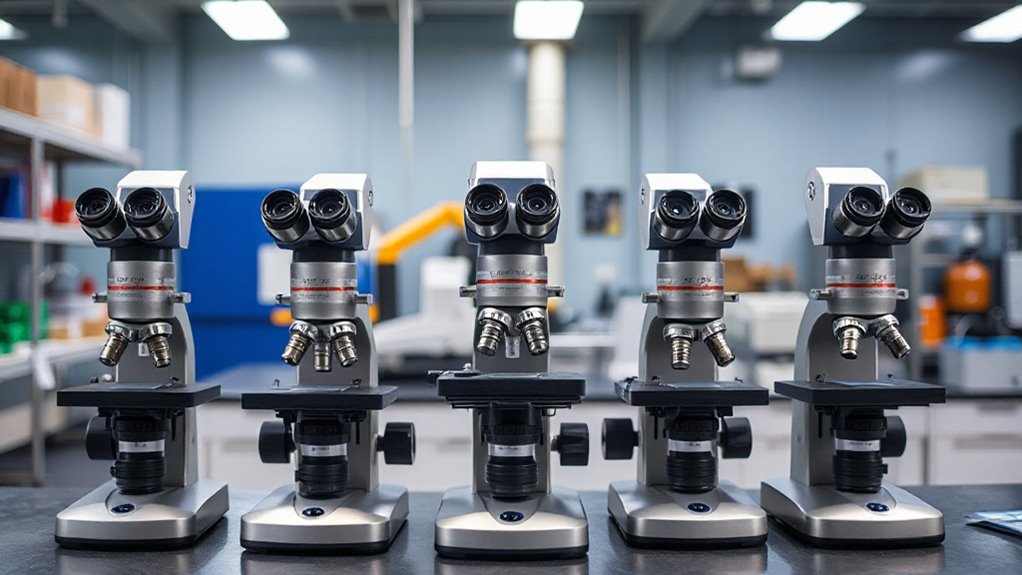

A long working distance microscope gives you room to solder, handle specimens, or inspect larger objects beneath the lens. My best overall pick is the Dino-Lite AM5218MZTL, which is designed for stand-mounted inspection where working clearance and HDMI output matter. The Andonstar AD246S-M stands out for its three-lens system, while the Elikliv EM4K-AF offers an autofocus 4K setup with a built-in screen. The main tradeoffs are working clearance, magnification, image detail, and whether you need a self-contained display or a computer-connected tool. Read on for how each model fits different workspaces and tasks.

Get the latest gadgets delivered free with Prime
- Fast, free delivery on millions of items
- Prime Video, Amazon Music and more included
- Member-only deals all year
Complete the kit



Key Takeaways
- The Dino-Lite AM5218MZTL is my overall pick for buyers who prioritize a microscope built around stand-mounted inspection and HDMI viewing.
- The Andonstar AD246S-M offers the broadest lens choice in this group, which can help when a single magnification range does not suit every task.
- Built-in screens are common among the Elikliv, Aikokkl, and TOMLOV models, but screen size alone does not tell you how much room you will have to work beneath the lens.
- The Teslong USB-C microscope is the most compact connection-first option, though its 10X–200X range and USB-C format make it a different proposition from a bench setup.
- High advertised magnification is not a substitute for clearance; buyers should check stand geometry and usable focus distance for their actual workpiece.
| Elikliv EM4K-AF Autofocus 4K Digital Microscope, 8-inch IPS Display |  | Best for Fast, Detailed Inspection | Magnification: 2000X | Video resolution: 3840 x 2160P (4K UHD) | Photo resolution: 9600 x 5400P (52MP) | VIEW ON AMAZON | See Our Full Breakdown |
| Aikokkl 5-Inch LCD Digital Soldering Microscope for PCB Repair with C-Clamp |  | Best for Tight Soldering Setups | Model: LP050-TZ1B | Display: 5-inch IPS | Magnification: Up to 1000X digital | VIEW ON AMAZON | See Our Full Breakdown |
| Dino-Lite AM5218MZTL HDMI Digital Microscope |  | Best for Long-Working-Distance Optical Viewing | Model: AM5218MZTL | Magnification: 10x–140x optical | Resolution: 720p | VIEW ON AMAZON | See Our Full Breakdown |
| Elikliv 4.3-Inch Digital Coin Microscope with LED Lights |  | Best for Coins and Reflective Collectibles | Display: 4.3-inch IPS | Magnification: 50X–1000X | Lighting: Adjustable built-in LED | VIEW ON AMAZON | See Our Full Breakdown |
| Aikokkl 4.3 Inch Digital Soldering Microscope with C-Clamp Stand |  | Best Compact Pick for PCB Work | Model: DM15-TZ1B | Screen: 4.3 inches | Magnification: 50X–1000X, manual focus | VIEW ON AMAZON | See Our Full Breakdown |
| TOMLOV DM9 7-Inch Digital Microscope, 1080p, 1200x Magnification, 12MP Camera, 16GB Storage |  | Best Big-Screen Value | Model: DM9 | Screen size: 7 inches | Maximum magnification: 1200x | VIEW ON AMAZON | See Our Full Breakdown |
| Teslong USB-C Digital Microscope, 10X–200X |  | Best Portable Pick | Magnification: 10X–200X | Connectivity: USB-C | Focus: Manual | VIEW ON AMAZON | See Our Full Breakdown |
| Elikliv EDM4 LCD Digital Microscope, 4.3-Inch, 1000x |  | Best Budget Starter | Model: EDM4 | Display: 4.3-inch LCD | Resolution: 720p | VIEW ON AMAZON | See Our Full Breakdown |
| TOMLOV DM9 Max 20MP Digital Microscope with 10.1″ HD IPS Screen, 5X-1500X Zoom, 10 LED Lights, PC/TV Compatible, 16GB |  | Best Premium All-Rounder | Model: DM9 Max | Display: 10.1-inch HD IPS, 178° viewing angle | Zoom range: 5X–1500X | VIEW ON AMAZON | See Our Full Breakdown |
| Andonstar AD246S-M 3 Lens 2160P HDMI Digital Microscope 2000X for Adults |  | Best for Soldering and Lab-Grade Versatility | Model: AD246S-M | Resolution: 2160P UHD video | Lenses: Lens A (4.5–180x), Lens D (450–510x), Lens L (15–60x); higher via 28-inch HDMI output | VIEW ON AMAZON | See Our Full Breakdown |
| long working distance microscope | Model | Magnification | Connectivity | Display |
|---|---|---|---|---|
| Elikliv EM4K-AF Autofocus 4K D | — | 2000X | — | 8-inch IPS, 1280 x 800P |
| Aikokkl 5-Inch LCD Digital Sol | LP050-TZ1B | Up to 1000X digital | PC Camera mode; USB charging | 5-inch IPS |
| Dino-Lite AM5218MZTL HDMI Digi | AM5218MZTL | 10x–140x optical | HDMI | — |
| Elikliv 4.3-Inch Digital Coin | — | 50X–1000X | — | 4.3-inch IPS |
| Aikokkl 4.3 Inch Digital Solde | DM15-TZ1B | 50X–1000X, manual focus | USB Type-C, PC Camera mode | — |
| TOMLOV DM9 7-Inch Digital Micr | DM9 | — | USB to Windows and Mac | — |
| Teslong USB-C Digital Microsco | — | 10X–200X | USB-C | — |
| Elikliv EDM4 LCD Digital Micro | EDM4 | — | — | 4.3-inch LCD |
| TOMLOV DM9 Max 20MP Digital Mi | DM9 Max | — | — | 10.1-inch HD IPS, 178° viewing angle |
| Andonstar AD246S-M 3 Lens 2160 | AD246S-M | — | HDMI output, USB, Windows PC measurement software | — |
More Details on Our Top Picks
Elikliv EM4K-AF Autofocus 4K Digital Microscope, 8-inch IPS Display
The Elikliv EM4K-AF stands out in this group for combining a 10-inch stand with autofocus that can refocus in about two seconds, a practical pairing when your hands are busy inspecting or soldering. Its 4K video and 52MP still capture offer more recording detail than the Dino-Lite AM5218MZTL’s 720p output, while the 8-inch display gives you a direct view without an external monitor. The stated 2000X magnification is aimed at close inspection, though it does not make this a conventional lab microscope. The tradeoff is that its built-in screen displays at 1280 x 800, below the resolution of its captured images, and the included 16GB card may constrain long 4K sessions. Choose it for convenient digital inspection; skip it if optical microscopy or lab analysis is the priority.
Pros:- AI autofocus with TOF sensor refocuses in about two seconds
- Captures 4K UHD video and 52MP still images
- 8-inch IPS screen supports direct viewing, with HDMI and USB outputs for external displays
- Rechargeable battery and 10-inch stand support portable bench inspection
Cons:- The 1280 x 800 built-in display cannot show captured images at their full resolution
- Included 16GB storage may fill quickly during extended 4K recording
- Designed mainly for inspection and soldering rather than advanced laboratory analysis
Best for: Electronics repairers and hobbyists who want autofocus, a large built-in screen, and high-resolution photo or video capture at a bench.
Not ideal for: Laboratory users who need conventional optical viewing or advanced analytical capabilities, or anyone recording long 4K sessions without room for additional storage.
- Magnification:2000X
- Video resolution:3840 x 2160P (4K UHD)
- Photo resolution:9600 x 5400P (52MP)
- Display:8-inch IPS, 1280 x 800P
- Autofocus:AI autofocus with TOF sensor; about 2 seconds
- Outputs:HDMI, USB
- Storage:16GB micro SD card
- Stand and power:10-inch stand; rechargeable built-in battery
Our verdict“Choose the EM4K-AF for fast autofocus and detailed digital capture at a roomy workbench, provided its screen and storage limits fit your workflow.”
Aikokkl 5-Inch LCD Digital Soldering Microscope for PCB Repair with C-Clamp
The Aikokkl’s flexible gooseneck and C-clamp give it a distinct advantage when a bench has little room for a freestanding stand. The 5-inch screen lets you inspect a board without a computer, and PC Camera mode can move the view to a larger display. Compared with the Aikokkl DM15-TZ1B, it offers a larger built-in screen; both rely on manual focusing and a separately supplied Micro SD card for recording. Its 1080P capture is suited to documenting repair work, but the stated 1000X is digital magnification and does not substitute for optical microscope performance. The clamp mount also limits where it can be placed, while its design is intended for small workpieces such as circuit boards. Pick it for hands-free PCB work in a cramped area; look elsewhere for broad specimen viewing or autofocus.
Pros:- C-clamp and flexible arm can position the screen and camera around a compact work area
- 5-inch IPS display allows standalone inspection
- PC Camera mode supports a larger computer view
- 1080P video recording supports basic repair documentation
Cons:- Manual focus requires adjustment when working distance or subject changes
- Micro SD card is required for saving and is not included
- Clamp-based setup is intended for small electronics work rather than large objects
Best for: Electronics hobbyists and repair technicians who need a clamp-mounted, hands-free view of small circuit boards in a crowded workspace.
Not ideal for: Buyers who need autofocus, a freestanding mount, or a microscope for large objects and general specimen viewing.
- Model:LP050-TZ1B
- Display:5-inch IPS
- Magnification:Up to 1000X digital
- Video resolution:1080P
- Memory support:Micro SD card up to 32GB; card not included
- Connectivity:PC Camera mode; USB charging
- Mount:Flexible gooseneck arm with C-clamp
- Warranty:1 year manufacturer warranty
Our verdict“Pick this Aikokkl for hands-free PCB inspection where clamp mounting matters more than autofocus or a wider viewing setup.”
Dino-Lite AM5218MZTL HDMI Digital Microscope
The Dino-Lite is the clearest fit for buyers whose priority is long working distance with optical magnification. Its 10x–140x optical range gives a more direct view of objects at useful magnifications than the digital zoom emphasized by the Elikliv EM4K-AF. HDMI connects it straight to a monitor, with no computer or software in the viewing chain, and 60 FPS video helps keep motion readable during inspection. Polarization can help manage reflections, while interchangeable caps and Microtouch controls add practical handling options. The tradeoff is its 720p output, which carries less image detail than the Elikliv’s 4K capture. It also depends on a separate monitor and power source, so it is less self-contained. Choose it for monitor-based optical inspection; skip it if you need an all-in-one portable screen or high-resolution recording.
Pros:- Long working distance supports access around the specimen
- 10x–140x optical magnification offers direct optical viewing across a broad range
- HDMI connection works with a monitor without computer or software
- Polarization, Microtouch controls, and interchangeable caps add inspection flexibility
Cons:- 720p resolution offers less image detail than higher-resolution digital options such as the Elikliv EM4K-AF
- Requires a separate monitor and power source
- Does not include a built-in display for standalone viewing
Best for: Repair professionals and technical inspectors who need optical magnification, clearance around the subject, and direct HDMI monitor viewing.
Not ideal for: Portable-workbench users seeking a built-in screen, or buyers whose priority is high-resolution stills and 4K video capture.
- Model:AM5218MZTL
- Magnification:10x–140x optical
- Resolution:720p
- Video frame rate:60 FPS
- Connectivity:HDMI
- Software:No computer software required
- Features:Polarization, Microtouch controls, interchangeable caps, long working distance
- Body and warranty:Metal body; 2-year warranty
Our verdict“Choose the Dino-Lite when optical magnification and working clearance matter more than resolution or an all-in-one setup.”
Elikliv 4.3-Inch Digital Coin Microscope with LED Lights
For coin collectors, the Elikliv’s strongest case is its combination of adjustable LED lighting and a direct-view 4.3-inch IPS screen. Lighting control matters when a coin’s reflective surface obscures fine marks, and the built-in screen keeps inspection simple without an eyepiece or computer. Its stated 50X–1000X range also supports close examination of electronics, stamps, and jewelry. Compared with the Dino-Lite AM5218MZTL, this is the more self-contained hobby setup, but the Dino-Lite offers optical magnification and explicitly lists a long working distance. The Elikliv’s 8-inch stand calls for stable positioning, and its digital format is better suited to hobby inspection than professional laboratory work. Choose it for adjustable illumination and flexible everyday close-ups; skip it if optical viewing or extra clearance beneath the lens is essential.
Pros:- Adjustable built-in LED lighting helps illuminate reflective and textured surfaces
- 4.3-inch IPS screen supports direct viewing without an eyepiece
- 50X–1000X stated range covers varied hobby and inspection tasks
- Photo and video capture plus Windows and Mac compatibility support documentation and larger-screen viewing
Cons:- Digital microscope format lacks a traditional optical eyepiece
- Better suited to hobby inspection than professional laboratory use
- Stable stand positioning is needed for the clearest view
Best for: Coin and stamp collectors who want a compact digital display and adjustable light for examining reflective or textured details.
Not ideal for: Microscope users who require a traditional optical eyepiece, professional lab capability, or a clearly specified long working distance.
- Display:4.3-inch IPS
- Magnification:50X–1000X
- Lighting:Adjustable built-in LED
- Stand height:8 inches
- Media capture:Photos and videos
- Computer compatibility:Windows and Mac
- Recommended uses:Coins, electronics, stamps, jewelry, watches, plant specimens, fabric fibers
Our verdict“Choose this Elikliv for illuminated coin and collectible inspection, but look to the Dino-Lite if optical long-working-distance viewing is the priority.”
Aikokkl 4.3 Inch Digital Soldering Microscope with C-Clamp Stand
The Aikokkl DM15-TZ1B suits a compact soldering station where a clamp-mounted arm and small screen keep the setup close to the bench. Its C-clamp leaves the surface available for tools, while eight adjustable LEDs let users tune illumination for small components. Compared with the 5-inch Aikokkl LP050-TZ1B, it takes up less viewing space but gives up some screen area; both use manual focus and require a separate Micro SD card to save recordings. USB-C PC Camera mode adds a larger display option, though the supplied details do not specify HDMI or wireless viewing. Its 50X–1000X digital range is aimed at close PCB work, not the optical, long-working-distance viewing offered by the Dino-Lite AM5218MZTL. Choose it for a compact repair bench; skip it if autofocus or generous clearance is central to your work.
Pros:- Compact C-clamp stand keeps hands free and frees bench surface
- Eight adjustable LEDs help illuminate small components
- Standalone 4.3-inch display works without a computer
- USB-C PC Camera mode supports Windows and Mac viewing
Cons:- Manual focus takes adjustment as the subject or working distance changes
- Micro SD card up to 32GB is required for storage and is not included
- No WiFi or HDMI viewing support is listed
Best for: Electronics hobbyists with limited bench space who need a clamp-mounted display for soldering and close PCB inspection.
Not ideal for: Users who need autofocus, wireless or HDMI viewing, or optical long-working-distance inspection.
- Model:DM15-TZ1B
- Screen:4.3 inches
- Magnification:50X–1000X, manual focus
- Illumination:8 adjustable LED lights
- Connectivity:USB Type-C, PC Camera mode
- Computer compatibility:Windows and Mac
- Storage:Micro SD card up to 32GB; card not included
- Warranty:1 year
Our verdict“Choose the DM15-TZ1B for a compact, clamp-mounted PCB station if manual focus and digital close-up viewing fit your work.”
TOMLOV DM9 7-Inch Digital Microscope, 1080p, 1200x Magnification, 12MP Camera, 16GB Storage
The TOMLOV DM9 stands out for pairing a 7-inch built-in LCD with an included 16GB memory card and dual lighting sources — a combination that makes long inspection sessions far more comfortable than squinting at a handheld wand like the Teslong USB-C model. The eight lens-mounted LEDs handle general illumination, while the two gooseneck side lights let you angle light across a coin’s surface or into a recessed circuit board, which matters for judging solder texture and surface detail. Compared with the smaller Elikliv EDM4, the DM9’s taller metal stand and larger screen make it better suited to extended bench work, though the DM9 Max’s 10.1-inch display and taller 12.6-inch column offer more room underneath for larger workpieces. The tradeoff is that 1200x magnification on a digital sensor is interpolated rather than true optical zoom, so expect useful detail well below the top figure.
Pros:- Large 7-inch screen allows comfortable extended viewing without a monitor
- Dual lighting setup with 8 LEDs plus 2 flexible gooseneck lights for angled illumination
- 12MP photo and 1080p video capture with a 16GB card included out of the box
- Metal base and stand give more stability than typical plastic-bodied rivals
Cons:- The 1200x figure is digital interpolation, so fine detail degrades at the upper range
- Software features and bundled app details are poorly documented
Best for: Coin collectors and electronics hobbyists who want a large self-contained screen and built-in capture without touching a computer
Not ideal for: Anyone needing guaranteed software support or precise published dimensions — compatibility details beyond Windows and Mac are thin
- Model:DM9
- Screen size:7 inches
- Maximum magnification:1200x
- Camera resolution:12MP
- Video resolution:1080p
- Lighting:8 built-in LEDs and 2 flexible gooseneck lights
- Connectivity:USB to Windows and Mac
- Included storage:16GB microSD card
Our verdict“This pick makes the most sense for hobbyists who want a big-screen, capture-ready bench microscope without paying for the DM9 Max’s extra screen real estate.”
Teslong USB-C Digital Microscope, 10X–200X
Where every other model in this roundup anchors to a desk, the Teslong USB-C wand is the one you can drop in a bag and plug into a laptop, phone, or tablet. Its 10X–200X range with manual focus rewards patience: you control exactly where the focal plane lands, which is more precise than the fixed-focus behavior common on cheap handheld scopes, though it demands more fiddling than the TOMLOV DM9’s set-and-forget stand setup. The included rotating metal stand with a weighted base partially closes the gap with bench models, letting you go hands-free for coin or PCB inspection, and the bundled ear specula and side-view mirror extend it beyond hobby use. The compromise is the 200x ceiling — fine for surface inspection, but far short of the Andonstar AD246S-M’s lens-swappable range for serious magnification work.
Pros:- Truly portable design that plugs into USB-C devices without a separate screen
- Manual focus gives deliberate control over the focal plane
- Rotating weighted metal stand enables hands-free operation on a bench
- Bundled accessories including specula and side-view mirror broaden its use cases
Cons:- Manual focusing slows down quick inspections compared with autofocus rivals
- Software compatibility beyond basic no-app viewing is unclear
Best for: Field technicians and travelers who inspect on location and want one wand that works with the USB-C devices they already carry
Not ideal for: Soldering or detailed circuit analysis — 200x maximum magnification is too low for fine joint inspection
- Magnification:10X–200X
- Connectivity:USB-C
- Focus:Manual
- LED lights:8, with 3 brightness levels
- Stand:Rotating metal stand with weighted base
- Included accessories:Ear specula, protective covers, side-view mirror
Our verdict“Choose this if portability matters more than magnification range; skip it if your work lives at a bench above 200x.”
Elikliv EDM4 LCD Digital Microscope, 4.3-Inch, 1000x
The Elikliv EDM4 is the entry point of this lineup: a 4.3-inch screen, eight adjustable LEDs, and a rechargeable battery good for up to three hours, all at the kind of price that makes it an easy first microscope for a curious teenager or a tinkerer testing the hobby. Compared with the TOMLOV DM9, the smaller display is noticeably more cramped for detail work, and unlike Teslong’s wand, it lacks the same grab-and-go flexibility despite the battery. What it does offer is cordless bench freedom — you can carry it to a coin show or around the shop without hunting for an outlet. Two honest caveats: the memory card is not included, so budget for one before you can record anything, and the ‘1000x’ figure is dependent on screen size and camera distance, so treat realistic magnification as considerably lower for sharp results.
Pros:- Rechargeable battery delivers up to 3 hours of cordless use
- Compact 4.3-inch built-in screen needs no computer to start viewing
- Connects to Windows or MacBook for a larger display when needed
- Height-adjustable stand and 8 adjustable LEDs support basic inspection tasks
Cons:- Memory card is not included, so photo and video capture requires an extra purchase
- Real magnification falls well below the 1000x claim depending on screen and distance
Best for: First-time buyers, students, and casual hobbyists who want a cordless screen-based microscope without a big spend
Not ideal for: Anyone doing precision soldering or coin photography — the small display and variable true magnification limit fine detail work
- Model:EDM4
- Display:4.3-inch LCD
- Resolution:720p
- Maximum magnification:Up to 1000x
- Lighting:8 adjustable LED lights
- Compatibility:Windows and MacBook
- Battery life:Up to 3 hours
- Photo and video capture:Supported; memory card not included
Our verdict“A sensible low-commitment starter scope for casual exploration — just add a microSD card and keep expectations on magnification modest.”
TOMLOV DM9 Max 20MP Digital Microscope with 10.1″ HD IPS Screen, 5X-1500X Zoom, 10 LED Lights, PC/TV Compatible, 16GB
The DM9 Max is the step-up choice for people who outgrew a 7-inch scope. Its 10.1-inch IPS panel with a 178° viewing angle means two people can look at the screen at once — genuinely useful for teaching or pair soldering — and the 12.6-inch stand height clears far more room under the lens than the standard DM9’s 8.5-inch column, which matters when you’re working on a populated PCB rather than a single coin. The 5X–1500X zoom range covers everything from full-board overviews down to joint-level inspection without swapping anything, unlike the Andonstar AD246S-M, which requires unscrewing lenses to change ranges. The wireless remote is a small but real advantage: triggering the shutter without touching the stand avoids the shake that plagues photo capture on the Elikliv EDM4. Realistically, video stays at 1080p, and the whole assembly eats desk space.
Pros:- 10.1-inch IPS screen with 178° viewing angle supports shared viewing and teaching
- Wide 5X–1500X zoom range eliminates lens swapping for most tasks
- Tall 12.6-inch stand clears room for larger workpieces like full circuit boards
- Wireless remote enables shake-free photo capture, and 16GB storage is included
Cons:- Video recording caps at 1080p despite the high-resolution photo mode
- Large display and base occupy substantially more desk space than compact or handheld models
Best for: Serious hobbyists, repair techs, and educators who need a large shared screen, tall clearance, and one-lens-does-it-all zoom
Not ideal for: Casual users with limited desk space — the big display and 7 x 8 inch base demand a real workstation footprint
- Model:DM9 Max
- Display:10.1-inch HD IPS, 178° viewing angle
- Zoom range:5X–1500X
- Photo resolution:Up to 20MP
- Video resolution:Up to 1080p
- Stand height:12.6 inches
- Lighting:8 adjustable LEDs around lens plus 2 gooseneck side lights
- Storage:16GB microSD card included
- Warranty:2-year manufacturer warranty
Our verdict“If you want one bench microscope that handles teaching, repair, and hobby inspection without changing lenses, this is the one to buy.”
Andonstar AD246S-M 3 Lens 2160P HDMI Digital Microscope 2000X for Adults
The Andonstar AD246S-M plays a different game than everything else here: instead of one zoom lens, it ships three screw-mounted lenses — one tuned for soldering and repair, one for coins and specimens, one for biological slides — so each optical path is genuinely optimized rather than compromised. Its 2160P UHD recording and HDMI output put it ahead of the TOMLOV DM9 Max’s 1080p video for documentation work, and the professional boom arm stand adjusts in multiple directions, which is far more flexible than the DM9 Max’s fixed column for positioning over a crowded workbench. The bundled kit is unusually complete: 32GB card, prepared slides, slide holder, tweezers, and cables. The catch is convenience — swapping lenses means unscrewing them, so this model suits deliberate sessions rather than quick checks, and the headline 2000x magnification only materializes when output to a large 28-inch HDMI monitor.
Pros:- Three purpose-built lenses cover soldering, coin inspection, and biological slides in one system
- 2160P UHD video recording with HDMI output to large external displays
- Multi-directional professional boom arm stand excels at positioning over active soldering work
- Complete accessory kit with 32GB card, prepared slides, holder, tweezers, and all cabling
Cons:- Lenses must be swapped via screws, which is slower than the continuous zoom on the TOMLOV DM9 Max
- The advertised 2000x magnification is only achievable when connected to a large HDMI monitor
Best for: Soldering professionals, educators, and mixed-use labs that need UHD documentation plus true slide-viewing capability in one system
Not ideal for: Impatient hobbyists — screw-based lens changes and the need for a large HDMI monitor to hit top magnification slow the workflow
- Model:AD246S-M
- Resolution:2160P UHD video
- Lenses:Lens A (4.5–180x), Lens D (450–510x), Lens L (15–60x); higher via 28-inch HDMI output
- Maximum magnification:2000X (via HDMI output to large monitor)
- Stand:Professional adjustable boom arm, 7 x 7.8 x 13 inches
- Connectivity:HDMI output, USB, Windows PC measurement software
- Lighting:Adjustable LED with 8 intensity levels
- Storage:32GB microSD card included
- Accessories:3 lenses, slide holder, 5 prepared slides, observation box, tweezers, remote, cables
Our verdict“This is the tool for someone who treats microscopy as serious work — if you want instant zoom convenience instead, the DM9 Max is the smarter fit.”

How We Picked
I ranked these microscopes by how well their stated designs fit the specific needs behind long working distance: room to manipulate a workpiece, a practical viewing setup, and a clear path to the image. I gave weight to connection options, display format, stand or clamp inclusion, and the range of tasks suggested by each product’s specifications. A larger magnification claim did not automatically move a model higher, since extreme zoom can be less useful when the tool or specimen cannot fit comfortably beneath the lens.
The order reflects the balance of working access, usability, and versatility visible in the provided product details. Models with HDMI or multi-lens setups rank well for flexible bench inspection; self-contained LCD models suit buyers who want a ready-to-view station, while compact USB-C options serve lighter, closer-range tasks. Several listings do not provide measured working distance, so I do not treat any unverified clearance claim as proven. Before buying, match the stated stand and lens setup to your own workpiece height and tool access.
| long working distance microscope | Connectivity |
|---|---|
| Elikliv EM4K-AF Autofocus 4K D | — |
| Aikokkl 5-Inch LCD Digital Sol | PC Camera mode; USB charging |
| Dino-Lite AM5218MZTL HDMI Digi | HDMI |
| Elikliv 4.3-Inch Digital Coin | — |
| Aikokkl 4.3 Inch Digital Solde | USB Type-C, PC Camera mode |
| TOMLOV DM9 7-Inch Digital Micr | USB to Windows and Mac |
| Teslong USB-C Digital Microsco | USB-C |
| Elikliv EDM4 LCD Digital Micro | — |
| TOMLOV DM9 Max 20MP Digital Mi | — |
| Andonstar AD246S-M 3 Lens 2160 | HDMI output, USB, Windows PC measurement software |
Factors to Consider When Choosing Long Working Distance Microscope
Choosing a microscope for bench work starts with the space between the lens and the object, then moves to how you will view and record the image. These factors help separate useful working clearance from impressive-sounding magnification claims.
Measure the clearance your task needs
Start with the tallest object you expect to inspect, then add the height of any tools, probes, or fingers that must reach it. A microscope can focus on a small flat board yet leave too little room for a soldering iron on a raised component. Check whether the product listing gives a measured working distance at the magnification you plan to use; that distance can change as magnification changes. If it is not stated, ask the seller or consult the manufacturer before relying on the setup for hands-on work. Also account for the stand’s arm and base, since a lens that clears the object may still leave poor access from the sides.
Treat magnification claims as only one part of the image
Magnification figures describe scale, but they do not by themselves establish sharpness, usable focus range, or field of view. At high magnification, you may see a smaller area and need to reposition the workpiece more often. That can slow inspection of larger boards or objects even when tiny details appear prominent. Decide whether your usual task needs a broad view for orientation or close detail for fine inspection, and check how the microscope changes between those views. A large maximum number is less useful if the lens cannot focus at a comfortable working distance.
Choose the stand around the work, not just the screen
The stand determines how easily you can place a large object, reach it with tools, and keep the view steady. A C-clamp can attach to a bench edge and free surface area, but it also depends on a suitable edge and a secure fit. A compact base may be easier to place but can limit how far an object can extend beneath the lens. Before choosing, consider workpiece width, height, and whether you need access from multiple sides. If the stand is sold separately, include its footprint and adjustment range in your decision.
Match the display and connection to your workflow
A built-in LCD makes it easier to set up a standalone station, while HDMI can suit a larger external monitor or shared viewing. USB-C models can be compact and convenient for a compatible computer or mobile device, but check operating system and app support before purchase. A display that is comfortable for one person may be less useful for teaching or collaborative inspection. Think through where the image needs to appear and whether you need still capture or video storage. The right output path can save more time than an extra magnification mode.
Check lighting, focus, and recording needs
Reflective metal, dark components, and uneven surfaces can all change how useful built-in lighting is. Ring LEDs provide direct illumination, but placement and brightness adjustment matter when glare hides fine detail. Autofocus may reduce manual adjustments for changing heights, though the listing should clarify its operating range and behavior. If you need records of repairs or inspections, check storage capacity, file transfer, and whether the camera captures images at the resolution you need. A camera’s advertised pixel count does not alone guarantee better close-up detail.
Pay for flexibility you will actually use
Multi-lens designs and multiple display connections can make one microscope serve more than one inspection task. That flexibility is valuable in a shared workshop, but it may add setup steps and features that a single-purpose user rarely touches. For occasional coin, craft, or classroom viewing, a simpler LCD model may be easier to operate. For frequent electronics work, clearance, stable positioning, and a practical image output deserve priority over a long feature list. Spend more only when the added lens options, connection types, or recording tools solve a recurring problem.
Frequently Asked Questions
How can I tell whether a microscope has enough working distance for soldering?
Look for a measured working distance at the magnification you will use, then compare it with the height of your board and the space needed for your soldering iron. The lens-to-board gap should leave room for the tool to approach the joint without striking the microscope or blocking your view. Check the stand’s arm and base as well, since side access depends on their shape. If a listing omits measured clearance, seek manufacturer specifications before assuming it will suit hands-on repair. A high magnification label alone does not answer this question.
Is a 1500X or 2000X microscope better for electronics repair?
Not automatically. Electronics repair often benefits from a view wide enough to locate components and enough clearance to maneuver a tool, while very high magnification can show a smaller area. The stated maximum may also depend on digital zoom or display scaling, so check how the optical and digital ranges are described. Compare the focus distance and field of view at the settings you expect to use. For board work, practical access and stable positioning may matter more than the largest number on the box.
Should I choose a microscope with its own screen or one that connects to a computer?
A built-in screen suits a dedicated bench station where you want to start viewing without setting up a separate computer. HDMI can be a better fit when you already use a monitor or need a larger shared image. USB-C can keep a setup compact, but confirm that your computer or device supports the microscope’s software and connection requirements. Consider where you will store images, too, since capture and transfer options vary. Choose around your workspace and recording habits rather than screen size alone.
Will a C-clamp stand fit my workbench?
Measure the bench edge thickness and check the clamp’s stated opening range before ordering. Look at how far the arm reaches over the work surface and whether its joints can hold the lens above the area you need. A clamp can save tabletop space, but it is less flexible if your bench has a thick lip, an obstructed edge, or no suitable edge at all. Also check whether the stand is included with the microscope listing. If you work on wide objects, confirm that the arm can position the lens over the center rather than only near the edge.
What should I prioritize if the product listing does not state working distance?
Ask the manufacturer for the measured lens-to-object distance at the magnification you plan to use and for the stand’s usable height range. Request the field of view at that setting as well, since it affects how much of the workpiece you can see. For soldering, describe the board height and tool access you need rather than asking only whether the model is suitable. If the seller cannot provide these details, choose a model with clearer specifications or a return policy that lets you check fit. Do not use maximum magnification as a proxy for clearance.
Conclusion
For most bench inspection, I recommend the Dino-Lite AM5218MZTL as the best overall fit because its HDMI setup and inspection-oriented design suit a more flexible viewing station. The Teslong USB-C microscope is my best value-style pick for compact, close-range tasks, while the Andonstar AD246S-M is the premium choice for buyers who want three lens options and HDMI output. Beginners who prefer a ready-to-view setup can start with the Elikliv EM4K-AF, which pairs an autofocus 4K camera with an 8-inch display. For soldering, compare the Aikokkl clamp models against your bench and tool clearance before choosing; for coin viewing, the Elikliv coin microscope has a more focused stated use. If measured working distance is central to your purchase, verify it for the selected lens and magnification before deciding.