Choosing a multimaterial 3D printer involves balancing versatility, speed, and ease of use. The FlashForge Creator 5 stands out as the best overall for its four-toolhead system and multi-color capabilities, making complex prints more manageable. The ANYCUBIC Kobra X offers excellent auto-leveling and multi-color options at a more accessible price. However, these printers often trade off speed, build volume, or user-friendliness for multi-material complexity. Continue reading for a detailed comparison to help you find the best fit for your needs.

Get the latest gadgets delivered free — and shop member deals
- Fast, free delivery on millions of items
- Access to Prime Big Deal Days deals on October 6–7
- Prime Video, Amazon Music and more included
Complete the kit


Key Takeaways
- Multi-material capability often comes with increased complexity, so user-friendly features like auto-calibration are highly valuable.
- Top picks balance speed, build volume, and material versatility, but high-end models tend to be more expensive and require more maintenance.
- Multi-toolhead systems like those on the FlashForge Creator 5 enable advanced multi-color and multi-material prints but can add setup time and troubleshooting complexity.
- Affordable options such as the ANYCUBIC Kobra X deliver good performance for hobbyists, though they may lack some advanced features of premium models.
- Consistency in multi-material printing remains a challenge; the best models include features to mitigate issues like filament switching and calibration.
| FlashForge Creator 5 3D Printer with 4 Toolheads, Multi-Color & Multi-Material Printing, Auto Calibration, CoreXY 600mm/s |  | Best Overall for Multimaterial Precision and Speed | Number of Toolheads: 4 | Maximum Speed: 600mm/s | Supported Materials: PLA, PETG, TPU, PETG-CF, Support Filaments | VIEW ON AMAZON | See Our Full Breakdown |
| ANYCUBIC Kobra X 3D Printer with Auto Leveling and Multi-Color Printing |  | Best for Beginners Seeking Multi-Color Simplicity | Print Size: 260mm x 260mm x 260mm | Auto-Leveling: LeviQ 3.0 with 49-point accuracy | Noise Level: 45dB | VIEW ON AMAZON | See Our Full Breakdown |
| Bambu Lab P1S 3D Printer, Ready-to-Use FDM 3D Printer |  | Best for High-Speed Multi-Material Enthusiasts | Maximum Printing Speed: 500mm/s | Acceleration: 20000 mm/s² | Supported Filaments: PLA, PETG, TPU, PVA, PET ABS, ASA; Capable: PA, PC | VIEW ON AMAZON | See Our Full Breakdown |
| FLASHFORGE AD5X Multi-Color 3D Printer with Auto Leveling, 220x220x220mm |  | Best for Artistic Detailing in Multi-Color Prints | Maximum Printing Speed: 600mm/s | Maximum Nozzle Temperature: 300°C | Build Volume: 220 x 220 x 220mm | VIEW ON AMAZON | See Our Full Breakdown |
| Creality K2 Pro Combo 3D Printer with Multicolor Printing, Large Build Volume, and AI Cameras |  | Best for Large-Scale Multimaterial Production with Monitoring | Build Volume: 300×300×300mm | Max Speed: 600mm/s | Chamber Temperature: up to 60°C | VIEW ON AMAZON | See Our Full Breakdown |
| FlashForge AD5X Multi-Material 3D Printer – 4-Color Printing, Fast Speed, Auto Calibration |  | Best Overall for Multi-Material and Multi-Color Speed | Build Volume: Not specified | Print Speed: 600mm/s | Material Compatibility: PLA, TPU, PETG, SILK, PLA-CF, PETG-CF | VIEW ON AMAZON | See Our Full Breakdown |
| Anycubic Kobra X Multicolor 3D Printer |  | Best for Expandable Multi-Color Capabilities | Print Size: 260mm x 260mm x 260mm | Color Capabilities: Native 4-color, expandable up to 19 colors | Max Speed: 600mm/s | VIEW ON AMAZON | See Our Full Breakdown |
| Bambu Lab P1S Combo 3D Printer with Multi-Color Printing and Auto Bed Leveling |  | Best for High-Speed Enclosed Multi-Material Printing | Product Dimensions: 15.31 x 18.03 x 15.31 inches | Item Weight: 47.5 pounds | Maximum Printing Speed: 500mm/s | VIEW ON AMAZON | See Our Full Breakdown |
| Snapmaker U1 3D Printer, 4-Toolhead with 5-Second Tool Changer, Multi-Color Printing |  | Best for Multi-Tool, High-Speed Multi-Color Projects | Product Dimensions: 22.6 x 13 x 14.2 inches | Item Weight: 59 pounds | Build Volume: 270 x 270 x 270 mm | VIEW ON AMAZON | See Our Full Breakdown |
More Details on Our Top Picks
FlashForge Creator 5 3D Printer with 4 Toolheads, Multi-Color & Multi-Material Printing, Auto Calibration, CoreXY 600mm/s
The FlashForge Creator 5 stands out for its ability to handle true multi-color and multi-material printing with four independent toolheads, making it ideal for complex, multi-material prototypes. Its seamless 7-second tool swaps and auto calibration streamline multi-material workflows, surpassing the more basic multi-color capabilities of the ANYCUBIC Kobra X. The CoreXY system enables high-speed printing up to 600mm/s, reducing production times but potentially compromising detail if not carefully managed. While the setup can be intricate, its support for filament waste reduction and professional-quality results justify the higher price for advanced users. Compared to the Creality K2 Pro, the Creator 5 offers more versatility in material handling but demands more technical skill.
Pros:- Supports true multi-color and multi-material printing with independent toolheads
- Seamless 7-second tool swaps with intelligent preheating
- High-speed printing up to 600mm/s with auto calibration
- Significantly reduces filament waste
Cons:- Complex setup requiring technical knowledge
- Higher price point for advanced multi-tool capabilities
Best for: Professionals and advanced hobbyists demanding multi-material, multi-color prints with high speed and precision
Not ideal for: Beginners or makers with limited technical experience, given its complex setup and advanced features
- Number of Toolheads:4
- Maximum Speed:600mm/s
- Supported Materials:PLA, PETG, TPU, PETG-CF, Support Filaments
- Calibration:Auto
- Print System:CoreXY
- Filament Waste Reduction:Up to 80%
Our verdict“This printer is best suited for experienced users needing fast, multi-material, multi-color production with precision.”
ANYCUBIC Kobra X 3D Printer with Auto Leveling and Multi-Color Printing
The ANYCUBIC Kobra X offers a straightforward approach to multi-color printing with its native 4-color capability and auto-leveling, making it accessible for newcomers. Its LeviQ 3.0 auto-leveling with 49-point precision simplifies setup compared to the more complex calibration procedures of the FLASHFORGE AD5X, while still supporting vibrant, multi-color outputs. Although its large build volume (260mm cube) accommodates bigger projects, the complexity of multi-color features may overwhelm absolute beginners. Unlike the Bambu Lab P1S, which emphasizes speed and enclosure, the Kobra X prioritizes ease of use and safety, making it ideal for educational environments or small studios. However, its lack of advanced multi-material support limits some professional applications.
Pros:- Easy 15-minute setup with pre-assembly
- Vibrant multicolor printing for creative projects
- Quiet operation suitable for home environments
- Advanced safety and monitoring features
Cons:- Large physical size requiring ample workspace
- Complex multi-color features may be challenging for absolute beginners
Best for: Hobbyists and educators wanting multicolor prints with minimal setup hassle
Not ideal for: Advanced users requiring multi-material capability or high-speed production, as it lacks extensive material options and ultra-fast printing features
- Print Size:260mm x 260mm x 260mm
- Auto-Leveling:LeviQ 3.0 with 49-point accuracy
- Noise Level:45dB
- Weight:20.9 pounds
- Color Printing:Native 4-color
- Dimensions:17.93 x 17.53 x 18.16 inches
Our verdict“Ideal for creative users and educators seeking simple, vibrant multi-color printing with minimal fuss.”
Bambu Lab P1S 3D Printer, Ready-to-Use FDM 3D Printer
The Bambu Lab P1S combines rapid printing speeds up to 500mm/s with automatic bed leveling, offering a compelling option for those needing quick multi-material prototyping. Its fully enclosed design enhances print quality and safety, similar to the Creality K2 Pro, but with a focus on speed and automation. The P1S supports a wide range of filaments, including PVA and PETG, making it suitable for complex multi-material projects. However, it requires connection to the Bambu Lab AMS system for multi-color capabilities, adding an extra layer of complexity and cost. While its high acceleration (20,000 mm/s²) boosts throughput, it may challenge users aiming for ultra-fine detail, and it’s less suitable for carbon-fiber reinforced filaments due to material restrictions.
Pros:- High-speed printing up to 500mm/s
- Automatic bed leveling simplifies setup
- Enclosed design enhances print quality
- Supports a broad range of filaments
Cons:- Requires connection to Bambu Lab AMS for multi-color
- Limited support for carbon/glass fiber reinforced filaments
Best for: Ambitious creators needing fast, multi-material, multi-color production in a ready-to-use package
Not ideal for: Users with limited space or those requiring ultra-fine detail or specialized filament support outside PVA and basic composites
- Maximum Printing Speed:500mm/s
- Acceleration:20000 mm/s²
- Supported Filaments:PLA, PETG, TPU, PVA, PET ABS, ASA; Capable: PA, PC
- Enclosure:Fully enclosed
- Auto Bed Leveling:Yes
- Setup Time:15 minutes
Our verdict“Best suited for fast-paced, multi-material production where speed and automation are priorities.”
FLASHFORGE AD5X Multi-Color 3D Printer with Auto Leveling, 220x220x220mm
The FLASHFORGE AD5X excels in vibrant, multi-color prints within a compact 220x220x220mm volume, making it well-suited for artistic and detailed functional models. Its advanced multi-color technology and intelligent filament system offer seamless multi-color transitions, comparable to the Creality K2 Pro, but with a focus on ease of use. The high-speed capability of 600mm/s accelerates production but requires skillful management to maintain quality, especially with complex color blends. Its all-metal Core XY structure delivers stability and precision, although multi-color printing may involve a learning curve for optimal results. For users primarily interested in multi-color aesthetics over multi-material versatility, this model provides a balanced mix of speed and visual fidelity.
Pros:- Vibrant multi-color printing for detailed designs
- High-speed printing up to 600mm/s
- Reliable all-metal Core XY structure
- Supports versatile materials like TPU
Cons:- Complex multi-color printing learning curve
- High-speed printing may affect quality if not carefully calibrated
Best for: Artists and designers seeking vibrant, multi-color detailed models in a compact form
Not ideal for: Users seeking extensive multi-material support or larger build volumes for big projects
- Maximum Printing Speed:600mm/s
- Maximum Nozzle Temperature:300°C
- Build Volume:220 x 220 x 220mm
- Color Capabilities:Up to 4 colors simultaneously
- Structure:All-metal Core XY
- Supported Materials:Flexible TPU
Our verdict“Ideal for artists and designers prioritizing colorful detail in a compact, fast printer.”
Creality K2 Pro Combo 3D Printer with Multicolor Printing, Large Build Volume, and AI Cameras
The Creality K2 Pro Combo offers a substantial build volume of 300×300×300mm, making it suitable for large, multi-material projects. Its CFS system supports multi-material and multi-color printing, comparable to the FlashForge Creator 5 but with added automation and AI-driven features. The integrated dual AI cameras enable real-time monitoring and auto-tuning, a feature that elevates the production process, especially for professional settings. While setup can be complex, the ability to handle diverse filaments like PLA, ABS, and PET-CF makes it a flexible choice. The high speed of 600mm/s ensures quick turnarounds, but users must calibrate carefully to maintain quality at these speeds. It’s a strong option for large, multi-material, multi-color production with integrated monitoring.
Pros:- Supports multi-color and multi-material printing with CFS system
- Large build volume for big projects
- High-speed up to 600mm/s
- Smart AI cameras for monitoring and auto-tuning
Cons:- Complex setup may challenge beginners
- Premium features and size come at a higher cost
Best for: Professional makers and enterprises needing large-volume, multi-material, multi-color outputs with monitoring
Not ideal for: Small workshops or hobbyists with limited space or simpler needs, due to complexity and cost
- Build Volume:300×300×300mm
- Max Speed:600mm/s
- Chamber Temperature:up to 60°C
- Filament Compatibility:PLA, ABS, ASA, PPA-CF, PET-CF
- Hotend:Quick-swap hotend
- Camera:Dual AI Cameras
Our verdict“Best suited for professional environments requiring large, multi-material, multi-color production with real-time oversight.”
FlashForge AD5X Multi-Material 3D Printer – 4-Color Printing, Fast Speed, Auto Calibration
The FlashForge AD5X stands out for its ability to handle multi-material and multi-color printing at remarkably high speeds, reaching up to 600mm/s. Compared to the Bambu Lab P1S, which offers enclosed design and high-speed multi-material capabilities, the AD5X provides a more compact footprint, making it ideal for space-constrained environments. However, while its auto-leveling feature boosts consistency, some users report calibration issues that can hinder reliability. The broad filament compatibility supports a variety of materials like PLA, TPU, and PETG, making it flexible for complex projects, though the build volume isn’t specified, which could limit larger creations. Overall, this printer is best suited for users prioritizing speed and multi-material options in a compact form, but those needing precise calibration or larger volume should consider alternatives.
Pros:- Exceptional print speeds up to 600mm/s for fast throughput
- Supports multi-material and multi-color printing with IFS system
- Full auto-leveling for consistent quality
- Compact, space-saving design
Cons:- Some users experience calibration inconsistencies
- Build volume details are not specified, limiting larger projects
Best for: Professionals or small teams needing rapid multi-material, multi-color prototypes in limited space
Not ideal for: Users requiring large build volumes or highly reliable calibration for detailed, high-precision work
- Build Volume:Not specified
- Print Speed:600mm/s
- Material Compatibility:PLA, TPU, PETG, SILK, PLA-CF, PETG-CF
- Dimensions:14.8 x 16.26 x 14.29 inches
- Weight:22 pounds
- Item Model Number:6937120321521
Our verdict“This pick delivers high-speed multi-material printing in a small footprint, ideal for users valuing speed over large build capacity.”
Anycubic Kobra X Multicolor 3D Printer
The Anycubic Kobra X offers a versatile approach to multi-color printing, with native support for four colors and expansion up to 19, making it suitable for vibrant, detailed models. Unlike the Bambu Lab P1S, which emphasizes high-speed, enclosed printing, the Kobra X excels in open, accessible setups ideal for educational and hobbyist use. Its automatic bed leveling with LeviQ 3.0 ensures reliable first layers, yet it requires users to purchase filament spools separately, adding ongoing costs. While it supports flexible and rigid materials, it doesn’t include filament or printed models out of the box, and its compatibility excludes some high-end units like ACE Pro. This printer suits those seeking flexible color expansion, but it’s less ideal for users who want an all-in-one package with included filaments or enclosed operation.
Pros:- Native 4-color support with expansion up to 19 colors
- Fast print speeds and efficient workflow
- Automatic bed leveling with LeviQ 3.0
- Supports multiple filament types including flexible and rigid
Cons:- Filaments and models are not included, adding cost
- Incompatible with certain higher-end units like ACE 2 Pro
Best for: Hobbyists or educators wanting expandable multi-color printing without a large footprint
Not ideal for: Professionals needing enclosed, high-speed production with integrated filament handling
- Print Size:260mm x 260mm x 260mm
- Color Capabilities:Native 4-color, expandable up to 19 colors
- Max Speed:600mm/s
- Nozzle Temperature:300℃
- Connectivity:Wi-Fi (2.4G/5G), LAN
Our verdict“This printer provides excellent color expansion options for creative projects, but requires additional investment for complete setups.”
Bambu Lab P1S Combo 3D Printer with Multi-Color Printing and Auto Bed Leveling
The Bambu Lab P1S Combo combines high-speed multi-material and multi-color printing within an enclosed design, making it an appealing choice for users who value print quality and safety. Its automatic bed leveling simplifies setup, and its ability to handle a broad filament range, including PLA, PETG, TPU, PVA, and more, makes it versatile for complex projects. Compared to the Snapmaker U1, which offers a multi-toolhead setup, the P1S emphasizes ease of use and high throughput, though it requires Bambu Lab’s AMS for multi-color printing, adding extra complexity. Its weight of nearly 50 pounds and enclosure make it less portable, but this design enhances print stability and filament compatibility. It’s best suited for users looking for reliable, enclosed multi-material printing with high speed, but those needing portability or advanced fiber-reinforced material support may find it limiting.
Pros:- Vibrant multi-color/multi-material capabilities
- High-speed printing up to 500mm/s
- Fully enclosed design enhancing print quality
- Automatic bed leveling for quick setup
Cons:- Requires Bambu Lab AMS for multi-color printing
- Heavy at 47.5 pounds, less portable
Best for: Enthusiasts or small studios seeking enclosed, high-speed multi-material prints with reliable automation
Not ideal for: Users needing lightweight or portable solutions or those working with fiber-reinforced composites
- Product Dimensions:15.31 x 18.03 x 15.31 inches
- Item Weight:47.5 pounds
- Maximum Printing Speed:500mm/s
- Acceleration:20000 mm/s²
- Supported Filaments:PLA, PETG, TPU, PVA, PET ABS, ASA; Capable: PA, PC
- Enclosed Design:Yes
Our verdict“This printer excels in enclosed, high-speed multi-material printing for users prioritizing reliability and safety over portability.”
Snapmaker U1 3D Printer, 4-Toolhead with 5-Second Tool Changer, Multi-Color Printing
The Snapmaker U1 distinguishes itself with a four-toolhead system and an automatic 5-second tool changer, enabling rapid multi-material and multi-color production. Compared to the Bambu Lab P1S, which is more enclosed and suited for high-speed, stable printing, the U1 offers versatility across different tools, including laser and CNC functions, making it highly adaptable. Its CoreXY system ensures accurate, high-speed operation, but its larger size and weight mean it requires ample space and a stable setup, which could challenge hobbyists with limited room. The initial cost is higher than basic printers, reflecting its multi-tool capabilities. This model is best for makers who need quick tool changes and multi-material output in a flexible, albeit larger, package, but not ideal for those seeking a compact or budget-friendly option.
Pros:- Rapid 5-second automatic tool changer boosts productivity
- Supports multi-material and multi-color printing with minimal waste
- High-speed CoreXY system ensures accuracy and speed
- Smart calibration and remote control features
Cons:- Relatively large and heavy, requiring substantial space
- Complex setup can be daunting for beginners
- Higher initial investment compared to single-tool printers
Best for: Experienced hobbyists or small professional workshops needing rapid multi-material tool changes
Not ideal for: Beginners or those with limited space seeking a simple, compact 3D printer
- Product Dimensions:22.6 x 13 x 14.2 inches
- Item Weight:59 pounds
- Build Volume:270 x 270 x 270 mm
- Max Speed:500 mm/s
- Number of Toolheads:4
- Warranty:1 year
Our verdict“This multi-tool, multi-color printer is best suited for users who need rapid, versatile production and have space for a larger machine, not for tight budgets or small setups.”
How We Picked
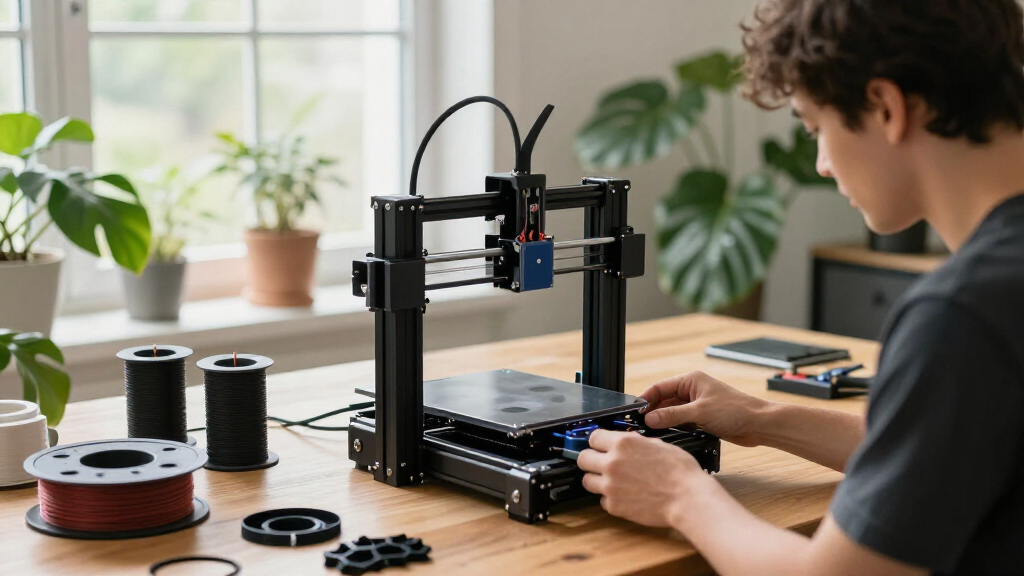
These products were selected based on their ability to handle multiple materials reliably, ease of setup, and overall build quality. We prioritized printers that offer true multi-material capabilities, not just multi-color, and evaluated their user interface, maintenance needs, and speed. Price was a factor, but only when it provided a clear value advantage. Our ranking favors models that balance performance with versatility, making them suitable for both hobbyists and professional users seeking complex prints with minimal fuss.Factors to Consider When Choosing Multimaterial 3d Printers
When choosing a multimaterial 3D printer, several key factors influence the overall experience and results. Understanding these considerations can help you avoid costly mistakes and select a model that truly meets your needs.Material Compatibility and Versatility
Not all multimaterial printers support the same range of filaments. Some are limited to specific types like PLA and ABS, while others can handle TPU, PETG, or specialty filaments. Consider your project needs and future plans—more versatile machines often cost more but provide greater creative freedom. Also, check whether the printer can switch between materials seamlessly or requires manual intervention, which impacts workflow efficiency.
Ease of Use and Setup
Multimaterial systems can be complex to set up and operate. Features like auto-calibration, multi-toolheads, and intuitive interfaces reduce the learning curve. It’s easy to underestimate the time needed to learn multi-material workflows, so look for models with clear instructions, good software support, and reliable maintenance routines. A smoother experience minimizes frustration and improves your print quality over time.
Speed and Build Volume
Speed often varies significantly among multi-material printers, especially those with multiple toolheads. Faster models can handle larger projects more efficiently, but may be more expensive and have higher operational costs. Similarly, a larger build volume increases creative possibilities but can add to the printer’s complexity and price. Balance these factors based on your typical project size and timeline expectations.
Cost and Long-term Value
While premium models offer advanced features, they also require a higher upfront investment and ongoing maintenance. Cheaper options might suffice for occasional use but could lead to frustrations with inconsistent results or limited material support. Always evaluate the total cost of ownership, including filament costs, spare parts, and potential upgrades, to ensure your investment aligns with your long-term goals.
Reliability and Support
A multi-material printer’s complexity can lead to more frequent issues. Choosing brands with strong customer support, active user communities, and comprehensive warranties can save time and money. Reliable hardware and responsive assistance are especially important if you plan to use the printer regularly or for professional purposes, where downtime impacts productivity.
Frequently Asked Questions
Can a multimaterial 3D printer print with flexible filaments like TPU?
Yes, many multimaterial 3D printers support flexible filaments such as TPU, but compatibility varies by model. It’s important to check whether the printer’s extruder and hotend can handle softer filaments without clogging or slipping. Some models are specifically designed with features to facilitate printing with flexible materials, making them better suited for projects requiring rubber-like textures.
Is multi-material printing more difficult than single-material setups?
Multi-material printing generally involves additional complexity, including filament switching, calibration, and potential material incompatibilities. Beginners may face a steeper learning curve, but many modern printers incorporate automated features like auto-calibration and multi-toolheads to mitigate these challenges. Expect to spend more time troubleshooting and fine-tuning settings compared to single-material printing.
How do I maintain multi-toolhead 3D printers to keep them running smoothly?
Maintenance for multi-toolhead printers includes regular cleaning of hotends, checking calibration, and ensuring filament paths are clear. It’s also essential to update firmware and software to benefit from bug fixes and improvements. Proper maintenance reduces downtime and helps maintain consistent print quality, especially when switching between different materials.
Are multi-material 3D printers suitable for professional prototyping?
These printers are increasingly capable of handling complex prototypes, especially higher-end models with precise calibration and reliable material support. They enable multi-color and multi-material parts, which are valuable for visual and functional prototypes. However, for highly demanding applications, consider models with advanced features like filament sensors, high-temperature hotends, and robust support systems.
What is the typical learning curve for using a multimaterial 3D printer?
The learning curve varies depending on the model and your experience level. Beginners may need time to understand material properties, printer calibration, and software workflows. Many manufacturers offer tutorials and support resources to help shorten this period. Expect to spend some initial setup time and a few trial runs before achieving reliable multi-material prints.
Conclusion
For most users, the FlashForge Creator 5 offers a compelling balance of versatility and ease of use, making it the best overall choice for both hobbyists and professionals seeking multi-material capabilities. Budget-conscious buyers will appreciate the ANYCUBIC Kobra X for its affordability and solid performance. Those needing premium features and larger build volumes should consider the Creality K2 Pro or Bambu Lab P1S for advanced multi-material workflows. Beginners or those new to multi-material printing should prioritize models with automation and straightforward interfaces, while experienced users may prefer multi-toolhead systems with greater customization options. Ultimately, your choice depends on your specific project needs, budget, and desired complexity.
Fall Picks
fall essentials
As an affiliate, we earn on qualifying purchases.