Buying the wrong 3D printer or skipping proper setup can slow down your prototype lab considerably. Choosing incompatible materials, neglecting maintenance, or rushing calibration causes failed prints and wasted resources. Outdated software or firmware limits your printer’s capabilities, leading to delays. Poor planning often results in costly repairs and redesigns, reducing efficiency. To avoid these pitfalls and keep your workflow smooth, you’ll find valuable tips if you explore further.
Key Takeaways
- Purchasing a printer incompatible with desired materials causes frequent failures and delays.
- Neglecting to verify the printer’s calibration and setup leads to prolonged troubleshooting and inefficiencies.
- Choosing outdated firmware or software limits performance and hampers access to new features.
- Overlooking maintenance needs results in mechanical issues that slow production cycles.
- Failing to research material compatibility increases print errors and wastes time on unsuitable upgrades.
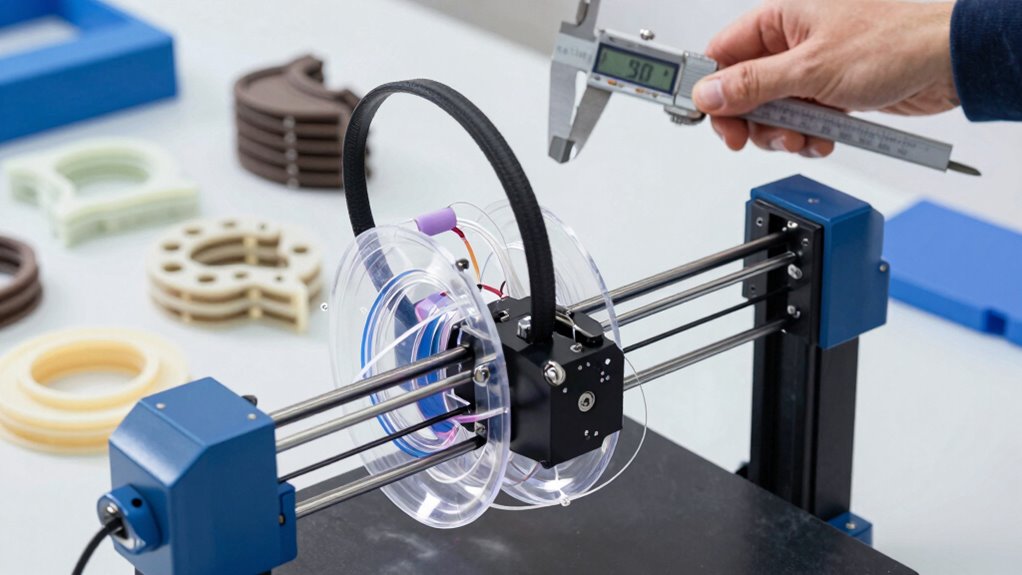
Buying a 3D printer can be exciting, but it’s easy to fall into common traps that can lead to frustration or wasted money. One of the biggest mistakes you might make is not paying enough attention to material selection. Different printers work better with specific filament types, and choosing the wrong material can cause print failures, warping, or poor quality results. For example, if you pick a filament that isn’t compatible with your machine’s temperature range or extruder capabilities, you’ll spend more time troubleshooting than actually creating. It’s vital to research what materials your printer supports and consider the properties you need—whether it’s strength, flexibility, or heat resistance. Skipping this step can lead to repeated failed prints and increased costs, as you’ll be forced to buy additional materials or upgrade your equipment.
Choosing the right filament is key to successful 3D printing and avoiding costly errors.
Another common mistake is neglecting proper maintenance routines. Many newcomers overlook the importance of regular upkeep, assuming their printer will run smoothly forever. However, a well-maintained machine performs better and lasts longer. You should routinely clean the print bed, check for loose belts or screws, and lubricate moving parts to prevent wear and tear. Failing to do so can result in print inaccuracies, jams, or even mechanical failures that halt your projects altogether. Incorporating preventative maintenance routines, like inspecting nozzle cleanliness and calibrating the bed, is essential to guarantee consistent results. Regularly checking and adjusting your printer’s alignment and calibration ensures optimal performance and prevents issues before they occur. Understanding the material compatibility of your printer is also crucial, as using incompatible materials can damage the extruder or lead to subpar prints. Additionally, being aware of your specific printer’s software and firmware updates can help improve print quality and fix bugs that might cause issues. Performing these regular checks and updates can significantly extend the lifespan of your equipment. Preventative care not only saves you money in repairs but also maintains the quality and reliability of your prototypes.
Additionally, rushing through the setup process or ignoring calibration can slow down your workflow considerably. Proper calibration, especially of the print bed and extruder, is essential for achieving precise and high-quality prints. If you overlook these steps, you might find yourself wasting filament or dealing with failed prints that consume hours of your time. Take the time to learn your machine’s quirks and fine-tune the settings accordingly. Investing in good-quality materials and maintaining your printer regularly might seem like extra effort initially, but these steps pay off by reducing downtime and ensuring your prototypes come out exactly as intended.

250g PLA Filament 1.75mm Bundle, SUNLU 3D Printer Filament Neatly Wound, Individually Vacuum Packed, 250g Spool, 8 Rolls, White+Red+Orange+Yellow+Green+Blue+Cyan+Purple
【Beginner-Friendly Small Spool Filament Pack】Perfect for 3D printing beginners! This 250g × 8-color PLA filament bundle uses compact…
As an affiliate, we earn on qualifying purchases.
As an affiliate, we earn on qualifying purchases.
Frequently Asked Questions
How Do I Determine the Best 3D Printer for My Specific Prototype Needs?
To find the best 3D printer for your prototype needs, start by evaluating your required material compatibility—ensure it handles the materials you plan to use. Additionally, check software integration; the printer should seamlessly connect with your design tools for smooth workflows. Consider your budget, print size, and precision needs. Testing different models and reading reviews can also help you choose a reliable printer that boosts your prototype development process.
What Are the Common Maintenance Issues With Different 3D Printer Models?
You often face maintenance issues like material compatibility problems and calibration errors with different 3D printer models. To avoid delays, regularly check that your printer supports your chosen materials and follow precise calibration procedures. Keep an eye on nozzle wear and filament jams, and perform routine maintenance to guarantee smooth operation. Properly maintaining your printer helps you prevent downtime and keeps your prototypes on track.
How Does Printer Speed Affect Prototype Quality and Project Timelines?
You might think faster printing speeds save time, but they often sacrifice material compatibility and print resolution, leading to shoddy prototypes. Rushing through prints can cause layer misalignments and weak structures, delaying your project in the long run. Slowing down guarantees better quality, more precise detail, and fewer errors, ultimately speeding up the entire process. Remember, haste makes waste—especially in the world of 3D printing.
Are There Hidden Costs Associated With 3D Printer Ownership?
Yes, hidden expenses can pop up when you own a 3D printer. Beyond the initial purchase, you might face costs for maintenance, upgrades, and replacing worn parts. Warranty coverage helps mitigate some expenses, but you should read the fine print to understand what’s covered. Unexpected breakdowns or needing specialized materials can also add to your costs, so plan financially for these potential hidden expenses to avoid surprises.
What Training Is Recommended for New 3D Printer Users?
You should pursue extensive training that covers material compatibility and software operation. Focus on understanding which materials work best with your specific printer to avoid print failures. Additionally, invest time in software training to master slicing tools and printer controls. This knowledge will help you troubleshoot issues quickly, improve print quality, and streamline your prototype development process, ultimately saving you time and reducing costly mistakes.

68Pcs 3D Printer Tools Kit with Storage Case, 3D Printer Accessories – Deburring Tool, 3D Printer Removing Scrapers, Metal Files, Brushes, Hand Drill, Tweezers, for Bambu Lab, Ender 3, Kobra, etc.
【Upgraded 68-in-1 3D Printer Tools Kit, 1-Year Warranty】Designed by a Team of 15-Year 3D Printing Enthusiasts, the kit…
As an affiliate, we earn on qualifying purchases.
As an affiliate, we earn on qualifying purchases.
Conclusion
Avoid the common pitfalls of rushing decisions, overlooking needs, and ignoring future growth. By choosing wisely, considering carefully, and planning ahead, you set yourself up for success. Don’t let mistakes slow down your prototype lab’s progress; instead, learn, adapt, and grow. Because the right 3D printer isn’t just a purchase—it’s a partner in innovation, a tool for achievement, and a step toward turning ideas into reality. Make smart choices, and watch your lab thrive.

Creality 3D Printer Tool Kit, 74Pcs 3D Printing Tool Wrap Kit Assembly/Removal/Filament Cutting Set 3D Printer Accessories for All FDM Printers Cleaning Finishing Printing
【Professional Versatility & Wide Application】Disassemble, assemble, connect, grind, cut, cleaning, scrape, shovel.This 3D Printer Tool Wrap Kit Pro…
As an affiliate, we earn on qualifying purchases.
As an affiliate, we earn on qualifying purchases.

FLASHFORGE Adventurer 5M 3D Printer with Fully Auto Leveling, Max 600mm/s High Speed Printing, 280°C Direct Extruder with 3S Detachable Nozzle, CoreXY All Metal Structure, Print Size 220x220x220mm
One-Click Automatic Printing: Experience hassle-free 3D printing with the Adventurer 5M Series. Enjoy automatic bed leveling for flawless…
As an affiliate, we earn on qualifying purchases.
As an affiliate, we earn on qualifying purchases.